
Evaluating Lovable often feels less like leveraging an AI engineer and more like operating a slot machine. Every prompt costs about $0.30. Every prompt risks breaking application logic that already worked. Builders routinely watch 100 credits evaporate in minutes attempting basic visual adjustments.
You already know what React, Tailwind, and Supabase do. You've probably already compared Lovable against Bolt.new, v0, or Cursor. This isn't a recap of Lovable's marketing bullets. It's where the real monthly cost diverges from the sticker price, exactly where prompt-driven generation degrades into an unfixable error loop, and the tool-chained workflow that avoids both.
Shipping a working prototype in an afternoon feels like a win. Then the post-generation cleanup runs fifty engineering hours. Then a security audit finds your database wide open to the public.
Lovable Overview
Lovable, evolved from GPT Engineer into a full-stack app builder, generates React frontends wired to Supabase backends directly from a prompt. It's genuinely fast at initial scaffolding. A working layout, database tables, and auth flow can exist within hours of a first prompt.
The credit mechanics behind that speed matter more than the feature list. Plan Mode costs a flat 1 credit per message and is meant for outlining structure without touching files. Build Mode is where the real spend happens - it writes and refactors code directly, and cost scales with prompt complexity, file modifications, and automated build checks.
Unified credit pools monetize the model's own hallucinations. When the AI agent enters an unfixable code loop or writes broken database syntax, you pay for that failure through credit depletion. There's no billing distinction between "the AI did what I asked" and "the AI burned my budget fixing its own mistake."
Lovable Pricing: The Real Cost of Ownership
The advertised price is $25/month for 100 credits. That number is close to meaningless for real production use.
- Real-world usage typically runs $50-$150/month once usage-based top-ups during bug fixing enter the picture.
- One documented case had the entire $25 tier exhausted in under three days.
- External Supabase hosting, custom domains, and database scaling can add another $25/month on top of that.
Core Bottlenecks: Credit Burn and Technical Debt
The 70/30 bottleneck is the single most important thing to understand before adopting this tool. Generating the initial 70% of an application - the visible layout, the basic CRUD wiring genuinely takes about two hours. Resolving state management and real database logic for the remaining 30% has taken documented teams 40 hours of manual refactoring. That ratio is the actual cost structure of vibe coding. It's the exact opposite of what the two-hour demo implies.
A few specific failure patterns worth knowing before you commit budget:
- Unpredictable credit exhaustion during bug fixing. One team watched the platform consume 30 credits attempting to fix a layout bug - and introduce a fatal routing error across three adjacent pages in the process.
- Destructive regressions during simple visual edits. Requesting a small micro-interaction tweak can cause the AI agent to rewrite underlying API context hooks, breaking authentication flows that had nothing to do with the original request.
- Generic UI aesthetics. The visual output leans on predictable Tailwind layouts with no real brand identity, meaning extensive manual styling override work regardless of how clean the generated code is.
- High-friction design/code collaboration. Non-technical team members triggering UI changes routinely corrupt backend state definitions, forcing developers to roll back to older GitHub commits just to recover.
The security gap deserves its own callout, because it's the one most surface-level reviews skip entirely. A security audit of a generated Supabase schema found Row Level Security policies missing outright. User tables were exposed to public read/write access.
Non-technical builders should not deploy backend-heavy Lovable apps unassisted. Frontend UI generation is relatively low-risk. AI-generated database schemas, edge functions, and auth middleware regularly contain subtle flaws a non-technical founder has no way to catch without a professional audit.
Visual iteration inside a code-generation engine wastes budget structurally. Every layout tweak inside Lovable's Build Mode triggers a full LLM compilation cycle, billed the same as a meaningful feature change. Locking component structure and UX flow in a dedicated design environment before touching Lovable avoids this entirely - a distinction covered in more depth in how designers are actually using AI in production workflows.
Platform Comparison: Lovable vs. Bolt.new vs. Cursor vs. v0
| Platform | Core Strength | Primary Limitation | True Monthly Cost |
|---|---|---|---|
| Lovable | Rapid full-stack scaffolding (React + Supabase) | High credit burn during bug fixing, generic UI output | $50-$150+ after top-ups and add-ons |
| Bolt.new | Fast browser-native prototyping across frameworks | No opinionated native database integration | $20 base, needs external hosting |
| v0 by Vercel | High-precision Tailwind/React component design | Frontend generator only, no native backend | Predictable seat pricing, needs external dev glue |
| Cursor | Deep repository-level AI pair programming | Requires full technical literacy and local setup | $20 fixed, cost-efficient for technical users |
The pattern across the field: every tool here specializes in one stage of the pipeline and gets marketed as if it covers the whole thing.
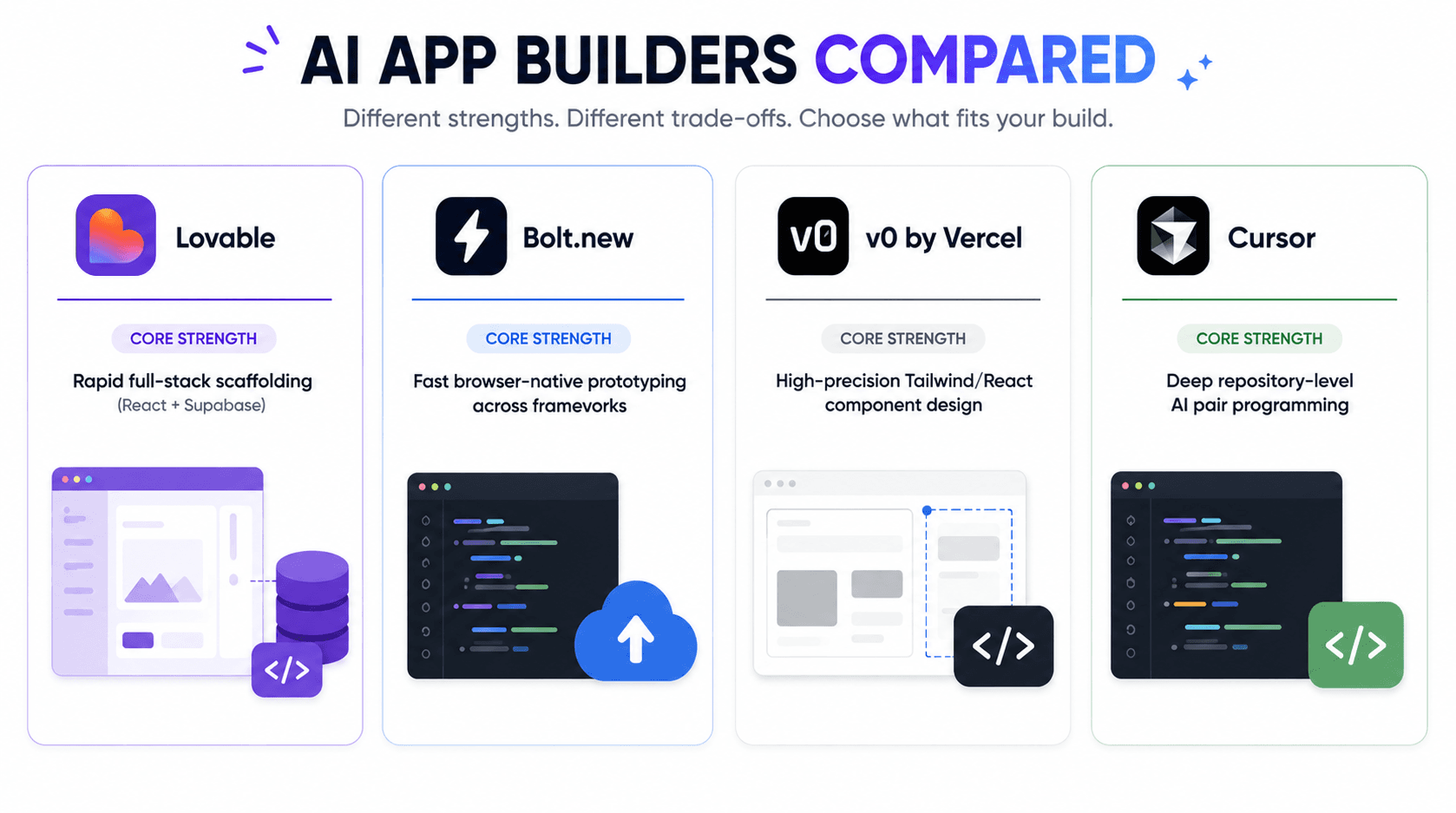
Tool chaining beats forcing a single platform through every stage. High-velocity teams draft UX flows in a dedicated design engine, scaffold full-stack code in Lovable, and hand deep logic refactoring to a specialized AI IDE like Cursor - rather than asking Lovable to be all three at once.
Lovable vs. UXMagic: Code Builder vs. Design Copilot
This comparison doesn't fit neatly into the table above, because Lovable and UXMagic aren't really competing for the same job. Worth spelling out exactly where they diverge.
| Feature | Lovable | UXMagic |
|---|---|---|
| Core Output | Full-stack app (React + Supabase, wired together) | Production-ready UI flows and design systems |
| Iteration Cost | Every visual tweak burns a metered credit in Build Mode | Zero credit consumption on layout iteration |
| Multi-screen Consistency | Screens generated in isolation, styling drifts across a flow | Flow Mode enforces typography, spacing, and component states across the entire journey |
| Where It Fits in Pipeline | Phase 2 - full-stack scaffolding, after structure is locked | Phase 1 - visual architecture, before any code is written |
| Risk if Used Alone | Design decisions get made accidentally through expensive trial and error | No backend logic - needs Lovable or a similar tool downstream |
Lovable optimizes for compiling a working app fast, with the visual layer treated as a byproduct of that compilation. Every layout adjustment routes through the same credit meter as a backend logic change, because the platform draws no real distinction between "fix a database query" and "nudge a padding value." That's the direct cause of both the 70/30 bottleneck and the credit-burn failures covered above.
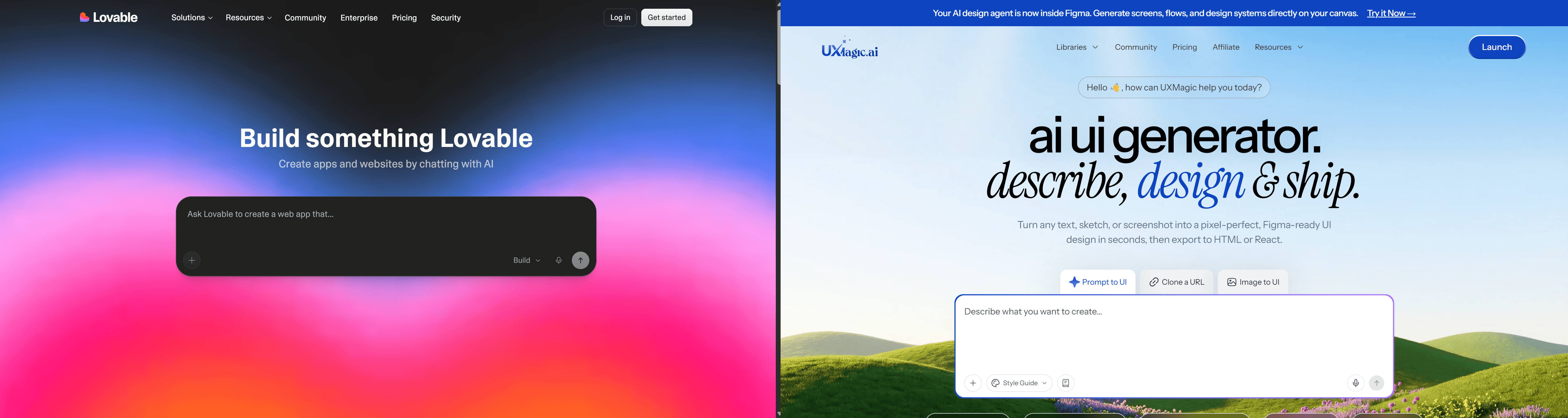
UXMagic is built around the opposite assumption: design and code are separate concerns, and the design layer deserves its own unmetered iteration loop. It exports production-ready UI directly into a structure Lovable (or any full-stack builder) can scaffold against, so the ambiguity that burns Lovable credits gets resolved before Lovable is even opened.
The two tools aren't substitutes - they're sequential. UXMagic isn't a full-stack app builder, and it won't wire your Supabase backend for you. Lovable doesn't have a real answer for locking design system consistency across screens without burning credits to get there manually. Used together, in that order, each one does the job it's actually built for.
The Optimal Vibe-Coding Workflow Stack
The actual pipeline that avoids both the credit burn and the security gap runs in three phases:
Phase 1: visual architecture and flow locking, before any code exists. Map screen hierarchies, user roles, and conditional pathways first. This is where UXMagic fits - generating production-ready UI flows and design systems from a prompt, so visual structure gets locked with zero credit consumption on layout iteration. That directly eliminates the 60-150 credit burn cycles commonly lost to layout troubleshooting once a team is already inside Lovable's Build Mode.
Phase 2: full-stack scaffolding in Lovable, with structure already resolved. Feed the locked visual specs into Lovable to generate the React frontend and Supabase wiring. With component boundaries already defined, this becomes a clean generation pass.
Phase 3: logic hardening and security audit in Cursor. Export via GitHub sync and have a human (or Cursor's deeper repository-level analysis) inspect Supabase RLS policies, rewrite unoptimized data-fetching hooks, and run an actual vulnerability scan. Lovable's automated deployment checks do not reliably catch unsecured endpoints or public read access on sensitive tables. This step isn't optional.
Here's what that looks like end to end, cost included:
- Unstructured approach: A team prompted Lovable directly to "build a multi-tenant project management SaaS with admin dashboards, team views, and Stripe billing." The AI modified database tables unpredictably once specific permission structures got requested. Fixing authentication broke the billing modal. The team burned 180 credits ($54) across three days, landing on an unstable codebase with failing build scripts.
- Structured approach: The same project, designed as a full multi-tenant user journey in a dedicated UI flow tool first. The complete component structure got passed to Lovable as a clear spec, scaffolding the full-stack codebase in a single pass - 18 credits. Synced to GitHub, hardened in Cursor. Total time: one day. Total cost: $25.
Same feature. Radically different bill. The ambiguity that burns credits in Lovable never existed in the first place - the same principle behind maintaining style consistency across multi-screen app flows rather than treating every screen as an isolated generation.
A second case makes the same point differently. A founder building a dynamic event-ticketing engine got an attractive static calendar UI fast. Asking Lovable to "fix the total price calculation when toggling add-ons" triggered a loop where the AI repeatedly claimed the bug was fixed without touching the actual broken hook - draining 90 credits with nothing resolved. The fix: pre-build the component states and conditional UI in a dedicated design tool, import the clean spec into Lovable for the React layer, and implement the actual price-calculation logic as deterministic TypeScript inside Cursor - where state bugs get fixed by a human reading code, not an LLM guessing again.
Stop Burning Credits on Layout Fixes
Stop burning credits on layout troubleshooting before you've even touched real logic. Try UXMagic free