AI Product BuilderFrom Brief to Every Screen
See How AI buildsProducts Instantly
Trusted by Designers and Developers
Faster than manual design
Responsive by default
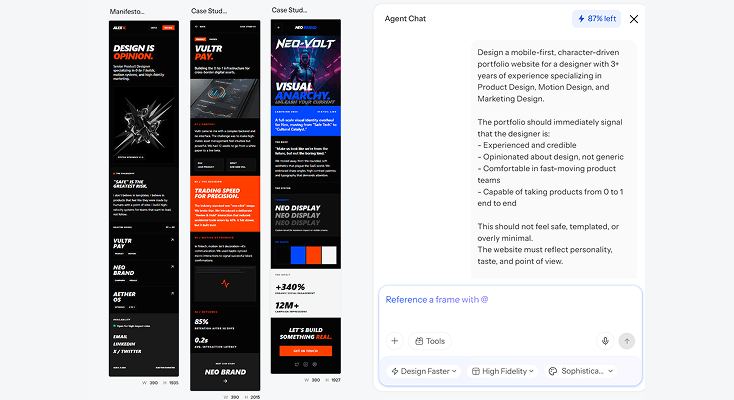
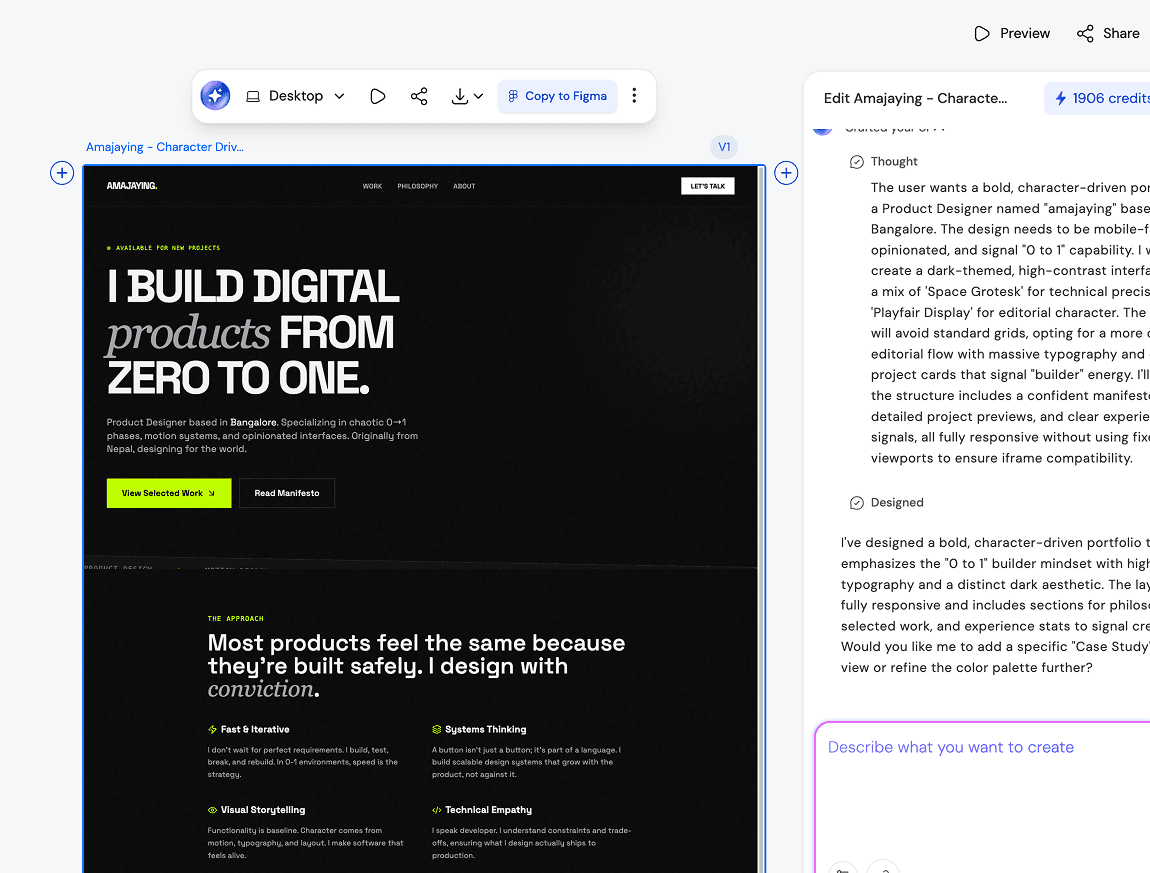
Generate full productinterfaces from a brief
Describe your product requirements and UXMagic generates a complete set of screens covering every feature, user role, and workflow. Your team gets a visual product spec to align around before a single line of code is written - the core of how to build an ai product without starting from a blank canvas.
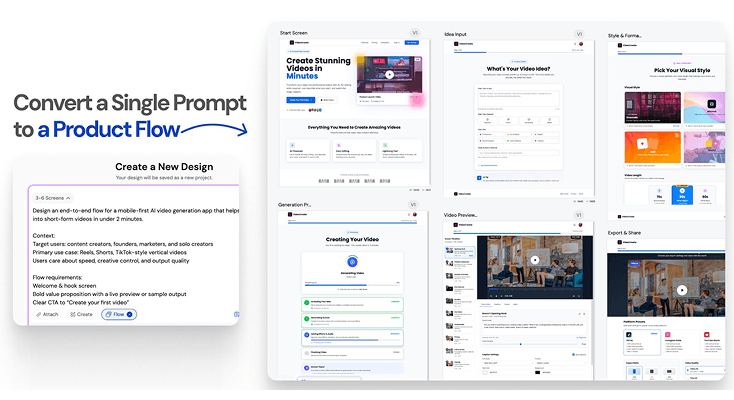
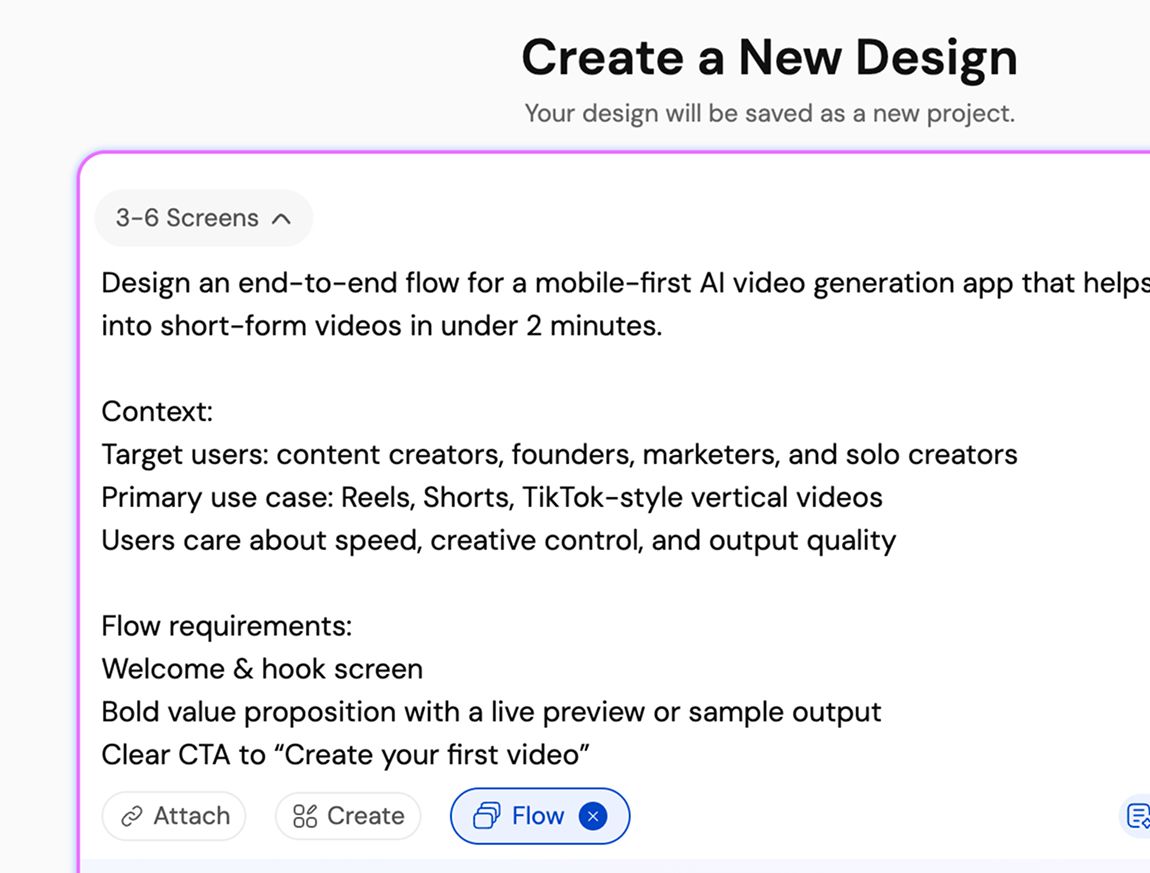
Design every screenin the user journey
UXMagic's Flow Mode generates connected screens across the entire product experience end to end. Each screen maintains visual and logical consistency, so building AI products this way produces a cohesive system, not a pile of disconnected pages.
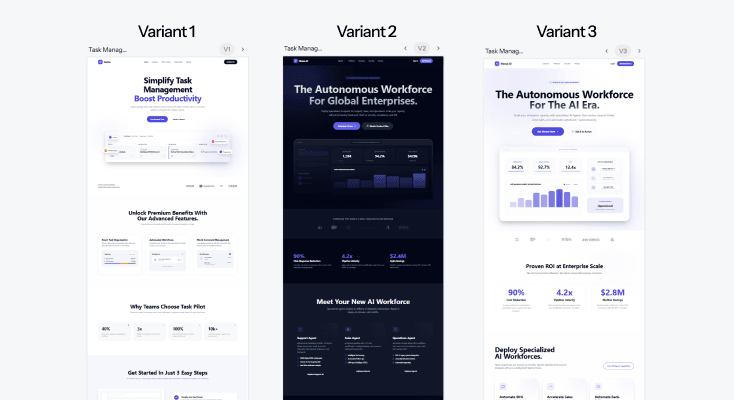
Explore design directionswithout blocking your team
Generate multiple distinct visual approaches for any screen or flow and compare them side by side. Product managers and designers evaluate options together in minutes - one of the more useful ai tools that let product managers build mvps without waiting on a design queue.
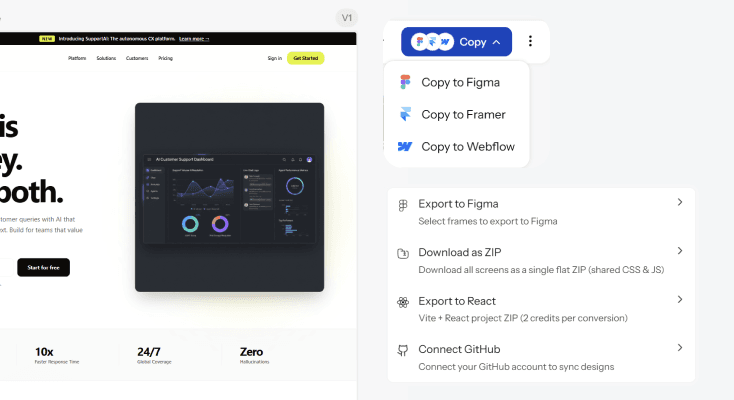
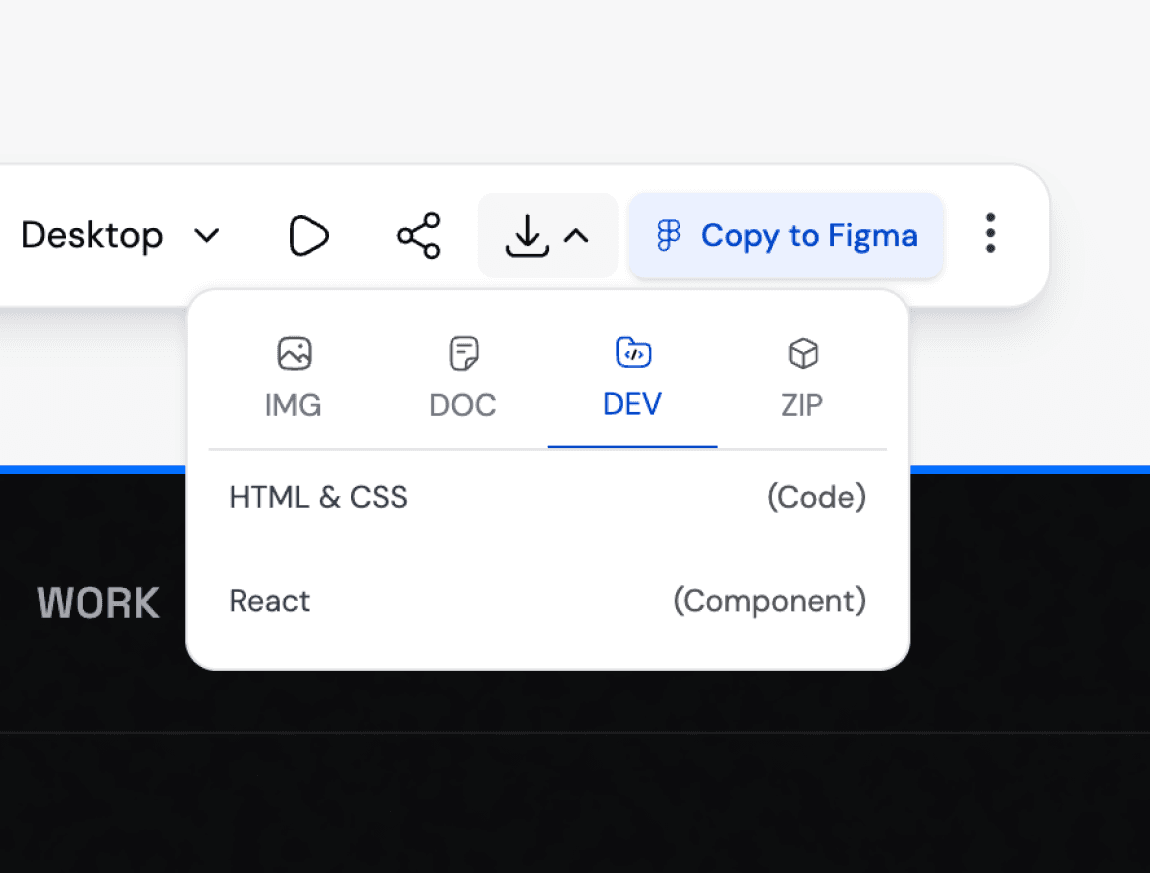
Hand off production-readyspecs to engineering
Export your product designs to Figma for collaborative annotation, or download production-ready code your developers can build from directly. Engineering gets a clear visual specification that reduces ambiguity during the actual build.
What you walk away with
A complete product, not a handful of screens
Every screen in the experience - onboarding, core workflows, edge cases - generated as one connected system, so building ai products doesn't leave gaps engineering has to guess at later.
A visual spec your whole team can align around
Product, design, and engineering review the same screens before a line of code exists, cutting the back-and-forth that usually happens when specs live only in a doc.
Figma layers and production-ready code, from one generation
Export into Figma for collaborative annotation, or download clean code your engineering team can build from directly - both from the same product brief.
UXMagic vs Figma vs UXPilot vs Lovable vs Bolt.new vs Base44
A lot of tools call themselves an ai product builder. Here's what separates them when you look at what teams actually need:
| Tính năng | Figma (native AI) | UXPilot | Lovable | Bolt.new | Base44 | UXMagic |
|---|---|---|---|---|---|---|
| Full product screen set from one brief | ||||||
| Design-first (no forced backend/database) | ||||||
| Multiple design directions per screen | ||||||
| Design system/token consistency across screens | ||||||
| Export to Figma as editable layers | ||||||
| Export to production-ready code |
có thắc mắc?chúng tôi có câu trả lời.
An AI product builder generates the interface screens for a software product directly from a written description - user roles, features, and workflows instead of requiring manual wireframing for every screen. UXMagic's ai product builder produces a complete, connected screen set from one brief.
Describe the product you're building, roles, features, workflows and UXMagic generates the full set of interface screens. Building ai products without coding skills means describing what you need in plain language; the AI handles layout and structure.
UXMagic slots in before engineering starts building product and design alignment on a visual spec first, then export that spec to Figma for refinement or straight to code for the development team to build from.
Yes. Import your existing Figma components, styles, and design tokens, and UXMagic generates every new screen using your actual brand system instead of a generic default.
A product designer typically takes days to weeks to produce a first full screen set, with revision cycles adding further time. UXMagic generates that same connected screen set in minutes, which your team then refines - compressing the early design phase significantly.
Yes. Once exported to Figma, your team can comment, annotate, and refine screens together using Figma's standard collaboration tools.
được tạo bởi người thật.phối lại không giới hạn.
Hãy là người đầu tiên đăng tải nội dung tại đây