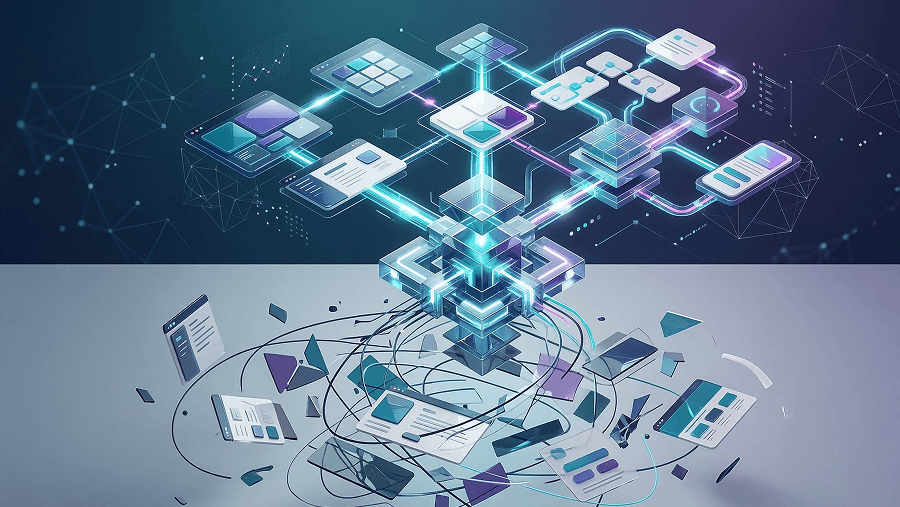
AI promised speed.
What most SaaS teams actually got was cleanup work.
A designer generates a “perfect” interface using AI. Engineering reviews it. Then the tickets reopen.
Because the dropdown doesn’t exist in the backend. The navigation changes between screens. The flow forgets data halfway through onboarding.
What looked like acceleration becomes verification tax, the hidden cost of auditing, debugging, and fixing AI-generated interfaces.
If you work in SaaS product design today, you’re probably trying to answer a harder question than “how do I generate UI faster?”
You’re asking:
- How do we use AI without breaking our design system?
- How do we stop hallucinated features from reaching engineering?
- And how do we prevent AI tools from turning our product into a collection of disconnected screens?
Let’s dismantle the myths causing most of these problems.
The Biggest AI Design Myths Plaguing SaaS Teams in 2026
Most problems with AI in product design aren’t technical.
They’re belief problems.
Teams adopt AI tools with assumptions that simply aren’t true.
Myth 1: AI Will Replace Strategic UX Thinking (The “Taste” Deficit)
AI can absolutely generate UI.
But it generates the statistical average of existing designs.
That’s what large models are trained to do.
The result?
- Interfaces that resemble generic SaaS dashboards
- Layouts based on historical design patterns
- Products that look identical to everything built in 2021
This creates a mediocrity crisis.
Average design is now free. Which means average design has zero market value.
Senior designers aren’t valuable because they move pixels faster.
They’re valuable because they:
- architect information systems
- manage business logic
- apply taste and judgment
- translate messy user needs into deterministic workflows
AI accelerates execution. It doesn’t replace systems thinking.
Myth 2: Prompt Engineering is the Future of UI Design
Prompt libraries are everywhere.
But prompt engineering is a fragile skill.
It optimizes one interaction at a time.
Enterprise products don’t work like that.
Real SaaS products require:
- design tokens
- component systems
- database constraints
- regulatory rules
- API limitations
This is where Context Engineering replaces prompt engineering.
Instead of writing clever prompts, you:
- inject system constraints
- feed the AI design tokens
- define data models
- enforce component libraries
You control the environment the AI operates in. Without that context, AI generation is just convincing noise.
Myth 3: LLMs Can Replace Empathy and User Research
Some teams believe they can simulate users with AI.
“Let’s ask the LLM to roleplay a frustrated customer.”
That’s the Synthetic Persona Fallacy.
LLMs don’t simulate real users.
They simulate the internet’s stereotype of a user.
Which means:
- emotional nuance disappears
- behavioral reality gets replaced with averages
- design decisions become disconnected from lived experience
Human-centered design requires friction with reality.
Synthetic personas remove that friction.
The Crisis of Generative UI: Hallucinations, Drift, and Amnesia
Most AI design failures fall into three predictable categories.
Once you see them, you’ll recognize them everywhere.
What Are AI UI Hallucinations? (And Why They Break Products)
A UI hallucination happens when AI generates interface elements that the product cannot support.
Examples:
- dropdown filters that don’t exist in the database
- policies that legal never approved
- features engineering never built
This happens because the model predicts what looks plausible, not what is technically possible.
Engineering teams then inherit the consequences.
Layout Drift and the Loss of the Geometric Thread
Another common failure is layout drift.
Every prompt redraws the interface from scratch.
So small structural differences accumulate:
- inconsistent spacing
- different typography scales
- shifting navigation placement
This breaks the geometric thread of the design system.
Teams end up spending more time fixing AI output than designing manually.
If your team struggles with this problem, the workflow discussed in AI UI consistency and design system workflows explains how token-enforced systems prevent drift.
Spatial Amnesia in Multi-Step User Flows
Generic AI tools treat UI generation like separate artboards.
But real products are state machines.
So when AI generates multi-step flows, it often forgets:
- user inputs
- data variables
- navigation anchors
- system states
This is called Spatial Amnesia.
For example:
Screen 1 collects a team name. Screen 3 forgets the team name exists.
The flow breaks.
If you’ve ever generated a multi-step interface and watched the context disappear halfway through, you’ve experienced exactly this.
Context Engineering: The Moat for Senior Product Designers
The most valuable design skill emerging from AI adoption isn’t prompting.
It’s context engineering.
Why Chat Interfaces Kill Non-Linear Problem Solving
Most AI tools rely on chat interfaces.
That’s terrible for product design.
Design problems require:
comparing multiple flows simultaneously evaluating conflicting solutions visualizing system states
Chat threads force designers into linear thinking.
Context scrolls away. Ideas disappear.
Complex architectural problems require spatial thinking, not conversational interfaces.
Moving from Direct Manipulation to Intent-Driven Architecture
Traditional UX focused on direct manipulation.
Users click buttons. Open menus. Complete forms.
Modern AI systems are shifting products toward intent-driven experiences.
Instead of navigating steps, users express goals.
The system orchestrates the workflow.
This means design moves from arranging screens to orchestrating system states.
In other words:
Design is becoming temporal.
The Sandwich Method: A Production-Ready AI Design Workflow
If your team lets AI generate UI without guardrails, chaos follows.
A safer approach is the Sandwich Method.
Human → AI → Human.
Phase 1: Injecting System Constraints and Data Models
Before generating anything, designers define the boundaries.
This includes:
- regulatory rules
- API constraints
- database limitations
- design tokens
- component libraries
This step forces the AI to operate within reality.
Designers also shift prompts toward intent-driven commands.
Instead of:
“Design a settings page.”
You define intent:
“Design a recovery flow for compromised accounts requiring two-factor authentication.”
Phase 2: Flow-Based UI Generation (Not Single Screens)
Next, the AI generates logic structures first.
Designers map:
- state machines
- data transitions
- flow diagrams
Only after validating the logic does the interface get generated.
Instead of individual screens, teams generate connected flows.
If you're exploring this approach, the workflow explained in Flow-Based Design vs Static Screens dives deeper into why flows outperform isolated artboards.
Phase 3: Red-Teaming the Logic and Human Refinement
The final stage is adversarial review.
Designers force the AI to critique its own work.
Example prompt:
“Act as a QA engineer and identify five edge cases where this flow fails.”
Then human designers:
- remove hallucinated features
- verify backend compatibility
- refine microcopy and tone
- align with brand voice
This is where taste and empathy return to the process.
Designing for Reality: Why SaaS Needs Component-Aware AI
The biggest shift AI requires from design teams is this:
Stop generating pixels.
Start assembling components.
Component-based AI generation ensures:
token consistency layout stability system compatibility
Instead of inventing UI elements, the AI must pull from the design system.
This is also where tools built for structured UI generation outperform generic image-style generators.
For example, UXMagic’s Flow Mode treats interfaces as connected flows instead of separate screens, preventing the spatial amnesia common in traditional generative UI tools.
And because UXMagic assembles layouts from a component library rather than painting raw pixels, it preserves the geometric thread of your design system across screens.
That difference is the line between production-ready output and pretty prototypes.
Build AI Workflows That Actually Ship
The real problem with AI in product design isn’t the technology.
It’s the workflow.
If you let AI generate screens without constraints, you inherit hallucinations, layout drift, and broken flows.
But if you combine context engineering, flow-first generation, and component assembly, AI becomes a serious acceleration tool.
If you want to experiment with this workflow in practice, try generating a full multi-step flow using UXMagic Flow Mode where screens share data, navigation, and system structure instead of existing as disconnected artboards.
Start building flows instead of fixing AI mistakes.
Because the future of design isn’t faster pixels.
It’s smarter systems.
Generate Real Product Flows With AI
Stop generating disconnected screens. Use UXMagic Flow Mode to create multi-step product flows that respect components, data states, and design systems—so what you generate can actually ship.