Output Comparison: Side-by-Side Design Quality
Design a travel booking website with a homepage, search bar, and card grid of destinations.
UXMagic.ai
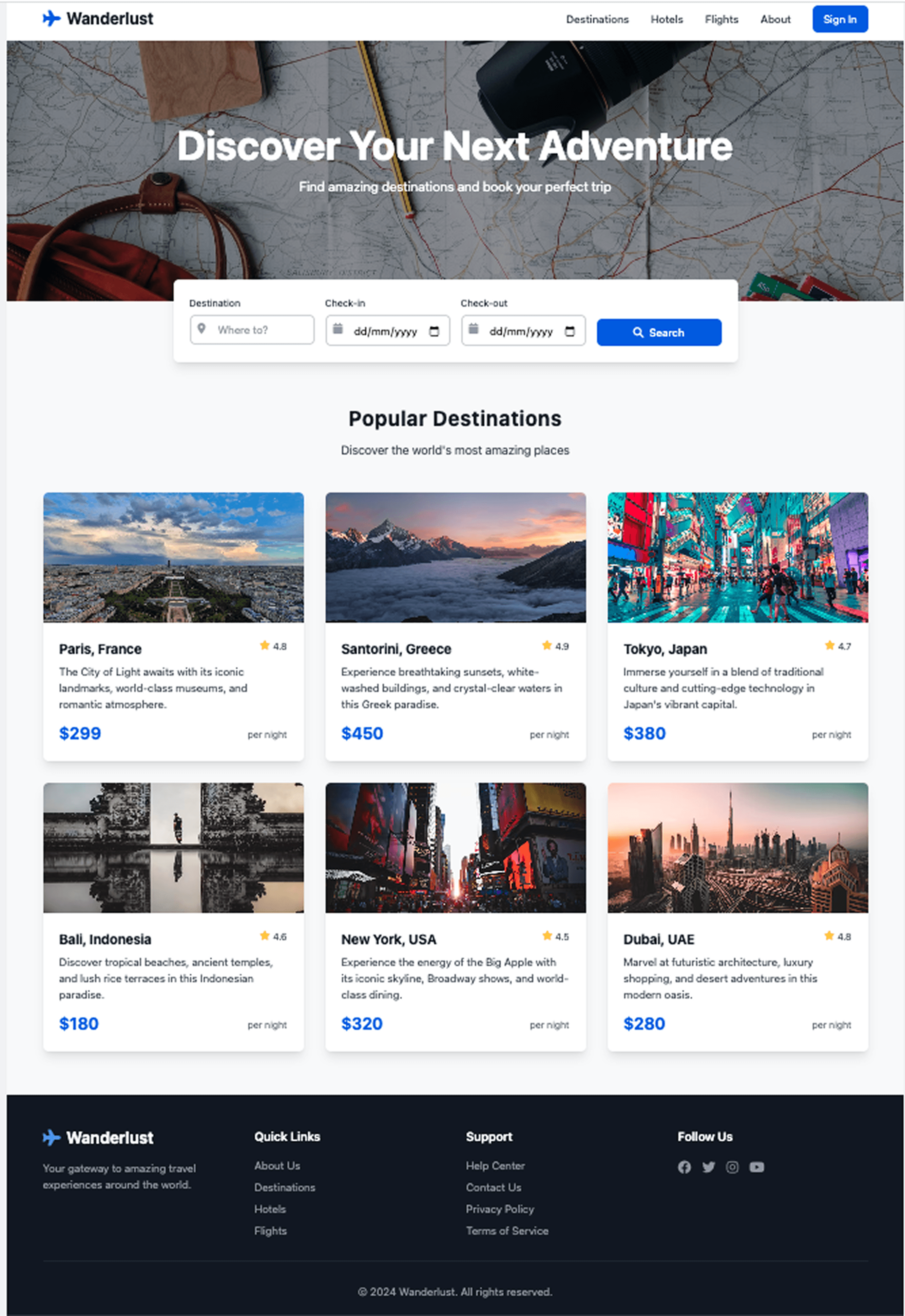
All images are present
Footer is added
A subtle similar background image
Bolt AI
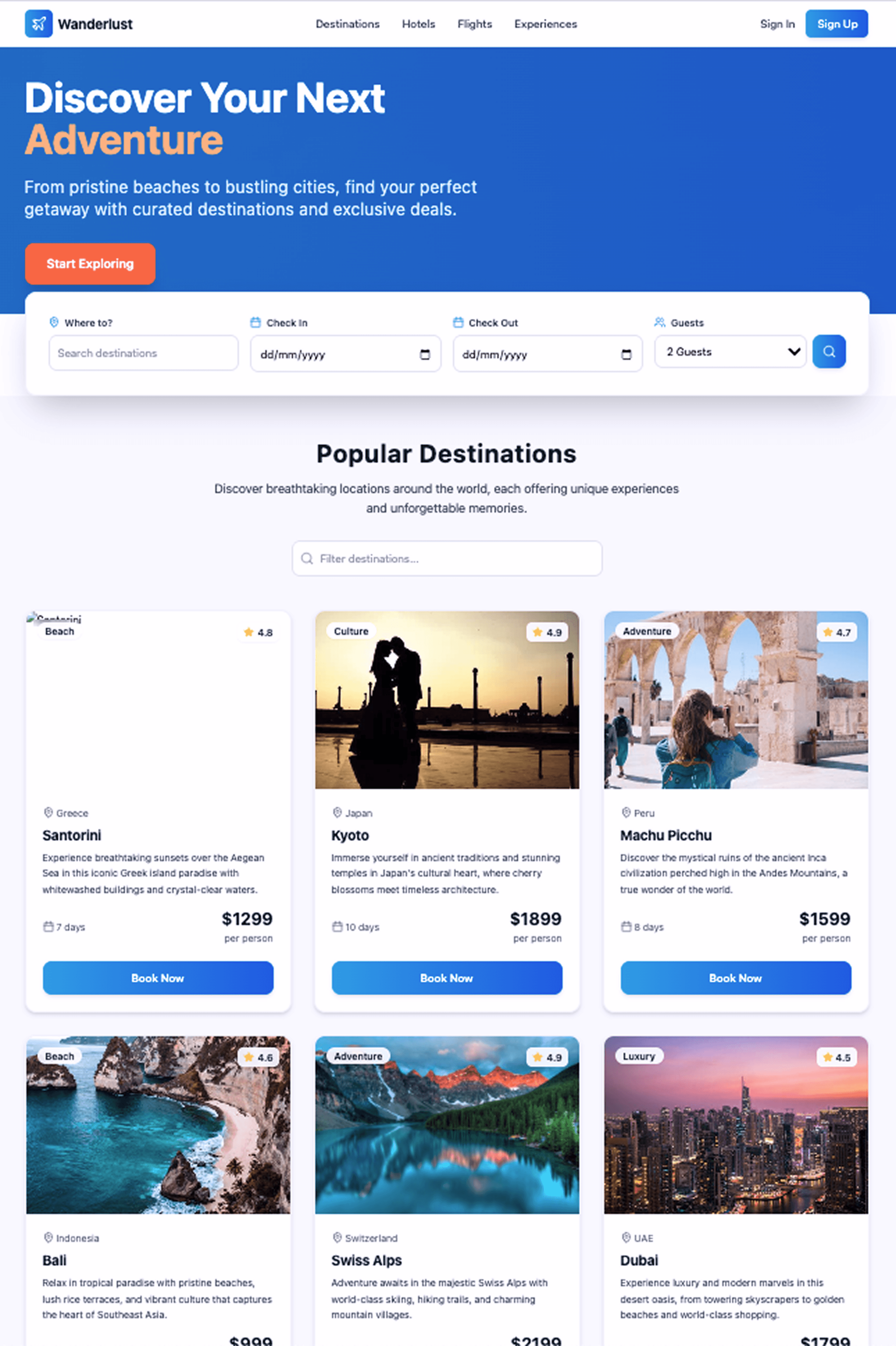
Missing Images
Footer is missing
No background Image
Design a mobile app for team managament with Kanban view
UXMagic.ai
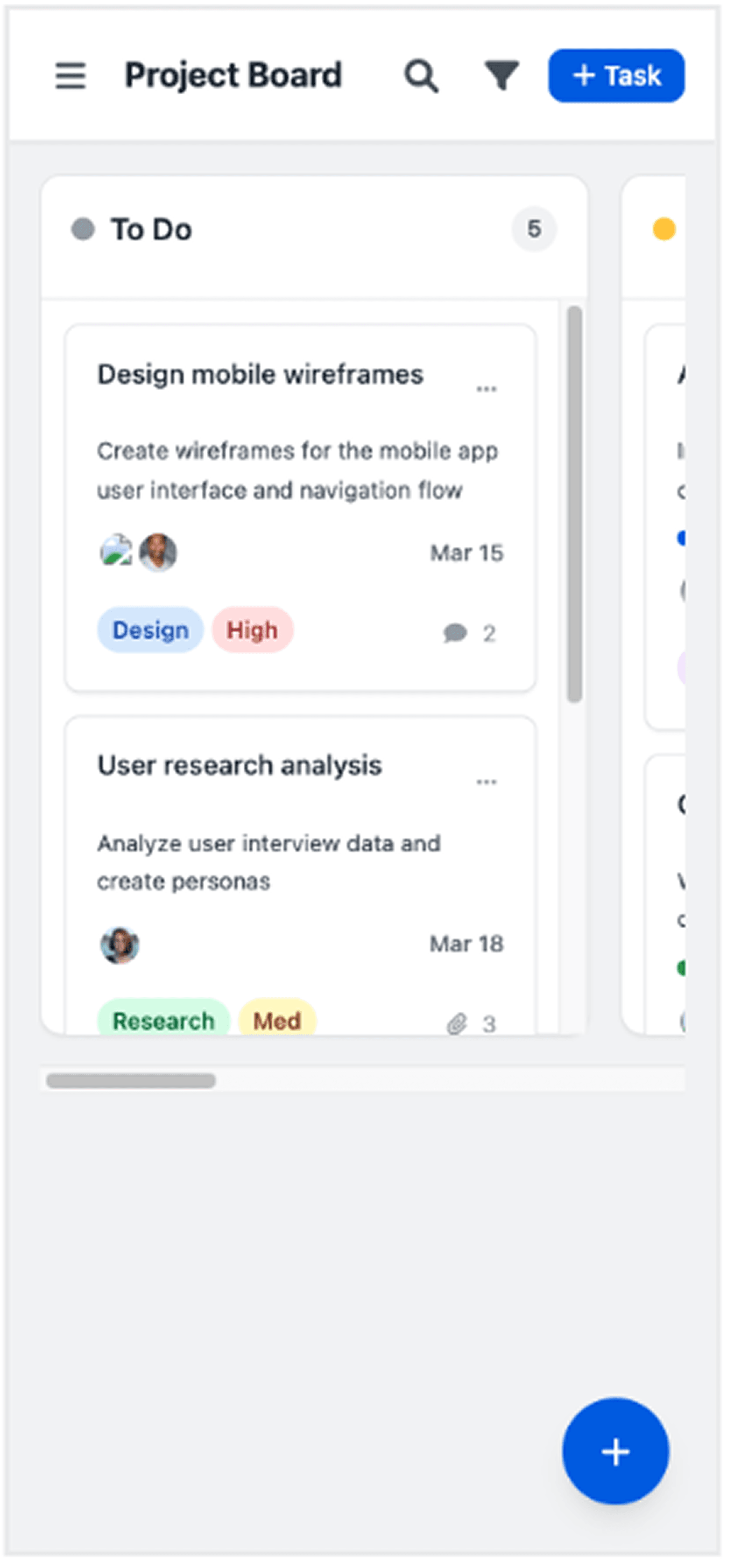
Assigned tasks are visible
Comments are shown in cards
Scrollable view for more Task Types
Bolt AI
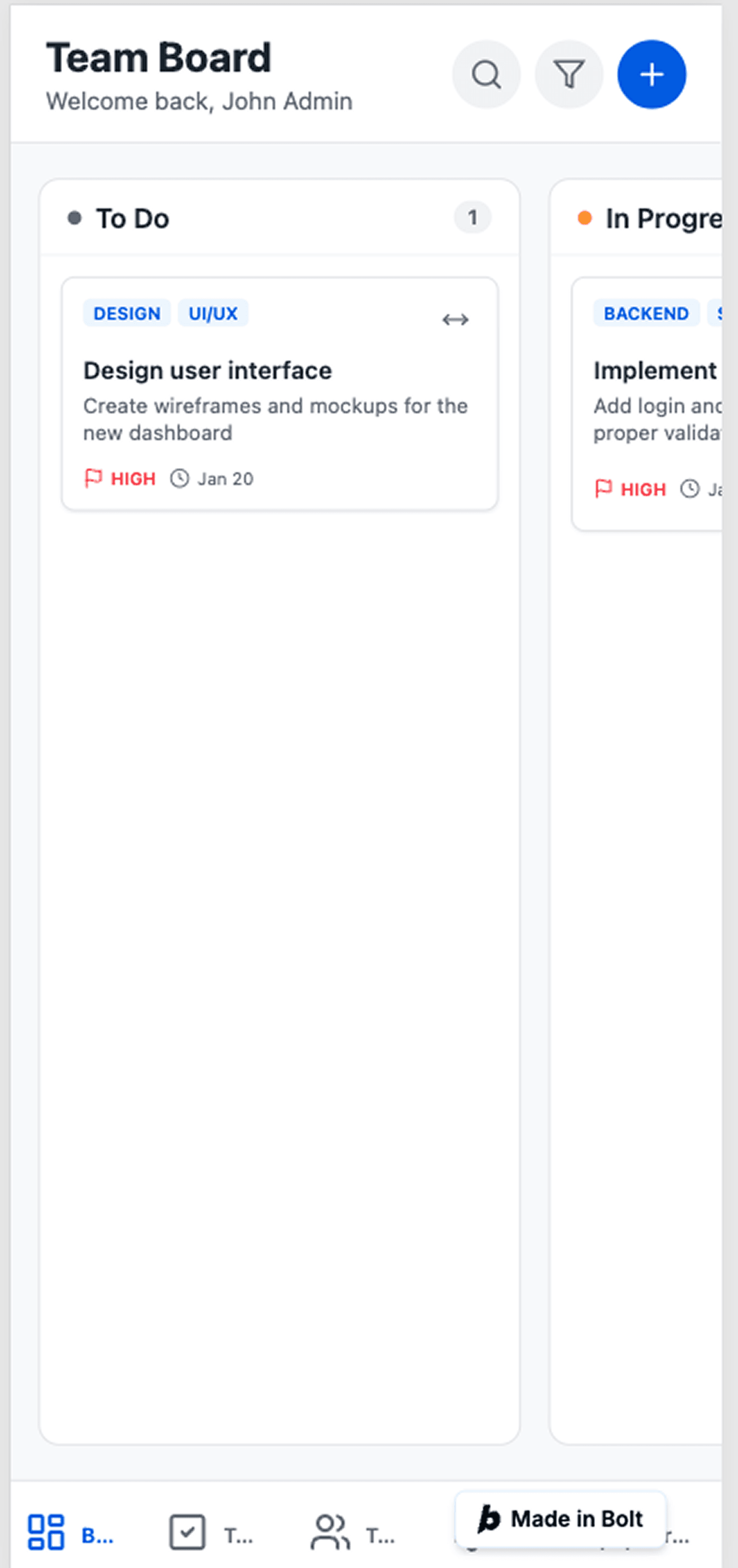
Missing Images of Assigned People
Footer is added
Missing Type of Task and other Tip Hightlight

About UXMagic
UXMagic is an AI-powered design copilot built for professionals. It turns prompts, sketches, screenshots, or even full URLs into wireframes, sitemaps, and editable Figma files. With deep Figma integration, one-click exports to Webflow/WordPress, and brand style automation, it accelerates design-to-ship time by up to 70%.Explore its features or pricing to learn more.

About Bolt AI
Bolt AI (known as bolt.new or bolt.ai) is an AI development platform for generating full-stack applications in seconds. It runs entirely in the browser with a code editor, live preview, and Node.js backend support powered by StackBlitz’s WebContainer technology.
Feature Comparison
| Feature | UXMagic | Bolt AI |
|---|---|---|
| Prompt to UI | Yes – supports text, sketches, screenshots, URLs | Yes – text prompts generate full-stack apps |
| Export Options | Figma, Webflow, WordPress, Shopify, React, HTML | Deploy to Vercel/Netlify, GitHub sync, Stripe integration |
| Style Guide | Auto-applies brand design system across screens | Consistent React/Tailwind styling, but limited visual branding |
| Component Editing | Visual “Agentic AI” editing without coding | Code-first editing in IDE (file tree + terminal) |
| Team Features | Agency-ready, supports client projects + design exports | Team plan ($30/user) with shared tokens |
| Figma Plugin | Two-way plugin with layered editable imports | Converts a single Figma frame to functional UI |
| Real-Time Preview | Live design preview inside dashboard | Full live app preview in browser IDE |
| Wireframing/Prototyping | Dedicated wireframe & sitemap generator | No wireframe mode, always generates code |
Who should use UXMagic?
Pricing Comparison

Free – $0/month
5 project, 120 free credits (one-time), upto 20 screens, 1 Figma export
Premium – $18/month
20 projects, 480 credits (monthly), upto 80 screens, 80 Figma exports, React/HTML exports
Ultimate – $35/month
Unlimited projects, 1500 credits (monthly), upto 250 screens, 250 Figma exports, unlimited React/HTML exports

Free – $0/month
150K tokens daily limit. 1M tokens per month. Bolt branding on websites
Pro – $25/month
Start at 10M tokens per month. Up to 1M web requests
Teams – $30/month
Team-level access management. Granular admin controls & user provisioning
Enterprise – Custom
Get advanced security, compliance, and 24/7 support. Customized to your team's exact needs.
Final Verdict
UXMagic vs Bolt AI comes down to how you design and what you ship.
Bolt is end-to-end MVP builder – great for entrepreneurs who want a working full-stack app instantly.
UXMagic is Design Workflow Accelerator – best for designers, agencies, and product teams who value polish, Figma integration, and reliable pricing.
👉 For serious product teams that care about speed and quality, UXMagic is the smarter choice.
لديك أسئلة؟لدينا الإجابات.
Bolt AI builds full-stack apps (frontend + backend + database), while UXMagic focuses on UI/UX design, Figma workflows, and frontend exports.
Yes—for designers and agencies. UXMagic integrates seamlessly with Figma, applies brand styles, and exports to Webflow/WordPress. Bolt AI (bolt.ai) is better for solopreneurs coding apps.
No. UXMagic is a design-first AI tool. It produces production-ready designs and frontend code, but does not handle backend databases or APIs like Bolt AI.
UXMagic has predictable credit-based pricing ($14–$28/mo). Bolt AI uses a token-based model ($20–$200/mo), which can lead to unpredictable costs.
Startups may benefit from using both: UXMagic for rapid design iteration and Bolt AI for full-stack deployment once designs are finalized.
تعرّف على ميزاتنا



Related comparisons
Weighing up more than one tool? Here is how UXMagic compares against the closest alternatives.