Output Comparison: Side-by-Side Design Quality
Design a responsive SaaS dashboard with navigation, charts, and a settings panel.
UXMagic.ai
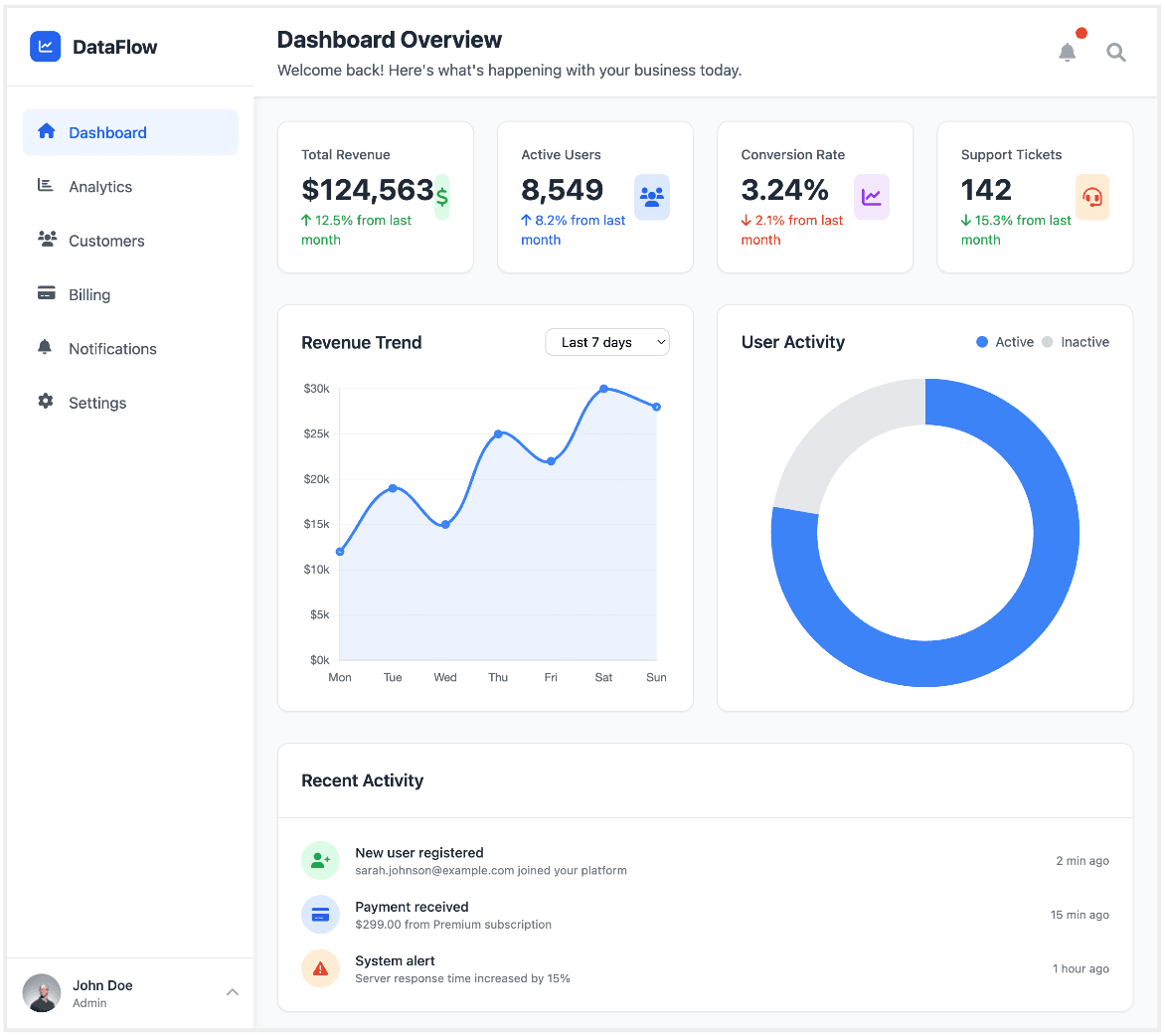
The dashboard provides a quick, comprehensive overview with multiple data points like total revenue, active users, conversion rate, and support tickets.
It features a 'Recent Activity' section that offers real-time, granular updates on user actions and system alerts, adding a dynamic and functional layer.
The number of metrics and sections on a single screen might overwhelm users and make it hard to focus on a single key performance indicator (KPI).
The layout is somewhat rigid and dense, which could make it difficult to scale or customize for different user needs.
Google Stitch
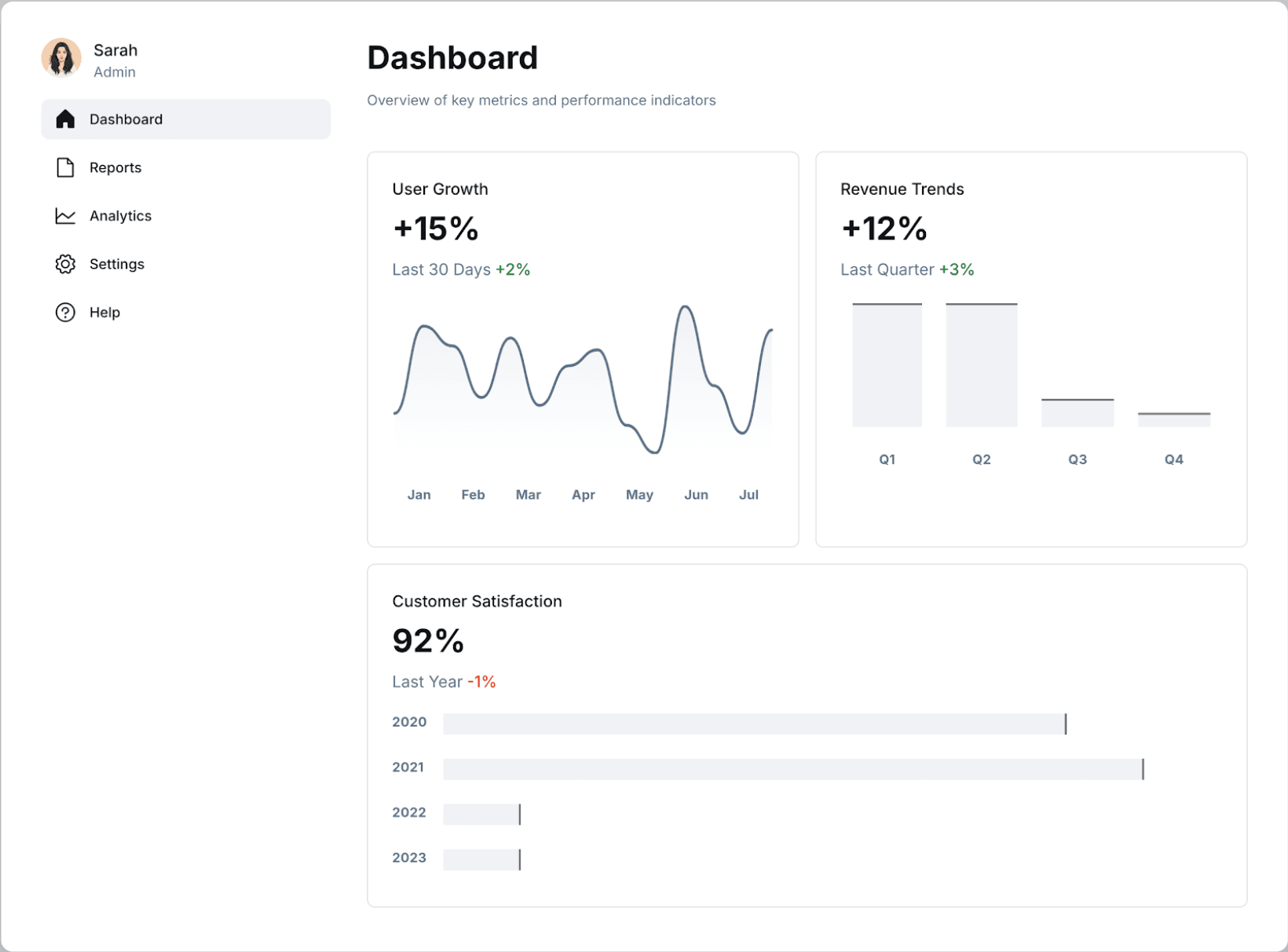
The design is minimalistic and clean, with a clear focus on a few key growth and revenue metrics, making it easy to digest the information quickly.
The use of simple bar and line charts is effective for visualizing trends over time, providing a clear narrative without clutter.
It lacks the immediate, detailed overview of various metrics (e.g., active users, support tickets) that a more comprehensive dashboard offers.
The information presented is highly aggregated (monthly, quarterly, yearly) and lacks a 'recent activity' section, so it doesn't provide real-time updates or granular details.
Generate a mobile e-commerce checkout flow with 3 steps: cart, shipping, and payment.
UXMagic.ai
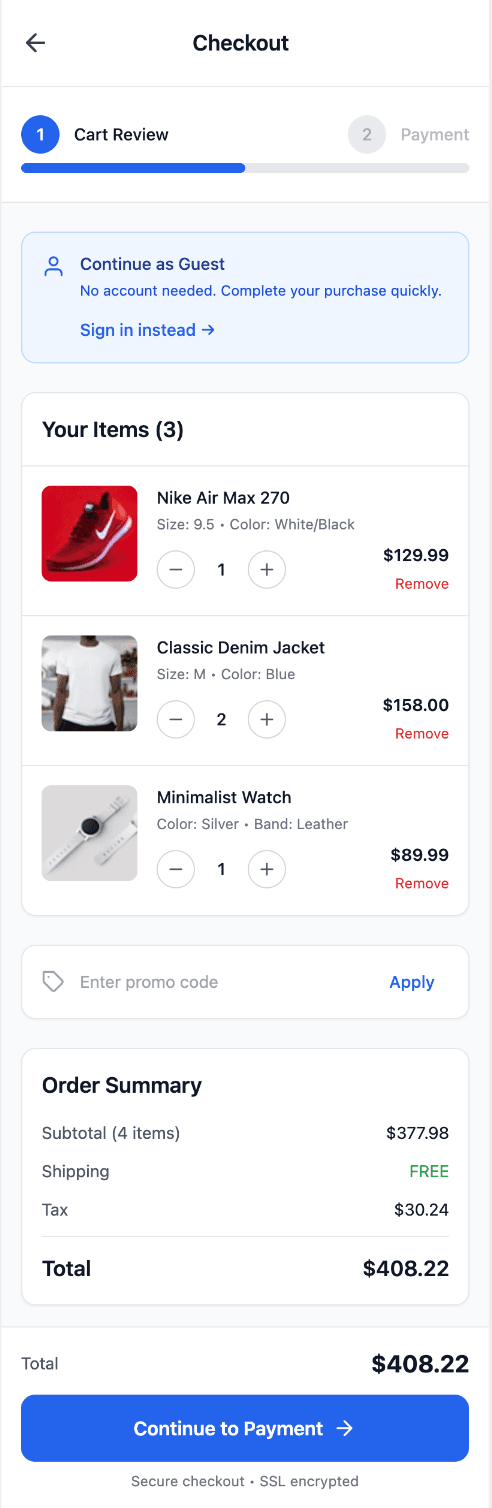
The checkout process is broken into clear, numbered steps, guiding the user logically through the purchase journey.
It includes a 'Continue as Guest' option, which simplifies the process for new users and can reduce cart abandonment.
The cart review page has a lot of information, including multiple product images and a detailed order summary, which can feel visually heavy and overwhelming.
The 'Total' is displayed twice on the screen, which is redundant and clutters the interface.
Google Stitch
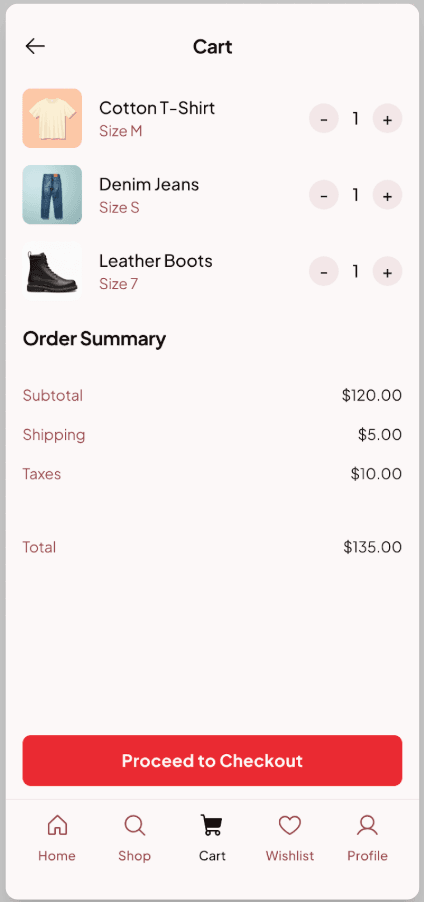
The layout is very clean and minimal, focusing only on the essential cart items and a summary, making it easy to scan and understand.
The bottom navigation bar is persistent and clear, allowing users to easily switch between different parts of the app without losing their place.
The shipping and tax costs are visible only at this stage and not broken down in a more detailed checkout process, which could surprise the user.
It lacks clear indicators of the checkout steps, so the user doesn't know how many more screens are involved in the process.

UXMagic.ai
UXMagic is a full-stack design copilot launched in 2024. It helps professionals cut design-to-ship time by up to 70%, automating sitemaps, flows, high-fidelity mockups, and even production-ready code. With deep Figma integration, a rich component library, and analytics-driven optimization, UXMagic is built for agencies, freelancers, and teams who need more than just pretty screens—it’s designed for real, shippable products.

Google Stitch
Google Stitch is an experimental AI prototyping tool introduced at Google I/O 2025. Built on technology from Galileo AI (acquired by Google), it generates UIs from text prompts, sketches, or images. Backed by Google’s Gemini AI models, Stitch is fast, free, and positioned as a way to showcase Google’s AI capabilities. While great for overcoming the “blank canvas” problem, it remains limited in scope and reliability for complex UX workflows.
Feature Comparison
| Feature | UXMagic.ai | Google Stitch |
|---|---|---|
| Prompt-to-UI | Yes, with sitemap + flows | Yes, strong visual generation |
| Export Options | HTML, React, Webflow, WordPress, Shopify, PowerBI | HTML, CSS, React only |
| Style Guide | Imports design systems from Figma | Not available |
| Component Editing | 1, 000+ pre-built elements | None |
| Team Features | Multi-project, agency-ready plans | None (solo use only) |
| Figma Plugin | Dedicated plugin + design system sync | One-click export only |
| Real-Time Preview | Yes, interactive | Limited |
| Post-Launch Tools | Data-driven optimization | Not available |
Who Should Use UXMagic
Pricing Comparison

Free – $0/month
5 project, 60 free credits (one-time), upto 10 screens, 1 Figma export
Premium – $14/month
20 projects, 300 credits (monthly), upto 50 screens, 50 Figma exports, React/HTML exports
Ultimate – $28/month
buildwith-mocha.json

Free – $0
limited features since it's on beta (Stitch)
Final Verdict
When it comes to UXMagic vs Google Stitch, the choice depends on your goals:
If you need quick, free prototypes, Stitch is great for ideation and testing visuals.
If you need end-to-end workflows, production-ready exports, and professional reliability, UXMagic is the clear winner.
In short: Stitch is the spark. UXMagic is the ship.
punya pertanyaan?kami punya jawabannya.
Yes. UXMagic covers the full workflow with exports, plugins, and optimizations, while Google Stitch is more for experimentation.
Google Stitch is free (for now), while UXMagic offers tiered plans starting at $14/month.
Yes, but UXMagic’s integration is deeper—it supports design system imports and a dedicated plugin, unlike Stitch’s simple one-click export.
Choose Stitch if you want free, fast prototypes. Choose UXMagic if you’re a freelancer, agency, or startup needing professional-grade workflows.
You can explore user feedback on Google’s Labs site. For a full professional comparison, this UXMagic vs Google Stitch guide outlines all pros, cons, and features
Lihat fitur-fitur kami



Related comparisons
Weighing up more than one tool? Here is how UXMagic compares against the closest alternatives.