Output Comparison
Design a fintech analytics dashboard with KPI cards, transaction table, filter sidebar, and real-time graph. Use a modern dark theme with brand tokens and responsive layout.
UXMAGIC
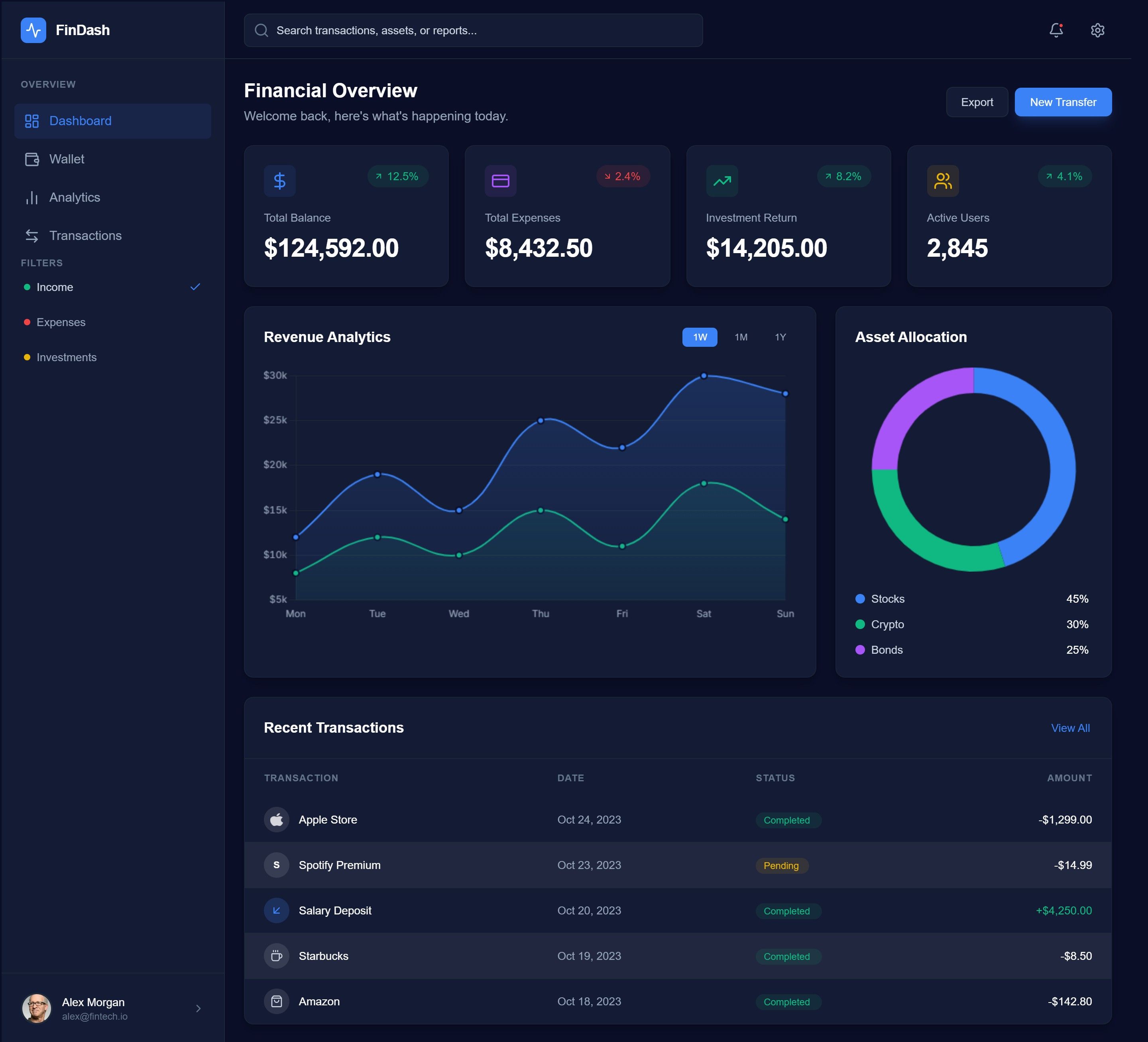
Clear hierarchy makes key metrics easy to scan.
Modern, polished dark theme fits a fintech product.
Screen feels slightly crowded for first-time users.
Primary actions don’t stand out enough
ALLOY.app

Create a marketing landing page for an AI productivity app with hero section, feature grid, testimonials, pricing table, and CTA. Follow clean SaaS design patterns.
UXMAGIC
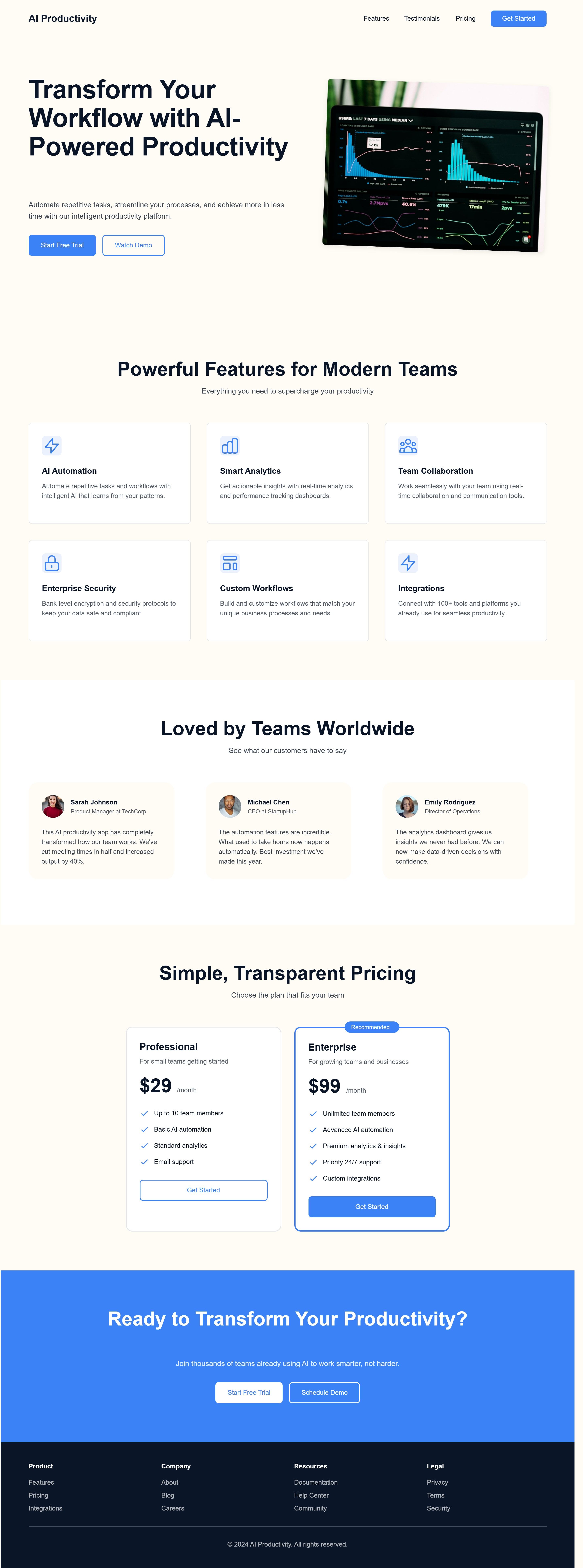
Clean, minimal layout with clear section flow (hero → features → pricing → CTA).
Strong CTA placement and consistent visual style improve readability.
Hero section feels generic for an AI product, lacks a clear differentiator.
Feature cards are text-heavy and visually similar, reducing scannability.
ALLOY.app

UXMAGIC
UXMagic is a generation-first AI design copilot that transforms prompts, sketches, screenshots, and URLs into high-fidelity UI, Figma files, and production-ready React, Vue, HTML, and Webflow code. It bridges design and development, acting as a force multiplier for designers, developers, and founders.

ALLOY.app
Alloy.app is a context-first AI prototyping platform built for Product Managers. It captures live DOM and CSS from real applications and allows AI-driven mutation for feature iteration, ensuring perfect brand and system fidelity. Alloy excels in enterprise workflows, stakeholder alignment, and rapid experimentation on production UIs.
Feature Comparison
| Feature | UXMAGIC | ALLOY.app |
|---|---|---|
| Prompt to UI | Generates full pages from text & images | Doesn't support prompt to UI |
| Clone any website | Available | Available |
| Export Options | Figma, React, Vue, HTML, Webflow | Interactive web prototypes only |
| Style Guide | Custom tokens & reusable components | Locks to live CSS & design system |
| Component Editing | Agentic global edits across screens | Rule-based DOM mutation |
| Figma Plugin | Deep native plugin | Not available |
| Real-Time Preview | Live responsive preview | True production-fidelity preview |
| Code Output | Clean component-based frameworks | Not intended for code generation |
UXMAGIC
Pricing Comparison

Free – $0/month
30 free credits(One Time) upto 5 screens 5 projects 1 Figma Export UI Design Wireframe Mode Sectional Editing
Premium – $25/month
480 credits (Monthly) upto 80 screens 20 Projects 80 Figma Exports Export Code UI Design Wireframe Screenshot to UI Sketch to UI Text Editing & Upload Images Sectional Editing
Ultimate – $50/month
1500 credits (Montthly) upto 250 screens Unlimited Projects 250 Figma Exports Export Code UI Design Wireframe Screenshot to UI Sketch to UI Import your Figma components/Design System Clone a site(from URL) Sectional Editiing Text Editing & Upload Images

Free – $0/month
10 credits/user/week Upto 20 prototypes Ulimited viewers 30+ integrations External sharing
Pro – $20 per user/month
Everything in Free Unlimited Prototyping Design System Controls Admin roles Early access to new features
Enterprise – Custom Pricing
Everything in Pro API access Account Manager Custom terms SAML + SCIM
Final Verdict
In the UXMagic vs Alloy.app decision:
Choose UXMagic if your priority is rapid creation, design-to-code, and shipping new products.
Choose Alloy.app if your priority is pixel-perfect iteration on existing production systems with zero brand drift.
UXMagic wins for builders. Alloy wins for stewards.
có thắc mắc?chúng tôi có câu trả lời.
Yes. In the UXMagic vs Alloy.app comparison, UXMagic excels for greenfield product creation and rapid MVP development.
UXMagic, as Alloy.app focuses on prototyping, not production code.
UXMagic offers lower entry cost and export flexibility, while Alloy App Pricing targets enterprise PM workflows.
Yes, UXMagic can generate responsive mobile and Android UI layouts directly.
Alloy excels in context-aware mutation; UXMagic excels in generative AI prototyping and design-to-code.
Khám phá các tính năng của chúng tôi



Related comparisons
Weighing up more than one tool? Here is how UXMagic compares against the closest alternatives.