Most UX personas are completely useless. Design teams spend weeks debating the fictional hobbies and stock photos of “Manager Mike,” only to export a PDF that gets ignored the moment interface decisions begin. If your user persona template can’t tell you whether a dashboard needs progressive disclosure or dense tables, it’s not a design artifact. It’s a presentation slide.
The real problem isn’t personas themselves. It’s that traditional persona formats can’t constrain modern AI UI generators. They describe people. They don’t define interface mechanics.
This guide shows how to rebuild your persona workflow so it translates directly into layout logic, interaction rules, and multi-screen flows, without adding verification tax to your process.
Why Traditional User Persona Templates Fail UX Designers
Traditional persona templates were built for alignment meetings, not production workflows. That worked when design artifacts lived in slide decks. It breaks the moment your interface decisions depend on system prompting and multi-screen consistency.
Most templates fail for three reasons.
The Demographic Trap: Stop Designing for Age and Hobbies
If your persona includes a stock photo, age, or favorite drink, you’re adding noise to your design pipeline.
Demographics don’t dictate interface mechanics. Behavioral constraints do.
Age doesn’t determine:
- information density tolerance
- keyboard shortcut reliance
- onboarding needs
- navigation hierarchy preferences
Cognitive load capacity does.
Yet teams still waste workshop time debating whether “Marketing Mary” drives a Honda or Toyota. That discussion has zero impact on whether your onboarding flow should have three steps or five.
Demographics help marketing buy ads. They do nothing for layout architecture.
PDF Graveyards vs. Algorithmic Constraints
Most personas die in Google Drive.
Designers synthesize research. Export polished PDFs. Then the team ignores them while arguing about button placement from gut instinct.
That’s not a documentation failure. It’s a format failure.
Static personas:
- can’t influence AI generators
- can’t persist across flows
- can’t enforce interaction logic
- can’t constrain component choices
Modern workflows require personas to behave like system prompts, not storytelling artifacts. If they can’t be translated into machine-readable constraints, they won’t shape your UI.
This is exactly why guides like How Designers Actually Use AI in Real Projects focus on embedding research directly inside generation workflows instead of exporting separate documentation.
The AI Hallucination Loop
Try prompting: “Design a dashboard for an enterprise financial analyst.”
You’ll get the same rounded SaaS layout every time. Why? Because the AI has no structural guardrails.
Traditional personas describe motivations. They don’t specify:
- density metrics
- modality preferences
- accessibility thresholds
- navigation constraints
Without those inputs, AI defaults to aesthetic averages.
That’s vibe coding disguised as UX.
Behavioral Archetypes vs. Personas: What Actually Drives UI?
The industry keeps pretending personas and the Jobs to Be Done (JTBD) framework are interchangeable. They’re not.
JTBD explains outcomes.
Personas explain friction.
You need both.
JTBD tells you: “The user wants to analyze financial trends quickly.”
A behavioral archetype tells you: “The user processes dense tabular data efficiently and prefers macro-enabled navigation over guided flows.”
One defines direction. The other defines interface mechanics.
When teams remove personas entirely and rely only on JTBD, they produce technically correct interfaces that feel unusable to real humans.
When they rely only on marketing personas, they produce emotionally convincing stories that don’t translate into layout decisions.
Behavioral archetypes solve this by focusing on operational traits:
- technical proficiency
- task frequency
- cognitive load capacity
- friction triggers
- interaction modality
These variables directly shape UI architecture.
A novice archetype implies:
- progressive disclosure
- onboarding wizards
- tooltip reinforcement
- limited decision surfaces
A legacy power user implies:
- dense tables
- macro shortcuts
- persistent filters
- modular dashboards
Same product. Opposite interface.
Traditional persona templates collapse these distinctions into a fictional average user. That’s how teams end up designing for “everyone” and satisfying no one.
How to Build an AI-Ready User Persona Template
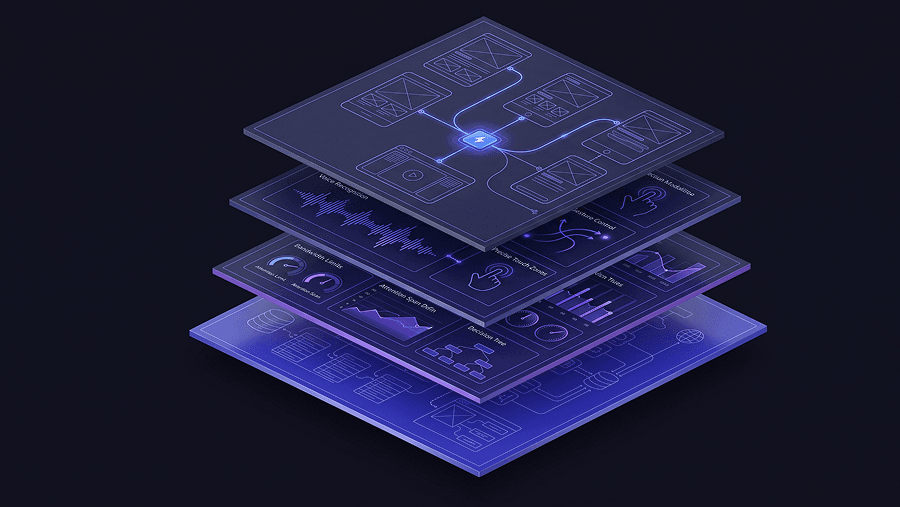
An AI-ready user persona template is not a PDF. It’s a structured schema.
Its job is to translate behavioral research into layout constraints that survive across multi-screen journeys.
Here’s what actually belongs inside it.
Defining Information Density and Cognitive Load
Start with density preference.
This single variable determines whether your interface should guide or accelerate.
Specify explicitly:
- sparse vs dense layouts
- wizard vs direct entry workflows
- progressive disclosure vs exposed controls
- pagination vs infinite scroll
Example:
Low cognitive load tolerance
- requires guided onboarding
- needs visible affordances
- avoids nested controls
- benefits from staged configuration
High cognitive load tolerance
- prefers simultaneous visibility
- accepts dense tables
- relies on keyboard shortcuts
- rejects step-by-step flows
This is the difference between designing a training interface and a trading interface.
Most persona templates never capture it.
Translating Frustrations into Interaction Modalities
Pain points are useless unless they map to interface rules.
Instead of writing:
“Gets frustrated by complex navigation”
Write:
- exhibits Scrandom behavior during configuration
- relies on persistent search
- requires typographic hierarchy for scanning
Now the persona dictates architecture.
Your system prompt can enforce:
- sticky navigation rails
- global search availability
- section indexing
That turns qualitative research into production logic.
Accessibility constraints work the same way. The guide on prompting AI for WCAG 2.2 accessible UI shows how explicit requirements like contrast ratios and tap targets prevent regression across generated screens.
Documenting Interaction Modality
Specify how the user interacts not just what they want.
Examples:
- touch-first mobile operator
- keyboard-dominant analyst
- screen-reader dependent user
- macro-driven enterprise specialist
Interaction modality determines:
- component selection
- spacing
- navigation depth
- shortcut visibility
Without it, AI defaults to generic layouts.
Sequencing Jobs to Be Done
JTBD belongs inside persona templates but only as workflow sequences.
Document:
- trigger
- primary task
- decision checkpoint
- completion criteria
This allows AI tools to generate journeys instead of isolated screens.
If your persona only describes motivations, your generator only produces single frames.
Prompt Engineering: Feeding Personas into AI UI Generators
Once your persona becomes structured data, it stops being documentation and starts being infrastructure.
This is where the LLM Appendix comes in.
The LLM Appendix: Setting Strict Design Guardrails
An LLM Appendix is a machine-readable layer attached to your prompt.
Instead of writing: “Design a financial dashboard.”
You write: Act as an enterprise UI architect. Persona constraints: – high information density tolerance – keyboard shortcut indicators required – no pagination – persistent filters enabled – enterprise design tokens enforced
Now the system has boundaries.
It can’t drift into decorative layouts. It has to respect the persona’s operational profile.
Traditional persona documents can’t do this because they aren’t structured for injection into the context window.
That’s why teams moving toward structured prompting often pair persona schemas with workflows like those described in Real Prompts We Use ,they convert research into enforceable generation rules.
Curing Context Amnesia Across Multi-Screen Flows
Single-screen generators forget personas fast.
Screen one respects accessibility constraints. Screen three ignores them. Screen five invents new interaction logic entirely.
That’s context window degradation.
The fix isn’t better prompting. It’s persistent memory architecture.
When persona parameters are stored as semantic tokens instead of narrative text, they persist across entire journeys instead of resetting each frame. This prevents:
- design drift
- accessibility regressions
- density inconsistencies
- navigation fragmentation
It also removes the manual correction loop that usually cancels out AI speed gains.
This is exactly the failure pattern discussed in Human in the Loop AI Design ,AI works best when constraints remain active across iterations instead of being reintroduced repeatedly.
Practical Examples: From Persona Data to Production UI
The fastest way to see whether a persona template works is to test whether it changes interface output.
Here’s what that looks like in practice.
Scenario 1: The B2B SaaS Dashboard Redesign
A Series B SaaS company needs to support both first-time users and legacy analysts.
Generic prompt: Design a modern analytics dashboard.
Result:
- oversized charts
- hidden menus
- decorative spacing
- low data density
That satisfies no one.
Structured persona split:
Persona A: First-Time User
Constraints:
- high cognitive load sensitivity
- requires onboarding wizard
- progressive disclosure required
- explicit tooltips visible
Output:
- guided setup flow
- staged metric exposure
- simplified navigation
Persona B: Legacy Power User
Constraints:
- maximum density tolerance
- modular widgets required
- keyboard shortcuts visible
- onboarding bypassed
Output:
- compressed tables
- persistent filters
- customizable panels
Same product. Different architecture.
No generic generator produces both without persona constraints.
Scenario 2: Mitigating Scrandom in Configuration Flows
Analytics show users rapidly scrolling configuration pages without interacting.
That’s Scrandom behavior. It signals weak information scent.
Traditional workflow:
- rearrange panels manually
- debate hierarchy internally
- test arbitrary layouts
Constraint-driven workflow:
Update persona:
time-pressured exhibits Scrandom relies on persistent search requires typographic hierarchy
Regenerated interface:
- sticky left-rail index
- global configuration search
- structured section headers
The friction disappears because the architecture now matches scanning behavior.
Scenario 3: Accessibility Consistency Across Checkout Flows
An accessibility-dependent persona requires:
- large tap targets
- high-contrast typography
- exposed radio buttons
- no hidden dropdowns
Generic generator:
Screen 1: compliant Screen 3: regression Screen 5: unusable again
That’s context drift.
Constraint-driven generation keeps accessibility tokens persistent across the entire journey.
Instead of rebuilding half the flow manually, you regenerate once with corrected parameters.
Stop Pushing Pixels: Designing with Flow Mode
Most AI design tools generate isolated screens.
Real products are connected journeys.
When persona constraints reset between frames, teams spend more time fixing outputs than building them. That’s the verification tax.
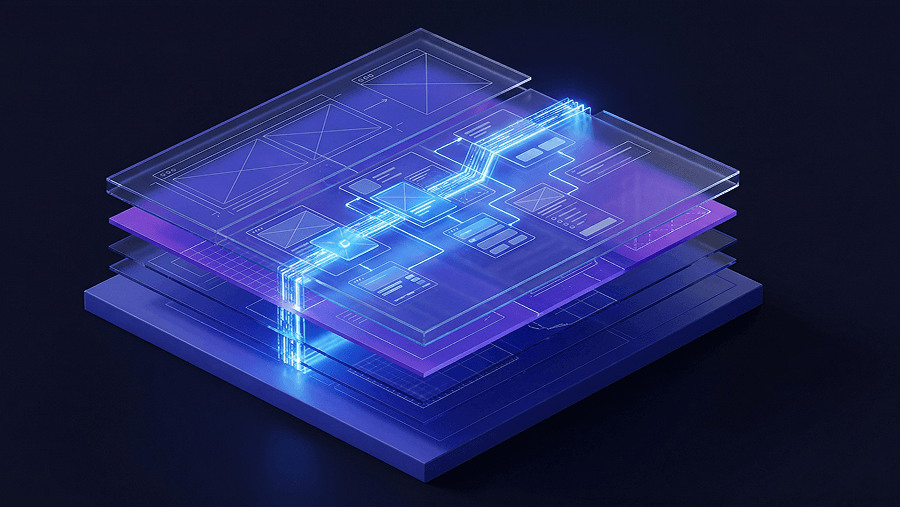
Flow Mode removes that loop by keeping:
- interaction logic
- accessibility limits
- density metrics
- navigation patterns
consistent across the entire sequence.
Instead of designing snapshots, you design the movie of the experience.
This is where platforms like UXMagic shift personas from passive artifacts into active generation constraints. The LLM Appendix translates behavioral research into semantic tokens, and Flow Mode keeps those tokens persistent across every screen in the journey so the interface doesn’t drift halfway through a checkout flow or dashboard workflow.
If your current persona template can’t survive past screen two, it isn’t ready for production-level generation.
User personas only become useful when they stop being storytelling artifacts and start acting like interface constraints. The moment your persona defines density limits, interaction modality, and friction triggers, it stops sitting in a slide deck and starts shaping real UI decisions across entire product flows.
Stop exporting persona PDFs no one reads. Convert them into constraints that generate real interfaces.
Related guides
- What Is UX Design in 2026? A Practical Guide for Shipping Faster
- UI vs UX: What's the Actual Difference in 2026?
- Customer Journey Map Complete Guide: From Emotions to Wireflows
- Real Prompts We Use to Generate Product Flows
- Which 2026 Web Design trends are worth adopting and which aren’t
- What Is UI Design? A Beginner’s Complete Guide (2026 Edition)
- Dashboard UI Design: Examples, Patterns, and Best Practices (2026)
- B2B SaaS UI Design Trends in 2026: The Operational Shift
- What Are Design Principles? 10 Principles Every Product Needs
- AI Design Myths Designers Still Believe
Generate Your First Persona-Driven Flow
Stop exporting persona PDFs that never influence UI. Use structured constraints to generate a full journey aligned with real user behavior in minutes.