UXMagic होम
  • English
  • Español
  • हिन्दी
  • Bahasa Indonesia
  • Tiếng Việt
  • Português
  • Русский
  • 中文
  • العربية
  • Deutsch
  • Français
  • फ़ीचर्स
  • लाइब्रेरीज़
  • टेम्पलेट्स
  • प्राइसिंग
  • एफिलिएट
  • रिसोर्सेज़
UXMagic होम
  • English
  • Español
  • हिन्दी
  • Bahasa Indonesia
  • Tiếng Việt
  • Português
  • Русский
  • 中文
  • العربية
  • Deutsch
  • Français
UXMagic होम

लाइब्रेरीज़

टेम्पलेट्सनया
कम्युनिटी फ़्रेम
प्राइसिंग
एफिलिएट

रिसोर्सेज़

हमें फ़ॉलो करें:
  • Slack पर हमें फ़ॉलो करें
  • Twitter पर हमें फ़ॉलो करें
  • LinkedIn पर हमें फ़ॉलो करें
  • YouTube पर हमें फ़ॉलो करें
  • Instagram पर हमें फ़ॉलो करें

Generate Multiple Screenswith AI-Instantly

Instant Result

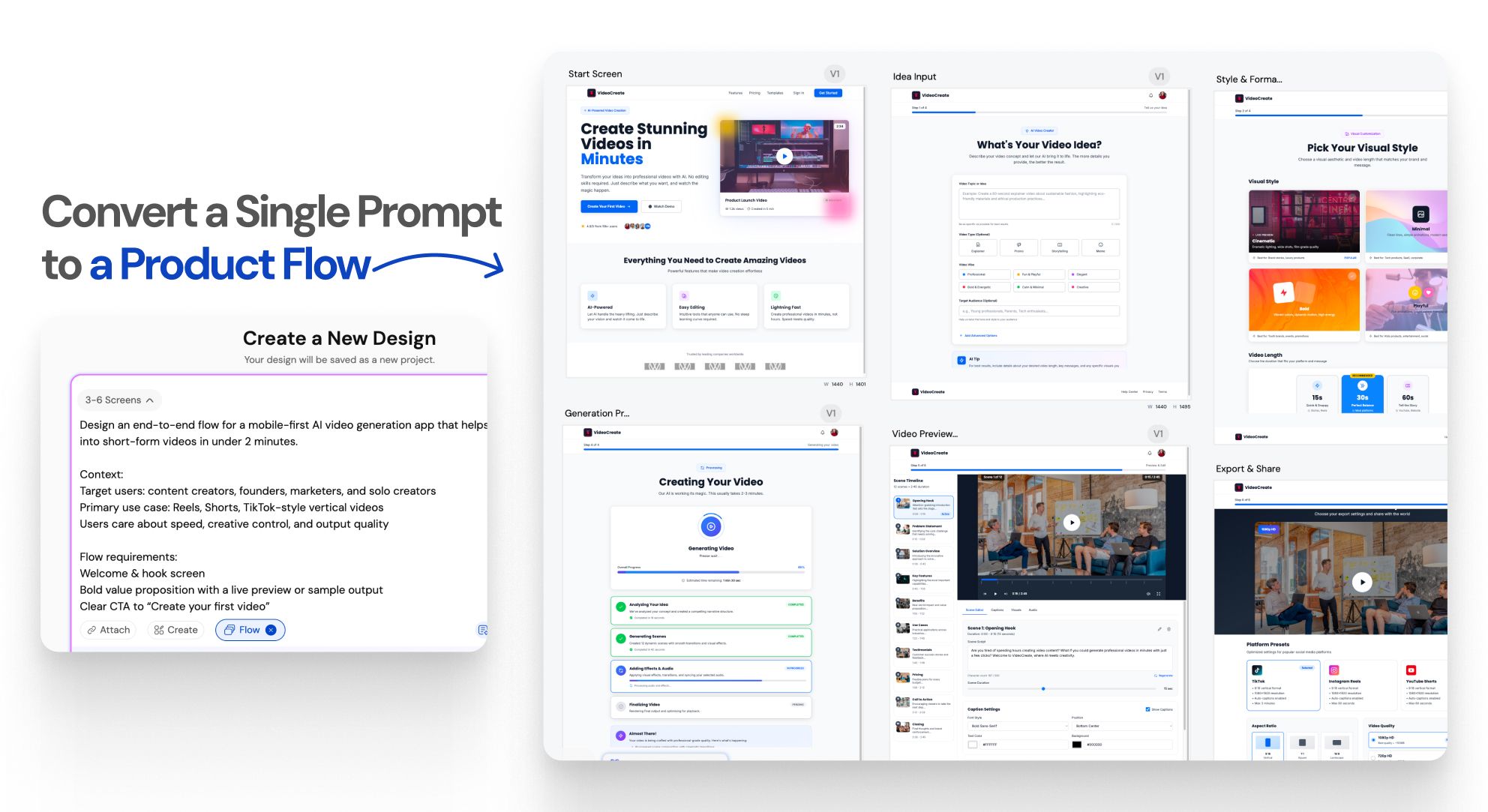
One prompt.An entire UI flow.

Instant Result

Design doesn’t stop at one screen anymoreWORKFLOW

1

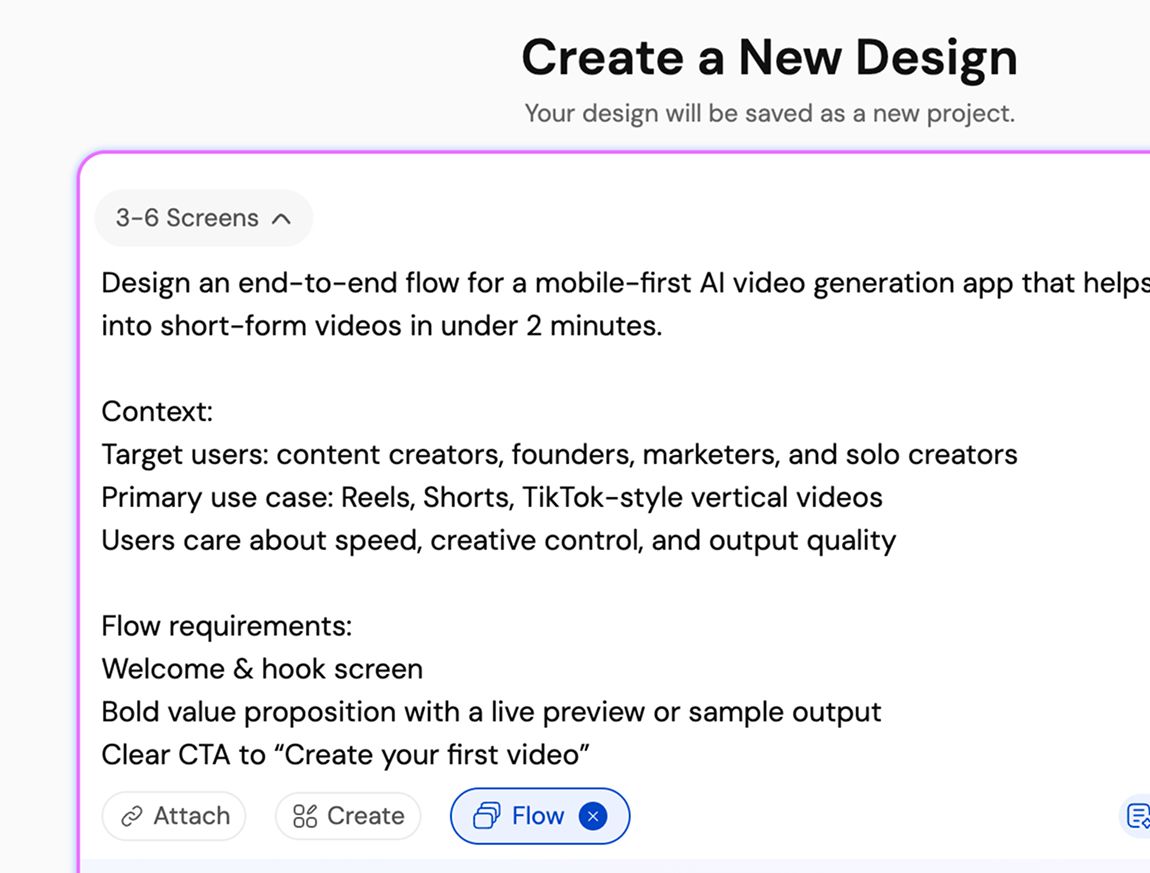
Describe your product or user flow

चरण 1
2

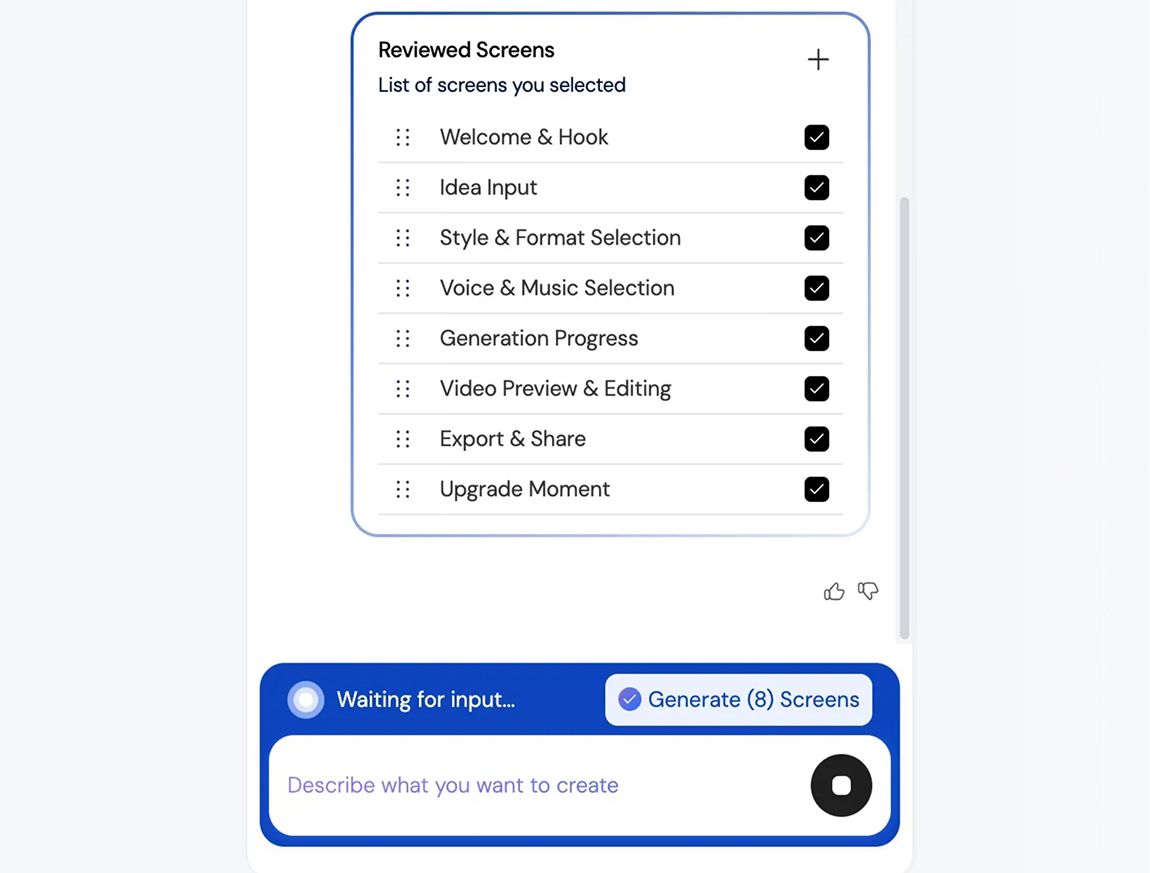
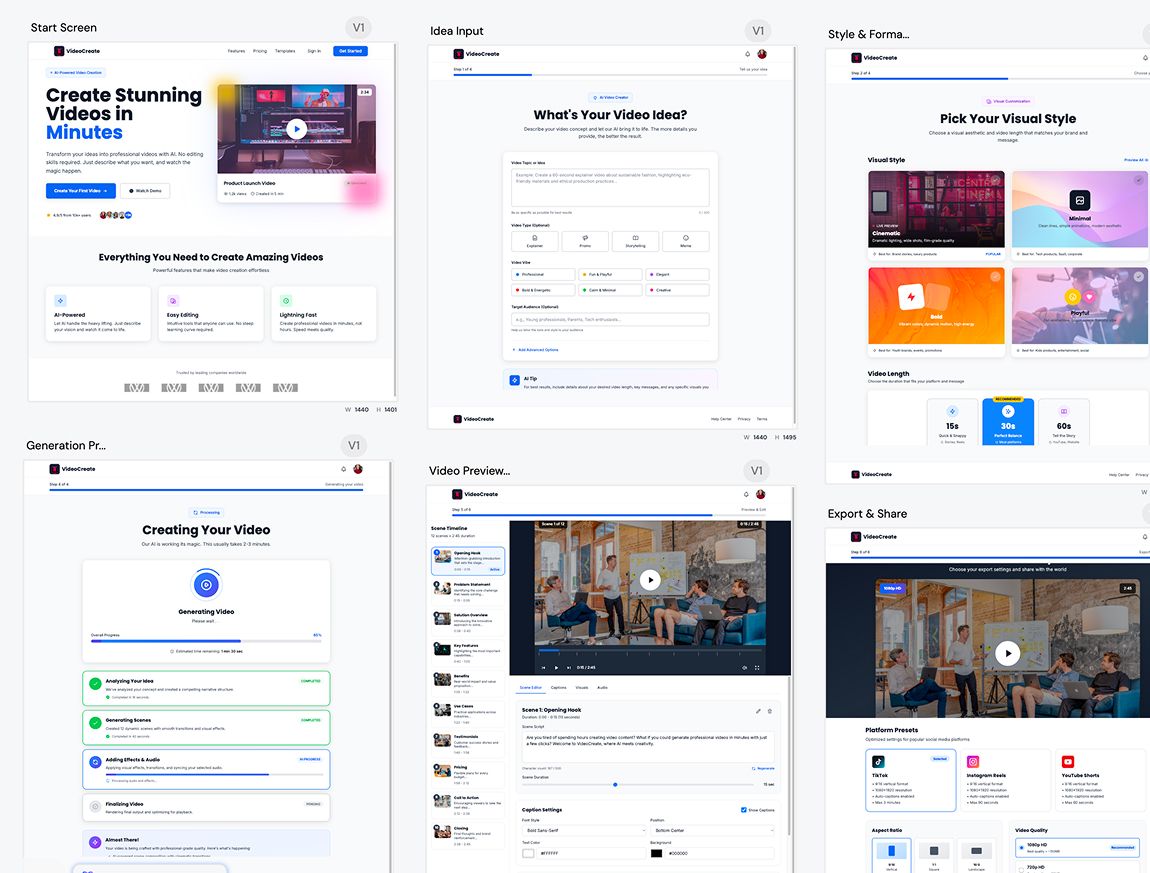
Generate a connected UI flow

चरण 2
3

Refine, iterate, build faster, and ship better UI/UX

चरण 3
1

Describe your product or user flow

चरण 1
2

Generate a connected UI flow

चरण 2
3

Refine, iterate, build faster, and ship better UI/UX

चरण 3

UXMagic vs Banani vs UXPilot vs Uizard vs Visily vs Figma Make vs Framer AICOMPETITORS

फ़ीचरBananiUXPilotUizardVisilyFigma AIFramer AIUXMagic
Multi-Screen Generation
Structured App Flow Creation
Consistency Across Entire Flow
Idea to Full App Flow in One Prompt
सामान्य प्रश्न

कोई सवाल है?हमारे पास जवाब हैं।

Flow Mode is an AI UI flow generator that creates multiple connected screens from a single prompt. It helps teams design complete user journeys instead of isolated screens, keeping context and consistency across the entire flow.

You describe your product idea or user flow in text. Flow Mode analyzes screens, states, and transitions, then generates a connected UI flow automatically, instantly, so it doesn’t delay your productivity.

Most AI UI tools generate single, disconnected screens. Flow Mode focuses on multi-screen experiences, maintaining continuity, layout structure, and design consistency across the entire user journey.

You can generate onboarding flows, authentication flows, dashboards, settings, SaaS workflows, mobile app journeys, and multi-step user experiences.

Yes. All generated screens are fully editable. Either you can iterate on them on UXMagic or edit them in Figma, allowing you to customize layouts, components, spacing, and visuals without limitations.

100% Yes. Flow Mode applies consistent typography, spacing, components, and layout patterns across every screen in the flow to ensure a cohesive UI.

Yes. You can use your existing style guide or imported design system to generate UI flows that follow your brand rules and visual standards.

Yes. Flow Mode is built for designers, founders, and product teams. No design experience is required to generate structured, high-quality UI flows.

Flow Mode reduces screen-by-screen design work, speeds up iteration, preserves context across flows, and helps teams move faster from idea to validated UI.

समुदाय

असली लोगों ने बनाया।बार-बार रीमिक्स किया गया।

कोई परिणाम नहीं मिला।

यहाँ कुछ प्रकाशित करने वाले पहले व्यक्ति बनें

UXMAGIC फ़ीचर

हमारे फ़ीचर देखें

Import from Figma

Import from Figma

Import your Figma design files directly into UXMagic with one click.

Clone a Website

Clone a Website

Recreate any website design by simply providing a URL.

प्रशंसापत्र

हम शेखी नहीं बघारना चाहते।इसलिए सुनिए यूज़र्स क्या कहते हैं।

डिज़ाइनर, फ़ाउंडर और डेवलपर जो UXMagic से तेज़ी से काम कर रहे हैं।

आपका अगला आइडिया
दुनिया में आने का हक़दार है

सोचते मत रहिए, बस टाइप कर दीजिए। अधूरा, बिखरा हुआ, जैसा भी हो — हम उसे कुछ असली बना देंगे।

प्रोडक्ट

  • टेम्पलेट्स
  • कम्युनिटी
  • प्राइसिंग प्लान
  • एफिलिएट प्रोग्राम
  • UXMagic MCP
  • Claude MCP
  • AI जानकारी

रिसोर्सेज़

  • सहायता केंद्र
  • Figma लाइब्रेरी
  • React लाइब्रेरी
  • मोबाइल ऐप टेम्पलेट्स
  • डॉक्यूमेंटेशन
  • ट्यूटोरियल्स

फ़ीचर्स

  • प्रॉम्प्ट से UI
  • इमेज से UI
  • स्केच से UI
  • वेबसाइट क्लोन करें
  • Figma से इंपोर्ट करें
  • AI Wireframe Generator
  • AI Mockup Generator
  • AI Prototype Generator
  • AI Dashboard Generator
  • सभी फ़ीचर्स

तुलना करें

  • बनाम UX Pilot
  • बनाम Relume
  • बनाम MagicPath
  • बनाम Magic Patterns
  • बनाम Banani
  • बनाम Galileo AI
  • vs v0
  • vs Lovable
  • vs Base44
  • सभी कॉम्पिटिटर्स

ब्लॉग्स

  • UX डिज़ाइन वर्कफ़्लो में AI: असल में क्या काम करता है
  • SaaS डैशबोर्ड के लिए प्रॉम्प्ट टेम्पलेट्स
  • प्रोडक्ट फ़्लो जेनरेट करने के लिए हमारे असली प्रॉम्प्ट्स
  • UX डिज़ाइनरों के लिए प्रॉम्प्ट इंजीनियरिंग
  • 2026 के बेहतरीन वायरफ़्रेमिंग टूल्स: 10 फ्री और प्रो विकल्पों की तुलना
  • सभी ब्लॉग्स

कंपनी और सपोर्ट

  • करियर
  • संपर्क करें
  • प्राइवेसी पॉलिसी
  • उपयोग की शर्तें
  • कुकी सेटिंग्स
  • Slack पर हमें फ़ॉलो करें
  • Twitter पर हमें फ़ॉलो करें
  • LinkedIn पर हमें फ़ॉलो करें
  • YouTube पर हमें फ़ॉलो करें
  • Instagram पर हमें फ़ॉलो करें

© 2026 UXMagic AI Technologies Inc.