AI Dashboard GeneratorBuilt for Real Data
See How AI GeneratesDashboards Instantly
Trusted by Designers and Developers
Faster than manual design
Responsive by default
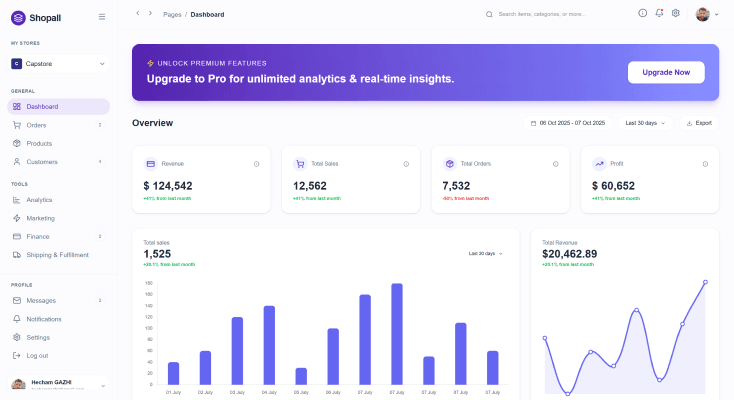
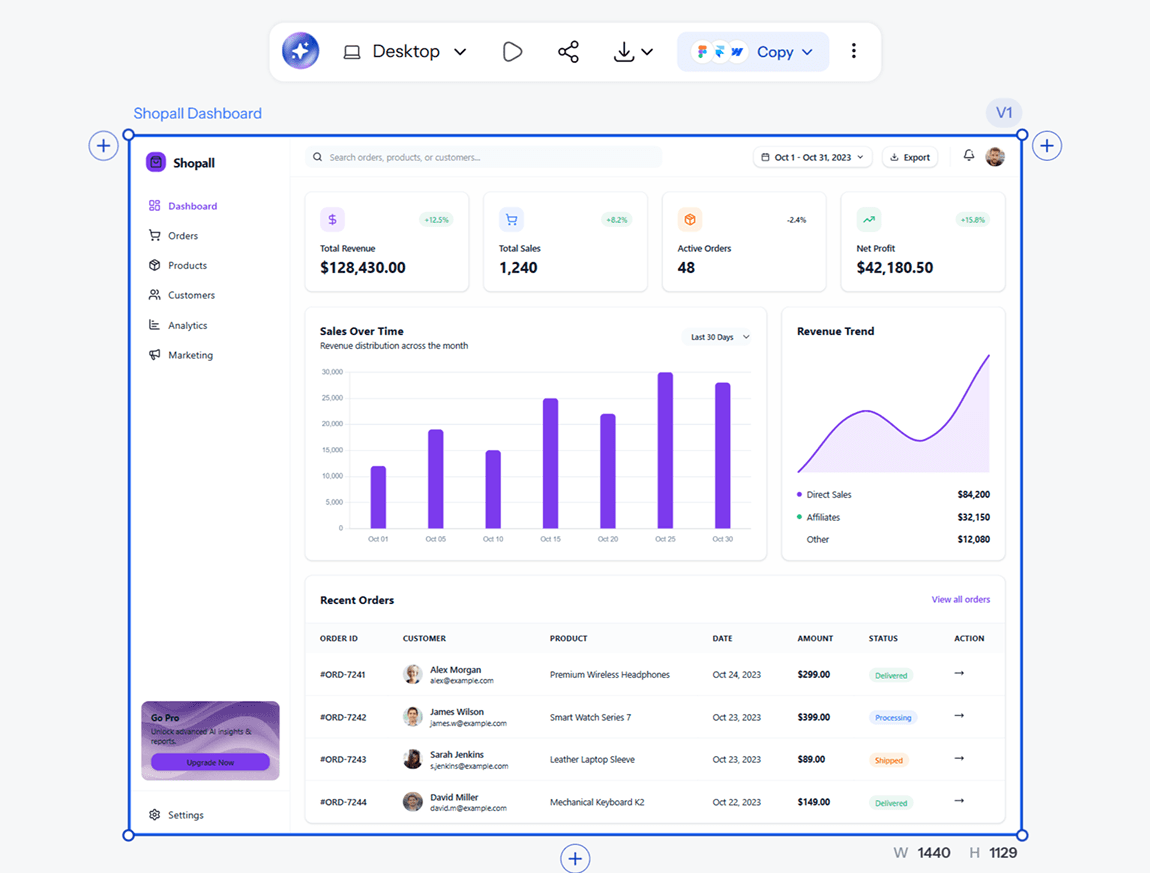
eCommerceAnalytics Dashboard
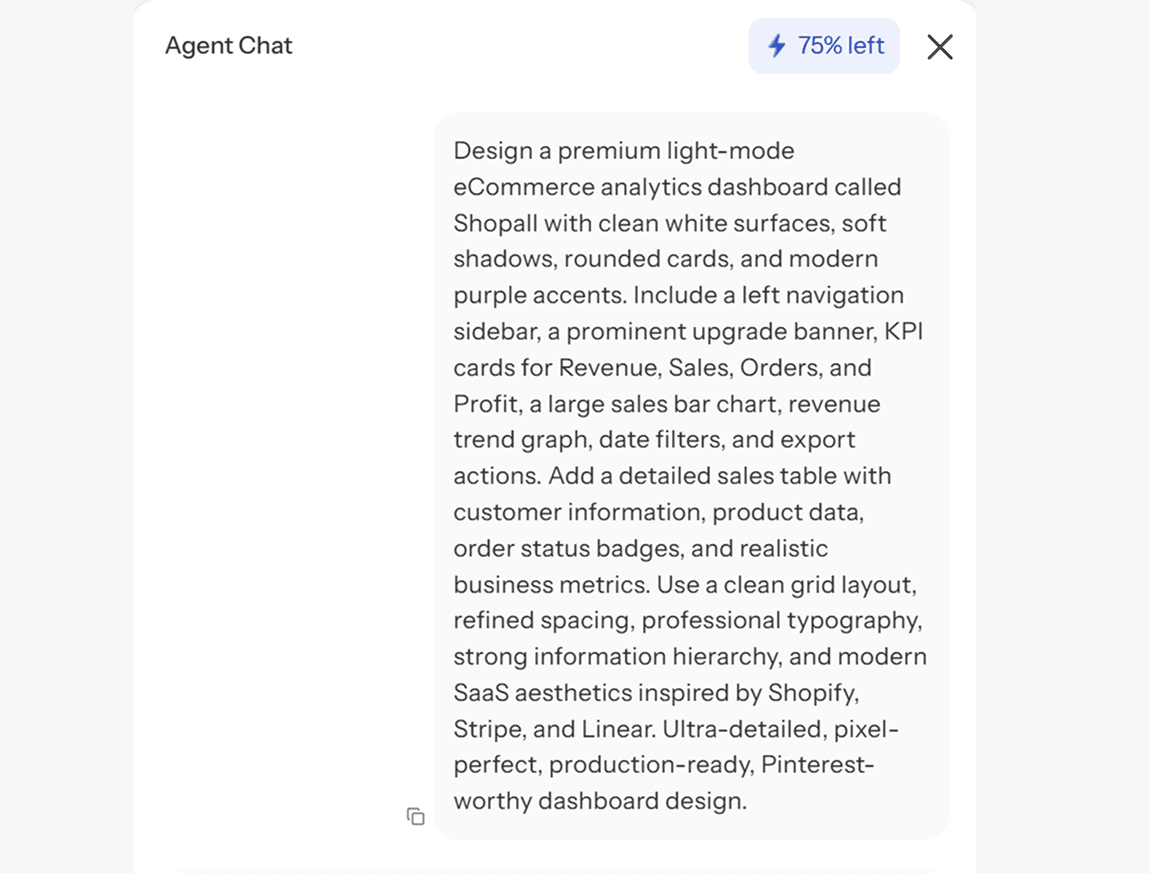
Design a premium light-mode eCommerce analytics dashboard called Shopall with clean white surfaces, rounded cards, and modern purple accents. Include KPI cards for Revenue, Sales, Orders, and Profit, sales analytics charts, a detailed orders table, and realistic business metrics. Use a left sidebar, refined spacing, strong hierarchy, and modern SaaS aesthetics inspired by Shopify, Stripe, and Linear. Ultra-detailed, production-ready, Pinterest-worthy dashboard design.
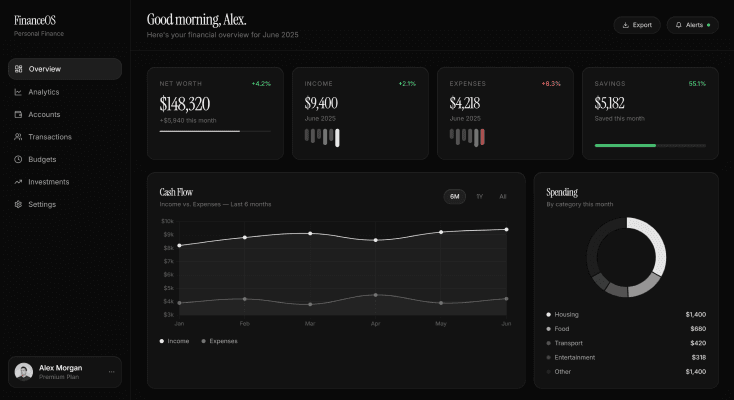
PersonalFinance Dashboard
Design a premium dark-mode FinanceOS dashboard with luxury fintech styling, elegant typography, and spacious layouts. Showcase Net Worth, Income, Expenses, Savings, cash flow analytics, spending insights, portfolio performance, transactions, and financial goals using realistic data, refined spacing, and subtle green/red indicators. Inspired by Apple, Linear, and modern wealth management platforms. Ultra-detailed, production-ready, Pinterest-worthy dashboard design.
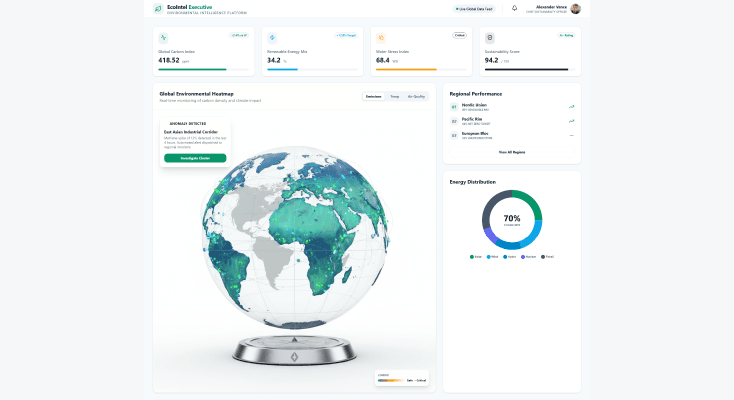
EnvironmentalIntelligence Dashboard
Design a premium light-mode sustainability intelligence dashboard tracking carbon emissions, renewable energy, climate indicators, air quality, and environmental impact. Include geographic maps, heatmaps, sustainability scorecards, energy analytics, and forecasting modules with realistic environmental data. Use clean layouts, elegant typography, strong visual hierarchy, and modern enterprise aesthetics. Ultra-detailed, executive-grade, Pinterest-worthy dashboard design.
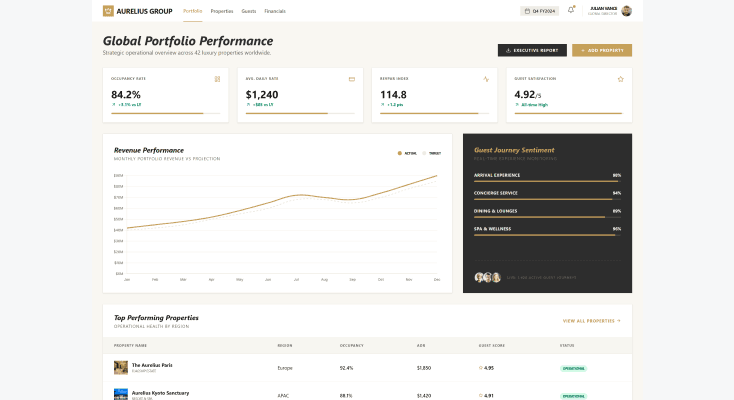
HospitalityOperations Dashboard
Design a premium light-mode hospitality dashboard for a luxury hotel group featuring guest satisfaction, occupancy rates, booking trends, revenue performance, concierge activity, and service analytics. Include elegant KPI cards, premium charts, guest journey insights, and property overview modules with realistic operational data. Use refined typography, luxury-inspired layouts, strong visual hierarchy, and world-class hospitality aesthetics. Ultra-detailed, executive-grade, Pinterest-worthy dashboard design.
What you walk away with
A dashboard that handles real complexity
Dense data does not mean a messy layout. UXMagic structures information so the most important numbers are immediately visible, not competing for attention with everything else on the screen.
A dashboard you can actually build from
Every output comes with clean, structured files ready for development, not a static image that needs to be rebuilt from scratch before anyone can use it.
Room to adjust before you commit
Swap chart types, rearrange KPI cards, and refine the layout with AI chat until the structure actually matches how your team or your users need to read the data.
UXMagic vs Figma vs UXPilot vs Banani vs Uizard vs Google Stitch
A dashboard generator needs to do more than look good in a screenshot. Here is what actually matters:
| 功能 | Figma (native AI) | UXPilot | Banani | Uizard | Google Stitch | UXMagic |
|---|---|---|---|---|---|---|
| AI prompt to dashboard | ||||||
| Built-in charts, KPIs, and tables | ||||||
| Works without a Figma account | ||||||
| Realistic sample data preview | ||||||
| Edit with natural language | ||||||
| Optimized for data-heavy layouts | ||||||
| Consistent structure across multi-screen dashboards | ||||||
| Export to Figma | ||||||
| Implementation-ready code export |
有疑问?我们来解答。
An AI dashboard generator is a tool that turns a text description into a complete dashboard layout, including charts, KPI cards, tables, and navigation, without requiring you to build each piece manually. Instead of placing every widget by hand, you describe your data and goals, and the AI structures the full interface around them.
Describe the dashboard you need, including what data it should show and who it is for. UXMagic generates the full layout in seconds, complete with charts and KPI cards already structured around your input. From there you can edit specific sections, swap chart types, or export the finished design.
Yes. UXMagic populates generated dashboards with realistic sample data so you can immediately see how charts, tables, and metrics behave in context, rather than working with empty placeholder boxes.
No. UXMagic is built so that product managers, founders, and analysts without design training can produce a usable dashboard layout just as easily as a trained designer. The AI handles chart placement, data hierarchy, and navigation structure.
UXMagic has a free tier that lets you generate and edit dashboards without a credit card. Paid plans unlock more generations, additional customization options, and advanced export features for teams building dashboards regularly.
Analytics dashboards, admin panels, SaaS reporting views, financial dashboards, operations tracking tools, and more. UXMagic adapts the layout based on the type of data and metrics you describe, rather than forcing every dashboard into the same template.
A template gives you a fixed layout regardless of your actual data. An AI dashboard generator builds the structure around what you describe, choosing chart types, card arrangements, and navigation based on your specific use case rather than a one-size-fits-all grid.
Yes. UXMagic exports your generated dashboard directly into Figma as editable layers, so you can continue refining it there or hand it off to a developer using Figma's Dev Mode.
Figma's AI dashboard features live inside Figma Make, which requires a Figma account and works as a prompt-to-code prototyping tool rather than a dedicated dashboard generator. UXMagic is purpose-built for dashboards specifically, with layouts that understand chart hierarchy and KPI structure out of the box, and it works independently of the Figma ecosystem before exporting into it.
Yes. Every element is editable after generation. Use AI chat to request changes in plain language, such as switching a bar chart to a line chart or rearranging KPI cards, or adjust components manually until the layout is exactly what you need.
由真实用户创作。无限次再创作。
成为第一个在这里发布内容的人