Spending four hours wiring together a complex “spaghetti” prototype in Figma just to show a product manager how a dropdown works is a massive waste of company time. In 2026, the gap between a static wireframe and a clickable product has effectively disappeared.
That’s why searches for the best prototyping tools aren’t really about tools anymore. They’re about escaping workflow bottlenecks: broken layer exports, single-screen AI gimmicks, and token pricing that punishes iteration mid-sprint.
If your current process still involves gray-box wireframes before high-fidelity validation, you’re solving yesterday’s constraints with today’s deadlines.
The Prototyping Tool Landscape in 2026: What Actually Works?
The phrase “best prototyping tools” used to mean: which software connects screens fastest.
In 2026, it means something else entirely: which platform collapses ideation, layout, interaction logic, and developer handoff into one continuous step.
Designers today aren’t searching for UI editors. They’re searching for workflow compression.
Specifically:
- fewer manual frame connections
- fewer rebuild-from-scratch exports
- fewer single-screen AI dead ends
- fewer approval delays from static mockups
The shift isn’t aesthetic. It’s architectural.
Modern prototyping stacks now fall into three categories:
Traditional / Hybrid Systems
These tools maintain the source-of-truth design system layer.
Example strengths:
- component libraries
- semantic layout control
- developer handoff reliability
- enterprise integration
Example limitation: They’re slow for ideation.
Using them as brainstorming environments is like drafting a novel inside a typesetting tool.
AI-Native Generators
These tools generate interactive user flows directly from prompts, PRDs, or structured logic.
They excel at:
- prompt-to-UI generation
- high-fidelity mockups instantly
- multi-screen journeys
- edge-state coverage
They fail when:
- they output flattened vectors
- they ignore systemic consistency
- they charge credits per iteration
The best workflows combine these tools with structured review loops like a human-in-the-loop AI design workflow.
Developer-Centric Generators
These platforms generate production-ready UI code first, visuals second.
They’re ideal when:
- shipping React interfaces fast
- validating MVP architecture
- syncing directly with repos
They’re weaker when:
- visual hierarchy matters
- brand systems matter
- stakeholder validation matters
Different tools solve different problems. Pretending one solves everything is how teams waste sprints.
Why Traditional Prototyping Workflows Are Costing You Time
Legacy workflows weren’t designed for agentic AI environments. They assume high-fidelity design is expensive and slow.
That assumption is no longer true.
The Death of the Dedicated Wireframing Phase
Wireframes existed to protect teams from expensive visual iteration.
Now they delay stakeholder alignment instead of accelerating it.
If a tool can generate production-ready high-fidelity flows instantly, testing gray boxes first becomes unnecessary overhead.
Modern platforms collapse:
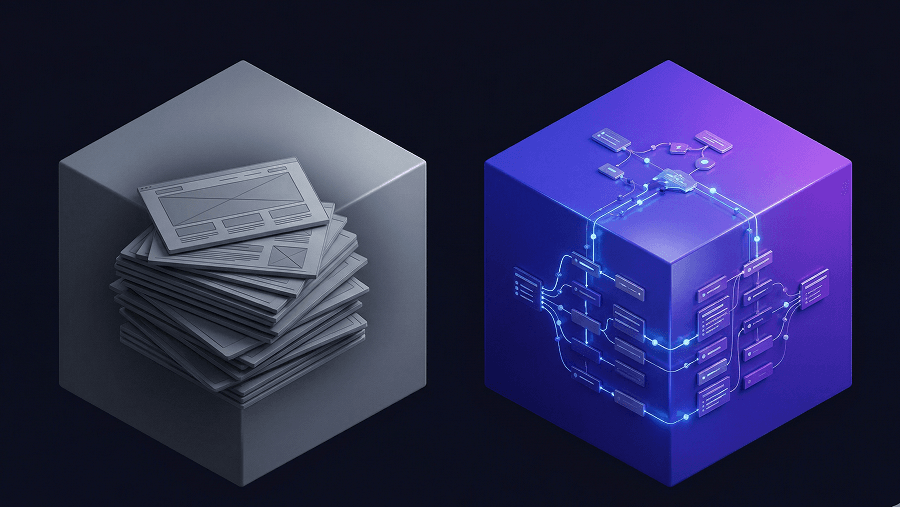
wireframe → mockup → prototype
into a single step.
Tools like UXMagic do this by generating complete interactive flows directly from structured prompts, letting stakeholders evaluate real product behavior instead of abstract layout placeholders.
That shift alone can remove days from approval cycles.
If blank canvases still slow your workflow, the real issue isn’t ideation ability, it’s process friction. This is exactly what drives Blank Canvas Syndrome.
The Problem with “Spaghetti” Prototyping in Legacy Tools
Manual frame linking is the hidden tax nobody budgets for.
Hover states empty states nested dropdown logic edge-case routing
Each one adds invisible complexity.
Most guides still recommend manually wiring these interactions.
That’s wrong because interaction logic is now solvable upstream.
Agentic tools generate linked interactive user flows automatically. The designer’s job shifts from connecting screens to validating system behavior.
The Stakeholder Logic Translation Gap
Static mockups expose system structure instead of user goals.
Stakeholders don’t think in component hierarchies. They think in outcomes.
When a prototype demonstrates:
- loading skeletons
- retry states
- failure flows
- empty dashboards
approval speeds up dramatically.
When it doesn’t, meetings multiply.
AI-Powered vs. Traditional Tools: A Feature Breakdown
Choosing among the best prototyping tools in 2026 means understanding what each platform optimizes for.
Not all speed is equal.
Some tools accelerate layout creation. Others accelerate system reasoning.
Here’s where each category actually fits.
Figma & Traditional Software: Best for System Maintenance
Figma remains the universal source-of-truth layer.
It excels at:
- maintaining component libraries
- enforcing semantic layout constraints
- supporting engineering handoff
- integrating design system governance
Its limitation is early-stage ideation speed.
Even its AI generation features remain locked behind higher pricing tiers, typically requiring a $20/month “Full” seat.
That’s not trivial when experimentation is constant.
Use Figma to maintain structure, not to discover it.
UX Pilot: Strong Validation, Weak Iteration Freedom
UX Pilot’s predictive heatmaps are valuable for testing attention flow early.
But its pricing model introduces friction:
high-fidelity generations can cost up to 30 credits per screen
That discourages iteration.
Iteration is the entire point of prototyping.
Credit anxiety destroys exploration velocity faster than any missing feature.
Google Stitch: Fast Screens, Weak Journeys
Google Stitch converts screenshots into editable UI and generates HTML/CSS rapidly.
Great for:
- early concept validation
- quick visual scaffolding
- single-screen testing
Weak for:
multi-step user journeys
Consistency across empty states, settings panels, and edge flows remains unreliable.
That makes it unsuitable for production-scale UX architecture.
Flowstep: Code-Accurate Multi-Screen Generation
Flowstep stands out for React/Tailwind export accuracy.
It supports:
- infinite canvas workflows
- copy-paste Figma transfer
- preserved layer structure
Its limitation is prompting complexity.
Non-technical teams often struggle to structure inputs correctly.
Uizard: Fast for Non-Designers, Expensive for Designers
Uizard’s Autodesigner converts sketches into flows quickly.
That sounds useful.
Until you open the layer panel.
Flattened vectors and grouped structures turn exports into rebuild projects.
If your output isn’t editable, it didn’t save time.
v0 by Vercel: Code First, UX Second
v0 generates production-ready React components automatically.
It even detects runtime issues.
But it assumes:
you already solved UX architecture
Designers still need flow logic before component generation matters.
Lovable: Full-Stack MVP Acceleration
Lovable generates frontend, backend, and database scaffolding together.
That makes it powerful for technical founders shipping quickly.
It doesn’t prioritize branded interface refinement.
Which matters in real product environments.
Magic Patterns: Design System Enforcement Tool
Magic Patterns ensures outputs match existing frameworks like Mantine or Chakra UI.
Useful if:
your system already exists
Less useful if:
you’re exploring architecture from scratch
3 Major Flaws in Early AI Design Tools (And How to Avoid Them)
Most “AI prototyping” tools fail in predictable ways.
Recognizing these patterns saves weeks of wasted experimentation.
Flaw #1: The Single-Screen Illusion
Generating one dashboard screen is easy.
Generating:
login error states empty states loading skeletons
with shared semantic layout logic is not.
Tools like Google Stitch and Uizard still struggle here.
UXMagic’s Flow Mode addresses this directly by generating entire user journeys simultaneously, maintaining stylistic consistency across every connected state.
That’s what systemic generation actually means.
Flaw #2: The Rebuilding-From-Scratch Tax
Many tools export flattened vectors.
Or chaotic grouped layers.
Or non-responsive markup.
If you spend time repairing Auto Layout constraints before handoff, the tool failed its primary job.
UXMagic avoids this by generating production-ready Auto Layout structures that paste directly into Figma without cleanup, preserving developer-ready hierarchy from the start.
If you’ve ever fixed 200 layer names after export, you already know why this matters.
Flaw #3: Credit Anxiety Pricing Models
Token pricing punishes experimentation.
Every regenerated modal becomes a cost decision instead of a design decision. Iteration should feel infinite.
Not rationed.
Unlimited-generation models support real workflows. Credit-based systems interrupt them.
Building a Future-Proof Prototyping Stack for 2026
The best teams no longer treat prototyping as a production task.
They treat it as orchestration.
Here’s what that workflow actually looks like now.
Step 1: Context Ingestion and Strategic Planning (Before the Canvas)
Traditional workflow: PRD → kickoff → whiteboard → wireframes
Modern workflow: PRD → prompt → interactive flow
Instead of describing visuals, describe logic:
“Generate a user flow for resolving a failed subscription payment including retry modal and error fallback.”
That produces usable structure immediately.
This approach mirrors how designers already structure prompts using production-ready AI design prompts.
Step 2: Multi-Screen Generation and Spatial Ideation (During)
Wireframes are skipped entirely.
Instead:
requirements become interactive prototypes instantly
Edge cases appear automatically.
Temporal states connect automatically.
User testing begins immediately.
Designers shift from drawing boxes to validating systems.
Step 3: Agentic Orchestration and Refinement
Instead of editing 50 frames manually:
you edit once globally
Example:
“Update primary actions to match new brand guidelines.”
Entire prototypes adjust automatically.
This is where orchestration replaces production labor.
Teams already applying AI across structured workflows see similar gains in real-world AI UX design workflows.
Step 4: Export and Engineering Handoff (After)
Traditional workflow:
redlines handoff docs clarification meetings
Modern workflow:
semantic export
Designs move directly into:
React TypeScript Tailwind Figma Auto Layout structures
No translation layer required.
Practical Scenarios That Prove This Shift Is Real
Theory doesn’t convince teams. Deadlines do.
Here’s where modern prototyping stacks change outcomes immediately.
Scenario 1: The Forgotten Edge Cases Panic
Legacy workflow:
designer builds onboarding engineer asks about empty states sprint pauses
Modern workflow:
edge states generated automatically alongside happy path
No redesign loop required.
Scenario 2: The Legacy Enterprise Overhaul
Legacy workflow:
weeks rebuilding routing portal UI
Modern workflow:
screenshot-to-editable prototype conversion instantly
Then:
contrast improved tables optimized mobile responsiveness applied
Three weeks reduced to four hours.
Scenario 3: The High-Stakes Stakeholder Pivot
Legacy workflow:
strategy changes prototype missing meeting delayed
Modern workflow:
existing architecture reinterpreted as desktop analytics environment instantly
Board presentation survives.
Launch timeline survives.
Team survives.
Stop Treating Prototypes Like Screenshots
If your prototype still exists mainly to explain logic instead of demonstrate behavior, it’s already outdated. The teams shipping fastest in 2026 aren’t drawing interfaces, they’re orchestrating systems.
Prototyping in 2026 isn’t about linking screens faster, it’s about generating complete user journeys before stakeholders even ask for edge cases. The teams moving fastest aren’t designing interfaces manually anymore. They’re orchestrating flows with AI-native tools and validating logic earlier than ever.
Stop Wiring Screens Manually
Generate complete multi-screen product flows with edge states included—before opening Figma. Try UXMagic free and build your first interactive journey in minutes.