If your team still treats UI and UX as equal layers of product work, you're already behind.
In 2026, UI is largely automated. UX is where the leverage lives. Founders are cutting two-week interface timelines to three days. Designers are moving from drawing screens to governing systems. And products that optimize pixels instead of intent are quietly losing users.
The real UI vs UX difference in 2026 isn’t visual versus structural. It’s execution versus orchestration.
The Core Difference Between UI and UX in the AI Era
The old definition still floats around: UI is what users see, UX is how they feel.
That explanation is obsolete.
In 2026:
- UI = automated interface compliance
- UX = behavioral system architecture
Most teams still optimize the wrong layer.
Why Interface Production is Now a Commodity
A pixel-perfect UI used to signal craftsmanship. Today it signals baseline competence.
Modern design systems already standardize:
- typography scales
- spacing tokens
- accessibility defaults
- component variants
- navigation structures
If your settings panel takes two weeks to design, the problem isn’t creativity. It’s workflow debt.
Most guides still tell designers to “improve visual polish.” That’s wrong because polish no longer differentiates products. Logic does.
The real risk isn’t ugly UI. It’s investing senior talent in work automation already solved.
This shift is why teams increasingly rely on structured AI workflows instead of manual canvas-first design. If you haven’t already seen how teams actually apply this in production, the breakdown in How Designers Actually Use AI in Real Projects makes the gap obvious.
The Shift from Visual Design to System Governance
For years the debate was:
Should designers learn to code?
That debate is over.
Today the leverage comes from directing agents, not writing React.
Designers now define:
- semantic tokens
- component enums
- exclusion rules
- intent-triggered flows
- machine-readable constraints
Instead of drawing buttons, they define what buttons are allowed to be.
That’s UX.
The Rise of Machine Experience (MX) over Human Experience
Here’s the uncomfortable reality: your most important user in 2026 might not be human.
AI agents now:
- evaluate tools
- summarize documentation
- recommend products
- execute workflows
- filter search results
If your system isn’t machine-readable, it’s invisible.
Structuring Semantic Design Systems for AI Agents
Machine Experience (MX) means designing for how LLMs interpret structure.
That includes:
- semantic HTML rigor
- predictable heading hierarchies
- component relationship clarity
- tokenized intent signals
Most teams still optimize scroll animations and glassmorphism.
Agents don’t see either.
They read structure.
Ignoring MX doesn’t hurt aesthetics. It kills discoverability.
Intent Mapping and Implicit Behavioral Signals
Traditional journey maps assume linear interaction.
Modern UX maps intent instead:
- informational
- navigational
- commercial
- transactional
Interfaces adapt based on detected signals, not static flows.
This is why blank-canvas workflows fail so often with AI tools. Without intent structure, generation collapses into disconnected screens. If you’ve hit that wall before, the pattern is explained clearly in Blank Canvas Syndrome.
Solving AI Context Amnesia in Generative Workflows
Most AI-generated UI still breaks after screen two.
Typography drifts. Navigation mutates. tokens disappear.
That’s context amnesia.
How "Flow Mode" Maintains Persistent Memory Across Screens
Stateless tools generate isolated frames.
Production workflows generate journeys.
When teams prompt for a login screen, onboarding flow, and dashboard separately, they create verification debt immediately.
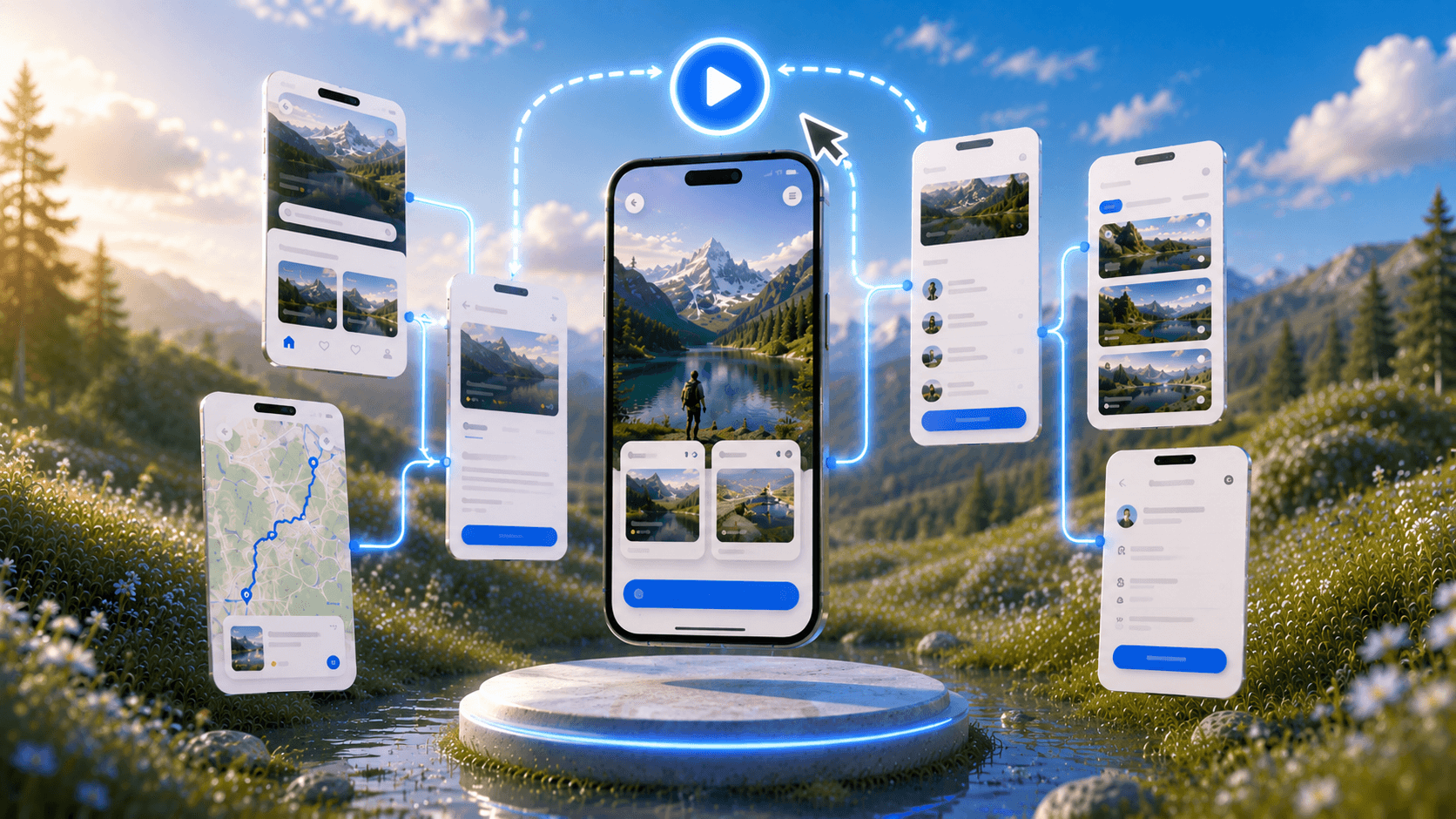
Flow-based generation instead:
- preserves navigation logic
- locks typography scales
- enforces spacing systems
- maintains component variants
- keeps token consistency
UXMagic’s Flow Mode exists specifically to prevent this failure pattern by generating connected journeys instead of disconnected snapshots. The output behaves like a system, not a moodboard.
Translating Style Guides into an LLM Appendix
Traditional style guides are interpretive.
AI needs constraints.
An LLM Appendix converts design rules into machine-readable logic using:
- strict enums
- semantic tokens
- exclusion rules
Example:
Instead of allowing arbitrary button sizes, define:
size: [small, medium, large]
Instead of hex colors:
--color-brand-primary
This removes ambiguity completely.
It’s the same principle behind Real Prompts We Use : production-ready prompts define constraints before generation starts.
The 2026 Design-to-Code Handoff
The classic workflow looked like this:
Figma → specs → tickets → React
That pipeline is gone.
Bypassing Manual Specs with Vibe Coding and Figma MCP
Engineering teams now generate frontend code directly from structured design systems.
Using Model Context Protocol (MCP):
- components stay synchronized
- states remain predictable
- APIs stay aligned
- tokens remain enforceable
Autonomous agents read design architecture directly.
Specs become unnecessary.
The designer’s job shifts from documenting behavior to defining constraints that machines can execute safely.
Automated Token Linting and Guardrails
Manual UI auditing used to consume entire sprint cycles.
Now token linting catches violations instantly:
- rogue hex values
- detached components
- incorrect font weights
- spacing drift
- variant mismatches
UXMagic enforces these guardrails automatically, eliminating the “verification tax” that normally cancels out AI speed gains.
This is where human-in-the-loop governance still matters. Systems generate fast. Designers validate intent. The balance is outlined in Human in the Loop AI Design.
Redefining B2B SaaS UX for Scalability
Most SaaS platforms fail at scale for one reason:
They show everything at once.
That used to look powerful. Now it looks overwhelming.
Combatting Cognitive Overload with Progressive Disclosure
Static dashboards collapse under agentic complexity.
Role-based progressive disclosure fixes this by:
- hiding irrelevant controls
- revealing context-sensitive actions
- adapting flows to intent
- reducing onboarding friction
Admin users see governance layers.
Operators see execution layers.
Same system. Different interface.
That’s UX.
Why Decreased "Time-in-App" is the New Success Metric
Traditional success metrics rewarded engagement time.
Modern UX reduces it.
Agentic systems complete workflows automatically:
- cross-platform data transfers
- API orchestration
- research synthesis
- reporting generation
If users stay longer than necessary, the system failed.
High-performing products now optimize time-to-value, not time-on-screen.
UI isn’t where product advantage lives anymore. In 2026, interface production is automated, but intent mapping, system constraints, and Machine Experience design still require judgment. Teams that keep optimizing pixels will fall behind. Teams that architect behavior will ship faster and matter more.
Stop Designing Interfaces Like It’s 2019
If your workflow still starts with screens, you’re solving the wrong problem.
Start with constraints instead.
Stop stitching disconnected mockups together. Try UXMagic free and generate a full multi-screen flow with persistent logic in minutes.