Accueil UXMagic
  • English
  • Español
  • हिन्दी
  • Bahasa Indonesia
  • Tiếng Việt
  • Português
  • Русский
  • 中文
  • العربية
  • Deutsch
  • Français
  • Fonctionnalités
  • Bibliothèques
  • Modèles
  • Tarifs
  • Affiliation
  • Ressources
Accueil UXMagic
  • English
  • Español
  • हिन्दी
  • Bahasa Indonesia
  • Tiếng Việt
  • Português
  • Русский
  • 中文
  • العربية
  • Deutsch
  • Français
Accueil UXMagic

Bibliothèques

ModèlesNouveau
Créations de la communauté
Tarifs
Affiliation

Ressources

Suivez-nous sur :
  • Suivez-nous sur Slack
  • Suivez-nous sur Twitter
  • Suivez-nous sur LinkedIn
  • Suivez-nous sur YouTube
  • Suivez-nous sur Instagram

Figma to Code in Minutes with AI-Powered Design Iteration

Instant Result

Your Figma designsshouldn’t stop at frames
How Teams Convert Figma to Code Without Losing Structure:TURN IMAGE TO FIGMA DESIGN

1

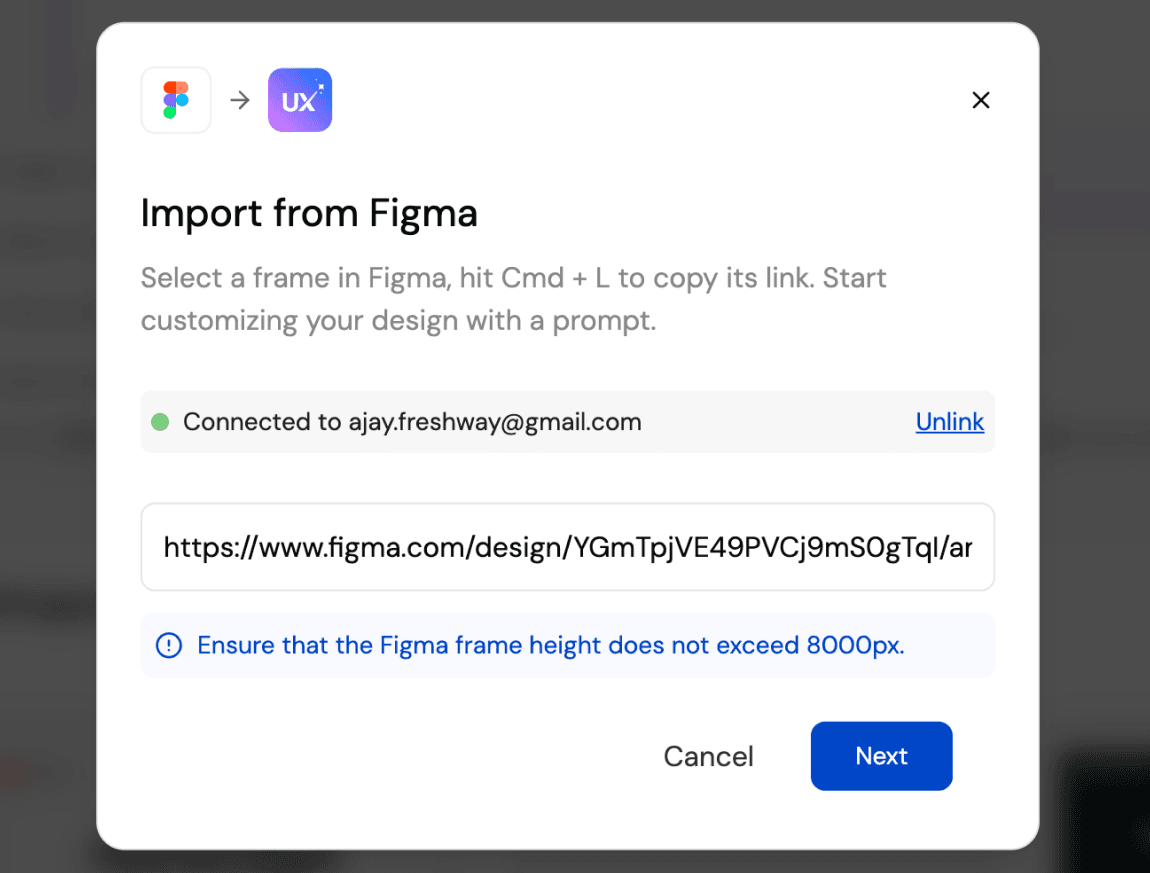
Connect your Figma File

Étape 1
2

Generate UI and code as a starting point

Étape 2
3

Iterate, refine, and ship faster

Étape 3
1

Connect your Figma File

Étape 1
2

Generate UI and code as a starting point

Étape 2
3

Iterate, refine, and ship faster

Étape 3

UXMagic vs UXPilot vs Uizard vs BananiFEATURE COMPARISON

Unlike Uizard, Banani, or UXPilot, UXMagic keeps your Figma styles intact while adding AI-powered ideation, making it perfect for teams who want speed without sacrificing brand consistency.

FonctionnalitéUXPilotUizardBananiUXMagic
Import from Figma
AI Iteration with Brand Styles
Export Back to Figma
Code Generation
Responsive AutoLayout
Faq

des questions ?nous avons les réponses.

Yes. UXMagic respects your brand guidelines, typography, and color tokens. When you use AI to ideate or generate new screens, your original Figma styles remain intact.

Absolutely. Once you’re done iterating in UXMagic, you can export back to Figma. Your designs come with Auto Layout, style consistency, and responsiveness already applied.

You can import your Figma design files directly into UXMagic with one click. UXMagic automatically brings in your frames, layers, and style guide so you can start iterating with AI immediately—without changing anything inside your Figma workspace.

Yes. UXMagic lets you view and copy production-ready code for your imported Figma designs. It supports HTML, CSS, and responsive layout so developers can move faster.

Unlike Uizard, UXPilot, or Banani, UXMagic allows you to work directly with your existing Figma files and brand styles, not just generate new mockups. With UXMagic, you can import from Figma, iterate using AI, export back with Auto Layout intact, and even generate developer-friendly code—all in one workflow.

Communauté

créé par de vraies personnes.remixé à l’infini.

Aucun résultat trouvé.

Soyez la première personne à publier ici

FONCTIONNALITÉS UXMAGIC

Découvrez nos fonctionnalités

Prompt to UI

Prompt to UI

Instantly turn text descriptions into functional UI designs.

Design Faster with Figma AI

Design Faster with Figma AI

Describe your idea and generate high-fidelity Figma-ready screens instantly.

AI Style Guide Generator

AI Style Guide Generator

Generate a brand style guide: colors, typography, spacing, and components, ready to export to Figma in seconds.

Image to Wireframe

Image to Wireframe

Convert screenshots or UI images into clean, editable wireframes instantly with AI and start building real interfaces faster.

Flow Mode (Multiple Screens)

Flow Mode (Multiple Screens)

Stop designing screen by screen. Flow Mode generates your entire UI flow from one prompt.

témoignages

on ne veut pas se vanter.alors voici ce que disent les utilisateurs.

Des designers, fondateurs et développeurs qui avancent plus vite avec UXMagic.

votre prochaine idée
mérite d'exister

arrêtez d'y penser. écrivez-la, tout simplement. Mal formulée, à moitié aboutie, peu importe. On la transformera en quelque chose de réel.

Produit

  • Modèles
  • Communauté
  • Plans tarifaires
  • Programme d'affiliation
  • UXMagic MCP
  • Claude MCP
  • Infos IA

Ressources

  • Centre d'aide
  • Bibliothèque Figma
  • Bibliothèque React
  • Templates d'applications mobiles
  • Documentation
  • Tutoriels

Fonctionnalités

  • Prompt vers UI
  • Image vers UI
  • Croquis vers UI
  • Cloner un site web
  • Importer depuis Figma
  • AI Wireframe Generator
  • AI Mockup Generator
  • AI Prototype Generator
  • AI Dashboard Generator
  • Toutes les fonctionnalités

Comparer

  • vs UX Pilot
  • vs Relume
  • vs MagicPath
  • vs Magic Patterns
  • vs Banani
  • vs Galileo AI
  • vs v0
  • vs Lovable
  • vs Base44
  • Tous les concurrents

Blog

  • L'IA dans le workflow UX : ce qui fonctionne vraiment
  • Templates de prompts pour dashboards SaaS
  • Les vrais prompts que nous utilisons pour générer des parcours produit
  • Le prompt engineering pour designers UX
  • Meilleurs outils de wireframing en 2026 : 10 options gratuites & pro comparées
  • Tous les articles

Entreprise & Support

  • Carrières
  • Nous contacter
  • Politique de confidentialité
  • Conditions d'utilisation
  • Paramètres des cookies
  • Suivez-nous sur Slack
  • Suivez-nous sur Twitter
  • Suivez-nous sur LinkedIn
  • Suivez-nous sur YouTube
  • Suivez-nous sur Instagram

© 2026 UXMagic AI Technologies Inc.