Create a Brand Style Guidethat Scales
Every great product starts with a style guide
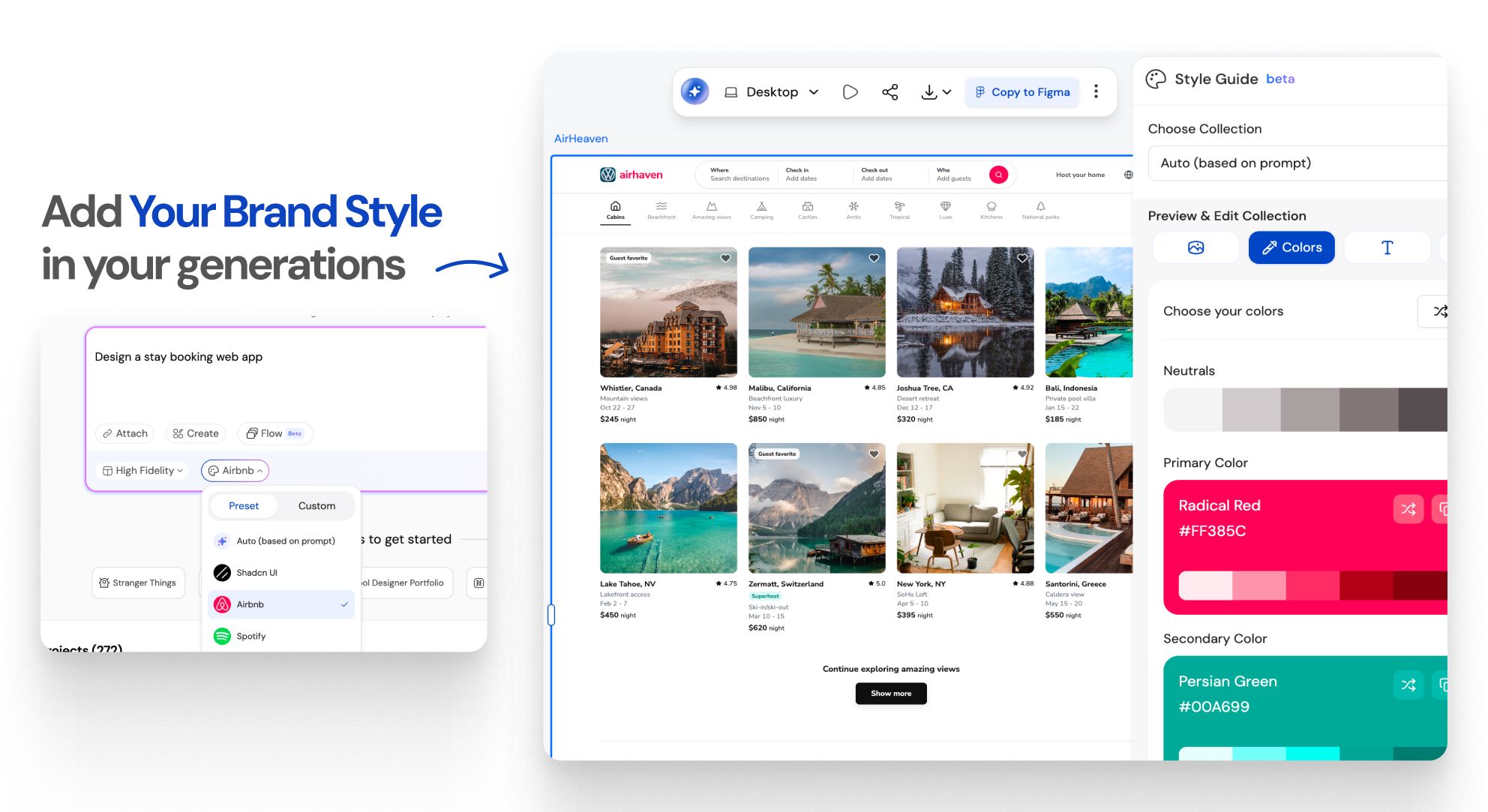
How to Create a Style Guide for Consistent UI/UXWORKFLOW
Provide your input
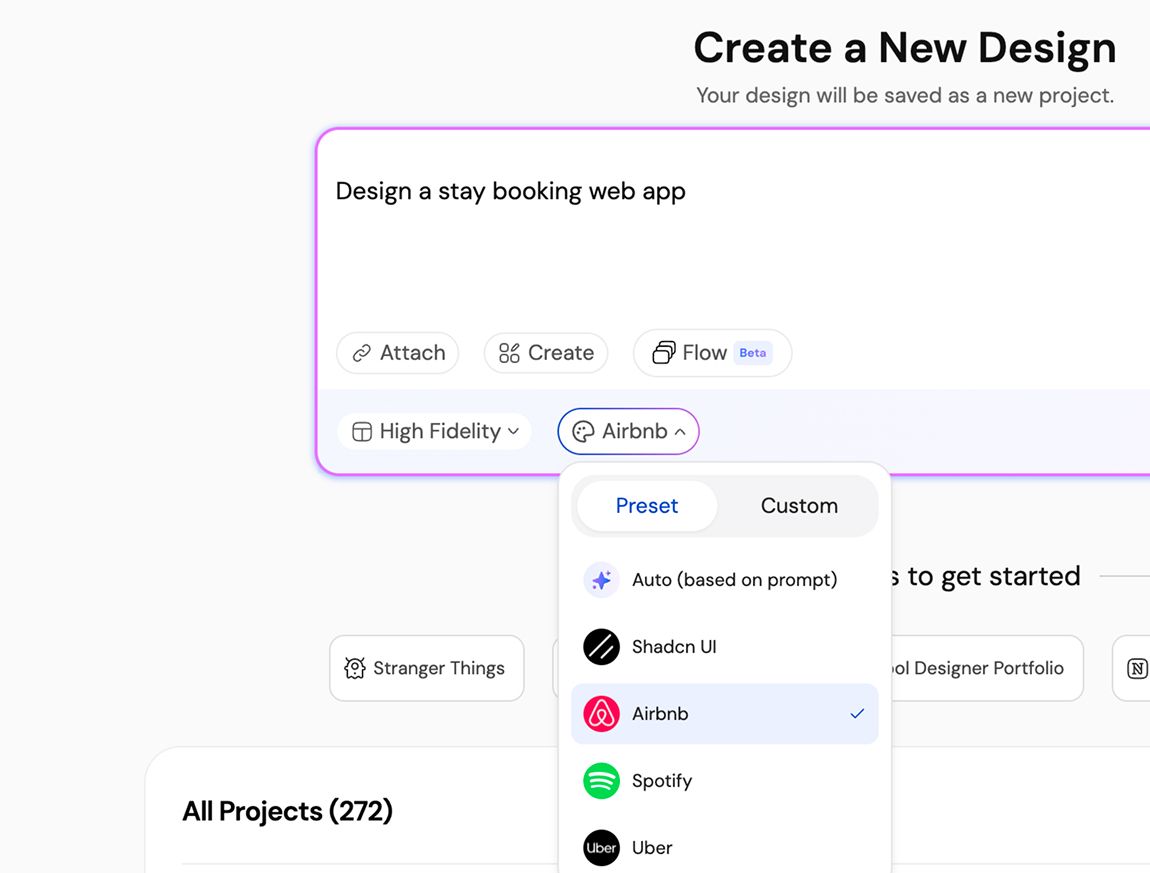
Add your prompt, and you can also add your style guide. You can import your existing styles, use presets, or generate new styles on the go.
Get your design generated
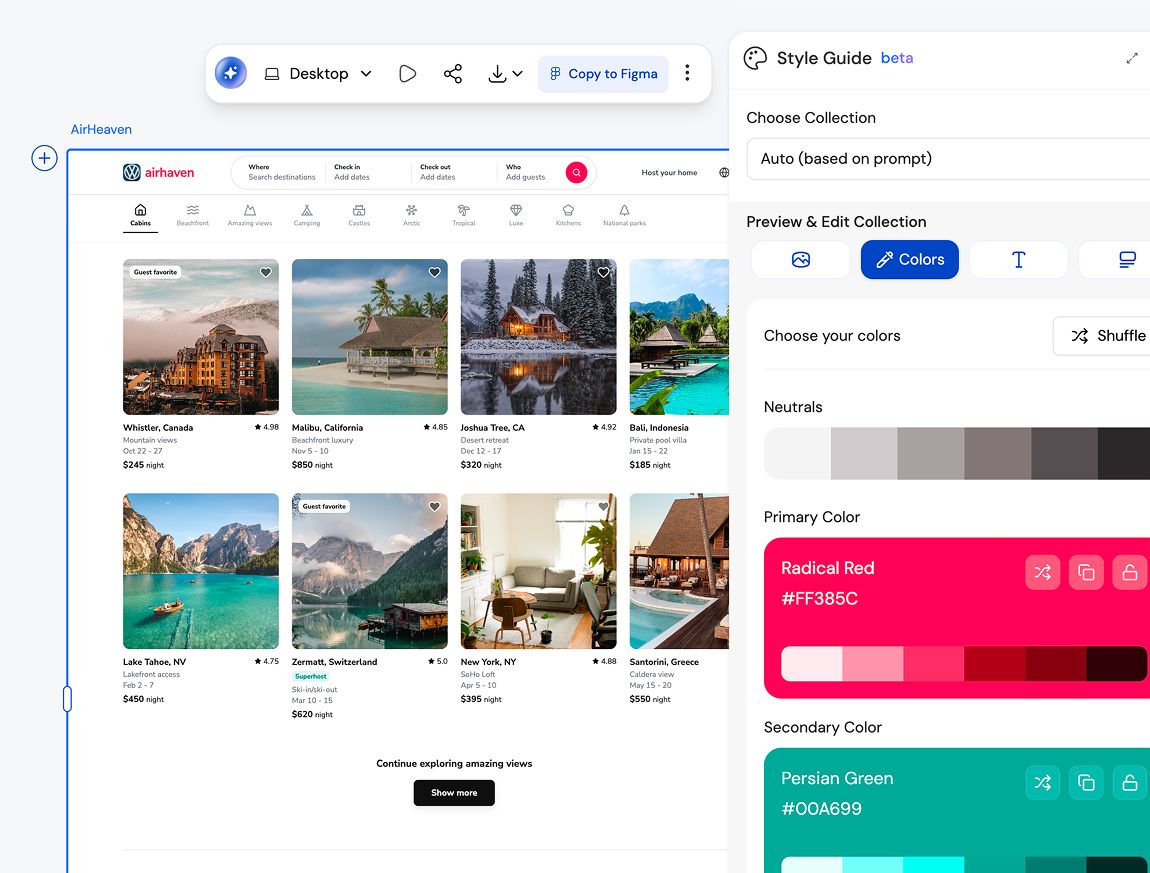
Now you can either change the style (colors, fonts, spacings, UI elements, etc) or iterate on the design you generated.
Export to Figma, HTML/React, or Cursor
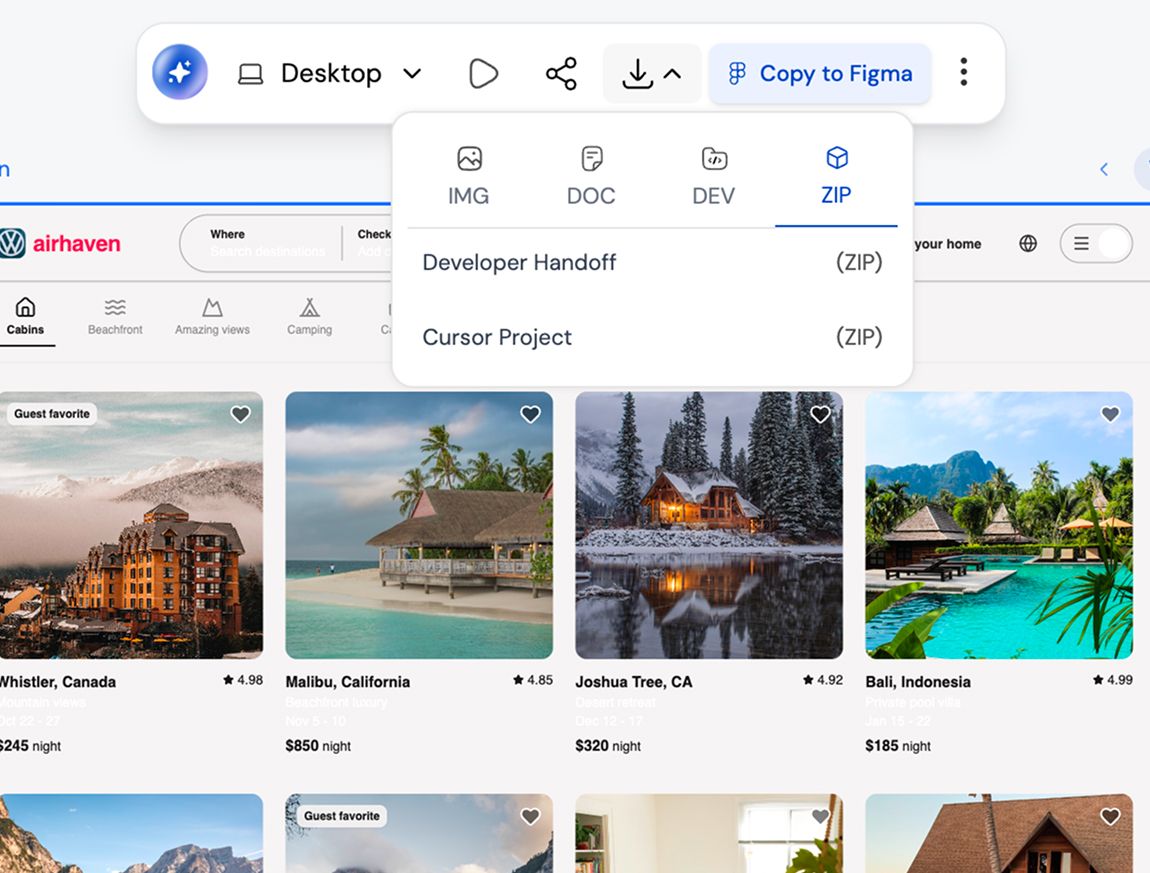
Export to editable Figma files or production-ready HTML/React code. Seamlessly integrate with the cursor.
Provide your input
Add your prompt, and you can also add your style guide. You can import your existing styles, use presets, or generate new styles on the go.
Get your design generated
Now you can either change the style (colors, fonts, spacings, UI elements, etc) or iterate on the design you generated.
Export to Figma, HTML/React, or Cursor
Export to editable Figma files or production-ready HTML/React code. Seamlessly integrate with the cursor.
UXMagic vs Banani vs UXPilot vs Visily vs Figma Make vs Framer AICOMPETITORS
Unlike other AI user interface design tools like Banani, UXPilot, Uizard, Visily, Figma Make (Figma AI) & Framer, UXMagic brings next-generation design AI integration and generative AI UI design features tailored for 2026 workflows. 👉 Want to see how we compare? Check out our in-depth comparison pages.
| Feature | Banani | UXPilot | Uizard | Visily | Figma AI | Framer AI | UXMagic |
|---|---|---|---|---|---|---|---|
| Auto Style Guide Generation | |||||||
| Automatic Color System Creation | |||||||
| Spacing & Layout System Logic | |||||||
| Cross-Consistency Enforcement | |||||||
| Brand Kit → Structured System | |||||||
| Global Style Editing | |||||||
| Figma-Ready Structured Export |
got questions?we have answers.
built by real people.remixed endlessly.
Be the first to publish something here