AI PRD GeneratorRequirements to Screens
See How AI BuildsYour PRD Instantly
Trusted by Designers and Developers
Faster than manual design
Responsive by default
A spec andscreens, together
Most PRD tools stop at a document. Describe a feature once, and UXMagic outputs the requirements and the interface that satisfies them, side by side so nobody has to translate a written spec into a design by hand.
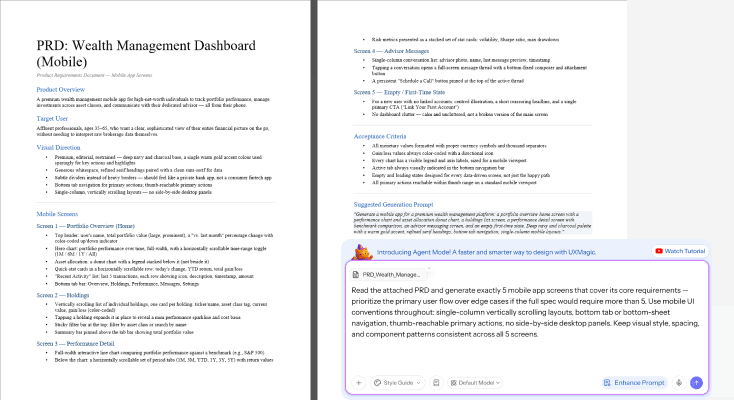
Screens staytied to requirements
Change a requirement and the corresponding screen updates with it. Add an edge case to the spec, and the flow reflects it. The PRD generator AI approach here means your documentation and your design never quietly drift apart.
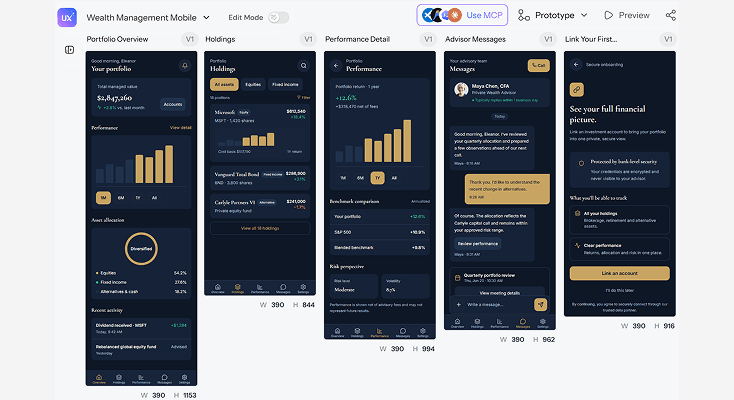
Refine with afollow-up prompt
Rework a layout, add a missing state, or adjust a flow by describing the change in rebuilding a screen from scratch every time the requirement shifts mid-review.
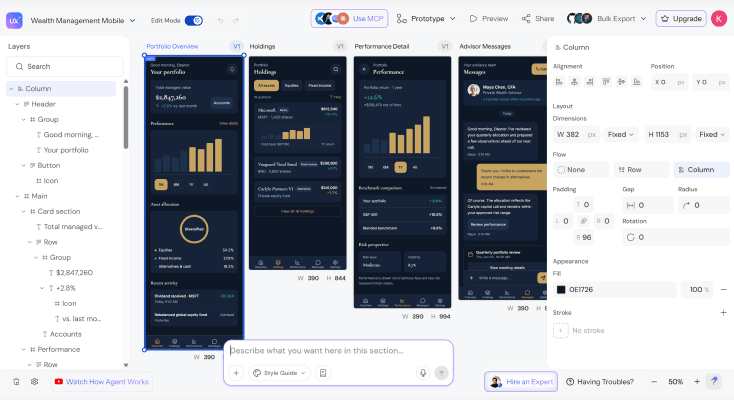
Export for reviewor handoff
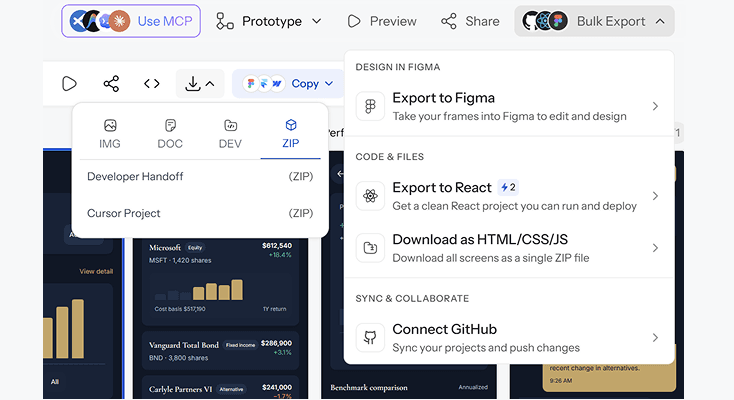
Send the screens to Figma for team review, or export straight to production-ready code either way, the interface reflects the requirements it was generated from.
HOW IT WORKSThree Steps from Idea to PRD
Describe your product or feature
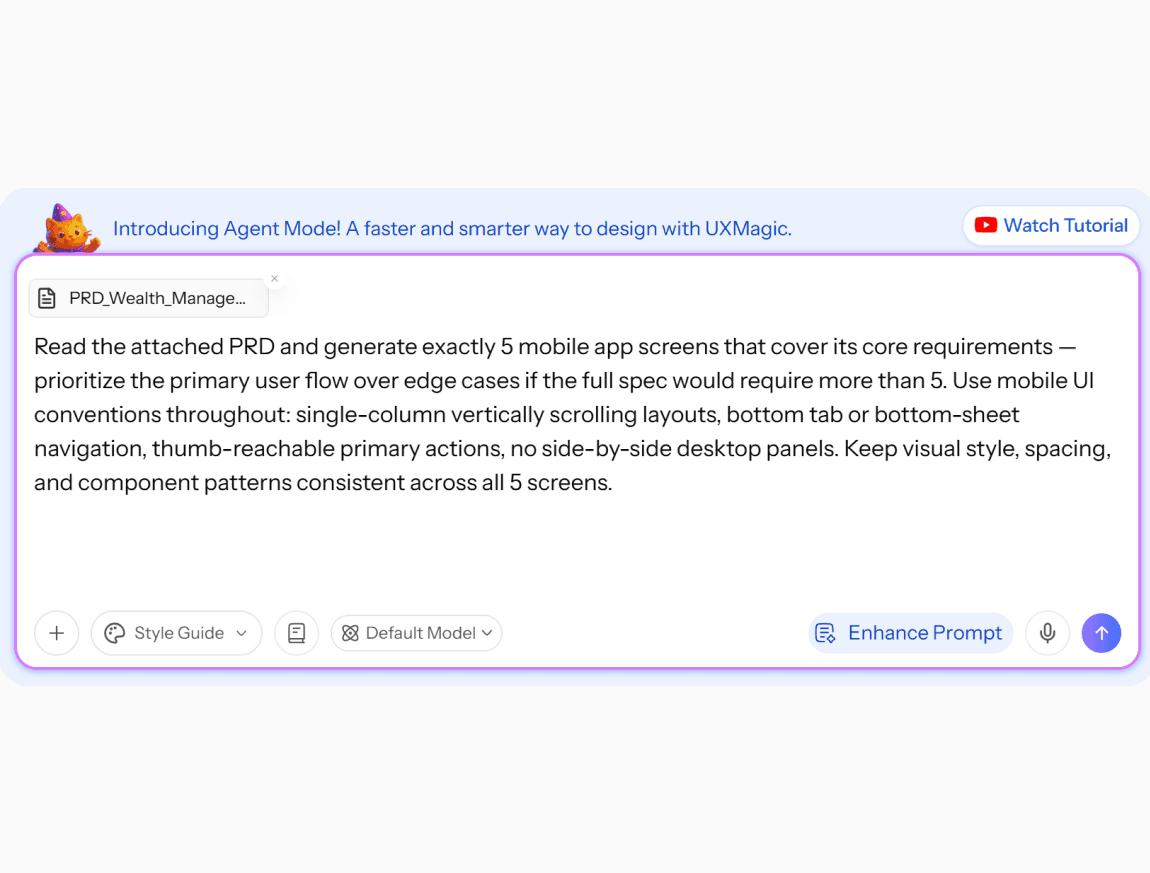
Write out the product concept, user goals, key requirements, and any constraints or acceptance criteria you already have in mind.
Generate your PRD and screens
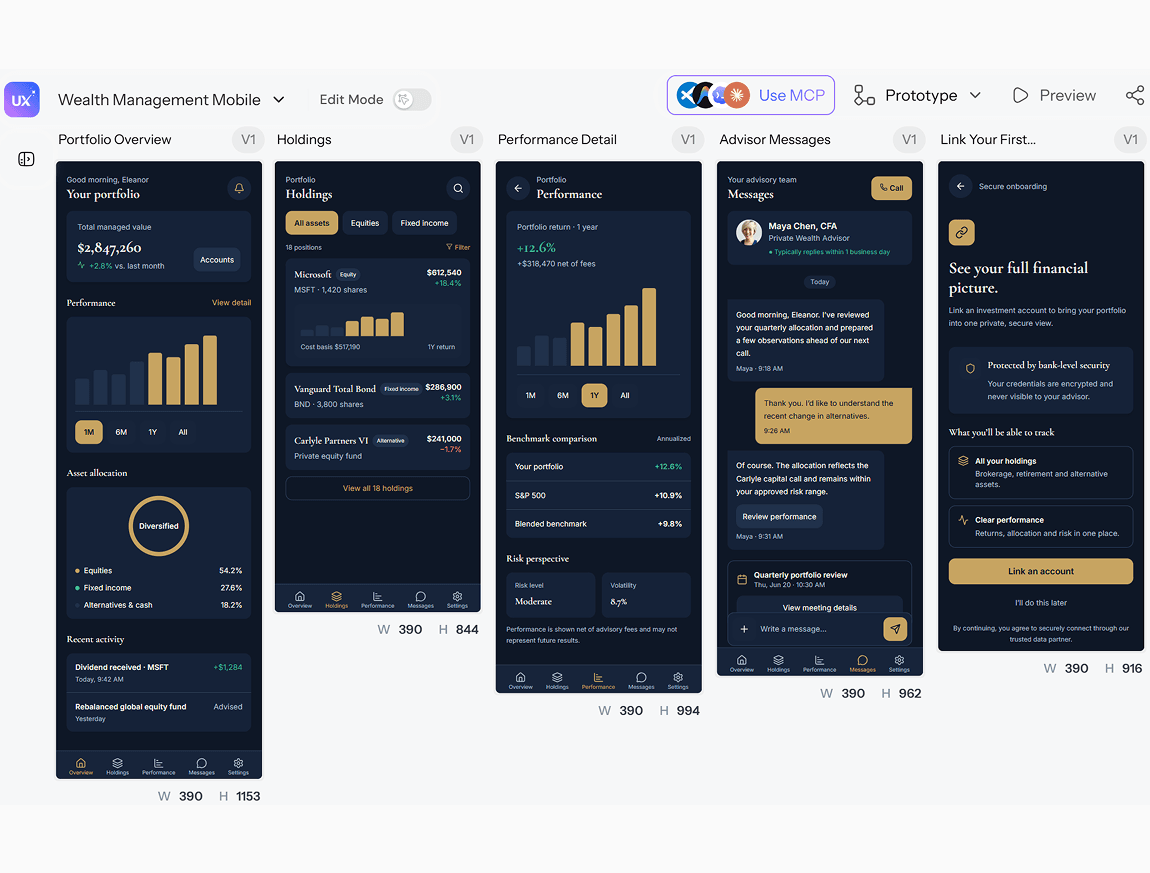
Build a structured requirements document with user stories and corresponding interface designs, generated from your description in seconds.
Refine and export
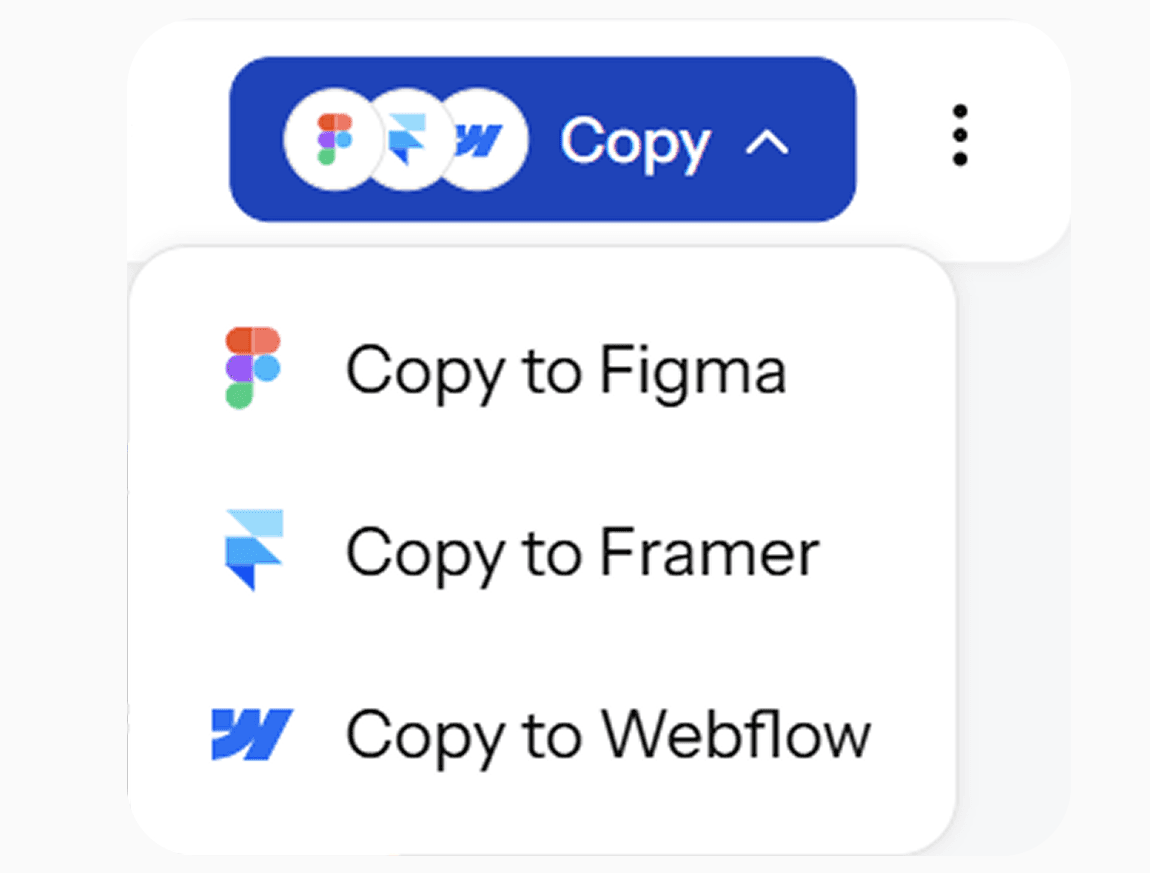
Update requirements, adjust screen designs, and iterate on the spec with follow-up prompts. Export to Figma for design review, or download production-ready code for engineering handoff.
Describe your product or feature
Write out the product concept, user goals, key requirements, and any constraints or acceptance criteria you already have in mind.
Generate your PRD and screens
Build a structured requirements document with user stories and corresponding interface designs, generated from your description in seconds.
Refine and export
Update requirements, adjust screen designs, and iterate on the spec with follow-up prompts. Export to Figma for design review, or download production-ready code for engineering handoff.
What you walk away with
A document and a design that actually match
The PRD and its screens are generated together and stay connected through revisions, so what engineering builds is what the spec actually describes, not two artifacts someone has to reconcile by hand.
A spec you can edit like a design
Add requirements, rework user stories, or adjust acceptance criteria with a prompt the associated screens update with it, instead of the doc and the design going stale separately.
Figma and code, from the same generation
Export into Figma for design review, or download production-ready code for engineering both carrying the same requirements context, from one PRD.
UXMagic vs Figma vs UXPilot vs Notion AI vs ChatGPT
A lot of tools call themselves an AI PRD Generator. Here's what separates them when you look at what a product team actually needs:
| Feature | Figma (native AI) | UXPilot | Notion AI | ChatGPT | UXMagic |
|---|---|---|---|---|---|
| Generates structured PRD (user stories, criteria) | |||||
| Generates matching UI screens from the same input | |||||
| Screens stay linked to requirement changes | |||||
| Consistent design system across multi-screen output | |||||
| Export to Figma as editable layers | |||||
| Export to production-ready code |
got questions?we have answers.
built by real people.remixed endlessly.
Be the first to publish something here