Output Comparison
Design a mobile app onboarding flow for a first time user that converts a website URL into editable design screens, including paste URL, loading, preview, and export states, optimized for clarity and speed.
UXMagic
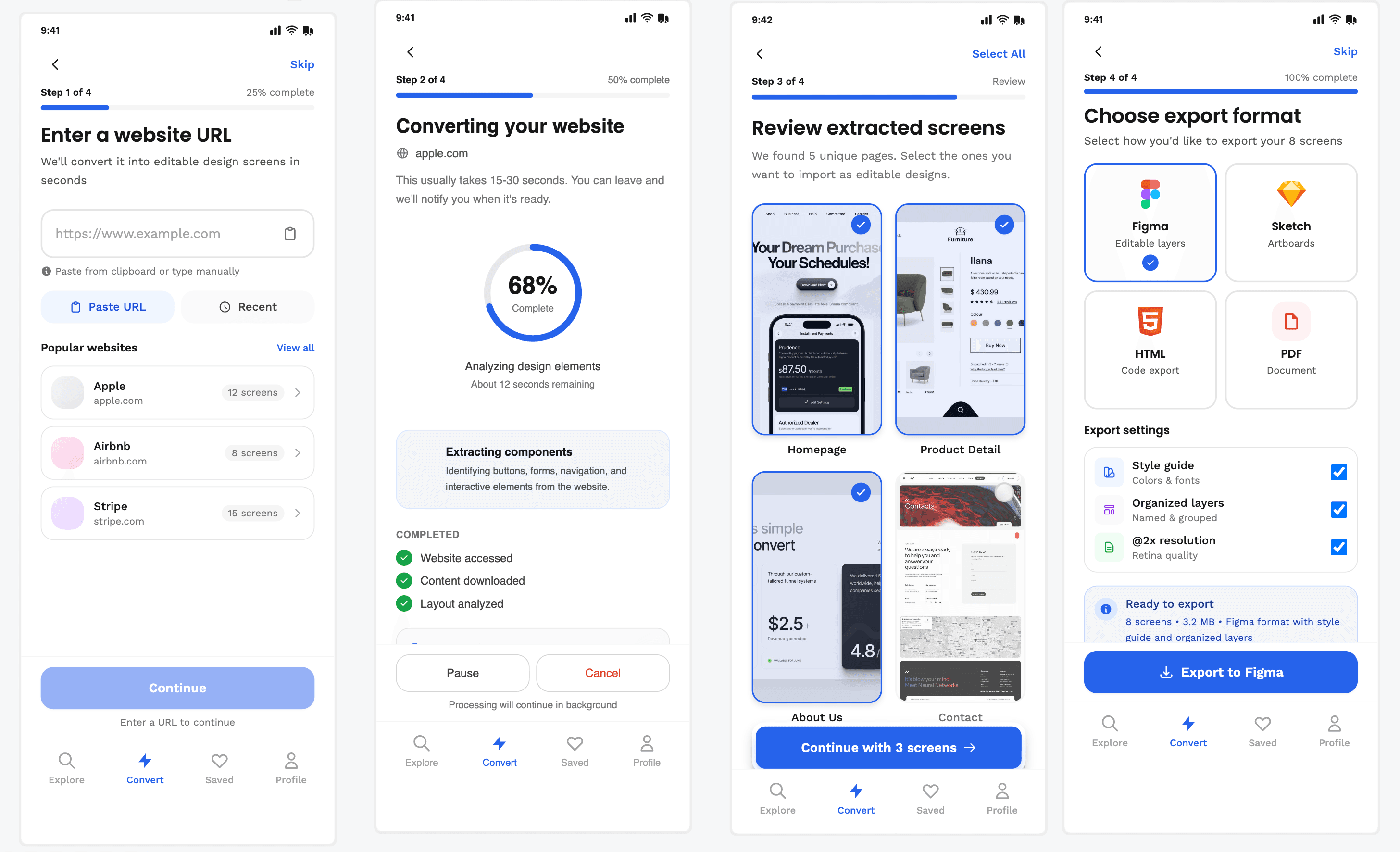
Clear step-by-step progress → reduces uncertainty
Strong control over screens & export settings
Later steps feel overwhelming
Too process-heavy, not value-focused
Sleek.design
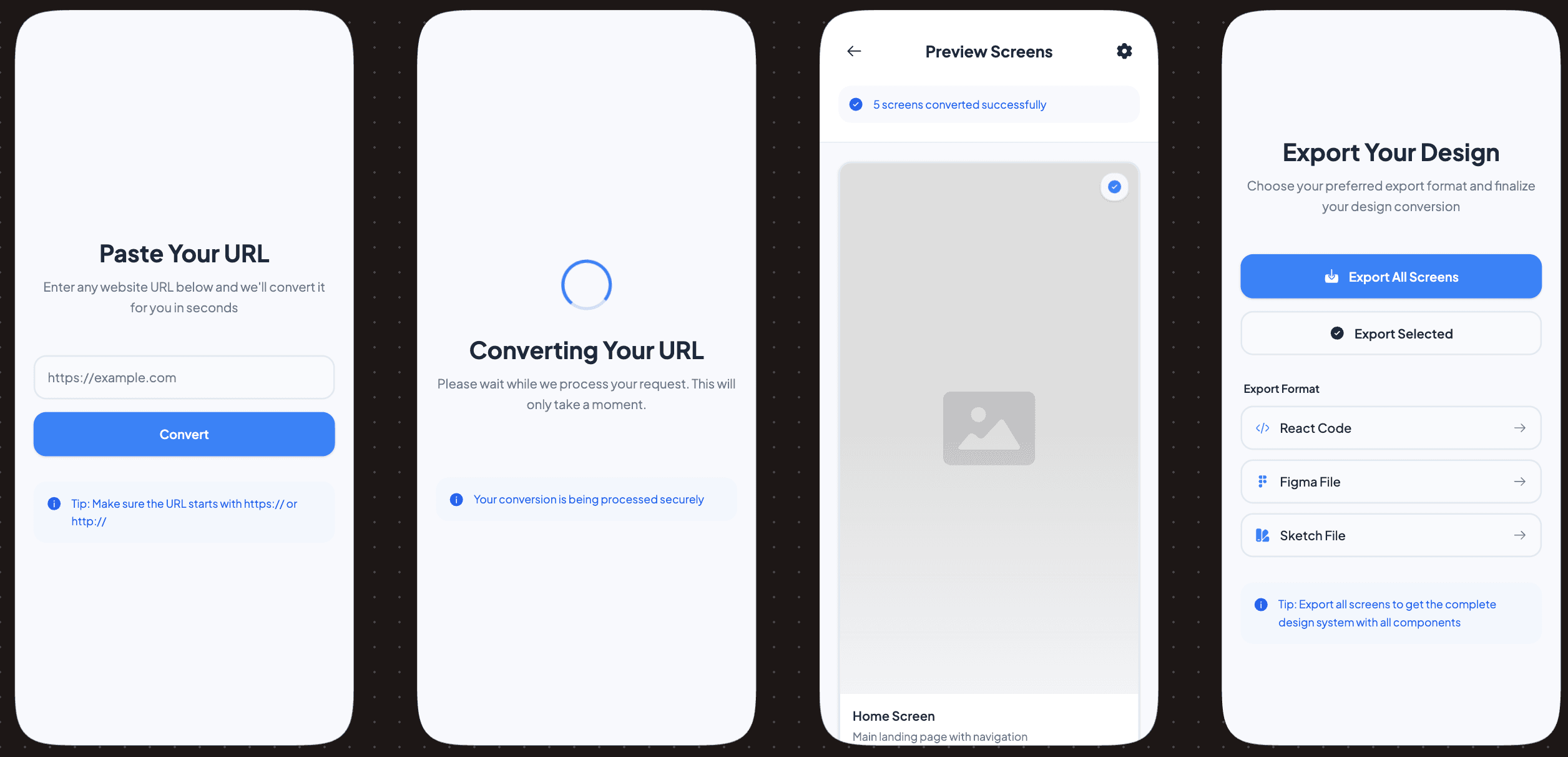
Very clean, fast-feeling flow
Outcome-driven copy builds confidence
The conversion state lacks transparency
The preview step feels underused
Design a mobile app home screen for a design automation tool where users can quickly start a new conversion, view recent projects, and understand the product value in under 5 seconds.
UXMagic
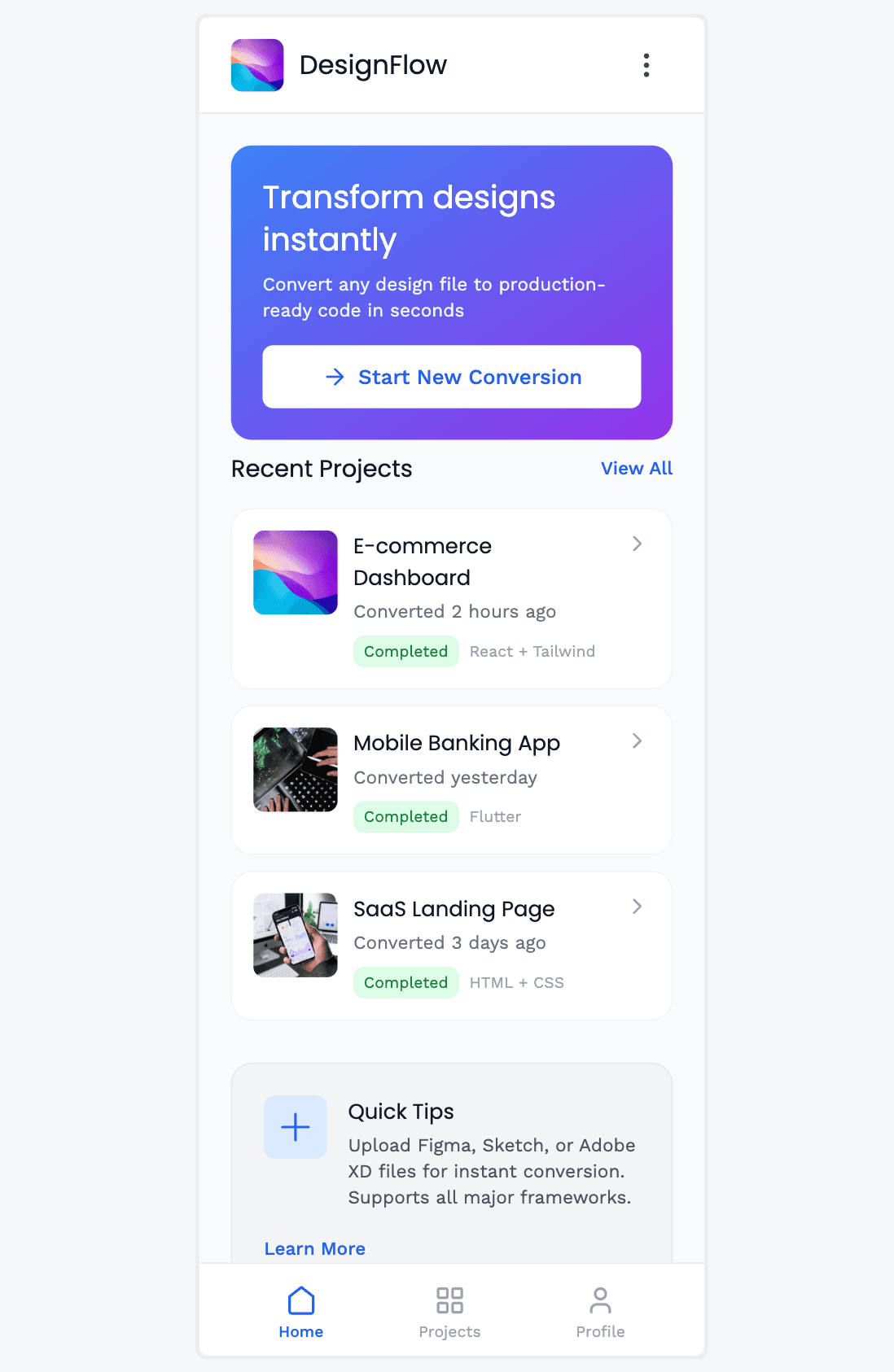
Strong CTA hierarchy → “Start New Conversion” is unmissable
Recent projects give immediate credibility and reuse value
Hero copy is generic (“Transform designs instantly”)
The home screen feels slightly busy for a primary entry point
Sleek.design
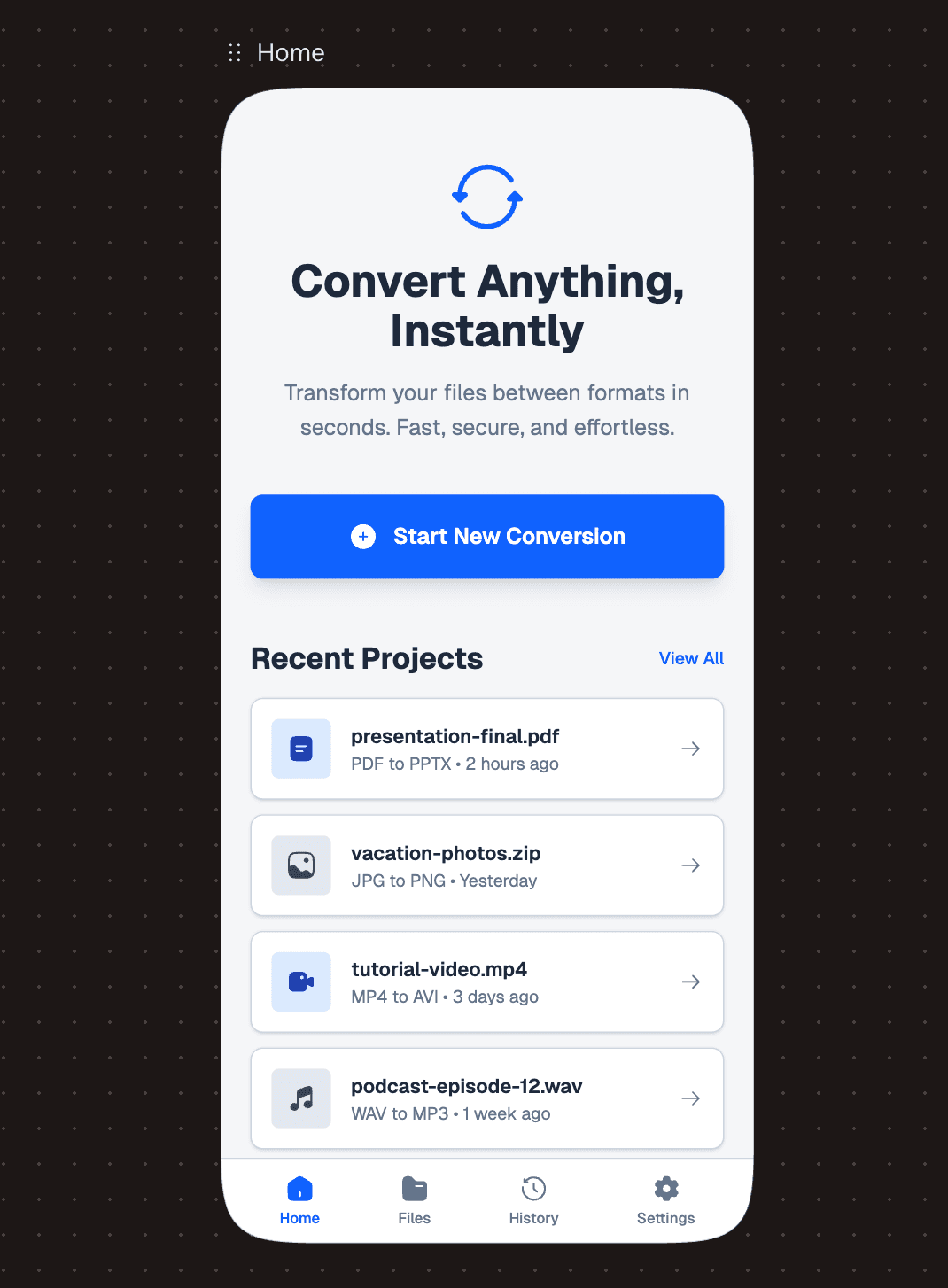
Extremely clean, calm layout → low cognitive load
Clear “Convert Anything” promise + focused CTA
Too generic in scope (no clear niche or specialization)
Lacks quick proof signals (formats, success cues, or stats upfront)

UXMagic.ai
UXMagic is an AI Design Copilot built for professional product teams. It integrates directly into Figma and focuses on speed without sacrificing structure—Auto Layouts, responsive logic, and editable systems that scale beyond a single screen.
UXMagic is designed to remove repetitive setup work so designers can focus on UX thinking, not pixel cleanup.

Sleek.design
Sleek Design is a mobile-first AI UI generator optimized for rapid app visuals. It targets founders and indie builders who need instant credibility without learning design tools.
Sleek Design UI outputs are visually polished and trend-aligned, but its scope remains intentionally narrow—mobile only.
Feature Comparison
| Feature | UXMAGIC | SLEEK.DESIGN |
|---|---|---|
| Prompt-to-UI | Generates responsive web & mobile layouts | Generates mobile app screens only |
| Clone any existing website | Clones with an accuracy of approximately 95%. | Doesn't support as it generates mobile app screens only. |
| Image/Sketch input | Supports images, sketches, and URLs | Supports Images and sketches |
| Figma Plugin | Native plugin with Auto Layout | Doesn't have Figma plugin |
| Style Guide Support | Uses existing design systems | Fixed aesthetic presets |
| Component Editing | Section-level regeneration | Doesn't have component editing |
| Responsiveness | Desktop, tablet, mobile views | Mobile only |
| Code Export | React, HTML | React, HTML |
UXMagic
Pricing Comparison

Free – $0
30 free credits(One Time) upto 5 screens 5 projects 1 Figma Export UI Design Wireframe Mode Sectional Editing
Premium – $25/month
480 credits (Monthly) upto 80 screens 20 Projects 80 Figma Exports Export Code UI Design Wireframe Screenshot to UI Sketch to UI Text Editing & Upload Images Sectional Editing
Ulitmate – $50/month
1500 credits (Monthly) upto 250 screens Unlimited Projects 250 Figma Exports Export Code UI Design Wireframe Screenshot to UI Sketch to UI Import your Figma components/Design System Clone a site(from URL) Sectional Editiing Text Editing & Upload Images

Lite – $8/month
2, 000 AI credits / month ≈ 40 messages Includes 2 projects Unlimited code exports Unlimited Figma exports Export to AI builders
Starter – $14/month
7, 000 AI credits / month ≈ 150 messages Includes 5 projects Purchase additional credits Unlimited code exports Unlimited Figma exports Export to AI builders Share preview links
Pro – $35/month
20, 000 AI credits / month ≈ 400 messages Includes Unlimited projects Purchase additional credits Unlimited code exports Unlimited Figma exports Export to AI builders Share preview links
Final Verdict
In the UXMagic vs Sleek Design debate, the winner depends on intent:
Choose Sleek Design if you need quick, high-polish mobile UI and nothing else.
Choose UXMagic if you’re building scalable, multi-device products and need serious workflow acceleration.
For most professionals, UXMagic is the smarter long-term investment.
got questions?we have answers.
For professional workflows and scalable products—yes. UXMagic goes far beyond mobile-only UI.
UXMagic, thanks to its native Figma plugin and Auto Layout support.
Absolutely. Especially if you need responsive web + mobile design in one tool.
It generates solid mobile-focused code, but lacks flexibility for broader systems.
UXMagic—hands down.











Related comparisons
Weighing up more than one tool? Here is how UXMagic compares against the closest alternatives.