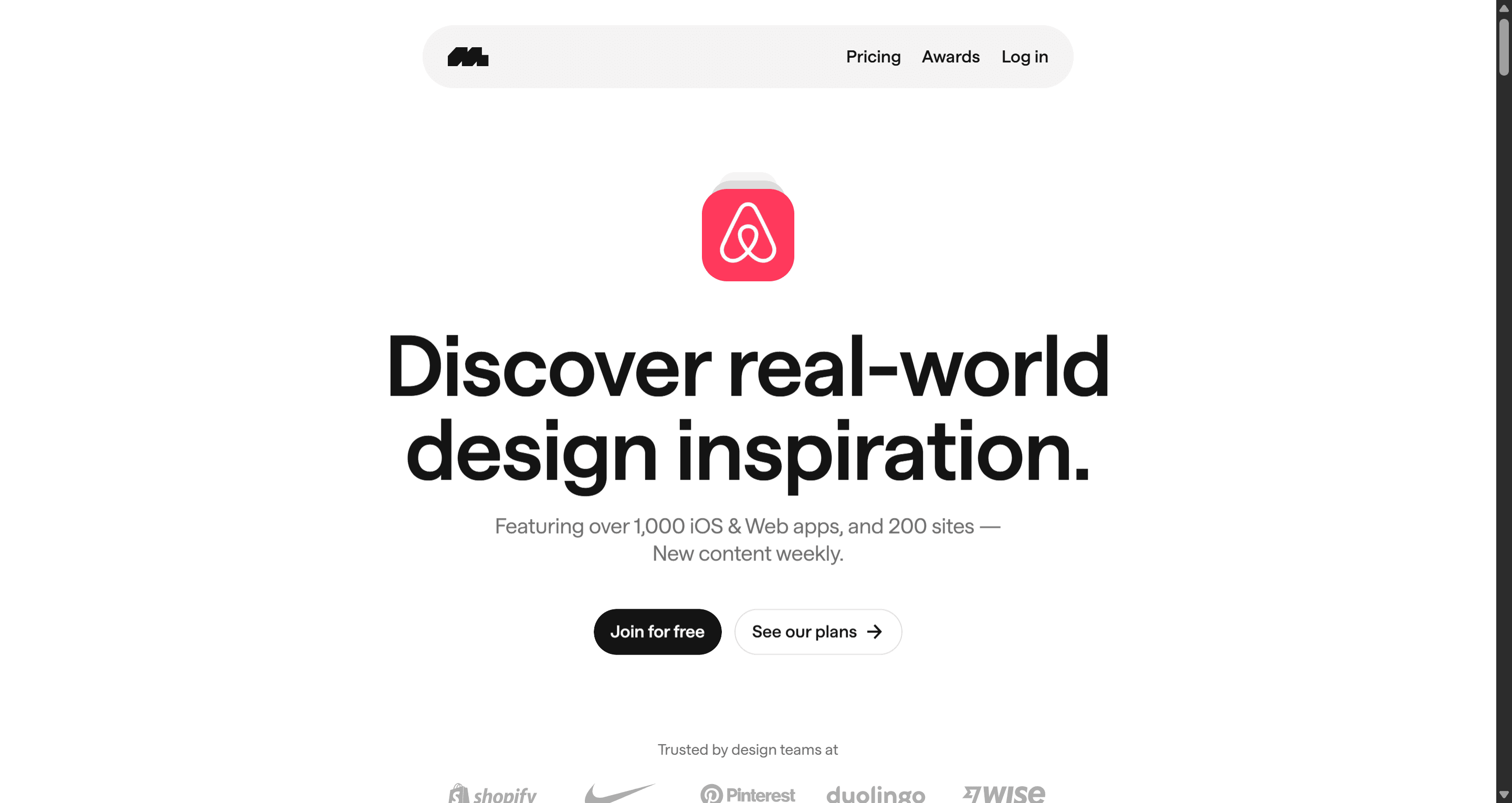
Mobbin is a searchable library of over 600,000 real-world mobile and web app screenshots, organized into step-by-step user flows the tool most product teams reach for when they need to see how a specific pattern actually gets solved in production, not in theory. Designers and PMs use it to benchmark competitors, study real onboarding sequences, and ground a design conversation in evidence instead of opinion.
The question worth asking in 2026 isn't whether Mobbin is good at that job it clearly is. It's whether a $120 - $200+ annual seat cost still makes sense once generative UI tools can turn a requirement directly into an editable layout, and where the line actually sits between "research tool" and "execution tool." Those are two different jobs, and conflating them is where most Mobbin reviews go wrong in either direction either dismissing it entirely or treating it as something it was never built to be.
At a Glance: Mobbin Comparison
| Mobbin | UXMagic | |
|---|---|---|
| Purpose | UI research and competitive benchmarking | UI generation and flow execution |
| Output type | Static screenshots, organized flows | Editable auto-layout vectors, production-ready code |
| Figma workflow | Plugin inserts flat images into Figma | Generates native Figma files directly |
| Best for | Studying how real products solve a pattern | Building the screens your product actually needs |
| Pricing | ~$120–$240+/year per seat (varies by source, see below) | Free tier + paid plans |
What Is Mobbin and Who Actually Uses It?
Mobbin's core offering is a searchable, OCR-indexed library of real app screenshots, organized by flow type, industry, and platform (iOS, Android, web). UX researchers use it to ground competitive analysis in actual shipped products rather than guesswork. Product designers use it during pattern discovery, the phase where you're figuring out how other teams solved the same problem before committing to your own approach.
It also includes flow trees (showing a full sequence of screens for a given journey, not just one isolated screen) and a Figma plugin for pulling reference images directly into a working file. For research and inspiration specifically, that combination is genuinely strong and hard to replicate manually at the same speed or breadth.
2026 Mobbin Pricing Plans
Worth being upfront here: pricing data on Mobbin varies noticeably across sources as of this writing, and third-party pricing aggregators don't fully agree with each other. Reported figures include Pro around $10–$15/month billed annually (with some UK-specific sources citing £8/month), and Team plans ranging from roughly $16 to $40 per seat per month depending on the source consulted. A Finance+ add-on for banking and crypto app access has been reported around $399/month. Given this spread, confirm current pricing directly on Mobbin's official pricing page before budgeting. This is exactly the kind of detail that shifts between when an article is written and when you're reading it.
The Free plan is genuinely useful for occasional, light browsing; it's restricted to the most recently added apps, limited search filters, and a small cap on saved collections. An active product team doing regular benchmarking work will likely outgrow it within the first real project.
Where Mobbin Genuinely Excels
UX research. Grounding a design decision in "here's how five real products actually solved this" beats grounding it in "I feel like this should work" every time. Mobbin makes that kind of evidence-gathering fast.
Competitive analysis. Reviewing how a set of competitors structure a specific flow subscription paywalls, identity verification, checkout surfaces, real patterns and real trade-offs other teams have already made, which is genuinely valuable context before designing your own version.
Pattern discovery. Indexing 600,000+ screens by flow type solves a real problem: finding examples of a specific, sometimes obscure interaction pattern without manually hunting through dozens of apps yourself.
Where Mobbin Reaches Its Limits
Discovery is a real and valuable part of the design lifecycle but it's one part, not the whole process, and Mobbin's scope stops there by design. The tool shows you where a pattern exists. It doesn't build the pattern for you.
A few places this shows up in practice:
- Search precision. Filtering for a specific B2B SaaS state change or micro-interaction sometimes returns generic main screens instead of the exact state you were looking for, requiring extra manual scrolling to find it.
- The redraw step. Mobbin's screenshots are static images. Every form field, button state, and layout container still needs to be manually rebuilt as an editable component afterward that step exists regardless of how good the research phase was.
- Copied patterns carry their origin's constraints. A flow from a major app represents one specific compromise that the team made, shaped by their own technical or business constraints, not necessarily the right call for a different product with different constraints.
None of this is a knock on Mobbin doing its actual job poorly. It's a reminder that research and execution are two separate phases, and a tool built for one shouldn't be expected to quietly cover the other.
Mobbin vs. Alternatives
| Tool | Category | Best For |
|---|---|---|
| Mobbin | Research library | Comprehensive mobile + web flow benchmarking |
| Refero | Research library | Web design, SaaS marketing pages, desktop micro-interactions |
| Screenlane | Research library | Curated web design inspiration, smaller archive than Mobbin |
| Pttrns | Research library | Mobile-specific pattern reference, narrower scope |
| Dribbble | Visual inspiration | Stylized concept exploration — worth treating as aspirational, not functional reference, since many shots aren't built against real edge cases or localization |
| Figma Community | Templates + files | Free, remixable starting files — useful but not organized by real-product research the way Mobbin is |
| UXMagic | Generative execution | Turning a requirement directly into editable, production-ready UI |
Scoring Framework: Category by Category
| Category | Winner | Why |
|---|---|---|
| UX research | Mobbin | Purpose-built, deep, well-organized real-product library |
| Pattern discovery | Mobbin | 600,000+ screens searchable by flow and industry |
| Competitive benchmarking | Mobbin | Direct visibility into how real competitors solved a flow |
| Flow generation | UXMagic | Produces connected, multi-screen flows directly, not references to redraw |
| Figma output | UXMagic | Native editable files vs. flat images pasted into a file |
| Developer handoff | UXMagic | Structured, production-ready output vs. a reference someone still has to build |
Pairing Mobbin's Research with UXMagic's Execution
The strongest workflow for 2026 isn't picking one over the other, it's sequencing them correctly. Mobbin for research and inspiration, UXMagic for creation and execution.
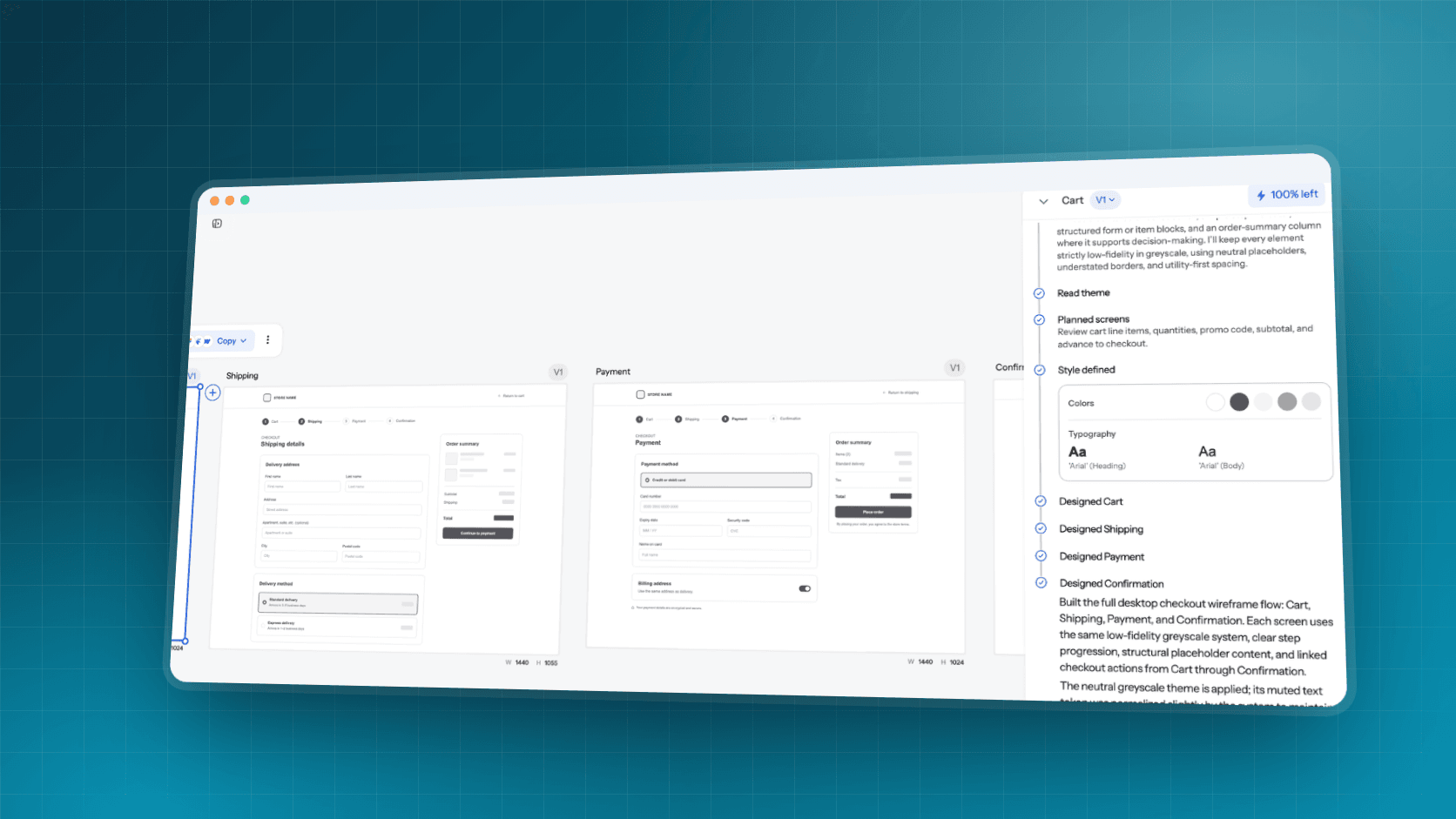
Here's what that looks like on a real project. A PM needs a multi-step identity verification flow document upload, biometric check, tax form inputs. Research phase: search Mobbin for identity verification flows, review a batch of examples across financial apps, and note the patterns that recur across multiple products (that recurrence is itself a useful signal about what actually works). Execution phase: instead of manually rebuilding those patterns screen by screen in Figma, describe the actual requirements the specific fields, the specific verification steps your product needs into UXMagic's Flow Mode, and get a structured, multi-screen vector layout with input fields, progress indicators, and error states generated directly.
The research still matters, it's what informs the requirements you feed into generation. What changes is the execution step no longer requires manually redrawing every screen from a reference image. Flow Mode generates connected, multi-screen paths that hold consistent structural logic and auto-layout constraints across every frame, which is the part a screenshot library was never built to do. Static libraries also tend to miss specific state variations, empty states, loading behavior, validation errors, exactly the edge cases UXMagic can produce on demand once the core flow logic is established.
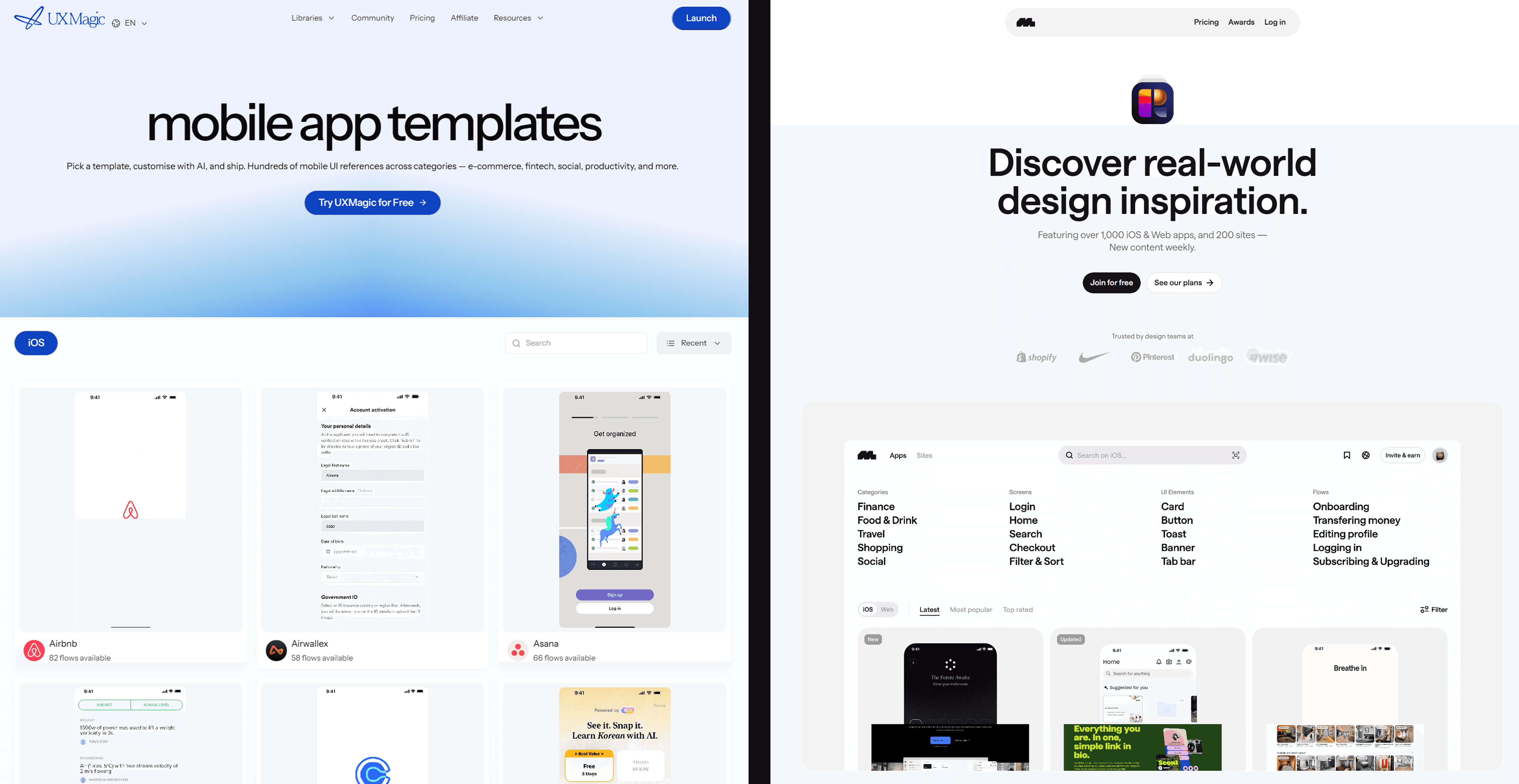
For mobile-specific work in particular, which is exactly where Mobbin's research strength is deepest, that same workflow gets a head start from UXMagic's mobile app templates. Instead of generating a mobile flow entirely from scratch after wrapping up research, pre-structured templates for common mobile patterns give the execution step a mobile-native starting point the kind of foundational structure a research session on Mobbin might have just spent an hour confirming is the right direction anyway.
Final Verdict: A Simple Decision Guide
Choose Mobbin if you need research - competitive benchmarking, pattern discovery, or grounding a design conversation in how real products actually solved a problem.
Choose UXMagic if you need to build flows - turning a requirement directly into editable, production-ready screens without a manual redraw step in between.
Use both if you need research and execution - Mobbin to inform what the flow should account for, a generative tool to actually build it once the requirements are clear.
Related guides
- Website Design Inspiration: Best Tools and Galleries for 2026
- Generative Engine Optimization for SaaS: Why AI Search Ignores Your Blog
- State of AI in UI/UX Design 2026: What Actually Works in Production
- Design Thinking Process: A Practical Guide for Product Teams
- The Most Innovative AI Wireframe Platforms in 2026: A Technical Comparison
- Image to Figma Converter: 9 Free & AI Tools Compared (2026)
- AI Wireframe Generator for Mobile Apps: Best Tools & Workflows (2026)
- How to Run a Design Sprint in 2026: The 3-Day Accelerated Framework
- Form UX That Actually Converts: The Field-Level Playbook
- How to Clone a Website with AI (Without Breaking Your Design System)
Turn Research Into Real Flows
Stop treating research and execution as the same step. Try UXMagic free and turn your next competitive audit into an editable Figma flow.