• Libraries
  • Community
  • Pricing
  • Affiliate
  • Resources

Libraries

Community
Pricing
Affiliate

Resources

Follow us on:
Help center
  • 🚀Get started
    • What is UXMagic?
    • Create your first project
    • The canvas, projects and screens
    • Writing a prompt that gets what you want
    • Keyboard shortcuts
    • Your account and profile
  • ✨Generate designs
  • 🎨Design & edit
  • 📦Export & handoff
  • 🌐Publish a live site
  • 🤝Share & collaborate
  • 🔌Integrations & developers
  • 💳Plans, credits & billing
  • 🛠Troubleshooting

Still stuck?

Our team answers from inside the product.

Contact support →
  1. Help center/
  2. Export & handoff/
  3. Export code (HTML, React, Tailwind)

Export code (HTML, React, Tailwind)

Export a single screen or a whole project as production-ready front-end code.

Last updated 27 August 2026
On this page

  • What you can export
  • Exporting one screen
  • Exporting a whole project
  • What the code is like
  • Responsive
  • Straight into a repo
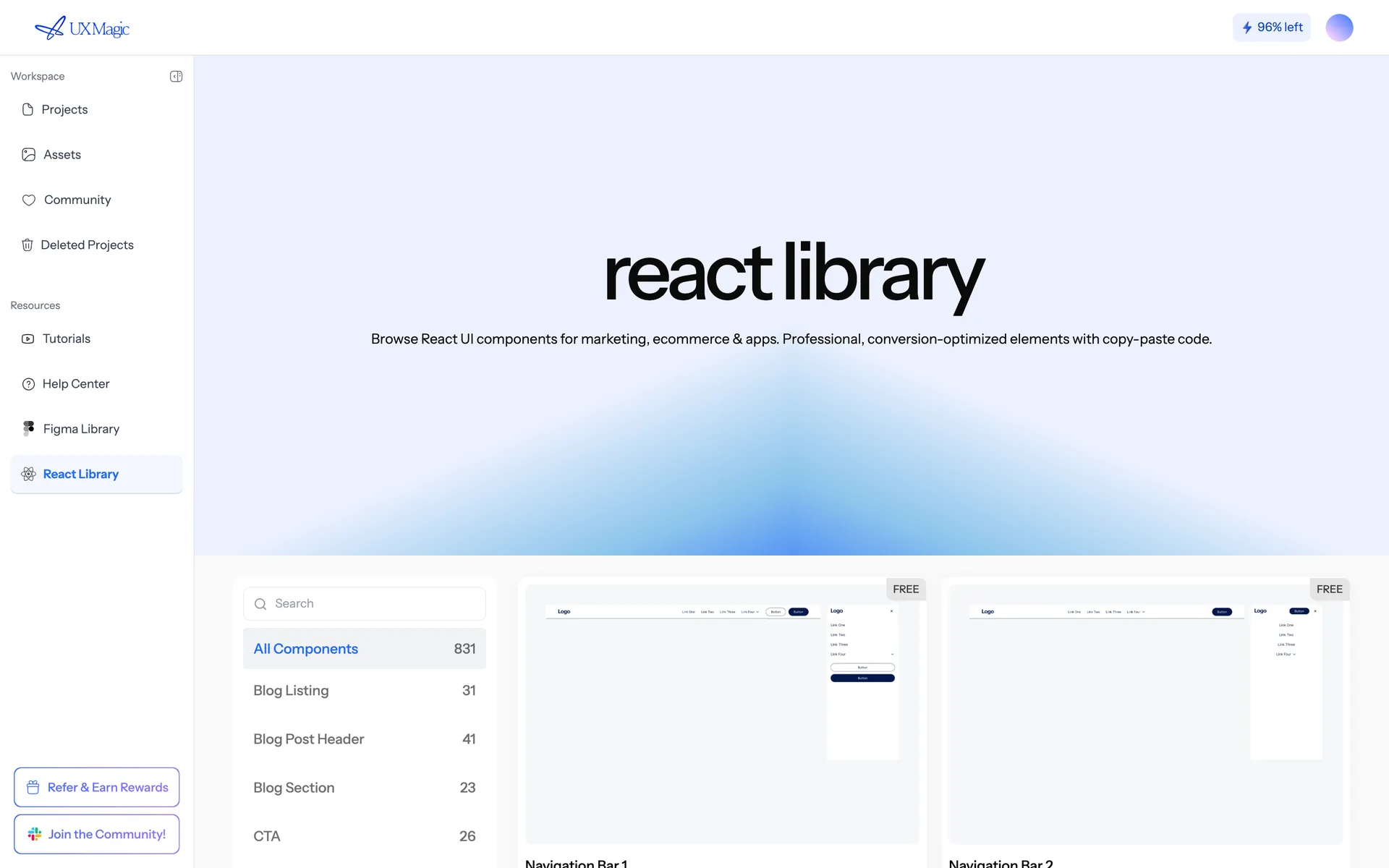
uxmagic.ai/dashboard/react-component-library
The React component library, showing components ready to copy into a codebase.
The React component library, ready to copy into a codebase.

What you can export#

  • A single screen as HTML or as a React component.
  • A whole project as a multi-screen React project, assembled and downloadable as an archive.

Styling is Tailwind CSS, with your project theme expressed as design tokens so the code carries the same system the canvas does.

Exporting one screen#

  1. Select the screen.
  2. Export → Code.
  3. Choose HTML or React.
  4. Copy it, or download it.

Exporting a whole project#

Project export runs as a background job — it generates every screen, then assembles them into one project structure. Larger projects take longer; you can watch progress and download when it finishes.

What the code is like#

It is real, readable front-end code: semantic markup, Tailwind utility classes, theme tokens for colours and type, and images referenced by URL from your project's asset storage.

Two things to plan for:

  • Assets are remote by default. Download them into your repo before shipping, so your production site doesn't depend on UXMagic's asset URLs.
  • It's a front end. There's no data layer, routing or state management — you wire it into your app.

Responsive#

Exported code reflects the screen you exported, at that screen's width. If you generated separate mobile and desktop variants, export both and merge them at your breakpoint. See Responsive and device variants.

Straight into a repo#

You can push exported code directly to GitHub instead of downloading it — see GitHub sync.

Was this article helpful?

Related articles

GitHub sync

Push exported code straight into a repository, and deploy with GitHub Pages.

Export to Figma

Send screens to Figma as editable, auto-layout, dev-ready frames.

Component libraries and design systems

Use the built-in Figma and React libraries, or bring your own components into a project.

← PreviousExport to FigmaNext →Export to Framer and Webflow

On this page

  • What you can export
  • Exporting one screen
  • Exporting a whole project
  • What the code is like
  • Responsive
  • Straight into a repo

your next idea
deserves to exist

stop thinking about it. just type it out. Badly, half- formed, whatever. We'll turn it into something real.

Product

  • Community
  • Pricing Plans
  • Affiliate Program
  • UXMagic MCP
  • Claude MCP
  • AI info

Resources

  • Help Center
  • Figma Library
  • React Library
  • Mobile App Templates
  • Documentation
  • Tutorials

Features

  • Prompt to UI
  • Image to UI
  • Sketch to UI
  • Clone website
  • Import from Figma
  • All Features

Compare

  • vs UX Pilot
  • vs Relume
  • vs MagicPath
  • vs Magic Patterns
  • vs Banani
  • vs Galileo AI
  • All Competitors

Blogs

  • AI in UX Design Workflow: What Actually Works
  • Prompt Templates for SaaS Dashboards
  • Real Prompts We Use to Generate Product Flows
  • Prompt Engineering for UX Designers
  • Best Wireframing Tools in 2026: 10 Free & Pro Options Compared
  • All Blogs

Company & Support

  • Careers
  • Contact Us
  • Privacy Policy
  • Terms of Use
  • Cookie Settings

© 2026 UXMagic AI Technologies Inc.