• Libraries
  • Community
  • Pricing
  • Affiliate
  • Resources

Libraries

Community
Pricing
Affiliate

Resources

Follow us on:
Help center
  • 🚀Get started
    • What is UXMagic?
    • Create your first project
    • The canvas, projects and screens
    • Writing a prompt that gets what you want
    • Keyboard shortcuts
    • Your account and profile
  • ✨Generate designs
  • 🎨Design & edit
  • 📦Export & handoff
  • 🌐Publish a live site
  • 🤝Share & collaborate
  • 🔌Integrations & developers
  • 💳Plans, credits & billing
  • 🛠Troubleshooting

Still stuck?

Our team answers from inside the product.

Contact support →
  1. Help center/
  2. Share & collaborate/
  3. Community and inspiration

Community and inspiration

Browse designs the community has shared, and publish your own.

Last updated 27 August 2026
On this page

  • Browse the community
  • Using a community design
  • Sharing your own
  • Inspiration inside the product
uxmagic.ai/dashboard/community
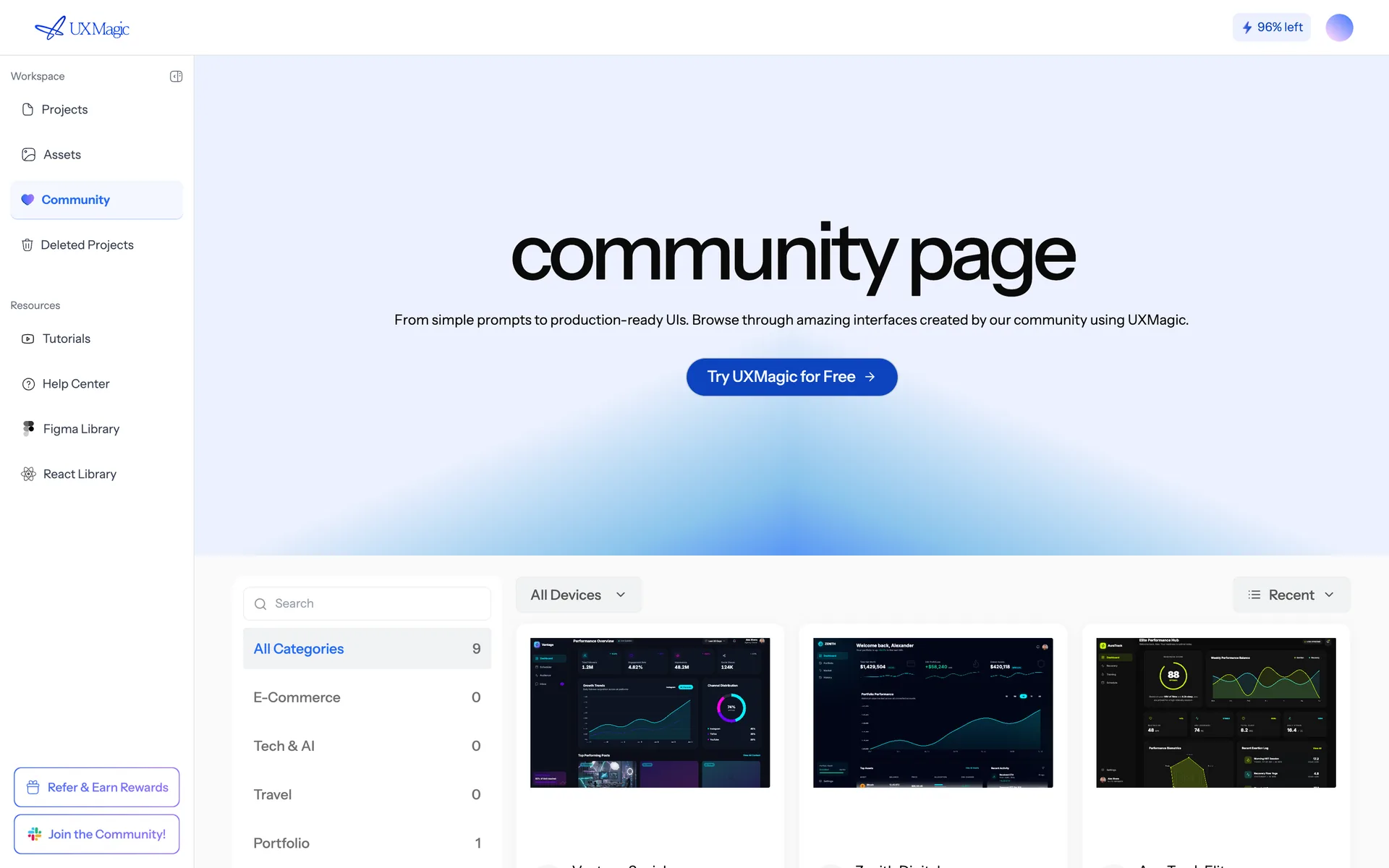
The Community page, showing published projects that can be opened and remixed.
Community: published projects you can open and remix.

Browse the community#

The community gallery collects designs made with UXMagic, organised by category. It's the fastest way to see what good prompts produce, and to find a starting point close to what you need.

Using a community design#

Open one you like and use it as a reference: start from it, or describe what you want by pointing at it. Community designs are inspiration, not licensed assets — treat imagery and copy as placeholders.

Sharing your own#

You can publish a project to the community from its share settings. Check the content first: community designs are public, so client names, real customer data and unreleased branding should come out before you post.

Inspiration inside the product#

The dashboard also surfaces inspirations and examples while you work, so you can pull a layout idea in without leaving the canvas.

Was this article helpful?

Related articles

Create your first project

Go from signup to a designed, editable screen in about five minutes.

Every way to generate a screen

Prompt, screenshot, sketch, website URL, Figma import, or a PRD — and which one to reach for.

← PreviousComments and feedbackNext →UXMagic MCP server

On this page

  • Browse the community
  • Using a community design
  • Sharing your own
  • Inspiration inside the product

your next idea
deserves to exist

stop thinking about it. just type it out. Badly, half- formed, whatever. We'll turn it into something real.

Product

  • Community
  • Pricing Plans
  • Affiliate Program
  • UXMagic MCP
  • Claude MCP
  • AI info

Resources

  • Help Center
  • Figma Library
  • React Library
  • Mobile App Templates
  • Documentation
  • Tutorials

Features

  • Prompt to UI
  • Image to UI
  • Sketch to UI
  • Clone website
  • Import from Figma
  • All Features

Compare

  • vs UX Pilot
  • vs Relume
  • vs MagicPath
  • vs Magic Patterns
  • vs Banani
  • vs Galileo AI
  • All Competitors

Blogs

  • AI in UX Design Workflow: What Actually Works
  • Prompt Templates for SaaS Dashboards
  • Real Prompts We Use to Generate Product Flows
  • Prompt Engineering for UX Designers
  • Best Wireframing Tools in 2026: 10 Free & Pro Options Compared
  • All Blogs

Company & Support

  • Careers
  • Contact Us
  • Privacy Policy
  • Terms of Use
  • Cookie Settings

© 2026 UXMagic AI Technologies Inc.