

Generating a full-stack application from a text prompt feels like magic until an AI agent burns through a meaningful chunk of credits fixing a button layout and, in more complex builds, can introduce regressions in the backend schema underneath it. Most full-stack AI app builders prioritize rapid code generation over long-term maintainability, which can leave teams with applications that cost more to fix than they cost to build correctly the first time.
You already know what Cursor, Bolt, and Lovable do, and you don't need CRUD explained to you. This isn't a primer on vibe coding basics. It's a direct evaluation of whether Emergent AI's multi-agent architecture holds up past the demo stage, what the credit pricing actually costs once debugging enters the picture, and where visual design has to sit in the pipeline for it to work reliably.
The short version: Emergent AI's backend agents are genuinely strong. UI styling handled through the same conversational interface is where the platform's cost structure and reliability both get tested hardest.
Quick Comparison
| Capability | Emergent AI | UXMagic |
|---|---|---|
| Backend generation | Strong | Limited |
| UI flow generation | Limited | Strong |
| Multi-screen consistency | Limited | Strong |
| Design tokens | Limited | Built-in |
| Developer handoff | Code-first | Design + code |
Understanding Emergent AI: Multi-Agent Architecture and Capabilities
Planning, Coding, Testing, and Deployment Agents Explained
Emergent AI runs on specialized agents planning, coding, testing, and deployment each handling a distinct phase of building software from a conversational prompt. That division of labor is genuinely sound in principle, and it's why the backend scaffolding comes together as fast as it does.
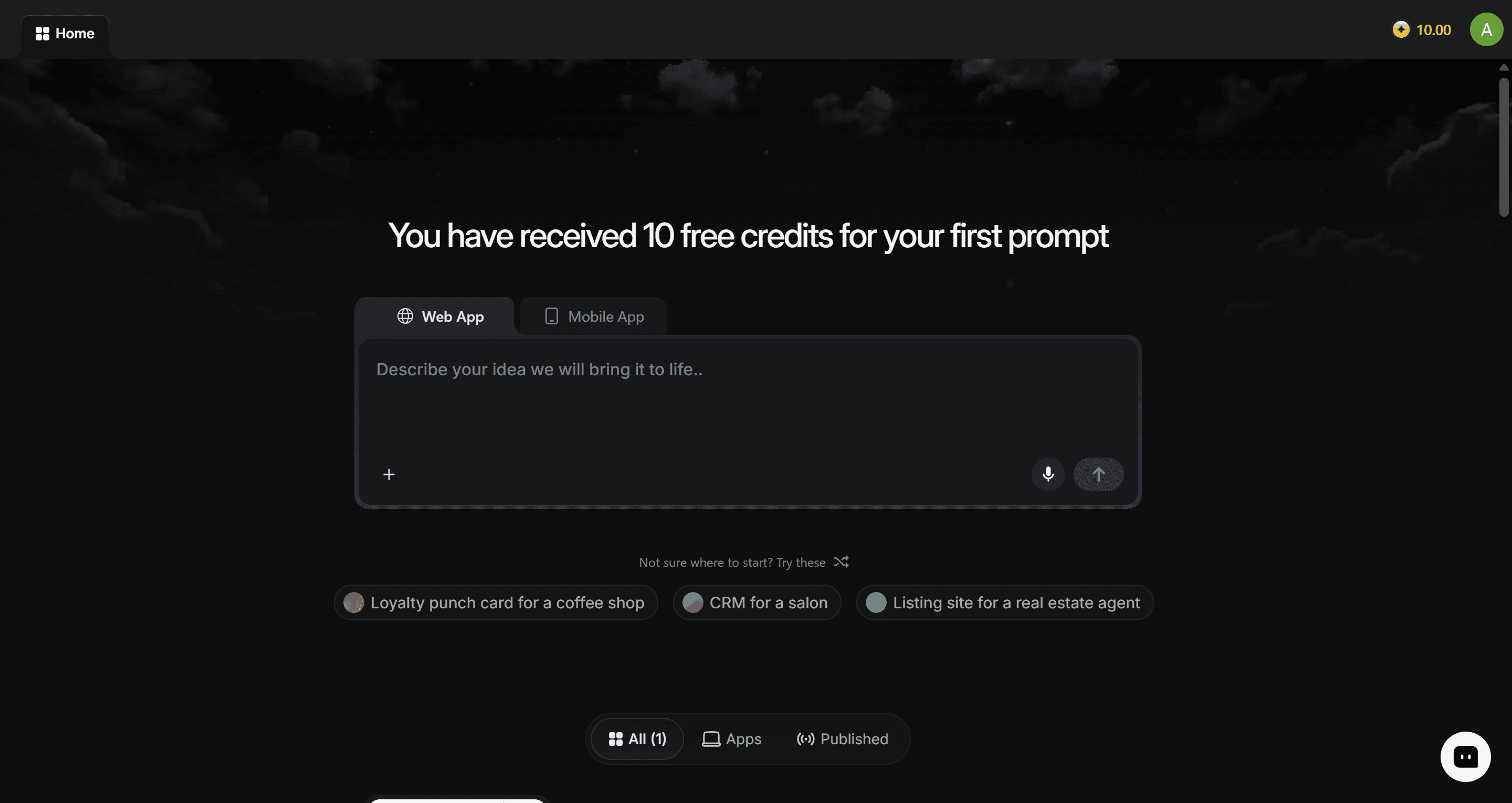
Multi-agent systems tend to prioritize backend logic over visual usability, which is worth naming directly. Without a dedicated design system agent in the mix, the platform can output interface components that miss basic visual hierarchy, contrast, or micro-interaction standards on more complex screens. Functional code execution isn't automatically the same thing as usable UX.
Full-Stack Output Analysis: Web, Mobile, Databases, and Auth
The platform generates database tables, authentication routines, and API endpoints directly from a prompt genuinely fast for scaffolding the parts of an app that don't need much visual judgment. It tends to struggle more with anything requiring nuanced design decisions: layout hierarchy, responsive behavior, and the kind of polish that separates a working demo from something a customer would trust long-term.
Where Emergent AI Works Well (And Where It Struggles)
Good for:
- Backend prototypes and API scaffolding, where visual polish isn't the priority
- Internal tools, where a rougher UI is an acceptable tradeoff for speed
- Early MVP validation, proving a concept works before investing in a full build
Not ideal for:
- Consumer-facing apps, where UI consistency directly affects trust and retention
- Design-heavy products, where visual hierarchy and brand alignment are core requirements
- Long-term production applications, where accumulating UI debt becomes expensive to unwind later
Who should use it: founders and technical PMs validating whether a backend concept works at all, before committing design and engineering resources to a full build. It's a weaker fit for teams whose product's core value is the interface itself, or for anyone planning to scale past an MVP without a separate design system in place.
Practical Testing: Prototyping Speed vs. Long-Term Maintainability
Speed to MVP: Where Vibe Coding Excels
Prompting a working backend into existence in minutes is a real, legitimate advantage for early validation. If the goal is proving a concept exists and functions, Emergent AI gets there faster than a traditional build process would.
The Code Regression Reality: What Happens as Apps Scale
Modifying layouts directly inside a full-stack code engine can trigger costly agent execution cycles along with frontend regressions that weren't present before the change. In longer sessions often past a dozen or more prompt turns the platform can lose context and begin overwriting routes or logic established earlier, a failure mode tied to conversational context degrading over an extended build rather than the original feature request itself.
Here's what that can look like on a real project. An operations lead needs an internal pricing repair tool across 50 retail locations. Prompting Emergent AI directly generates database tables and basic authentication fast, but the resulting data table can come back unstyled and difficult to use on mobile. Subsequent prompts to fix the table layout risk affecting the calculation scripts underneath it, consuming credits in the process.
A second case follows a similar pattern. A product team building a B2B SaaS analytics dashboard with role-based permissions gets functional CRUD operations quickly, but the build can ship without empty states or error feedback. Prompting the agent to add those missing states carries a real risk of affecting chart components that were already working. Multi-agent engines are generally strong at database queries; nuanced UI states (skeleton loaders, permission gates, inline validation) are more likely to be missed unless supplied as a pre-designed reference up front.
Emergent AI Pricing Audit: Credits, Tiers, and Hidden Costs
Free Tier vs. Subscription Credit Breakdown
The free plan includes 5 monthly credits enough for basic feature testing, not for building or deploying a complete application. Paid tiers scale from there: the Standard plan runs $20/month for 100 credits, Pro runs $200/month for 750 credits, and Team plans start at $300/month.
Calculating the Real Cost of AI Agent Debugging
Credit-based pricing models can end up charging for iteration in ways that feel disproportionate to the fix itself. When an agent introduces a bug or needs several prompts to resolve a layout defect, the platform consumes additional credits doing it. Task-level consumption on individual debugging attempts can run $50–$100 per attempt in more complex cases, on top of the base subscription.
Cost comparison worth running before committing to a workflow:
| Approach | Typical Cost Driver | Where the Risk Sits |
|---|---|---|
| Emergent AI, UI iteration included | Credits consumed per fix attempt | Debugging cost is unpredictable and compounds on complex screens |
| Traditional design + development | Hourly or salaried design/dev time | Slower, but cost scales predictably with scope |
| UXMagic + code handoff | Flat design generation, then code export | UI iteration happens before code agents run, reducing regression risk downstream |
The Operational Missing Link: Why Visual UX Should Precede Full-Stack Code
Claims that vibe coding makes UX design unnecessary are worth pushing back on directly. Skipping structured visual design to prompt code first can produce software that's more expensive to debug afterward than it would have been to build with a locked design first. Non-technical teams especially can assume vibe coding removes the need for UX architecture; the result is often a product missing error states, empty states, or real visual cohesion.
The fix isn't abandoning full-stack agents it's sequencing them deliberately:
- Phase 1 - Discovery and visual flow architecture. Define core user journeys, data structures, and edge cases before invoking any code agent. Defining requirements conversationally inside a full-stack engine tends to produce fragmented logic and avoidable credit consumption from the first prompt.
- Phase 2 - Design locking, then full-stack generation. Generate production-ready UI screens and critical state variations loading, empty, error, permission in a dedicated visual tool first. Audit for brand alignment and responsiveness, then feed the finalized layouts and structural schema into the code agent, which builds backend infrastructure around an architecture that's already locked.
- Phase 3 - Deployment and maintenance. Deploy with external version control via GitHub, and route future visual updates back through the design environment rather than re-prompting them through the full-stack agent that's the loop most likely to trigger regressions.
This is the specific gap UXMagic's Prompt to UI is built to close. Generating and locking complete interface screens and component states before code execution means a full-stack agent like Emergent AI doesn't have to make styling decisions mid-build; it inherits an architecture that's already settled. UXMagic's Flow Mode enforces design token and style consistency across every screen state, which addresses the inconsistent UI output full-stack code engines tend to produce when handling both logic and layout at once.
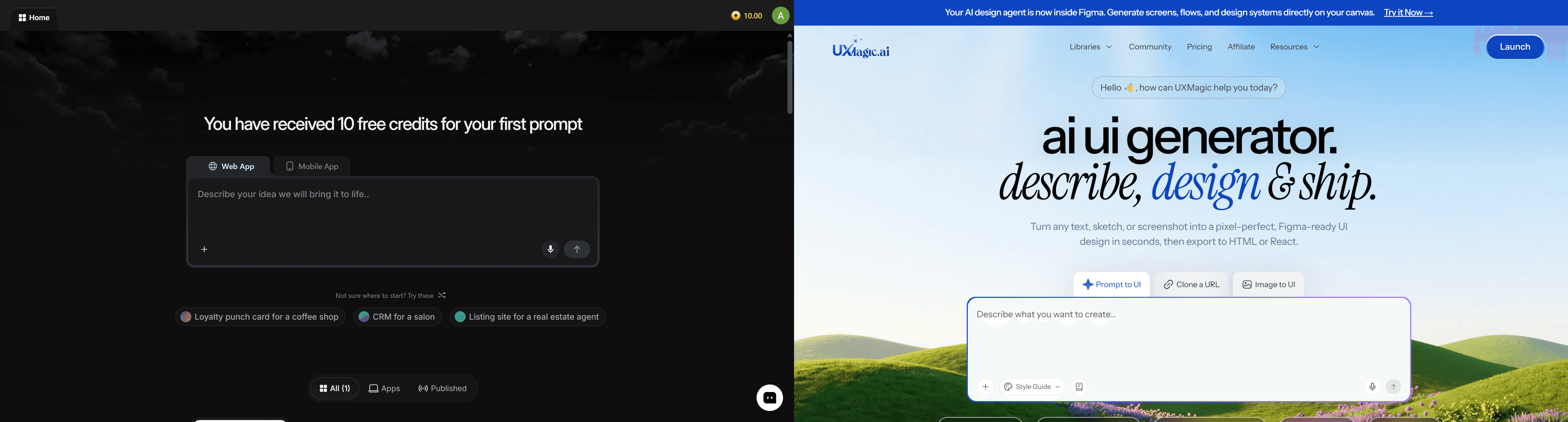
For teams weighing where AI UI generators and AI app builders actually diverge as categories, or comparing prompt-to-UI tools more broadly, this breakdown of text-to-UI vs. text-to-code covers the distinction in more depth than a single review can.
Recommended AI Product Workflow in 2026
The sequence that holds up regardless of which full-stack platform ends up handling the backend:
- Define the user journey - map core flows, roles, and edge cases before any tool gets a prompt.
- Generate the UI flow - produce connected, multi-screen designs with real component states, not one isolated screen at a time.
- Lock the design system - confirm tokens, spacing, and brand alignment before anything moves to code.
- Export components - Figma files, structured and ready for design review or handoff.
- Generate production code - feed the locked design into a full-stack or code-focused agent, which now has a fixed target instead of an evolving one.
- Deploy and iterate - route future changes back through the design layer first, not directly through conversational code prompts.
Final Verdict: Is Emergent AI Worth It for Product Teams?
Emergent AI is a legitimate tool for fast backend scaffolding and early concept validation. It's a weaker fit once UI styling gets handled through the same conversational interface for anything beyond a rough MVP, since that's where credit costs and code regression risk both tend to concentrate.
Quick takeaways, if you're evaluating this for your own stack:
- Lock visual UI design before triggering full-stack code agents generating complete screens and component states first can help avoid layout regressions later.
- Monitor credit consumption closely. Fixing UI styling or debugging code conversationally can cost more than the original app generation did, especially on complex screens.
- Export code to GitHub after every successful milestone, independent of the platform, to guard against account sync issues or lost project state.
- Define edge-case states explicitly up front errors, loading, permissions rather than relying on the agent to infer UX logic on its own.
- Treat vibe coding as an MVP validation tool for backend concepts specifically, and pair it with a structured design system for anything meant to scale.
Related guides
- 12 Replit Alternatives in 2026, Grouped by the Job You Need Done
- Vibe Coding Tools 2026: Bolt vs. Lovable vs. Base44 - Where UXMagic Fits
- 10 Best Bolt.new Alternatives in 2026: Free, Paid and Open Source
- 11 Best Lovable Alternatives in 2026, Grouped by What You're Building
- 12 Best Base44 Alternatives in 2026, Grouped by Use Case
- Figma Agent Review 2026: What the Beta Does, Costs and Misses
- Vibe Coding in 2026: The Real Workflow Behind the Buzzword
- Base44 Review 2026: Features, Pricing, and Is It Worth It?
- How AI Is Changing the Cost of Building a SaaS MVP (2026 Data)
- Rork AI Review 2026: Features, Pricing, and Real-World Limitations
Lock Your UI Before Coding
Stop paying credits to fix layout issues an agent introduced. Try UXMagic free and create a complete, consistent UI flow before a full-stack agent starts building your codebase.