
Both UXMagic and Banani turn a text prompt into a UI screen; that's where the similarity mostly ends. Banani is built around fast, single-screen ideation, priced per action. UXMagic is built around generating full, connected product flows, priced flat regardless of how much you iterate. Which one fits depends entirely on what stage of the process you're actually in.
You already know what auto-layout is and what "design debt" means in practice. This isn't a beginner's guide to AI UI generation. It's a direct operational comparison flow generation, pricing math, Figma export quality, and what actually survives contact with a developer.
Quick comparison
| UXMagic | Banani | |
|---|---|---|
| Multi-screen flow generation | Full connected flow, one prompt | Screen-by-screen prompting |
| Figma export | Native, responsive auto-layout frames | Copy-paste layers, limited auto-layout |
| Code export | Production-ready React + HTML | Basic HTML/CSS |
| Best use case | Multi-screen product flows, dev handoff | Fast early ideation, non-technical founders |
What Each Tool Actually Does
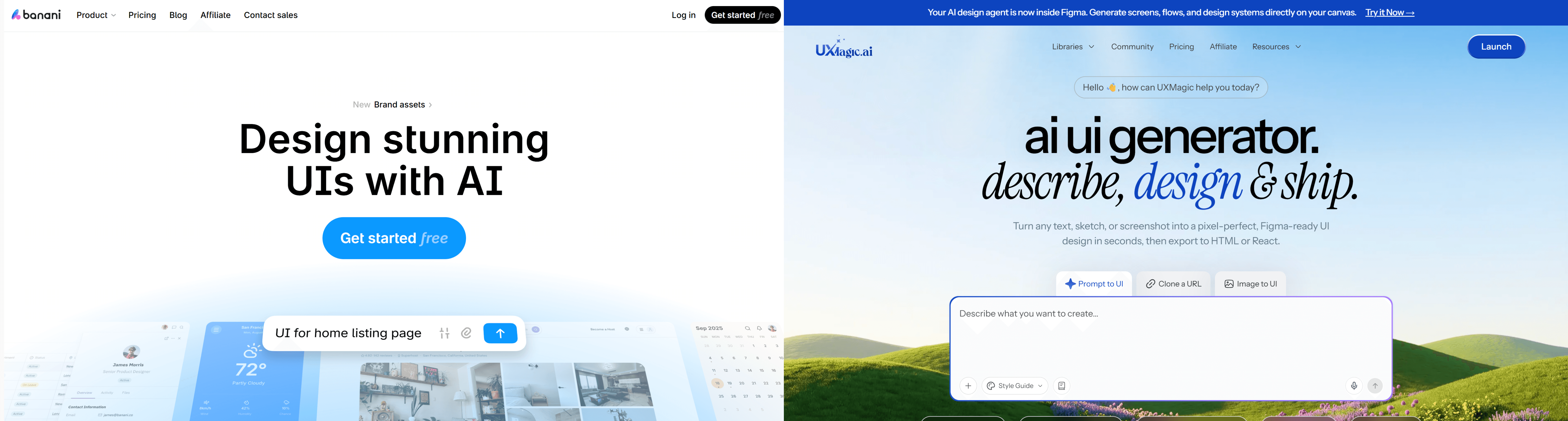
Banani takes a text prompt or an uploaded image and generates a UI screen using Gemini underneath fast, visually solid, and aimed squarely at people who want to see an idea rendered without opening a design tool. It's genuinely good at what it's built for: quick, low-fidelity-to-mid-fidelity concepts, one screen at a time.
UXMagic takes the same kind of prompt but generates a full, connected flow with multiple screens sharing the same navigation logic, spacing, and component tokens in one pass, then exports that flow as structured Figma layers and production-ready code. Different job, different architecture underneath.
Architectural Comparison: Production Tools vs Ideation Engines
Generative Core Engines and Context Handling
Generating a single, visually appealing screen mockup isn't the hard part of SaaS design anymore. Maintaining component structure across a full flow, and exporting something production-ready, is where most AI design platforms still struggle because most of them, Banani included, are architected around one screen at a time. That's a legitimate design choice, not a flaw. Plenty of early-stage work genuinely is one screen at a time. Where it becomes a limitation is the moment a project needs more than one screen to relate to the others.
Multi-Screen Flow Generation vs Isolated Screen Prompts
Generating interfaces screen-by-screen creates context amnesia across the journey of what practitioners call "Frankenstein UI," where individual screens end up with divergent button radii and mismatched navigation because nothing tied them together. UXMagic's Flow Mode is built specifically to close that gap generating complete, interconnected journeys from one prompt while enforcing style guide tokens across every screen.
Where Banani holds up fine despite this: if the deliverable genuinely is one screen, a single landing page mockup, a quick visual gut-check before a meeting the multi-screen consistency problem never comes into play at all. The drift issue is real, but it's specifically a multi-screen problem, not a knock on Banani's single-screen output quality.
Design System Token Enforcement and Figma Auto-Layout Quality
Exporting AI-generated UI to Figma frequently produces flattened vector shapes or static groups instead of structured, responsive auto-layout output that looks right and behaves like nothing. UXMagic's automated design token enforcement applies imported style guides at generation time, producing native auto-layout frames instead of a flat picture pretending to be a design file.
Pricing Breakdown: Credit Volume and Value Across Tiers
Banani's Tiered Credit Model
Banani runs three tiers: Free ($0/mo, 12 monthly credits + 3 daily credits), Plus ($20/mo, 100 monthly credits + 10 daily credits, unlimited Figma export, MCP/code export), and Pro ($50/mo, unlimited credits, highest generation speed, priority support). Worth being accurate here Banani does offer a genuinely uncapped tier, it just costs more than double UXMagic's Pro plan to get there.
The real friction shows up at the Plus tier specifically, which is where most active iteration happens. 100 monthly credits plus daily refills sounds workable until a project needs several rounds of revision across multiple screens in the same week; that's exactly the point where a team either upgrades to the $50 unlimited tier or starts rationing prompts to stay under the cap.
UXMagic Pro: More Credits, Lower Entry Price
UXMagic Pro lists at $17.5/month for 1,200 monthly credits, covering up to 200 screens, a lower price than Banani's Plus tier ($20/mo) for roughly 12x the monthly credit volume. It's not an unlimited plan, and it's worth being precise about that rather than overstating it but at 1,200 credits a month, most active design sprints have far more room to iterate before hitting a ceiling than Banani's 100-credit Plus tier allows.
For teams that specifically need a genuinely uncapped plan, UXMagic's Enterprise tier offers custom credit allocation alongside team and security features; see the full plan breakdown for current tiers, since credit allotments and pricing are exactly the kind of detail that changes as products evolve.
Developer Handoff and Technical Integration
Code Quality: Basic HTML/CSS vs Production-Ready React
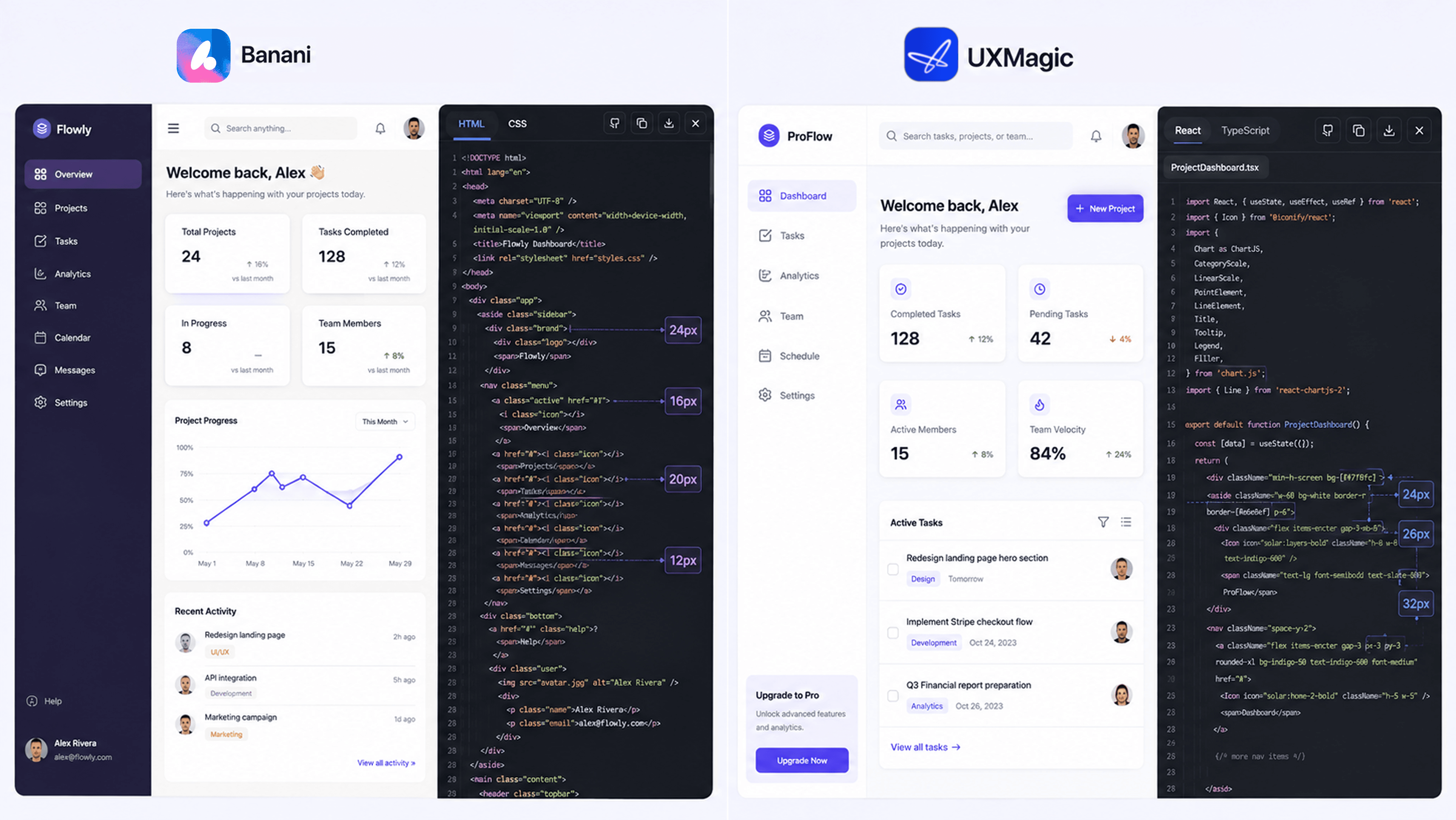
Front-end engineers building component-driven products generally need structured React code and native Figma auto-layout, not a flat visual asset. Banani provides Figma copy-paste functionality and basic HTML/CSS export genuinely useful for a proof-of-concept a developer isn't going to build directly from. UXMagic's AI React Generator produces real, structured React components with actual props not markup that merely resembles a React layout alongside responsive Figma auto-layouts, output built to be implemented directly rather than referenced and rewritten.
Model Context Protocol (MCP) Workflow Execution
Both tools offer MCP connections on paid plans for linking into coding agents. Banani's MCP setup requires selecting screens and running a connection command; UXMagic's MCP Server works similarly connect Claude, Cursor, VS Code, Windsurf, Codex, or Antigravity directly, and your IDE pulls design context straight from UXMagic without copying prompts between apps.
The practical difference is what's on the other end of that connection. UXMagic's structured React output hands off cleaner to an MCP-connected coding agent than Banani's basic HTML does, simply because there's more real component structure, actual props, and actual hierarchy for the agent to work with once it's inside your IDE.
Real-World Workflow Scenarios
Scenario 1: Multi-Step SaaS Onboarding. A product manager needs a 5-step onboarding and workspace setup journey. In Banani, that individual prompts per screen 18 revisions and 40+ credits to align form fields and buttons across five screens, with visible drift by step 4. In UXMagic, one prompt describing the full journey generates all five connected screens at once, enforcing identical spacing and component rules, exported directly as structured Figma frames.
Scenario 2: Analytics Dashboard Handoff. An engineering lead needs a data-heavy dashboard built fast. Banani generates a visually strong mockup, but the HTML/CSS export lacks real component structure, so the engineer rebuilds the frontend manually. In UXMagic, the same prompt with React export selected produces components the engineer can import directly into the repository handoff in minutes rather than a rebuild.
Scenario 3: Early Concept Validation (Where Banani Wins). A founder needs to show three rough directions for a landing page in a pitch meeting tomorrow morning. Banani's speed and per-screen simplicity are the right fit here, no need for a connected flow, no need for production code, just fast visual concepts to react to. This is squarely Banani's strongest use case.
Who Should Choose Which?
Choose Banani if:
- You need a fast, single-screen concept to react to, not a full flow
- You're a non-technical founder validating an idea before committing design resources
- Your usage is occasional a handful of screens a month, not continuous iteration
- You don't need production-ready code output
Choose UXMagic if:
- You're designing a multi-screen product flow that needs to hold together visually
- You're iterating actively and want pricing that doesn't punish revision
- Engineering needs to build directly from what you hand off
- You have an existing design system that needs to be enforced automatically, not re-typed into every prompt
Category-by-Category Scoring
| Category | Winner | Why |
|---|---|---|
| Fast single-screen ideation | Banani | Purpose-built for quick, low-commitment concepts |
| Multi-screen flow consistency | UXMagic | Flow Mode generates connected screens in one pass |
| Pricing for heavy iteration | UXMagic | 1,200 monthly credits vs. Banani Plus's 100-credit cap |
| Pricing for occasional use | Banani | Free tier's daily credit refills suit sporadic use |
| Figma export quality | UXMagic | Native auto-layout vs. flattened groups |
| Code export (React) | UXMagic | Production-ready components vs. basic HTML/CSS |
| Non-technical founder onboarding | Banani | Simpler, lower-stakes starting point |
| Developer handoff | UXMagic | Structured output engineering can build from directly |
Related guides
- Top 7 AI Tools for Design Consistency in 2026 (UI, UX, and Design Systems)
- AI Wireframe Generator for Mobile Apps: Best Tools & Workflows (2026)
- Image to Figma Converter: 9 Free & AI Tools Compared (2026)
- 10 Best Figma Make Alternatives in 2026, Grouped by Use Case
- 9 Best UX Pilot Alternatives in 2026, Grouped by Use Case
- 9 Best Uizard Alternatives in 2026, Grouped by Use Case
- 12 Google Stitch Alternatives in 2026, Grouped by the Job You Need Done
- Subframe Review 2026: Features, Pricing, and Top Alternatives
- Visily AI Review 2026: Is It Worth It for Non-Designers?
- Magic Patterns Review 2026: Is This AI React UI Generator Worth It?
Build Flows, Not Isolated Screens
Generate your complete product flow before development starts. Try UXMagic free and see the difference between disconnected mockups and a connected product experience built to scale.