
TL;DR: The best Squarespace alternatives depend on what the site has to do. For a landing page, portfolio or product site that looks custom rather than templated, UXMagic's AI website generator designs it from a prompt and publishes it to a subdomain or your own domain. Framer and Webflow suit designers who want control and a CMS, Wix and Durable suit small businesses that want everything in one place, Hostinger's AI Builder adds a real backend, and WordPress wins on plugins and stores.
Squarespace built its name on templates that made small sites look expensive. That is still true, and in 2025 it added Blueprint AI, a guided builder that turns a short questionnaire into a multi-page site. For a photographer, a restaurant or a consultant who wants a tidy site without thinking about design, it is a reasonable default.
People go looking for sites like Squarespace for a handful of recurring reasons. The site looks like every other site built from the same template. There is no free plan, so you pay before anyone outside your team can see the site. The AI works more like onboarding than a design partner. And for anything beyond a brochure (a SaaS landing page with a specific story, a portfolio with a point of view, an app with logins) the platform starts to push back.
So rather than rank every Squarespace competitor on one scale, we grouped them by the job they do best. Pick the group that matches your site, then compare the two or three tools inside it.
Why teams look for Squarespace alternatives
It helps to name the gap before you move a site. The complaints we hear most often:
- Template sameness. Blueprint AI and the template library both start from Squarespace's own layouts. The result is polished, but visitors who browse a lot of small-business sites will recognise the structure.
- No free plan. Every Squarespace site starts with a 14-day free trial, and publishing requires a paid plan.
- AI that stops at the first draft. Blueprint asks about your brand, then hands you a site to edit by pointing and clicking. There is no code export, and iterating on layout by describing what you want is limited.
- Commerce fees on the entry plan. Basic charges a 2% online store transaction fee and 7% on digital content and memberships; you need Core or above for 0% on store sales.
- It is a website builder, not a product tool. If you are a founder who also needs app screens, a prototype or a design system, Squarespace only covers the marketing site.
Squarespace pricing at a glance
From Squarespace's pricing page (US prices, September 2026):
| Plan | Billed annually | Billed monthly | Online store transaction fee |
|---|---|---|---|
| Basic | $19/mo | $25/mo | 2% |
| Core | $29/mo | $39/mo | 0% |
| Plus | $49/mo | $65/mo | 0% |
| Advanced | $99/mo | $139/mo | 0% |
Annual plans include a free custom domain for the first year. Prices shown vary by country, so check the page in your own currency.
Squarespace alternatives at a glance
| Use case | Best Squarespace alternatives | What you get | Free plan |
|---|---|---|---|
| Custom design from a prompt, published fast | UXMagic | Multi-page site generated on a canvas, hosted on a subdomain or your domain, code and Figma export | Yes, publish on uxmagic.io |
| Design control with a CMS | Framer, Webflow | Visual editors, CMS, interactions, AI agents | Yes, on their subdomain |
| All-in-one small business | Wix, Durable | Hosting, bookings, store or CRM, AI builder | Yes |
| Sites and apps with a backend | Hostinger AI Builder | Chat-built sites and web apps with databases, logins, Stripe | Free trial credits |
| Plugins, blogs and stores | WordPress.com | 60,000+ plugins, WooCommerce, AI builder | Yes, with ads |
- For a custom-designed site generated from a prompt
If the problem with Squarespace is that your site looks like a template, the fix is a tool that designs from your brief rather than filling one in.
UXMagic vs Squarespace
UXMagic is an AI design tool that designs whole flows on an infinite canvas and can publish them as a real website. You describe the site (the product, the audience, the pages you want and the feel) and the AI website generator lays out every page with one shared theme, so the home, pricing and about pages look like the same brand. For a single page, the AI landing page generator is the faster route.
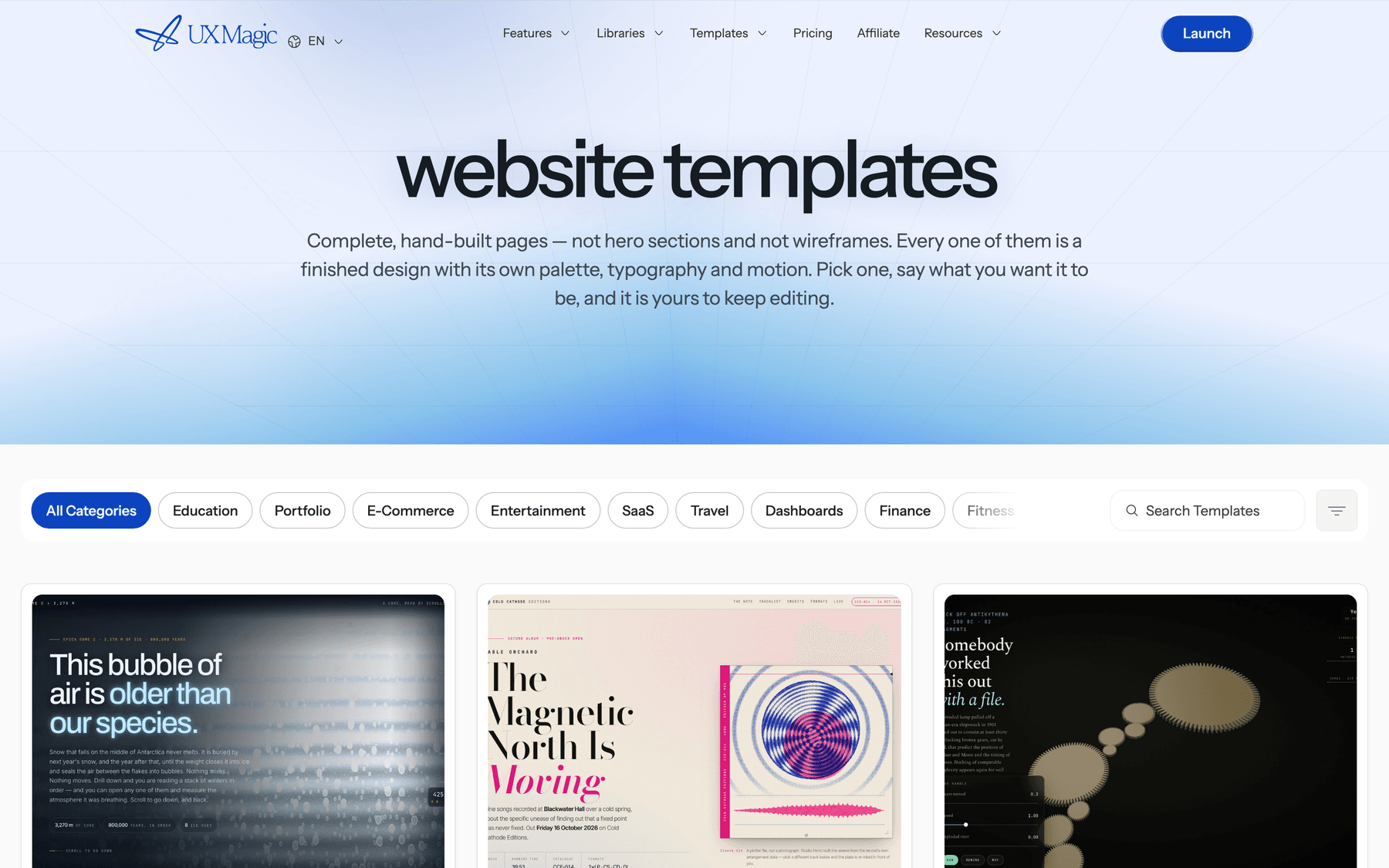
You are not limited to a prompt. You can clone an existing website as a starting point, turn a screenshot or sketch into editable UI with image to UI, or rework an old site with the AI website redesigner. Colours, type and spacing live in the project's style guide, so a change applies across every page; the themes and style guides article explains how. If you would rather start from something finished, the website templates gallery has portfolios, SaaS landing pages, restaurant sites and more that you can make your own.
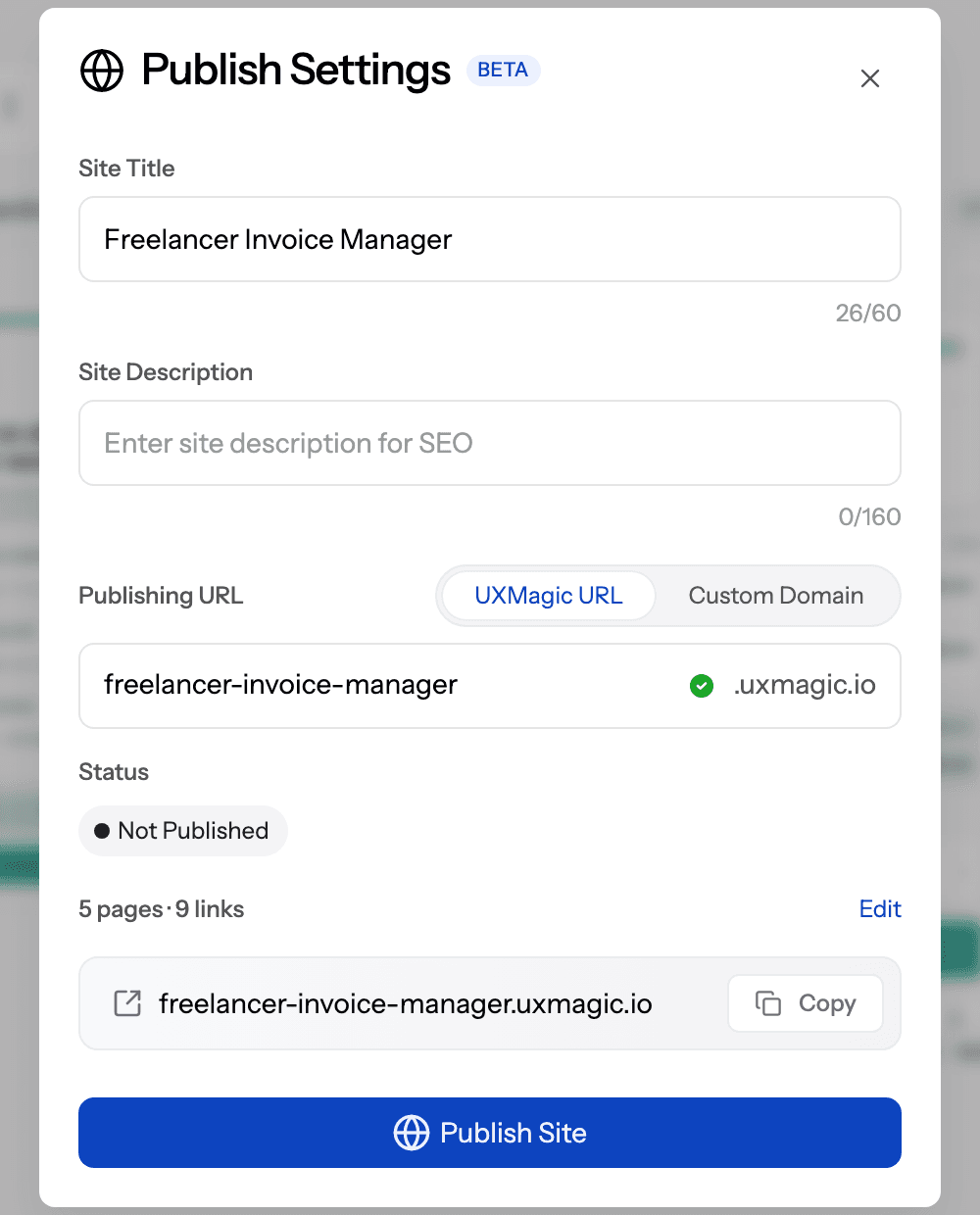
Publishing is where UXMagic lines up directly against Squarespace. Per the publish your first site guide:
- Pick your pages. Choose which screens become pages and which one is the home page. Each page's URL comes from the screen name, so "Pricing" becomes
/pricing. - Choose a subdomain. Your site goes live at
your-name.uxmagic.io, with availability checked as you type. The subdomains and URLs article covers the naming rules. - Run the preflight check. It flags missing links, empty pages and placeholder content before anything goes live.
- Publish. Hosting and HTTPS are included in your plan, and each deployment gets its own preview URL.
- Use your own domain. On paid plans, request a custom domain from Publish settings; the team sends the exact DNS records and certificates are issued automatically. Both
wwwand apex domains work. - Roll back in seconds. Editing screens does not change the live site until you publish again, and every deployment is kept, so you can redeploy or roll back to an earlier build instantly.
Where it falls short: UXMagic is not a full website platform in the Squarespace sense. There is no CMS for a blog you update weekly, no product catalogue or checkout, no bookings and no member accounts. It generates and hosts the pages. If you need those features, UXMagic works as the design step: push the pages to WordPress, paste them into Framer or Webflow, or export HTML, React and Tailwind code for a developer. On the Free plan, published sites carry a UX Magic badge; removing it and password-protecting a site need Pro.
Best for: founders, product teams and designers who want a landing page, launch site or portfolio that looks designed for them, live on their own domain the same afternoon. Pricing: Free with 20 credits a day, Pro at $17.5 a month billed annually. See UXMagic pricing.
Describe your site, publish it today
Generate every page on one shared theme, publish to a uxmagic.io subdomain, and move to your own domain on a paid plan.

If you are building a marketing page, our breakdowns of landing page design examples that convert and SaaS landing page design are worth reading before you write the prompt.
- For designers who want control and a CMS
This group is for people who find Squarespace's editor restrictive. Both tools give you something closer to a design canvas, both have AI, and both expect you to spend more time learning them.
Framer vs Squarespace
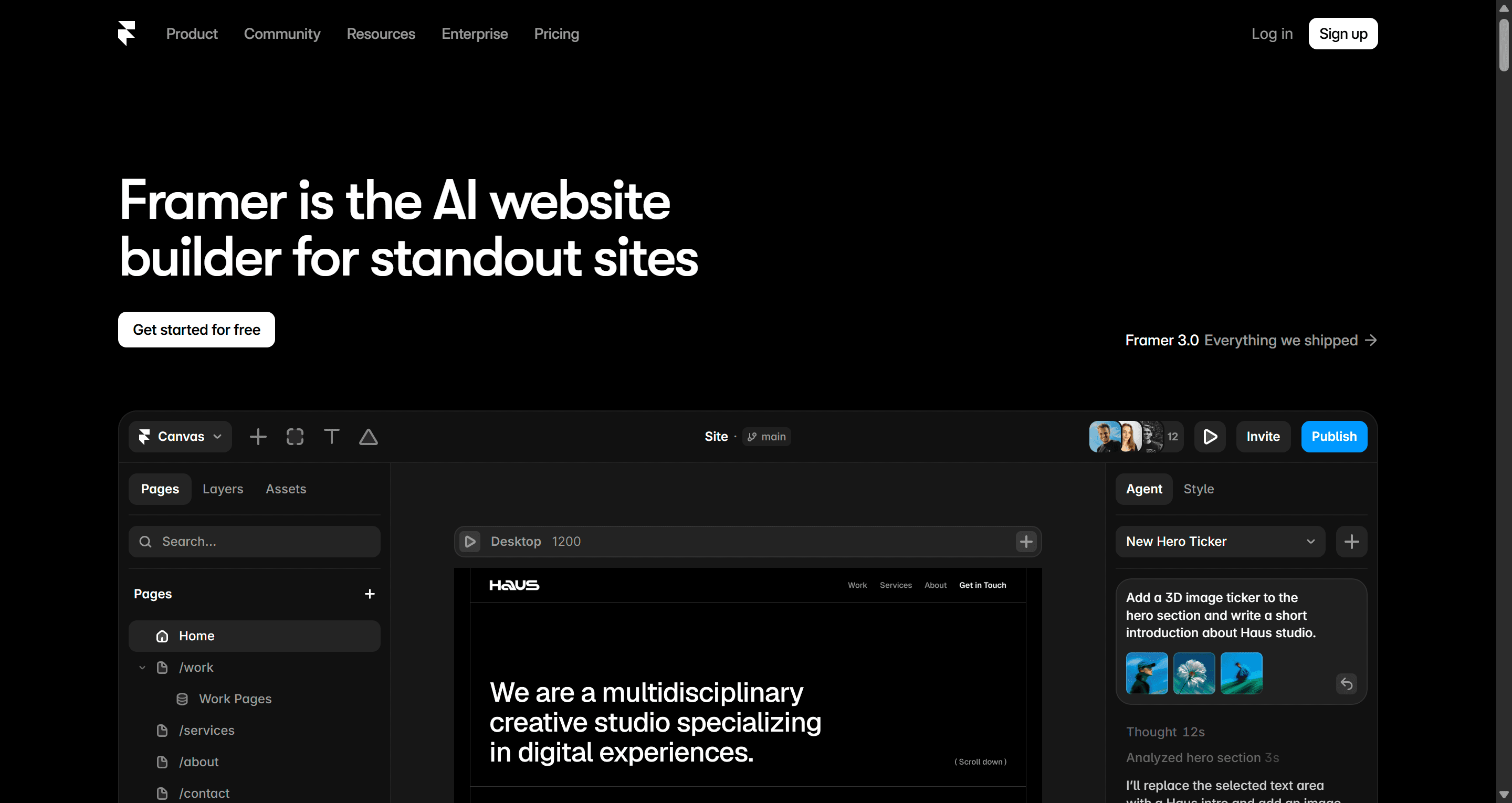
Framer started as a prototyping tool and became a website builder that designers actually enjoy using. The canvas behaves like a design tool, animations and interactions are first-class, and there is a built-in CMS. Its AI agent creates editable pages, sections, copy and visuals from a description, can build CMS collections, and can review a site for contrast issues, typos, missing alt text and SEO gaps before you publish.
Pricing, from Framer's pricing page (billed yearly): the Free plan runs on a Framer subdomain with 1 GB of bandwidth and no custom domain, plus 500 credits to try the AI agent. Basic is $10 a month (30 pages, custom domain) and Pro is $30 a month (150 pages, 2,500 CMS items), with paid plans including monthly AI credits.
Where it falls short: Framer's commerce options are thin compared with Squarespace, and you still start from a blank canvas or a template unless you lean on the agent. Best for: designers and startups who care about motion and polish. Compare it with UXMagic on our Framer AI comparison page.
Webflow vs Squarespace
Webflow is the most powerful visual builder here. It exposes the actual structure of the page (classes, layout, breakpoints), which is why agencies build complex marketing sites on it, and its CMS is strong. Webflow AI and an MCP server are available on every site plan.
After its May 2026 pricing update, Webflow's pricing page lists three site plans billed yearly: Starter is free (2 static pages on a webflow.io domain), Basic is $15 a month (custom domain, 300 static pages, no CMS), and Premium is $25 a month with the full CMS. E-commerce is sold as separate plans.
Where it falls short: the learning curve. Non-designers usually find Webflow harder than Squarespace, not easier. Many teams use a layout tool like Relume to get the structure in before the visual pass; our Relume review covers that workflow, and the Relume comparison page shows how UXMagic differs. We compare the two builders in depth in Framer vs Webflow.
A useful pattern for both: generate the first version of the page in UXMagic, then paste it into Framer or Webflow as native layers and classes, which skips the blank canvas without giving up the editor your team maintains.
- For an all-in-one small business site
If you like that Squarespace handles everything (hosting, domains, a store, bookings) and just want a different flavour of that, these two are the closest swaps.
Wix vs Squarespace
Wix is Squarespace's longest-standing rival, and the one most people compare it with. Its AI website builder creates a site from a single prompt, then lets you move between AI generation and drag-and-drop to refine details. Around that sits the full platform: hosting, a big app market, scheduling, and e-commerce. Wix also owns Base44, the AI app builder we cover in our Base44 review.
From Wix's plans page (billed yearly): there is a permanent free plan with Wix branding, then Light at $17 a month, Core at $29, Business at $39 and Business Elite at $159. E-commerce starts on Core. Paid plans include a free domain for a year and remove Wix branding.
Where it falls short: the freedom of the editor makes it easy to build a site that looks cluttered, and AI output tends toward safe, generic layouts. Best for: small businesses that want a free starting point and plenty of add-ons.
Durable vs Squarespace
Durable is built for service businesses and solo operators who want to be online in minutes rather than design anything. It generates a site from a few details about your business, and bundles a CRM, a blog, bookings and lead replies alongside it.
From Durable's pricing page: the Free plan runs on a durable.site subdomain with 10 AI chat messages and a basic CRM for up to 10 customers. Launch is $22 a month ($18.70 billed annually) with a custom domain, and Grow is $49 a month ($41.65 annually) with unlimited team members and AI chat.
Where it falls short: design range. Durable sites are fine and fast, but not the choice if the site is meant to set your brand apart. Best for: a plumber, coach or consultant who needs a credible site and a lead inbox this week.
- For sites and web apps with a backend
Squarespace stops at logins-for-members and a store. If your "website" is really a small product, you need a builder with a database.
Hostinger AI Builder vs Squarespace
Hostinger Horizons is now sold as the Hostinger AI Builder. You describe what you want in chat, or drag and drop pre-designed elements, and it builds websites and web apps with built-in databases, user accounts, file storage and Stripe payments. Hosting, a domain and business email are bundled, and you can export the source code to self-host.
Per Hostinger's AI Builder page, you can try both building modes free with 5 credits. Paid plans are sold on multi-year terms: the entry plan works out to $2.99 a month on a 48-month term (paid upfront) and renews at $10.99 a month, with a one-time gift of 5 AI credits.
Where it falls short: credits run out quickly on bigger builds, and the intro pricing depends on paying for years upfront. Best for: non-developers who want a booking tool, portal or simple app live on a real domain. If you are weighing it against other app builders, our guides to Base44 alternatives, Lovable alternatives and AI app builders for non-developers go deeper.
- For plugins, blogs and serious stores
WordPress vs Squarespace
WordPress.com is the hosted version of the software behind a large share of the web. Its AI website builder takes a plain-language description, asks follow-up questions and produces layouts, images, copy and a colour palette in a few minutes. The real reason to choose it is what comes after: more than 60,000 plugins, first-class blogging, and WooCommerce for stores.
From WordPress.com pricing (billed annually): Free (WordPress.com subdomain, ads, no plugins), Personal at $9 a month, Premium at $18, Business at $40, and Commerce at $70 with full WooCommerce. Installing plugins needs a paid plan.
Where it falls short: more moving parts. Themes, plugins and updates are powerful but need looking after, and the AI builder gives you a starting layout rather than a finished design. A neat combination: design the pages in UXMagic, then use the WordPress push to create them as normal WordPress pages, with images sent to the media library. Use a full-width or blank page template so the design owns the viewport.
Best for: content-heavy sites, blogs and stores that will grow for years. If you sell online, read our guide to e-commerce UX that drives conversion before picking a theme.
Design it in UXMagic, run it where you like
Generate your pages, then publish on UXMagic, push to WordPress, or paste into Framer and Webflow.
Pricing comparison
Entry paid plans, as listed on each official pricing page in September 2026 (US prices, billed annually unless noted):
| Tool | Free plan | Entry paid plan | Custom domain | Store built in |
|---|---|---|---|---|
| Squarespace | No, 14-day trial | Basic $19/mo | Yes | Yes (2% fee on Basic) |
| UXMagic | Yes, uxmagic.io subdomain | Pro $17.5/mo | Yes, by request on paid plans | No |
| Framer | Yes, Framer subdomain | Basic $10/mo | Yes | Limited |
| Webflow | Yes, 2 pages | Basic $15/mo | Yes | Separate e-commerce plans |
| Wix | Yes, with branding | Light $17/mo | Yes | From Core $29/mo |
| Durable | Yes, durable.site | Launch $18.70/mo | Yes | No |
| Hostinger AI Builder | Trial credits | $2.99/mo on 48 months | Yes | Stripe payments |
| WordPress.com | Yes, with ads | Personal $9/mo | Yes | Commerce $70/mo |
A cheap entry price is not the full cost. Count the plan you will actually need (CMS, store, bandwidth, AI credits) and what it renews at.
How to choose a Squarespace alternative
Work backwards from what the site has to do in its first year.
- It has to look like your brand, and it has to be live soon. Generate it in UXMagic and publish. Start from a portfolio template or a SaaS landing page template if you would rather edit than prompt. For a job-hunting portfolio, pair it with our guide to building a UX portfolio that gets you hired.
- A designer will maintain it for years. Framer or Webflow. Generate the first pass elsewhere if the blank canvas slows you down.
- It has to sell things. Wix, WordPress with WooCommerce, or stay on Squarespace Core or above.
- It has to take bookings and capture leads with no fuss. Durable or Wix.
- It needs logins and a database. Hostinger AI Builder, or a full app builder.
- It needs a blog you post to every week. WordPress, Framer, Webflow or Wix, all of which have a CMS.
If you are still collecting references, our roundup of website design inspiration galleries and the web design trends for 2026 help you write a sharper brief, and how to design UI with AI covers the prompting side.
Our recommendation
Squarespace remains a good choice when you want a clean site from a template and you are happy inside its editor. Most people leave it for one of two reasons: the site needs to look like nobody else's, or the site needs to do more than Squarespace allows.
For the first reason, UXMagic is the most direct route we know of. You describe the site, get every page designed on one theme, fix what you don't like by chatting or editing, and publish to a uxmagic.io address with HTTPS, then move to your own domain on a paid plan. Deployment history and one-click rollback mean a bad edit is never more than a few seconds from being undone. Be clear about the scope, though: UXMagic designs and hosts pages. It is not a CMS, a store or a backend, and for those you should hand the design to WordPress, Framer, Webflow or a developer.
For the second reason, pick the platform that matches the job: Wix or Durable for small business tooling, WordPress for plugins and stores, Hostinger's AI Builder when the site is really an app.
If you are comparing design tools more broadly, see our lists of the best AI design tools in 2026, Canva alternatives for UI design and Figma alternatives.
Related guides
- 15 Best UX/UI Design Tools for 2026, Plus a Startup Stack
- Builder.io Review 2026: Visual CMS Strategy and Architectural Feasibility
- Base44 vs Lovable (2026): Which AI App Builder Fits Your Project?
- Readdy AI Review 2026: Features, Pricing, and UX Limitations
- 9 Best Uizard Alternatives in 2026, Grouped by Use Case
- 10 Best Figma Make Alternatives in 2026, Grouped by Use Case
- Figma vs Canva in 2026: Which Design Tool Fits Your Work?
- 10 Best a0.dev Alternatives for Building Mobile Apps with AI (2026)
- How to Validate a Product Idea: 7 Tests, With Templates
- Best Figma AI Plugins in 2026: 12 Picks for UI, Assets and Code
Launch a site that doesn't look like a template
Describe it, design every page on one theme, and publish to a subdomain in minutes. Free to start, no card required.