
TL;DR: Base44 is the better fit if you want a working app with a managed backend, bundled integrations and hosting, and you would rather not look at code. Lovable is the better fit if you want a codebase you own from day one, a Supabase-based Postgres backend, and more say over the design direction. Both will produce UI that looks like every other AI-built app unless you decide the design first, which is where UXMagic comes in. Our full Base44 review and Lovable review cover each tool on its own.
Base44 and Lovable make the same promise: describe an app in plain English and get a working product with a database, user login and a live URL. From the landing pages, they are hard to tell apart. Once you start building, the differences show up quickly, and they are differences of philosophy rather than features.
Base44, owned by Wix since June 2025, treats the backend as a managed service you rarely think about. Lovable treats your app as a codebase that happens to be written by AI, and it tries to make that codebase portable. Which one suits you depends on who will maintain the app in six months, and how much you care about owning what gets built.
This comparison goes through the dimensions that decide it: building flow, UI quality, backend, integrations, code ownership, deployment and pricing. Every fact comes from each vendor's own pricing page and documentation as of September 2026. We describe what each product does; we don't claim benchmark results we didn't record. If you are still working out what this category is, start with what vibe coding is.
The verdict in one paragraph
Pick Base44 if you are a non-technical founder, PM or operator building a business tool or SaaS MVP, and you want auth, data, email, file uploads, payments and hosting handled for you. Pick Lovable if your app will eventually be handed to engineers, if you want GitHub sync on every plan, or if you need a relational database and server rendering for SEO. Pick neither as your design tool: both spend build credits every time you try a new layout, so settle the screens in a design tool first and hand the builder a finished design.
Base44 vs Lovable at a glance
| Dimension | Base44 | Lovable |
|---|---|---|
| Best for | Non-technical founders, internal tools, SaaS MVPs | Product teams who want portable code |
| Build modes | Build, Discuss, Edit, plus plan mode | Build, Plan, Chat, plus drafts |
| Frontend stack | React and Vite with the Base44 SDK | React; new apps use TanStack Start |
| Database | Managed NoSQL (MongoDB compatible) | Postgres via Lovable Cloud (Supabase foundation) |
| Auth | Email, Google, Microsoft, Facebook, Apple, SSO | Email, phone, Google, Apple, Microsoft, SAML SSO |
| Integrations | Built-in integrations plus OAuth connectors | App connectors, MCP chat connectors, custom REST |
| GitHub | Two-way sync on Builder and above | Two-way sync on all plans |
| Hosting | Included, custom domain on paid plans | Included, custom domain on paid plans |
| Free plan | 25 message credits a month, up to 5 apps | 5 credits a day, up to 30 a month |
| Entry paid plan | Starter, $16/mo billed annually | Pro, $25/mo ($21 billed annually) |
Tables flatten nuance, so the sections below explain where each row really matters.
Building flow: how you work with each tool
Both tools start from a prompt, and both have moved well beyond "type and hope".
Base44 gives you three chat modes. Build acts on your prompt immediately. Discuss lets you ask questions and plan a change without touching the app, and Base44's docs price each Discuss message at 0.3 credits, which makes it a cheap place to think. Edit mode lets you click an element in the preview and change it directly. You can also start from a plan, from an existing URL, or from a Figma frame, and newer additions include branches for trying ideas in parallel and a canvas that shows every page at once. The agent checks its own output after each change and fixes errors in the background.
Lovable has a similar split. Build mode implements and verifies changes end to end. Plan mode investigates your project and writes a plan you approve before any code is written, at 1 credit per message. Chat mode is for discussion with no code changes, covered first by a daily chat allowance. Drafts let you try a change in a separate copy and merge back what you like, and a /goal command keeps Lovable working on a large task until it is done.
The practical difference is small. Base44 is tuned to keep a non-developer out of trouble; Lovable is tuned to let someone who can read code go further. If you already use Lovable and are weighing it against a more developer-shaped tool, our Lovable vs Bolt comparison covers that trade.
Either way, the planning step is where you save money. A good PRD before your first prompt, even a one-page one from an AI PRD generator, cuts the number of build prompts you pay for.
UI quality and design control
This is where the two tools differ most on paper, and where they share the same weakness in practice.
Lovable has invested visibly in design. Its design guidance feature can show three rendered design directions before the full build, or ask short questions about typography, colour and layout. You can import from Figma through a plugin, through Figma's MCP server or by uploading a .fig file, and teams can save reusable design systems and design templates across projects.
Base44 has caught up. It has a Theme panel for colours and fonts, a workspace design system for brand colours, fonts, logo and components, a component library that rebuilds components to match your theme, and Figma import for a whole frame or for single pages added later.
What neither tool changes is the underlying economics. Every layout experiment inside an app builder is a build prompt: it spends credits, rewrites code, and can break something that was working. That pushes people to accept the first decent-looking screen, which is why so many apps built this way look alike, and why their screens drift apart as the app grows. We wrote about this in why single-screen AI design is a dead end and flow-based design vs static screens.
Both builders now import Figma designs, which is the real opening. If the design is decided before you build, the builder's job shrinks to wiring data and logic, which is what it does best.
Verdict: Lovable has a slight edge on design control before the build. For a design you would actually put in front of customers, do that work in a design tool.
Backend, auth and database
This is the most important technical difference, and it is easy to miss.
Lovable Cloud is built on Supabase's open-source foundation. You get a Postgres database with tables you can browse and edit, SQL, security policies (row-level security), backups, storage buckets, secrets, scheduled jobs and edge functions, all managed for you. Auth covers email, phone, Google, Apple, Microsoft and SAML single sign-on. You can also connect your own Supabase project instead, and the docs describe exporting your data from Advanced settings.
Base44 runs its own managed backend. The database is NoSQL and MongoDB compatible: you define data models as entities, schemas aren't enforced, and row-level and field-level security control who sees what. Backend functions are TypeScript running on Deno, and auth supports email and password, Google, Microsoft, Facebook, Apple and custom SSO. Base44 also offers this backend as a standalone service with an SDK and CLI, so developers can use it behind their own frontend.
What that means for you:
- Relational data. If your product is full of relationships (orders, line items, customers, invoices), Postgres is the more natural home, and more engineers know it.
- Schema flexibility. Base44's schemaless entities let a non-developer change the data model without migrations. That is convenient early and can get messy later.
- Portability. Postgres on a Supabase foundation is a standard you can take elsewhere. Base44 entities live inside Base44.
Verdict: Base44 for zero-setup simplicity; Lovable for a backend your future engineering team will recognise.
Integrations and payments
Base44 leans into bundled integrations. Built-in integrations handle AI text generation, image creation, file uploads and email without API keys, and they draw from a separate pool of integration credits on each plan. OAuth connectors cover Google Workspace, Slack, Salesforce, GitHub, Snowflake and Databricks, and there are documented integrations for Zapier, Airtable, Resend and ElevenLabs. Workspace admins can add custom integrations from an OpenAPI spec. For payments, you can use Stripe or Base44 Payments powered by Wix.
Lovable splits connectors into three kinds. App connectors (Slack, HubSpot, Google Sheets, Salesforce, Twilio, Snowflake and many more) work both while you build and inside the published app. App user connectors let each of your users connect their own account. Chat connectors are MCP servers, such as Notion, Linear, Jira or Miro, that give Lovable context while it builds. You can create a custom connector for any REST API. Payments come through built-in Paddle or Stripe, and there is a Shopify integration for storefronts.
Verdict: roughly even. Base44 is simpler for "make the app send an email and store a file". Lovable is broader, especially for teams that want their build agent to read tickets and docs through MCP.
Code ownership and export
If you might outgrow the platform, this section matters more than any other.
Lovable says plainly that your code is stored in Lovable but can be exported. Two-way GitHub sync with github.com is available on all plans: changes in Lovable push to GitHub, and changes pushed to the active branch sync back. Paid plans can also download the codebase directly, and Enterprise supports GitHub Enterprise. Apps created since May 2026 use TanStack Start, which renders pages on the server.
Base44 apps are React and Vite projects. According to Base44's docs, two-way GitHub sync and ZIP export require the Builder plan or higher, and the exported project depends on the Base44 SDK and Vite plugin. Under two-way sync, data entities stay managed in Base44 rather than in your repository. You can run the app locally with the Base44 CLI, but the backend is still Base44's.
Verdict: Lovable. Base44 lets you see and edit the code, but the app remains tied to Base44's backend. For a deeper look at how teams move between tools, see our Base44 alternatives and Lovable alternatives guides.
Deployment and hosting
Both tools host your app, with HTTPS handled for you.
Lovable publishes to a lovable.app URL on every plan; custom domains need a paid plan, and you can buy a domain inside Lovable. Hosting scales with traffic, with no visitor or bandwidth cap on paid plans. The Free plan limits newer apps to 1,000 server requests per project per 10 seconds. Business and Enterprise can restrict a published app to logged-in workspace members.
Base44 includes hosting on every plan and adds custom domains from Starter, with a free domain for the first year. You can buy a domain through Wix, GoDaddy or IONOS from inside Base44. Its docs also cover SEO settings, analytics, session recordings and packaging an app for the Apple App Store and Google Play.
Verdict: a tie for most MVPs. Base44 bundles more post-launch tooling; Lovable's server-rendered template is the better starting point if search traffic matters.
Base44 vs Lovable pricing
Both use credits, but the units differ. Base44 splits usage into message credits (building) and integration credits (your app's use of built-in features). Lovable uses one credit balance for building, chat, Cloud hosting and AI, with monthly grants for Cloud and AI.
| Plan | Base44 (billed annually) | Lovable |
|---|---|---|
| Free | $0: 25 message, 100 integration credits a month, up to 5 apps | $0: 5 credits a day, max 30 a month |
| Entry | Starter $16/mo: 100 message, 2,000 integration credits | Pro from $25/mo ($21 annually): 100 credits a month plus 5 a day |
| Mid | Builder $40/mo: 250 message, 10,000 integration credits | Business from $50/mo ($42 annually): SSO and team controls |
| Upper | Pro $80/mo: 500 message credits; Elite $160/mo: 1,200 | Larger credit tiers on Pro and Business; Enterprise custom |
Base44 lists a 20% discount for annual billing on every paid plan. On Lovable, Build mode charges by the size of the change: its docs give examples from about 0.5 credits for a small tweak to 2 or more for bigger work. Top-ups are $15 per 50 credits on Pro and $30 per 50 on Business, and monthly credits roll over for a limited time.
Two things drive the real cost more than the headline price:
- Iteration. Most credits go on "change this, fix that", not on the first build. Tools that make planning cheap (Base44's Discuss mode, Lovable's Plan mode) help, and so does arriving with the design already settled.
- Your app's own usage. On Base44 that is integration credits; on Lovable it is Cloud and AI usage. A busy app costs more on both.
Our Lovable pricing breakdown runs three real project scenarios, and our analysis of what a SaaS MVP costs to build with AI shows where the money goes. If Replit is also on your list, see Replit pricing and our Bolt.new pricing guide.
Verdict: Base44 is a little cheaper to start and splits costs more predictably. Lovable's single balance is simpler to read but harder to forecast. Check both pricing pages before committing: base44.com/pricing and lovable.dev/pricing.
Who should pick which
Choose Base44 if
- You are non-technical and want the backend, auth and integrations to be someone else's problem.
- You are building an internal tool, a client portal or a SaaS MVP to validate demand.
- You want email, file uploads and AI features without managing API keys.
- You like the idea of Discuss mode as a cheap place to plan.
Read the full Base44 review for its limits.
Choose Lovable if
- Engineers will take over the app, or you want the option to leave.
- You want GitHub sync without paying for a mid-tier plan.
- Your data is relational, or you want a Supabase-style backend you already understand.
- Search visibility matters, and you want server-rendered pages.
Read the full Lovable review before you commit.
Consider something else if
You write code and want to see every file as it runs: look at Bolt.new (our Bolt.new review covers where it struggles) or the tools in our Replit alternatives guide. You want agents that plan, code and test: see our Emergent AI review. For a three-way view, our vibe coding tools comparison puts Bolt, Lovable and Base44 side by side.
Decide the design before you spend build credits
Plan the screens, design them on one shared theme, then hand them to Base44, Lovable or your AI coding tool.

The design-first workflow: UXMagic plus either builder
Whichever builder you choose, the most expensive habit is designing inside it. Every "try a different layout" is a build prompt, and every build prompt rewrites code. The teams we see shipping fastest split the work: decide what the product looks like in a design tool, then let the builder wire it up.
UXMagic is an AI UI/UX design tool, not an app builder. Here is how it fits with Base44 or Lovable:
- Plan the screens. Describe the product and UXMagic proposes a screen plan: a list of screens, each with a one-line purpose. You edit or approve it before anything is generated. The flow mode and screen plans guide walks through it, and the AI MVP builder page shows how it maps to an MVP scope.
- Design the whole flow at once. Flow Mode designs every screen on one infinite canvas with one shared theme, so onboarding, dashboard and settings look like the same product. Start rough with the AI wireframe generator, or from a screenshot with image to UI.
- Iterate cheaply. A targeted edit costs 0.2 credits and theme changes are free, per how credits work. Colours, type and spacing live as tokens, covered in themes and style guides.
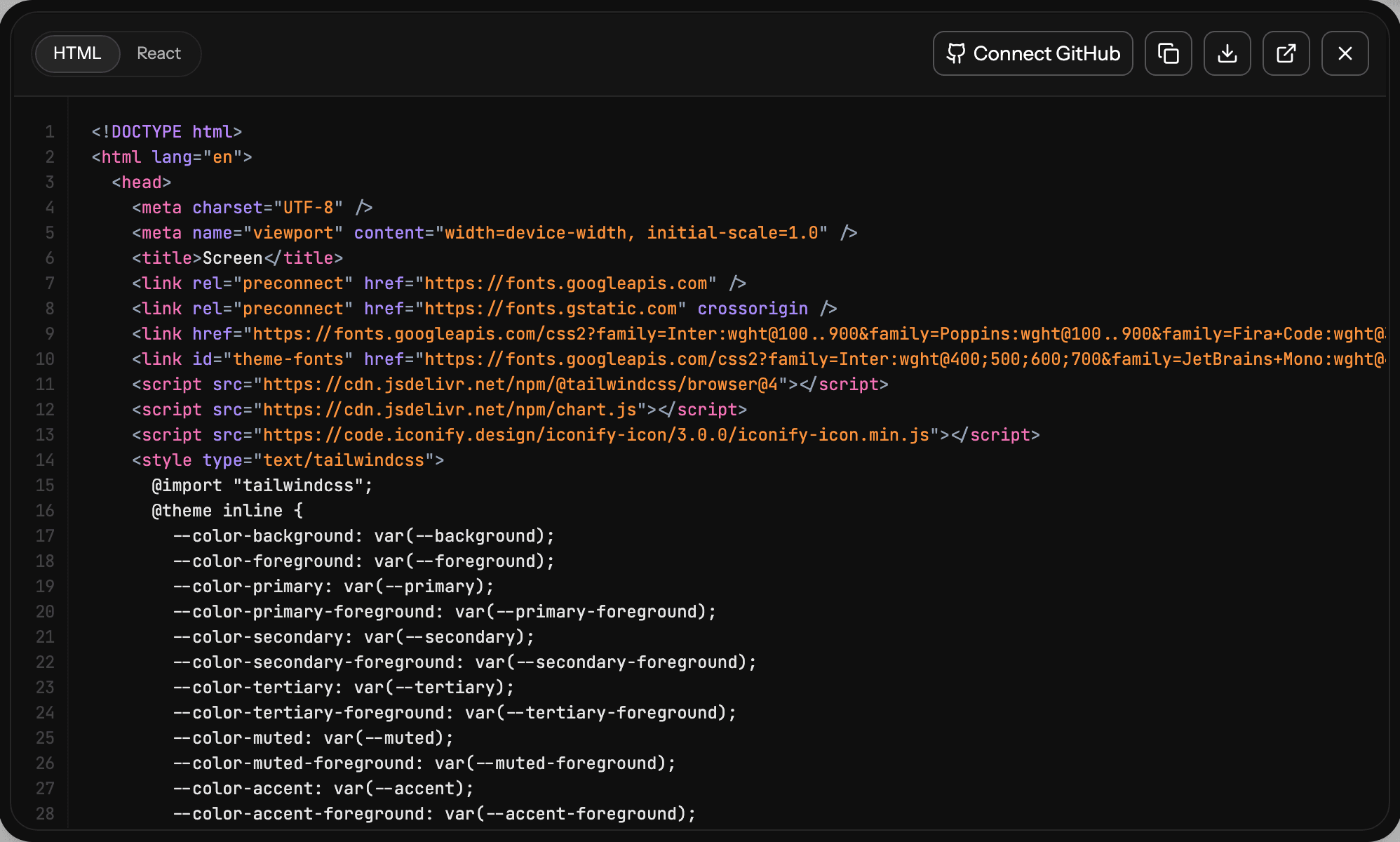
- Hand off to the builder. Both Base44 and Lovable import Figma designs, so export to Figma and import the frames. Or export React and Tailwind code and push it with GitHub sync. Or connect the UXMagic MCP so Cursor, Claude or another coding tool reads your real screens and theme.
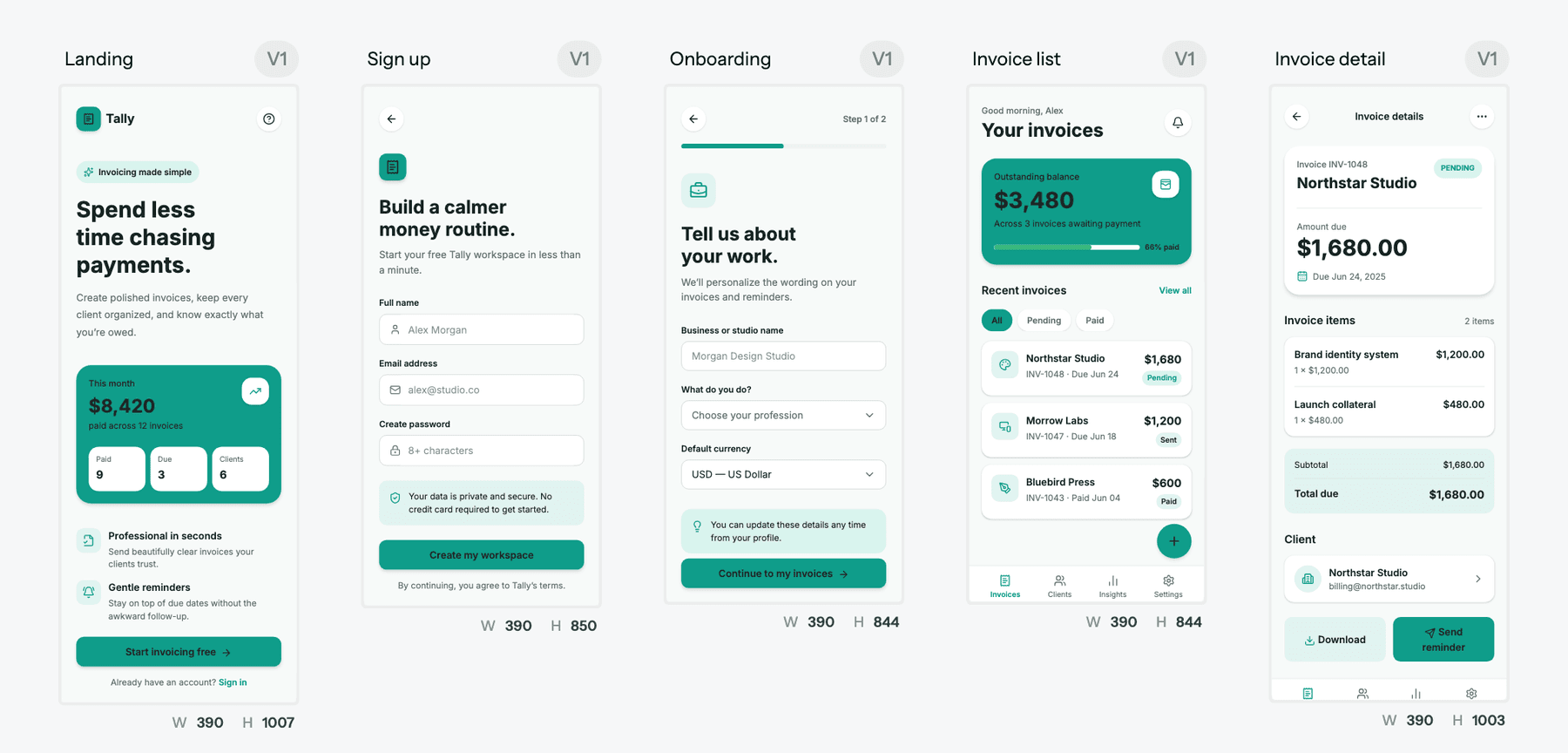
Be clear about scope: UXMagic does not create databases, auth, server logic or payments. Exported code is a front end with no data layer, routing or state management. That is the point of pairing it with Base44 or Lovable rather than replacing them. For a landing page or marketing site that needs no backend, you can publish straight from UXMagic.
For the full step-by-step, see how to design UI with AI, and for the hand-off itself, what a design handoff should include. Our vibe coding workflow for 2026 shows how the pieces fit together, and what an MVP should include helps you cut scope before you spend on either builder.
UXMagic's free plan refreshes 20 credits every day, and Pro is $35 a month or $17.50 a month billed annually. The details are on our pricing page, and our direct comparisons of UXMagic vs Base44 and UXMagic vs Lovable explain where each tool stops.
Our take
Base44 and Lovable are both good at what they promise, and the gap between them has narrowed through 2026. Base44 is the smoother ride for a non-developer who wants a finished business app with the least setup. Lovable is the safer bet if the app has a future beyond its first version, because a Postgres backend and GitHub sync on every plan keep your options open.
The bigger decision is not which builder, but when you decide what the product looks like. Do that in a builder and you pay for every experiment in build credits and broken code. Do it first, in a tool built for design, and either builder has a much easier job. If you want a starting point, browse our templates, or see the rest of the category in the best AI design tools of 2026.
Related guides
- Best AI App Builder in 2026: 10 Tools Compared by Use Case
- 10 Best a0.dev Alternatives for Building Mobile Apps with AI (2026)
- 11 Best v0 Alternatives in 2026, Grouped by the Job You Need Done
- 10 Best Magic Patterns Alternatives in 2026, Grouped by Workflow
- AI Design to Code Tools: The Complete 2026 Guide by Input Type
- 9 Best MagicPath Alternatives in 2026, Grouped by How You Work
- 10 Best Figma Make Alternatives in 2026, Grouped by Use Case
- Vibe Designing: Why Vibe-Coded Apps Look the Same, and the Fix
- 8 Claude Design Alternatives in 2026, Free and Open Source Included
- Builder.io Review 2026: Visual CMS Strategy and Architectural Feasibility
Design it in UXMagic, build it in Base44 or Lovable
Generate a connected multi-screen flow for free, then export it to Figma, React or your AI app builder.