TL;DR: Bolt.new pricing starts with a free plan (1M tokens a month, 300K a day), then Pro from $25 a month for 10M tokens and Teams at $30 per member. The plan fee is the predictable part; token use is not, because Bolt re-reads your project on every prompt and bigger projects cost more per message. The cheapest way to use Bolt is to settle the UI first in a design tool like UXMagic and give Bolt fewer, clearer build requests. For other options, see our Bolt.new alternatives.
Bolt's pricing page looks simple, but it can't show what a month of building will cost. That depends on how big your project gets, which agent you use, and how many rounds of changes the app goes through.
This guide covers every Bolt plan as listed in September 2026, how tokens work, the new Lite plan, three cost scenarios, hidden costs, and how to spend less, with a comparison against Lovable, Replit, Base44 and UXMagic.
On sources: prices and plan features come from Bolt's pricing page. Token and billing mechanics come from Bolt's help center, mainly the tokens article and the billing article. Bolt changes its offer often, so treat every figure as "as listed in September 2026". If you want our view of the product itself rather than its price, read our Bolt.new review.
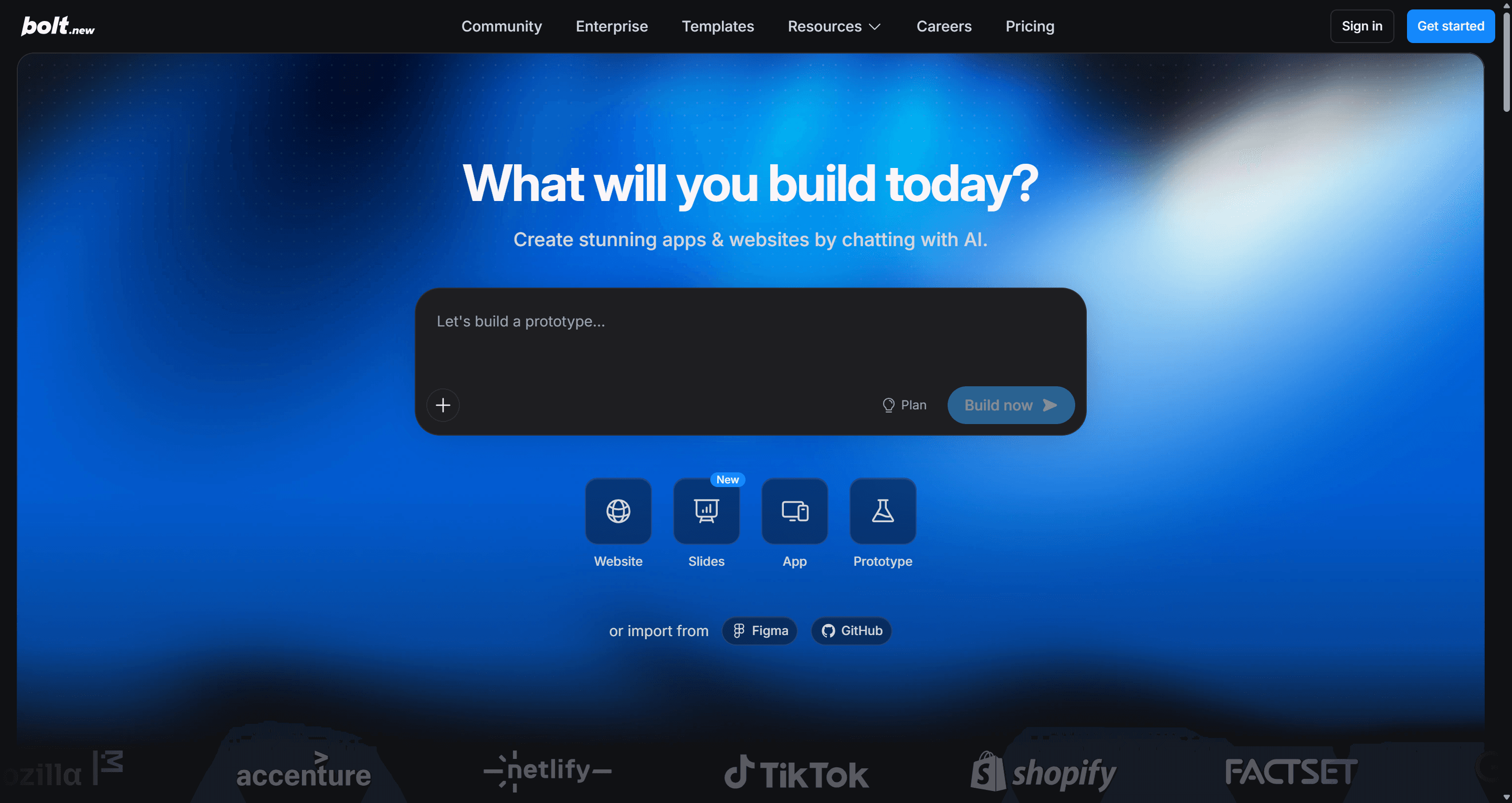
Bolt.new pricing at a glance
| Plan | Monthly price | Yearly option | Tokens | Who it suits |
|---|---|---|---|---|
| Free | $0 | n/a | 1M a month, 300K a day | Trying Bolt, small personal projects |
| Lite (waitlist) | $9 | n/a | Forge allowance only | Budget builders happy with open-source models |
| Pro | From $25 | From $18/mo ($216/yr) | From 10M a month, larger tiers available | Solo builders, freelancers, founders |
| Teams | $30 per member | Yes | Pro allotment per paid member, not pooled | Agencies and product teams |
| Enterprise | Custom | Custom | Custom | Companies needing SSO, audit logs, SLAs |
Two details matter more than the headline prices. First, Pro is a ladder, not a single plan: $25 buys the smallest tier. Second, on every plan you are buying tokens, not prompts or screens, and a token buys less work as your project grows.
Bolt.new plans in detail
Is Bolt.new free? The Free plan
Yes. The Free plan costs nothing and needs no card. You get 1M tokens a month, with a separate daily cap of 300K tokens. The daily cap resets every day and doesn't carry over; the monthly allowance resets on the 1st of each calendar month.
What else is included, per Bolt's pricing page and help center:
- Public and private projects, and unlimited databases.
- The Standard agent only. Max needs a paid plan.
- Hosting on a free bolt.host URL with up to 10 GB of bandwidth and 333,333 web requests a month. There is no way to raise these limits, and a site that goes over stays offline for the rest of the month.
- A Made in Bolt badge on published sites and previews.
- No custom domains.
- Attachments of up to 5 files per message, 10 MB each.
One useful detail: when you hit the daily cap, you can still edit your code by hand in Code view, which uses no tokens.
Free is enough to learn Bolt and build a small prototype. The daily cap usually forces the upgrade, because a few prompts on a growing project can use most of a day's 300K.
Bolt Pro
Pro starts at $25 a month for 10M tokens. It removes the daily cap and adds:
- The Max agent alongside Standard, for complex features and large codebases.
- Token rollover (covered below).
- Custom domains, including buying a domain through Bolt, and no Bolt badge.
- Private site sharing, SEO boosting, AI image editing and a choice of database provider (Bolt's own or Supabase).
- Hosting with up to 30 GB of bandwidth and 1M requests a month, with optional pay-as-you-go beyond that up to a spending cap you set.
- Attachments of up to 20 files per message, 100 MB each, and a security scan.
Pro has higher tiers for heavier use. Bolt's billing documentation uses these as examples: 26M tokens for $50 a month and 55M tokens for $100 a month, with larger tiers above that. You pick the tier from a drop-down on the subscription page, and upgrading mid-cycle charges only the price difference and adds the extra tokens straight away.
Yearly billing. The pricing page advertises savings of up to 28% on yearly plans. The discount isn't the same on every tier: Bolt's own examples price Pro 10M at $216 a year ($18 a month) and Pro 26M at $540 a year ($45 a month). Annual subscribers still receive tokens monthly, and they are billed for the full year upfront.
Bolt Teams
Teams costs $30 per member a month and includes everything in Pro, plus centralized billing, team-level access management, admin controls and user provisioning, private NPM registries, and design-system knowledge through team and per-package prompts.
The catch is how tokens work. Each paid member gets their own monthly allotment based on the tier, and tokens are not shared among team members. A developer who burns through their allowance can't borrow from a product manager who barely used theirs. Teams can include free members, but without a paid seat they get no tokens and can't prompt. Admins can see each member's balance on the Subscription & Tokens page.
Compare that with Lovable, where collaborators spend from a shared workspace pool; our Lovable vs Bolt comparison goes into the difference.
Bolt Enterprise
Enterprise is custom-priced and adds SSO, audit logs, compliance support, a dedicated account manager, 24/7 support and custom SLAs.
New in September 2026: Bolt Lite and Bolt Forge
Bolt added a third agent, Forge, built on open-source models (the help center lists GLM 5.3, GLM 5.3 Flash, Kimi K3 and DeepSeek v4 Pro). Because these models are cheaper to run, Bolt says Forge includes up to 50 times more usage than Standard, measured on GLM 5.3 Flash. It is a research preview running from September 14 to October 14, 2026, per Bolt's Forge help article.
You can get Forge two ways:
- Included with individual Pro plans during the preview, as a separate allowance that doesn't touch your regular tokens. Every Pro tier gets the same Forge allowance. Access ends on Pro when the preview ends.
- Bolt Lite, a new $9-a-month plan available through a waitlist. Lite only uses Forge, and excludes Standard and Max, custom domains, Supabase, AI image generation, security scans, badge removal and extra usage. Lite subscribers who join by October 14 keep the plan at $9 after the preview.
Two trade-offs: Bolt calls Forge's models experimental and less reliable than Standard or Max, and recommends duplicating important projects before using it. And Forge prompts, code and edit histories are de-identified and used by Bolt's partners to train open-source models, except for sessions from the EEA, UK and Switzerland.
How Bolt.new tokens work
What a token pays for
Tokens are small pieces of text; the AI reads and writes in tokens. Bolt uses them when it reads your prompt, reads your project, thinks, responds and writes code. The important sentence in Bolt's own documentation is this one: most of your token usage comes from Bolt reading, understanding and syncing your project files, so larger projects use more tokens per message.
That is why Bolt's costs curve upwards: the same prompt costs far more on a mature app than on a new one, because Bolt has more code to load before it can change anything. Bolt publishes no price per prompt, so you learn what a request cost after it runs.
Standard, Max and Forge agents
- Standard is fast and token-efficient, and Bolt recommends it for small and medium apps, UI updates and well-defined tasks. It is the only agent on Free.
- Max reasons more per step and uses more tokens. It is meant for large codebases, interconnected features and refactors. Using it on simple tasks wastes tokens.
- Forge uses open-source models on a separate allowance (see above).
Plan mode vs Build mode
In Build mode, every prompt changes your code and uses tokens. Plan mode lets you discuss the app, debug and decide on an approach without editing code, and Bolt says it uses fewer tokens because it makes no changes. It is not free, though: Plan mode still reads your codebase for context on every message.
Token rollover
Since July 1, 2025, paid tokens roll over. The rules from Bolt's help center:
| Token type | Valid for | Notes |
|---|---|---|
| Free plan monthly tokens | The calendar month | No rollover; 300K daily cap |
| Paid monthly allocation | Two months from the start of its billing cycle | Oldest tokens used first |
| Tokens added by a mid-cycle upgrade | Two months from the start of that cycle | Not from the upgrade date |
| Reload tokens | Never expire | Only on eligible Pro plans |
Rolled-over tokens need an active paid subscription. If you cancel, or a payment fails and the plan reverts to Free, you lose access at the end of the cycle; resubscribe before they expire and they come back. Downgrading keeps your unused higher-tier tokens until they expire.
How to buy more Bolt tokens
Bolt's advice is to upgrade to a higher Pro tier, which is the most cost-effective option. Reloads are available only if you are on the highest individual monthly Pro plan or any annual Pro plan, and the price per reload depends on your plan: on annual plans, higher tiers pay less per 10M tokens. Bolt doesn't list reload prices publicly; you see them in your subscription settings. Reloaded tokens don't expire.
Also worth knowing: Pro and Teams accept cards only, and subscriptions are non-refundable.
Decide the design before you spend tokens
Plan and design every screen of your app for free in UXMagic, then hand a finished design to Bolt or your coding agent.

Real Bolt.new cost scenarios
Bolt doesn't publish token costs per task, so these scenarios show where tokens go rather than inventing numbers.
Scenario 1: a solo founder building an MVP
You want a SaaS MVP with a landing page, onboarding, dashboard, auth and Stripe payments. Free can scaffold the first screens, but once the app has a real database and auth flow, a handful of prompts hit the 300K daily cap. Pro at $25 removes the cap and adds a custom domain.
The early build is cheap because the project is small. The expensive part comes later, when auth bugs and payment webhooks are fixed against a much larger codebase. That is usually why founders end up on the 26M tier ($50) by month two. Our breakdown of what a SaaS MVP costs to build with AI puts these costs next to agency and freelancer quotes, and the AI MVP builder page covers planning the screens first.
Scenario 2: iterating on the UI inside Bolt
This is the quiet cost. Picture a landing page and six app screens, each going through five rounds of visual changes: spacing, hierarchy, colours, new sections. That is 35 requests that change how the app looks but not what it does, and each one makes Bolt reload a codebase that grows with every round. Late rounds cost the most, because the project is at its largest.
The same design work in UXMagic, using our credit cost table: a screen plan costs 1 credit, seven new screens cost 21, 35 targeted edits cost 7, and theme changes cost 0. That is about 29 credits, which the UXMagic free plan (20 credits a day, up to 3 screens a day) covers in a few days. Bolt then builds a design that is already decided.
Scenario 3: a small agency team
Four people on Teams cost $120 a month. Because tokens aren't pooled, the developer doing heavy backend work runs out first while the designer's allowance sits unused, and the only fix is upgrading that one seat. Budget per role, not per head.
Hidden costs in Bolt.new pricing
Bolt's plan prices are clear. The surprises come from how token use behaves.
- Costs grow with the project. The same small change costs more on a big app than on a new one, because Bolt reads the project to make it.
- Error-fix loops. Every click on Attempt fix is another paid request. Bolt's own token efficiency guide warns against clicking it repeatedly and suggests adding logging or switching to Plan mode instead.
- Design churn at build prices. Every layout experiment rewrites code. Visual iteration is the most expensive way to make design decisions, a problem we describe in why single-screen AI design is a dead end.
- Connectors add context. Turning on connectors puts more information in Bolt's context, which raises token use per message.
- Free hosting has a hard stop. A free site that passes 10 GB or 333,333 requests goes offline until the next month. On Pro, extra traffic is pay-as-you-go up to your cap.
- Teams tokens don't pool, so unused seats don't help heavy users.
- Everything outside Bolt. Domain renewals (shown at checkout), Stripe fees and any third-party APIs are billed separately.
How to spend less on Bolt.new
- Use Bolt's own token-saving features
Bolt's help center lists several ways to cut usage, and most are free:
- Plan in Plan mode before a large build, and start new projects in Plan mode from the homepage.
- Use Standard as the default and switch to Max only for complex, tangled work.
- Click instead of prompting. The Publish button and Version history cost no tokens; asking the agent to publish or revert does.
- Make small edits yourself in Code view, which uses no tokens.
- Clear context and remove unused files so each message has less to read.
- Add features one at a time and test as you go, so a failure doesn't cost a large rewrite.
- Do the UI/UX work in a design tool first
This is the largest saving. Bolt designs and codes in the same step, so every design decision is paid for at build prices, on a codebase that gets more expensive to touch. A design tool separates the two: you settle what the product looks like while changes are cheap, then ask Bolt to build something already decided.
UXMagic is built for that step. Describe the product and Flow Mode proposes a screen plan you can approve or edit before anything is generated, then designs every screen on one canvas with a shared theme. The flow mode and screen plans guide walks through it.
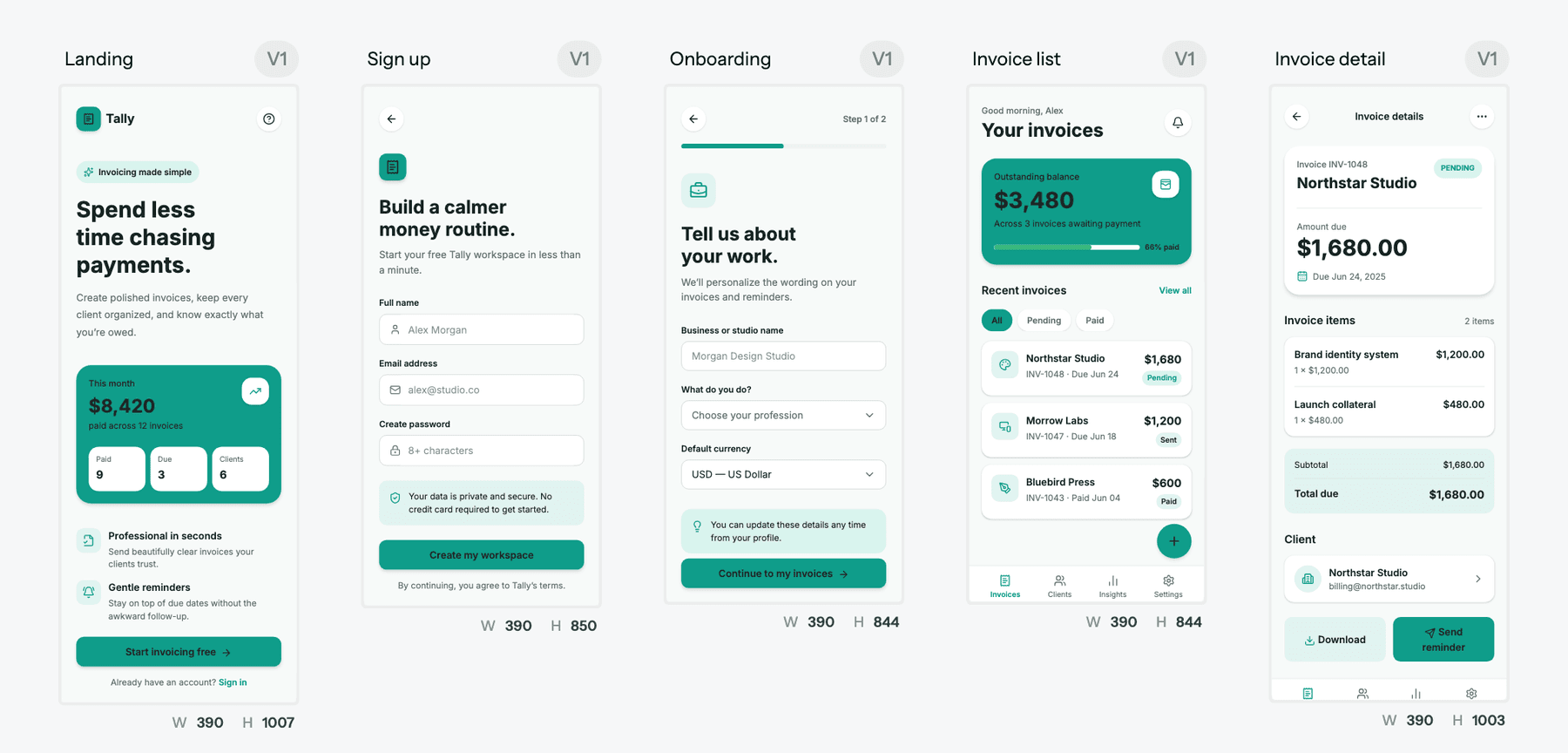
Theme changes are free in UXMagic, so changing a brand colour across twenty screens is one change, not twenty Bolt prompts. Our themes and style guides guide explains how, and the AI style guide generator sets up a theme from a prompt. If you prefer to start rough, the AI wireframe generator settles layout first, and image to UI turns a screenshot or sketch into an editable screen. We cover the full approach in how to design UI with AI.
- Hand Bolt a finished design
Once the design is settled, get it into Bolt one of three ways:
- Export React and Tailwind code with the design to code generator, following the code export guide, and attach or paste it into your Bolt project.
- Push the code to a repository with GitHub sync and continue from that repo.
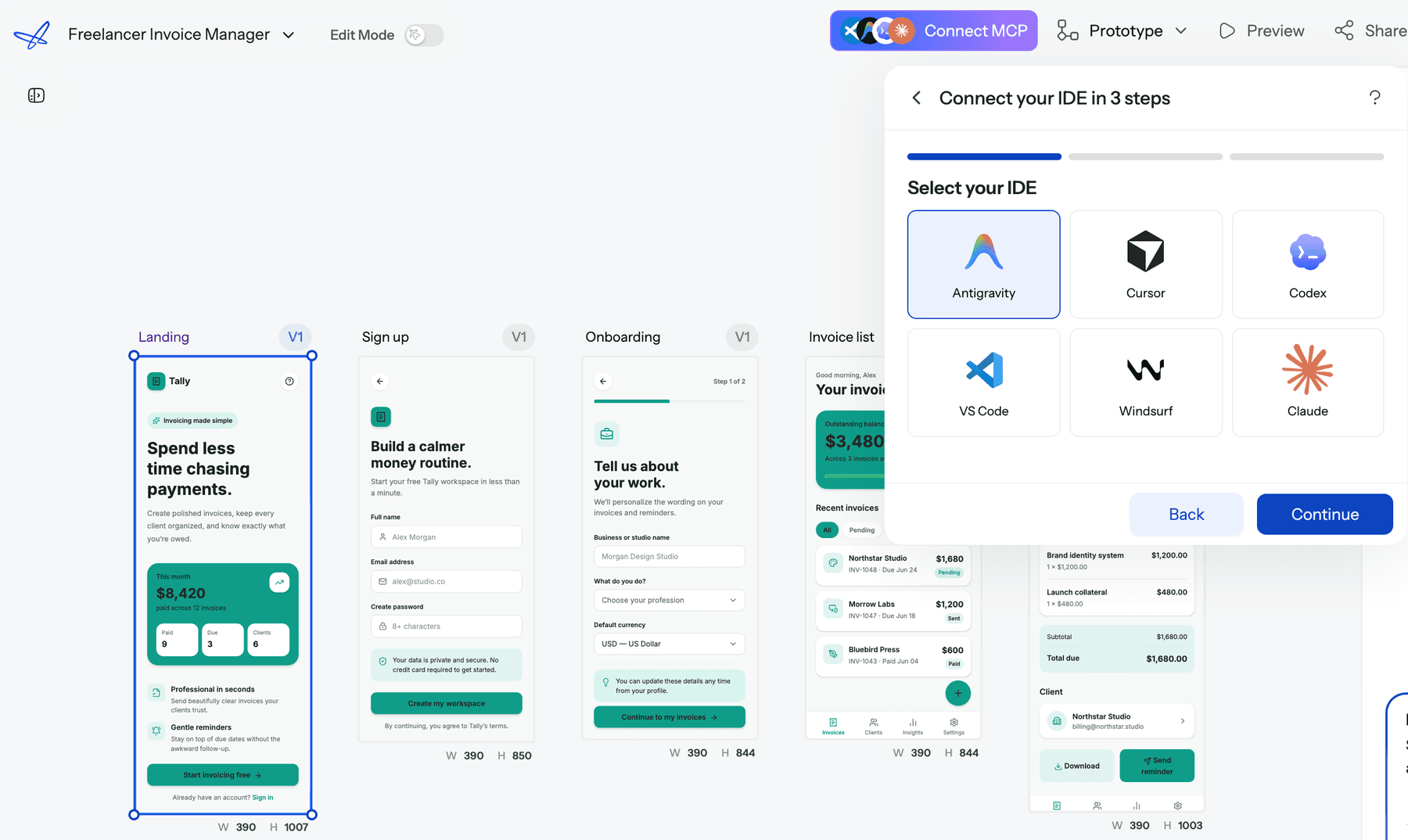
- Connect the UXMagic MCP server so Claude, Cursor, VS Code or another MCP client reads the real screens and theme. Reading screens over MCP costs 0 credits.
Bolt's job then becomes data, auth and integrations. This "design first, then vibe code" split is the workflow in vibe coding in 2026, and our guide to design handoff covers what a clean handoff contains.
- Write fewer, clearer prompts
Name the exact files and outcome you want, and batch related changes. Our guide to prompting for UI that ships applies to Bolt prompts too, and a short PRD keeps scope tight; the AI PRD generator drafts one from a brief.
- Consider bolt.diy for self-hosting
bolt.diy is the open-source version of Bolt maintained under StackBlitz Labs. You run it yourself and connect your own model API keys, so there's no Bolt subscription; you pay your model provider directly. The trade-off is that you handle setup, hosting and updates, and you don't get Bolt Cloud's hosting, databases or support. It suits developers who want control over which model runs and what it costs.
Bolt.new vs competitors: pricing comparison
Prices below come from each vendor's own pricing page as listed in September 2026. The units differ (tokens, credits, dollars of usage), so compare by what your project needs, not by headline price.
| Tool | Free plan | Entry paid plan | Higher tiers | Billing unit |
|---|---|---|---|---|
| Bolt.new | 1M tokens a month, 300K a day | Pro, $25/mo for 10M tokens | Larger Pro tiers; Teams $30/member | Tokens |
| Lovable | 5 credits a day, max 30 a month | Pro, $25/mo for 100 credits | Business $50/mo | Credits |
| Replit | Starter with daily Agent credits | Core, $20/mo with $20 of credits | Pro $100/mo | Dollars of usage |
| Base44 | 25 message credits a month | Starter, $16/mo billed annually | Builder $40, Pro $80, Elite $160 | Message and integration credits |
| UXMagic | 20 credits a day | Pro, $35/mo or $17.50/mo annually | Enterprise custom | Credits (2,400 a month on Pro) |
Bolt vs Lovable pricing
Both Pro plans start at $25 a month. Lovable's credits are closer to "one action, one charge", while Bolt's token cost rises with project size, so late-stage edits on a big app hurt more in Bolt. For teams, Lovable doesn't charge per seat, while Bolt charges $30 per member with unshared tokens. Our Lovable pricing guide breaks down the credits, and the Lovable review covers the product.
Bolt vs Replit pricing
Replit Core is $5 cheaper at $20 a month, but its balance also pays for hosting and databases, and paid Agent work is billed by effort. Bolt includes hosting within set bandwidth limits on every plan. Our Replit pricing breakdown explains the effort-based model.
Bolt vs Base44 pricing
Base44 has the cheapest entry, $16 a month on annual billing, and separates building (message credits) from running the app (integration credits). Our Base44 pricing guide covers the details, the Base44 review the product, and Base44 alternatives the wider field.
Beyond price, see our vibe coding tools comparison, the v0 review if you only need React front ends, or our Lovable alternatives list.
Where UXMagic fits
UXMagic isn't an app builder and won't host your backend. It is the design step before Bolt. The free plan gives you 20 credits every day with no card; Pro is $35 a month, or $17.50 a month billed annually, for 2,400 credits (up to 400 screens), unlimited projects and 250 Figma exports. You can also earn free credits through referrals and the Unlock Pro Plan steps. Full details are on our pricing page.
Is Bolt.new worth the cost?
For builders who want the whole development environment in the browser, with hosting and a database included, yes. Pro at $25 is fair for that bundle, rollover softens the monthly cliff, and Standard plus Plan mode keeps simple work cheap. The Lite plan and Forge preview make it cheaper still, if you accept open-source models and the data-sharing terms.
The cost to watch is not the plan fee. It is token use late in a project, when every change means Bolt re-reading a large codebase, and most of those late changes are iteration: moving layouts around, fixing flows that were never planned, restyling screens. Bolt is priced well for building and badly for deciding what to build.
So our recommendation is the split workflow we suggest for every app builder. Design the product in UXMagic, where a new screen costs 3 credits, an edit costs 0.2 and the theme is free. Then take that design into Bolt, or into any tool on our Bolt.new alternatives list, and spend your tokens on data, auth and logic. If you are new to the idea, what vibe coding is explains why the design step matters, and our UXMagic vs Bolt comparison sets the two tools side by side.
Related guides
- Best AI App Builder in 2026: 10 Tools Compared by Use Case
- 10 Best a0.dev Alternatives for Building Mobile Apps with AI (2026)
- 11 Best v0 Alternatives in 2026, Grouped by the Job You Need Done
- 10 Best Magic Patterns Alternatives in 2026, Grouped by Workflow
- 9 Best MagicPath Alternatives in 2026, Grouped by How You Work
- 10 Best Figma Make Alternatives in 2026, Grouped by Use Case
- AI Design to Code Tools: The Complete 2026 Guide by Input Type
- Figma Pricing 2026: Seats, AI Credits, Make and What Teams Really Pay
- Vibe Designing: Why Vibe-Coded Apps Look the Same, and the Fix
- Miro Pricing 2026: Plans, AI Credits and What Free Can't Do
Design it in UXMagic, build it in Bolt
Plan and design a connected multi-screen flow for free, then export React code or connect your coding agent over MCP.