
TL;DR: Lovable pricing starts at $0 (5 credits a day, 30 a month), then $25 a month for Pro and $50 a month for Business, each with 100 monthly credits that you can scale up. The plan fee is predictable; the credit burn is not, because every layout tweak and bug fix in build mode costs credits. The cheapest way to use Lovable is to settle the UI first in a design tool like UXMagic, then hand Lovable a finished design. Our Lovable review covers the product itself.
Most people who search "lovable pricing" already know what Lovable does. You describe an app, it writes a React front end, sets up a database and auth through Lovable Cloud, and gives you a live URL. What they want to know is how much a real project will cost, and why the credit balance drops faster than expected.
This guide answers that. We cover every Lovable plan as listed in September 2026, how Lovable credits are charged (including the August 2026 change that folded Cloud and AI usage into the same balance), three worked cost scenarios, the costs that don't show up on the pricing page, and how to spend fewer credits. At the end there is a pricing table comparing Lovable with Bolt, Base44, Replit, v0 and UXMagic.
A note on sources: Lovable's pricing table is rendered in the browser, so we took plan prices from the live page and cross-checked them against Lovable's own documentation on plans and credits. Treat every number here as "as listed in September 2026" and check your workspace's billing page before you commit to a big tier.
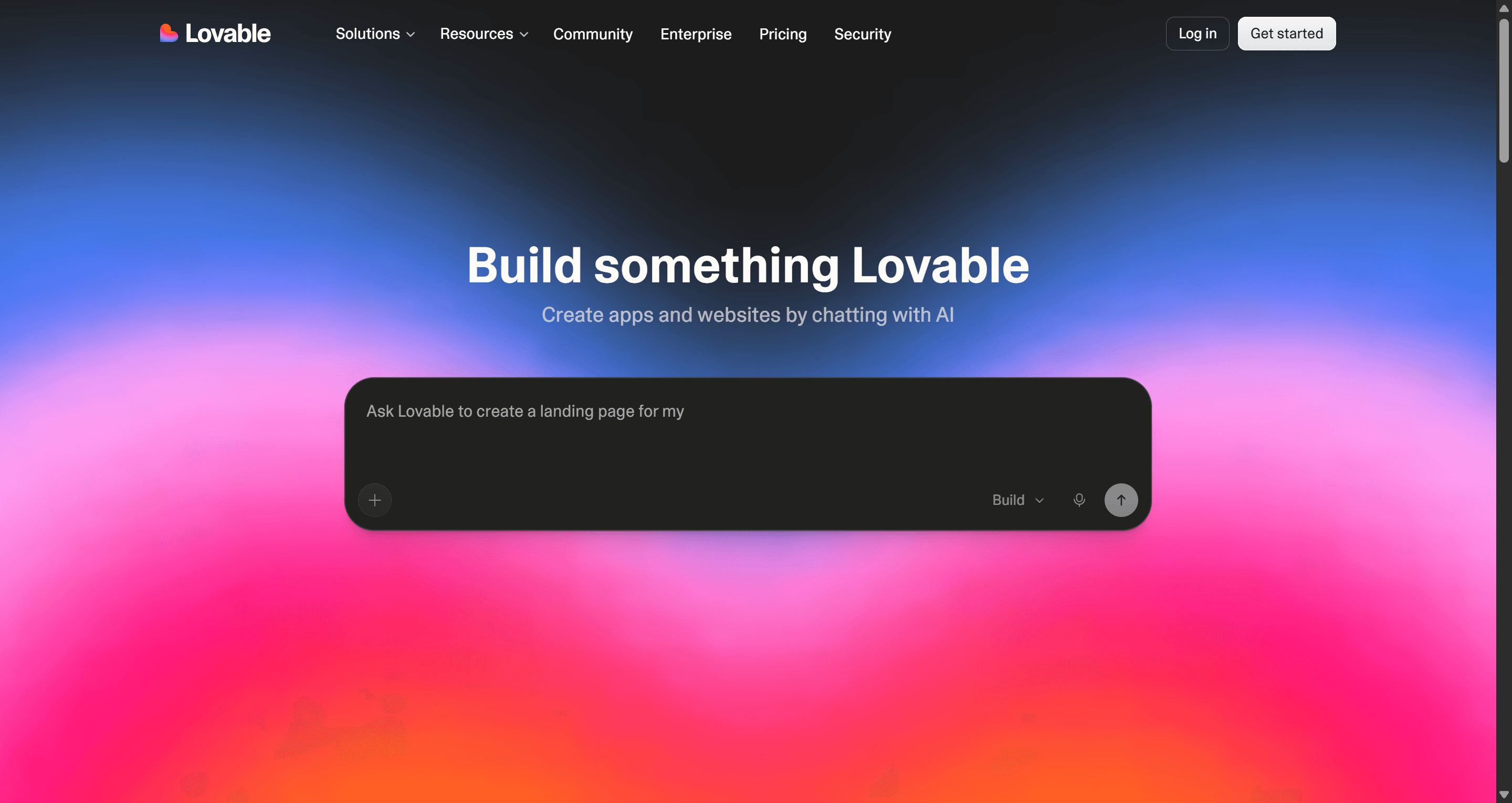
Lovable pricing at a glance
| Plan | Monthly price | Annual price | Credits | Who it suits |
|---|---|---|---|---|
| Free | $0 | $0 | 5 a day, max 30 a month | Trying Lovable, tiny experiments |
| Pro | From $25 | From $21/mo | 100 a month + 5 a day, scalable tiers | Solo builders, founders, PMs |
| Business | From $50 | From $42/mo | 100 a month + 5 a day, scalable tiers | Teams that need SSO and controls |
| Enterprise | Custom | Custom | Volume-based | Larger companies with security needs |
Every plan also gets a monthly grant of 20 Cloud credits (hosting and backend) and 4 AI credits (AI features inside the app you build). Workspaces allow unlimited members on all plans, because Lovable prices by credits, not by seats.
Lovable pricing plans in detail
Is Lovable free?
Yes. The Lovable free plan needs no credit card and gives you 5 build credits a day, capped at 30 a month, plus the 20 Cloud and 4 AI credit grants. You can build and publish small apps, and invite collaborators.
What you can't do on Free is buy top-ups, and the features most people need for a real launch (custom domains, private projects, removing the Lovable badge) sit on Pro. Thirty credits is enough to get a feel for how Lovable works and to build a simple landing page or a one-screen tool. It is not enough to take a multi-screen MVP through the usual rounds of fixes.
One non-price detail worth knowing: from September 9, 2026, Lovable may use content from Free and Pro workspaces to train its models unless you opt out in account settings. Business and Enterprise workspaces are excluded by default.
Lovable Pro
Pro starts at $25 a month (about $21 a month on annual billing) for 100 monthly credits, on top of the 5 daily credits every plan gets. If you build every day, those daily credits can add up to roughly 150 more a month, but they expire at midnight, so they only help if you use them daily.
Pro unlocks custom domains, private projects, badge removal and top-ups. It also lets you pick a bigger credit tier instead of topping up: the ladder goes 100, 200, 400 and 800 credits a month and higher, and the per-credit price stays around $0.25 until the volume tiers kick in.
Lovable Business
Business starts at $50 a month ($42 annually) for 100 credits. The credit count is the same as Pro; the extra money buys team features such as SSO, restricted projects, per-member credit limits and data excluded from model training by default. In practice Business credits cost about twice what Pro credits do, so a team that doesn't need SSO is usually better off on a larger Pro tier.
Lovable Enterprise
Enterprise is custom-priced, with volume credit pricing, dedicated support and the security and governance controls larger companies ask for. If you are here, you are talking to Lovable's sales team, not reading a pricing page.
Student discount
Lovable offers a student discount (up to 50% off Pro, per third-party trackers) for anyone with a valid student email, verified at lovable.dev/students.
How Lovable credits work
Lovable credits are the unit for all AI work in a workspace. The confusing part is that one message no longer equals one credit, and since August 2026 the same balance also pays for hosting and in-app AI.
What consumes Lovable credits
- Build mode. Cost scales with the size of the change: how many files the agent touches and how much code it writes. Lovable's documentation gives four reference points: "make the button gray" at 0.50 credits, "remove the footer" at 0.90, "add authentication" at 1.20 and "build a landing page with images" at 2.00.
- Plan mode. 1 credit per message, plus the cost of any sub-agent research Lovable runs while planning. Planning is cheaper than building but it is not free.
- Chat. Chat messages are priced per message (usually a fraction of a credit) and draw from a daily chat allowance first, then daily build credits, then your general balance.
- Lovable Cloud. Hosting and the built-in backend draw from the 20-credit monthly Cloud grant first, then from general credits. Lovable says most small or new apps don't use up the grant.
- AI features in your app. If the app you build calls an AI model through Lovable's gateway, that usage draws from the 4-credit AI grant, then general credits.
The practical effect: a busy production app and a heavy build week now compete for the same balance.
Daily vs monthly credits
| Credit type | Where it comes from | When it expires |
|---|---|---|
| Daily build credits | 5 a day, every plan | End of the day, never rolls over |
| Monthly plan credits | Your subscription tier | 2 months after issue (monthly billing); 1 month after the annual term ends (annual) |
| Top-up credits | One-off purchase, paid plans only | 12 months after purchase |
| Cloud and AI grants | 20 Cloud + 4 AI a month | End of the month or billing cycle |
Do Lovable credits roll over?
Monthly plan credits do, as long as you stay subscribed. Unused credits carry into the next cycle and expire two months after they were issued on a monthly plan. Daily credits and the monthly Cloud and AI grants don't roll over. If you cancel, your remaining plan credits end with the billing period.
How much do extra Lovable credits cost?
Top-ups cost $15 per 50 credits on Pro ($0.30 each) and $30 per 50 credits on Business ($0.60 each). That is about a 20% premium over subscription credits, so top-ups are for the occasional heavy month. If you top up every month, move to the next tier.
Real Lovable cost scenarios
The numbers below are estimates built from Lovable's published per-prompt examples (0.50 to 2.00 credits in build mode) and list prices. Your mileage depends on how clear your prompts are and how many bugs you hit, which is exactly the variable that makes Lovable cost hard to predict.
Scenario 1: a solo founder building an MVP
Say you are building a simple SaaS MVP: landing page, sign-up, onboarding, a dashboard, a settings page, Stripe checkout, and auth. Building the screens and features takes maybe 25 to 40 build prompts. Then comes the part nobody budgets for: fixing broken flows, adjusting layouts, and redoing screens that came out wrong. On a first project that easily doubles or triples the prompt count.
At an average of about 1.2 credits per prompt, 120 prompts is roughly 145 credits. Spread across a month of daily work, Pro's 100 credits plus daily credits can cover it for $25. Squeeze it into one intense week and the daily credits barely help, so you would need the 200-credit tier ($50) or top-ups. Our breakdown of what a SaaS MVP costs to build with AI puts these numbers next to agency and freelancer costs, and the AI MVP builder page shows how to plan the MVP's screens before you build.
Scenario 2: iterating on the UI
This is where most credits quietly go. Imagine a landing page and six app screens, each taking five rounds of visual changes: spacing, hierarchy, colours, new sections. At about 1 credit per round, that is 35 credits, plus around 14 for the first builds. Around 50 credits, or half of Pro's monthly allowance, spent on design decisions that don't change what the app does.
The same work in UXMagic, using the costs in our how credits work guide: proposing a screen plan costs 1 credit, seven new screens cost 21, 35 targeted edits cost 7, and theme changes cost nothing. That is about 29 credits, which the UXMagic free plan (20 credits a day, up to 3 screens a day) covers in a few days, and which is a rounding error against the 2,400 monthly credits on UXMagic Pro.
Scenario 3: a small team
A team of three on one Lovable workspace pays for credits, not seats, which is one of Lovable's genuinely fair pricing choices. If they need 400 credits a month, the reported tier ladder puts that at about $100 a month on Pro or about $200 on Business. The Business premium only makes sense if you need SSO, restricted projects or per-member credit caps. If you don't, a larger Pro tier with shared credits is the cheaper route.
Settle the design before you spend build credits
Plan and design every screen of your app for free in UXMagic, then hand a finished design to Lovable or your coding assistant.

Hidden costs in Lovable pricing
Lovable is clear that what you see on the pricing page is what you are charged. The surprises come from how usage behaves, not from secret fees.
- No price before you prompt. You find out what a build message cost after it runs. You can see the cost per message afterwards, but you can't cap a single prompt.
- Debugging loops. When a change breaks something, each fix attempt is another build message. A stubborn bug in auth or payments can eat a surprising share of a month's credits.
- Design churn in build mode. Every layout experiment rewrites code. Visual iteration is the most expensive way to make design decisions.
- Planning is billed too. Plan mode is 1 credit per message plus research, so a long planning chat is a real cost.
- Cloud and in-app AI now share your balance. Once an app gets traffic or uses AI features heavily, it can draw down the same credits you need for building.
- Credits expire. Daily credits vanish at midnight and monthly credits expire two months after issue, so a light month does not bank much for later.
- Top-up premium. Top-ups cost 20% more per credit than subscription credits, and Business credits cost double Pro's.
- Everything outside Lovable. Domains, payment processing fees, email and SMS services, and third-party APIs are billed by those providers.
None of this is unusual for AI app builders. Bolt's token model has its own version of the same problem, which we cover in our Bolt.new review.
How to spend fewer Lovable credits
- Do the UI/UX work in a design tool first
This is the biggest single saving. Lovable designs and codes in the same step, so every design decision is paid for at build-mode prices. A design tool separates the two: you decide what the product looks like while changes are cheap, then ask Lovable to build something that is already decided.
UXMagic is built for that first step. Describe the product and Flow Mode proposes a screen plan you can approve or edit before anything is generated, then designs every screen on one canvas with one shared theme. Fixing the plan costs 1 credit; fixing eight wrong screens afterwards costs far more.
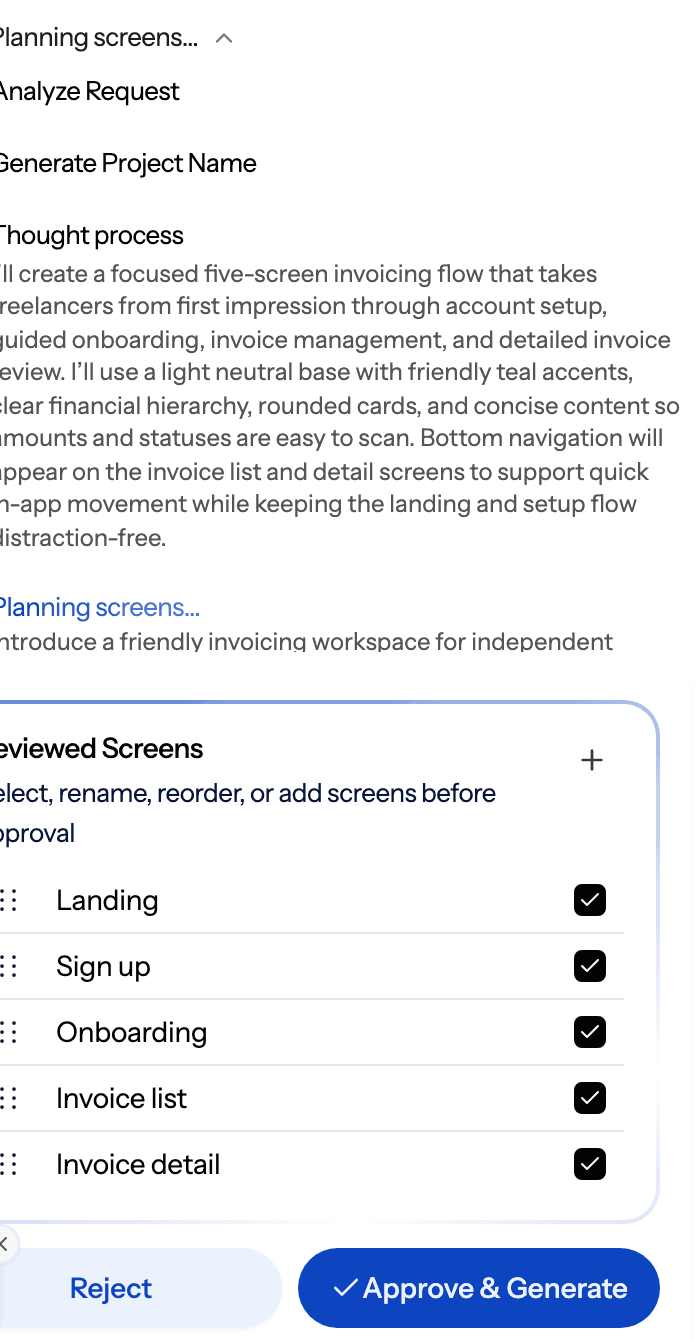
The credit maths is what makes this work. In UXMagic a new screen costs 3 credits, a targeted edit ("make the hero shorter") costs 0.2, and building or changing the theme costs 0, according to our credit cost table. Changing your brand colour across twenty screens is one free theme change, not twenty build prompts. Our themes and style guides guide shows how it works, and the AI style guide generator can set the theme up from a prompt.
If you start rougher, the AI wireframe generator lets you settle layout before visual design, and image to UI turns a screenshot or sketch into an editable screen. We walk through the whole approach in how to design UI with AI.
- Hand Lovable a finished design
Once the design is settled, you have three ways to get it into your build:
- Export React and Tailwind code with the design to code generator, following the code export guide.
- Push the code to a repository with GitHub sync, then connect that repo to your build tool.
- Connect the UXMagic MCP server so Claude, Cursor, VS Code or another MCP client reads the real screens and theme instead of a screenshot. The MCP setup guide takes a few minutes, and reading screens through MCP is free.
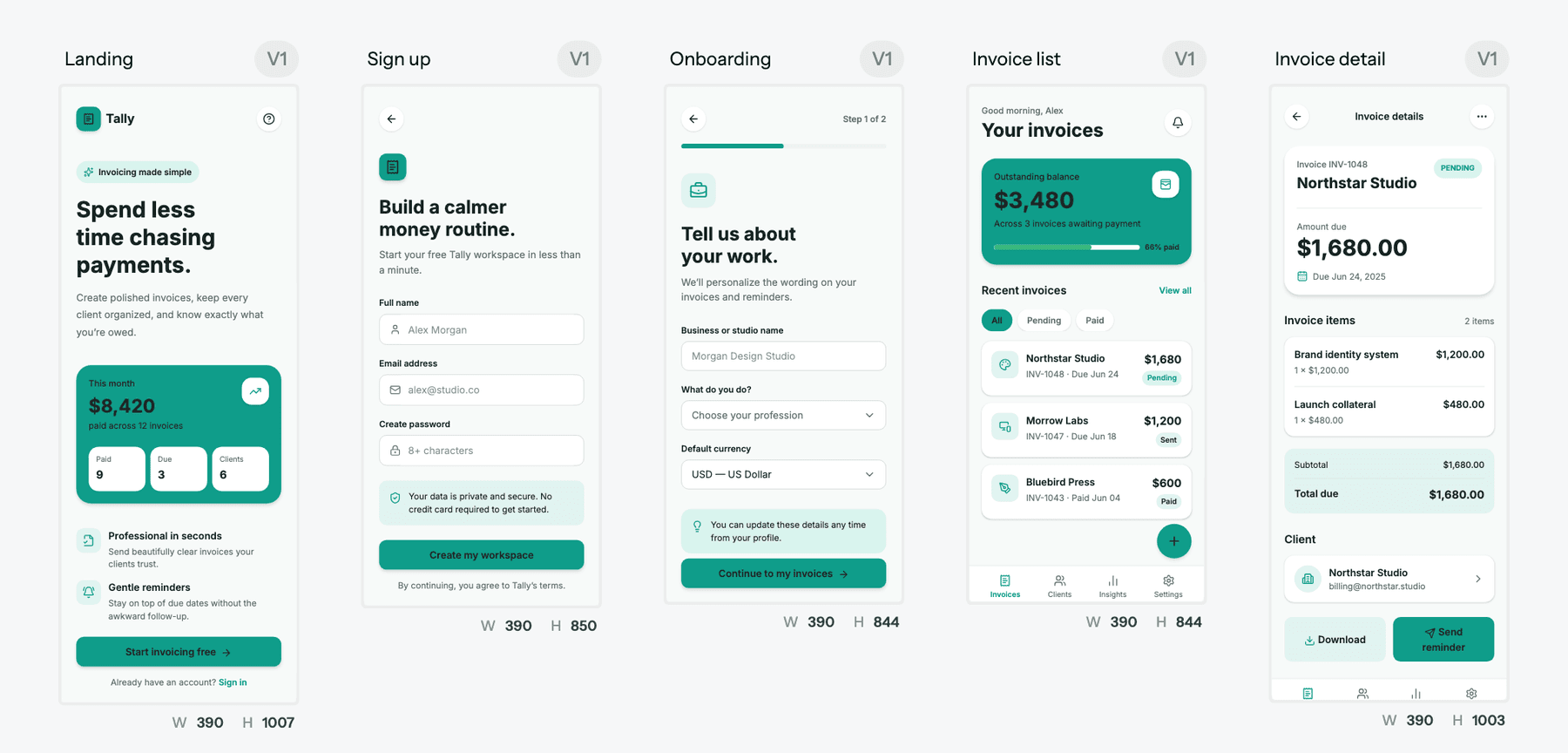
Lovable's job then becomes data, logic and integrations, which is what it is best at. This "design first, then vibe code" workflow is the core idea behind vibe coding in 2026, and it is also why so many teams on our list of the best Lovable alternatives pair a design tool with an app builder rather than replacing Lovable outright.
- Write fewer, bigger build prompts
- Batch related changes into one message instead of five small ones.
- Break big features into clear steps so a failure doesn't waste a large prompt.
- Use Plan mode to agree the approach before an expensive build, but keep planning chats short.
- Use Lovable's visual edit tools for text and styling tweaks where possible, instead of prompting.
- Move deep debugging to a code editor once the codebase is on GitHub.
Better prompts help too. Our guide to prompting for UI that ships applies to Lovable as much as to design tools.
- Pick the right tier
If you top up every month, upgrade the tier instead: subscription credits are cheaper than top-ups. If you are on Business only for the shared workspace, remember that Pro workspaces also allow unlimited members.
Lovable vs competitors: pricing comparison
Prices below come from each vendor's own pricing page as listed in September 2026. The billing units are not interchangeable (credits, tokens, message credits, dollars of usage), so compare by what your project needs, not by headline price.
| Tool | Free plan | Entry paid plan | Higher tiers | Billing unit |
|---|---|---|---|---|
| Lovable | 5 credits a day, max 30 a month | Pro, $25/mo for 100 credits | Business $50/mo; larger credit tiers | Credits (build, Cloud, AI) |
| Bolt.new | 1M tokens a month, 300K a day | Pro, $25/mo, 10M tokens | Teams $30/member/mo | Tokens |
| Base44 | 25 message credits a month | Starter, $16/mo, 100 messages | Builder $40, Pro $80, Elite $160 | Message and integration credits |
| Replit | Free tier (limited) | Core, $20/mo with $20 of AI usage | Pro $100/mo | Dollars of AI usage |
| v0 | $5 of credits a month | Plus, $30/user/mo | Business $100/user/mo | Tokens, billed as credits |
| UXMagic | 20 credits a day | Pro, $35/mo or $17.50/mo annually | Enterprise, custom | Credits (2,400 a month on Pro) |
Lovable vs Bolt pricing
Both start at $25 a month. Bolt bills in tokens, and token use grows with the size of your project, so late-stage edits on a big codebase get expensive. Lovable bills per action and doesn't charge per seat. Bolt's Teams plan is $30 per member. Our Bolt.new pricing guide explains how the token model plays out, and our UXMagic vs Bolt comparison covers the design side.
Lovable vs Base44 pricing
Base44 is cheaper to start at $16 a month and splits usage into message credits (building) and integration credits (running the app). That split makes running costs more visible, but plans climb steeply for heavy users. Read our Base44 review for the full picture, or our UXMagic vs Base44 comparison for how the design step differs.
Lovable vs Replit and v0 pricing
Replit Core is $20 a month with $20 of AI usage included, so you are effectively buying model usage in dollars; it suits people who also want a real development environment. See our UXMagic vs Replit comparison. v0 is priced per user, which gets expensive for teams, and is focused on React front ends rather than full apps. Our v0 review and roundup of v0 alternatives go deeper.
Where UXMagic fits
UXMagic is not an app builder and won't build your database or backend. It is the design step before one. On the free plan you get 20 credits every day with no card; Pro is $35 a month, or $17.50 a month billed annually, for 2,400 credits (up to 400 screens), unlimited projects and 250 Figma exports. You can also earn free credits through the Unlock Pro Plan steps and referrals. Full details are on our pricing page.
If you are weighing design-first tools against each other, our roundup of Claude Design alternatives covers that side of the market. For a broader look at how app builders compare beyond price, see our vibe coding tools comparison and, if you are newer to the category, what vibe coding is.
Is Lovable worth the cost?
For most founders and product teams building an MVP, yes. Lovable Pro at $25 a month gets you a working full-stack app faster than almost anything else, credits are shared across unlimited members, and the unified credit balance at least makes hosting costs visible in one place.
The cost to watch is not the plan fee. It is iteration. Lovable is priced well for building and priced badly for deciding what to build. Every layout experiment and every "try that again" is a build-mode charge. Teams that go in with a settled design spend a fraction of the credits of teams that design by prompting.
So our recommendation is a split workflow. Design the product in UXMagic, where a new screen is 3 credits, an edit is 0.2 and the theme is free. Then take that design into Lovable, or any tool on our Lovable alternatives list, and spend your build credits on data, auth and logic. The same thinking about paying only for what you need is in our wireframe tool cost-benefit breakdown, and our UXMagic vs Lovable comparison sets the two tools side by side.
Related guides
- Base44 Pricing 2026: Plans, Credits, and What an App Really Costs
- Base44 vs Lovable (2026): Which AI App Builder Fits Your Project?
- Replit Pricing 2026: Plans, Credits, and What an App Really Costs
- Figma Pricing 2026: Seats, AI Credits, Make and What Teams Really Pay
- 10 Best Magic Patterns Alternatives in 2026, Grouped by Workflow
- 10 Best a0.dev Alternatives for Building Mobile Apps with AI (2026)
- 9 Best UX Pilot Alternatives in 2026, Grouped by Use Case
- 9 Best MagicPath Alternatives in 2026, Grouped by How You Work
- 10 Best Figma Make Alternatives in 2026, Grouped by Use Case
- 12 Google Stitch Alternatives in 2026, Grouped by the Job You Need Done
Design it in UXMagic, build it in Lovable
Plan and design a connected multi-screen flow for free, then export React code or connect your coding assistant over MCP.