
TL;DR: Replit is the most complete browser-based way to go from a prompt to a hosted, full-stack app in 2026. Replit Agent plans, builds, tests and publishes; Replit Design adds a mockup canvas; managed Postgres, auth and four deployment types are built in. The weak spots are unpredictable effort-based costs and interfaces that look generic unless you direct them. Our advice: settle the screens in a design tool like UXMagic first, then let Replit build. Costs are in our Replit pricing guide, and other options in our Replit alternatives.
Replit has changed more in the last two years than most tools in this space. It started as an online IDE for students and hobbyists. It is now an AI app platform where most users never open the file tree: they type a description, approve a plan, and watch an agent build, test and publish the app.
This review looks at Replit as a product. We cover what Replit Agent actually does, how the build workflow runs from prompt to URL, what the new Replit Design canvas adds, how good the output tends to be, how deployment and collaboration work, and who should use it. We don't repeat the plan-by-plan numbers here; our Replit pricing breakdown (linked above) has every plan, credit rule and cost scenario.
A note on method: we are the UXMagic team, and we build a design tool that often sits upstream of Replit. Product facts below come from Replit's documentation as it reads in September 2026. Where we talk about output quality, we describe how the product is designed to work and the patterns our users report, not a scored benchmark.
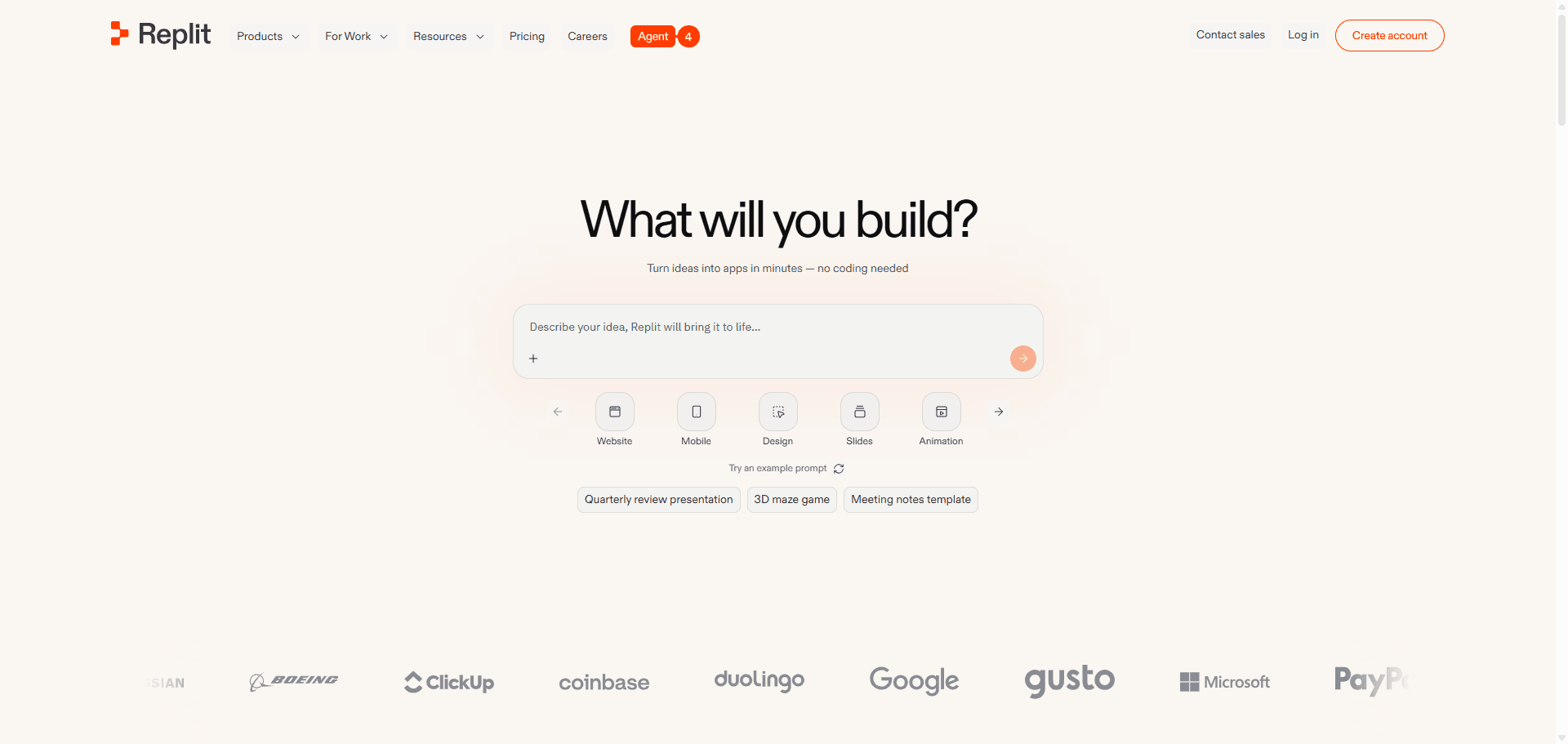
Replit review at a glance
| Area | Our take |
|---|---|
| What it is | Browser IDE + AI agent + hosting + managed database in one workspace |
| Best at | Getting a working full-stack app live without any local setup |
| Agent | Plan Mode, Build, automatic checkpoints, browser app testing (paid modes) |
| Design | Replit Design canvas and a Visual Editor; generated UI is functional but plain by default |
| Data and auth | Managed Postgres (Neon) with dev and prod databases, Replit Auth or Clerk |
| Deployment | Autoscale, Static, Reserved VM and Scheduled; custom domains |
| Collaboration | Invite teammates, shared task board, parallel agents on Pro |
| Pricing | Free Starter, Core $20/mo, Pro $100/mo, effort-based Agent billing |
| Main risk | Costs grow with iteration, especially visual iteration |
| Verdict | Strong builder; pair it with a design step for anything customer-facing |
What is Replit in 2026?
Replit is three products sharing one browser tab. There is the cloud workspace, a full editor with files, a shell, packages and version history. There is Replit Agent, which writes and changes the code for you. And there is the hosting layer, which publishes the app to a URL and runs its database. Most Replit competitors do one or two of these; our alternatives guide groups them by which job they replace.
What makes Replit different from prompt-first tools such as Lovable or Bolt.new is that the whole environment is still there underneath. A developer can open any file, run commands, import a GitHub repository or fix something by hand. A non-developer can ignore all of that and stay in the Agent chat. If you are new to this way of building, what vibe coding is is a useful primer.
Replit also isn't limited to web apps anymore. Its docs describe projects that hold web apps, mobile apps, slides, data visualizations, designs and documents side by side, sharing one backend. You can start with a web app and add a mobile app to the same project later.
Replit Agent: what it actually does
Replit Agent is the reason most people sign up. Here is what it does, feature by feature.
Plan Mode
With the Plan toggle on, the Agent discusses the project and produces an ordered task list without touching any code. You review and edit the list, then pick a build option to start work. This is the single most useful habit for keeping Replit predictable, and it plays the same role a short PRD plays for a human team. Plan Mode requires Core or higher.
Build, with Free, Power and Max modes
When you build, the Agent writes code, installs packages, provisions services and runs the app. Replit now splits Agent work into modes: Free Mode (no charge within your plan's allowance, with the model chosen for you), Power Mode as the paid default, and Max Mode for the hardest problems. Starter users get Lite build for small targeted changes; Full build, where the Agent works autonomously on bigger features, needs Core.
Checkpoints and rollback
The Agent creates checkpoints automatically at milestones. Per Replit's docs, a checkpoint captures code and files, installed packages, chat history, the database state and environment settings, and you can roll back to any of them in one click. By default a rollback leaves the database alone unless you choose otherwise. In practice this is the safety net that makes letting an agent loose on your app tolerable.
App testing
On Power and Max modes, the Agent can test your app in a real browser: it clicks through the interface like a user, checks functionality and API or database calls, and records a video replay you can scrub through. Testing is charged by effort, and at the time of writing it supports Full Stack JavaScript and Streamlit Python apps. It won't catch everything, but it does catch the "the button doesn't do anything" class of bug before you do.
Data, auth and connectors
Ask for persistence and the Agent provisions managed Postgres through Neon, with separate development and production databases wired into the published app automatically. A lighter built-in Replit Database exists for quick prototypes. For sign-in, Replit offers two built-in options: Replit Auth (users log in with Replit accounts, fastest to set up) and Clerk. Connectors link the app to services such as Stripe, Google, Slack, Notion, Linear and BigQuery.
Parallel agents
On Pro, up to 10 background tasks can run at once, so several people (or one impatient founder) can have the Agent build different parts of the app in parallel. Core runs one background task at a time. Finished tasks merge back into the main version, and Replit handles merge conflicts for you.
Read our vibe coding tools comparison to see how these agent features compare with Lovable, Bolt and Base44.
The Replit workflow, from prompt to URL
A typical first project looks like this:
- Describe the app on the home screen, or import something: Replit can import from GitHub, Bitbucket, Vercel, Figma, Bolt, Lovable, Base44, a Claude design or a ZIP file.
- Plan it in Plan Mode and edit the task list until it matches what you want.
- Build it. The Agent works through the tasks, creating checkpoints as it goes. On Core, you can watch or step away.
- Test and fix. Turn on app testing in a paid mode, or click through the preview yourself and describe what's wrong.
- Polish. Use the Visual Editor for small changes or ask the Agent for bigger ones.
- Publish to a Replit URL or your own domain.
The loop is genuinely fast. The friction shows up between steps 4 and 5: most of the requests a real project makes after the first build are about how the app looks and flows, not whether it works. We cover why that happens with every prompt-to-app tool in why single-screen AI design is a dead end, and our write-up of vibe coding in 2026 shows the workflow teams use to avoid it.
Decide the screens before the Agent builds them
Plan and design a connected multi-screen flow for free in UXMagic, then hand it to Replit or your coding agent.

Replit Design and the Visual Editor
Replit has clearly heard the "it looks generic" complaint, and 2026 brought two answers.
Replit Design is a design suite on an infinite pan-and-zoom canvas. It generates interactive mockups from text, and you can start from templates, Figma imports, URLs, screenshots or an existing design system. Frames can be mockups, web or mobile apps, slides, images or vector graphics. You can sketch, draw arrows and add sticky notes, and when you select frames before sending a message, the Agent receives them as visual context. When a frame is right, it becomes a working app in the same project, or its styling is applied to an existing app. Most features work on every plan, but building a new app from a design frame requires Core or Pro.
The Visual Editor lets you click an element in the preview or canvas and change its text, colours, spacing, layout or images directly. Simple edits update the source code without spending AI credits; only changes with hidden complexity get routed through the Agent.
Both are real improvements, and the Visual Editor alone removes a lot of the cheapest-but-most-annoying paid requests. They don't change the underlying shape of the product, though. Replit Design is a canvas attached to a builder, built to feed the Agent. It is lighter on the things product designers spend most of their time on: planning a multi-screen flow before generating it, keeping every screen on shared tokens, and handing designs to other tools. That is the gap dedicated tools such as MagicPath, Variant and UXMagic work in, and our best AI design tools of 2026 list covers the category.
Output quality: what to expect
We haven't run a scored benchmark, so here is how the output behaves by design and what our users report when they bring Replit projects to UXMagic.
Functionality is the strength. Because the Agent owns the whole environment, it can create a database schema, wire auth, call an API and deploy, then test the flow in a browser. For internal tools, CRUD apps, dashboards and prototypes that need real data, that is a big advantage over design-only tools.
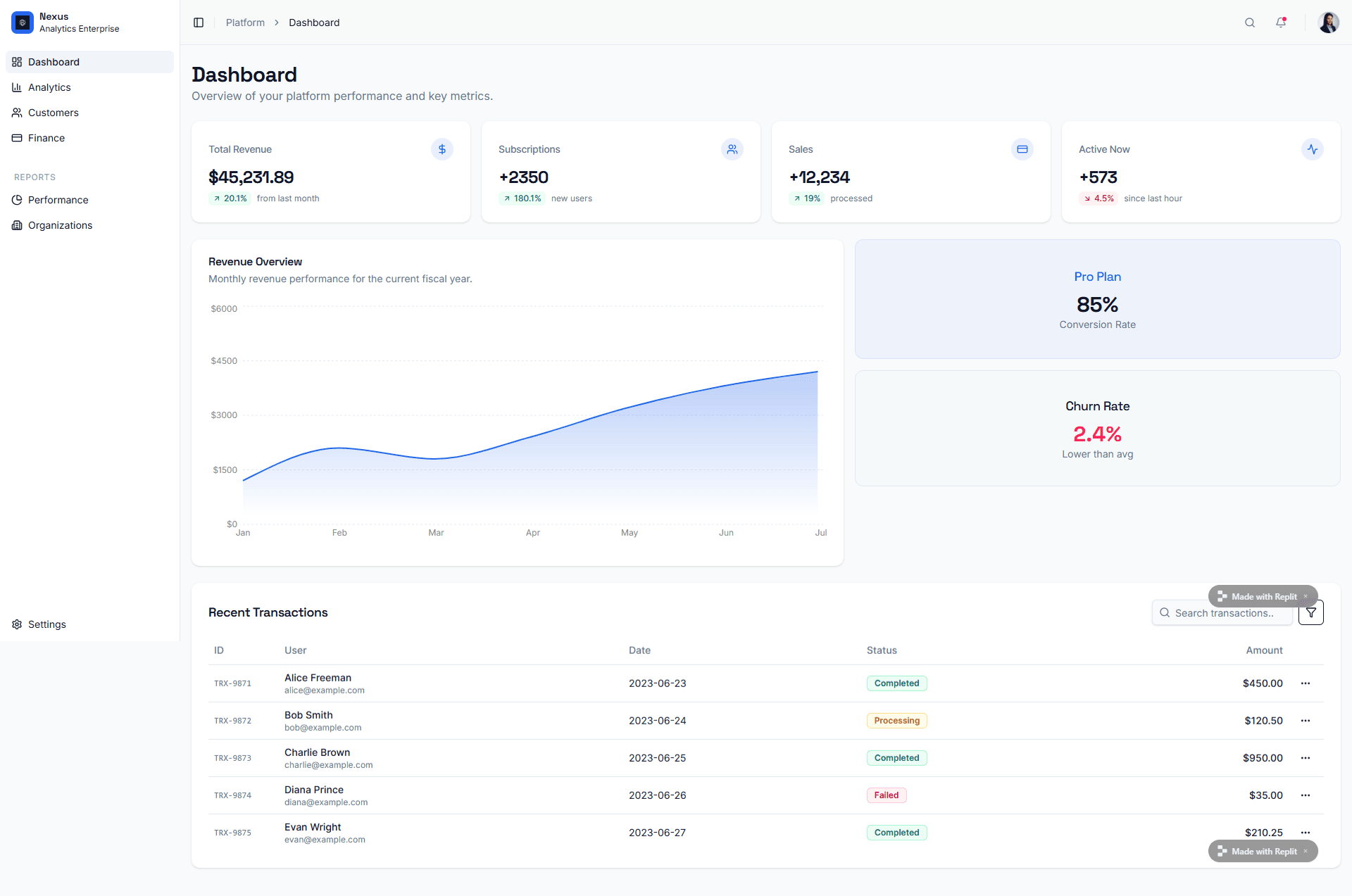
The UI is competent and familiar. Without direction, generated apps tend to land on the same safe pattern: sidebar, stat cards, a chart and a table. That's fine for an admin panel and weak for anything a customer sees first. Our guide to dashboard UI design explains what separates a useful dashboard from a template one.
Consistency across screens depends on you. Each Agent request changes code where it thinks the change belongs. Ask for a new settings page three weeks in and it may not match the dashboard. Replit Design's design systems help, but the default path is still screen by screen. Flow-based design vs static screens covers why that matters.
Prompt quality moves the result more than the model. Vague requests produce large, sweeping checkpoints; specific ones produce targeted changes. Our guide to prompting for UI that ships applies directly to Agent prompts.
Deployment and hosting
Publishing is where Replit is hardest to beat. Replit picks a deployment type for your project automatically, and you can change it:
- Autoscale scales resources with traffic and goes idle when nobody is using the app.
- Static hosts sites that don't change based on user input, cheaply.
- Reserved VM gives a fixed amount of compute that runs continuously.
- Scheduled runs your app at times you choose, for jobs and scripts.
Custom domains, monitoring, visitor analytics and feedback collection are built in, with access controls on Pro and Enterprise. Hosting costs come out of the same credit balance as Agent work, which our pricing guide breaks down. On Starter, you get one published app that carries a "Made with Replit" badge and goes offline after 30 days.
UXMagic also publishes, but for a different kind of output: publishing a site turns your designed screens into a hosted website on a uxmagic.io subdomain with HTTPS, preview URLs and one-click rollback. That covers landing pages and marketing sites, not apps with a backend.
Collaboration
Replit is multiplayer. You invite teammates to a project or share its link, and each person can open their own planning threads with the Agent. Everyone's tasks sit on a shared board, so you can see who is building what. Core allows 5 builders and one background task at a time; Pro allows 15 builders with pooled credits, up to 10 parallel agents, and up to 50 viewers.
What Replit collaboration is built for is people building together. It is thinner on reviewing a design before it is built: commenting on a screen, comparing versions of a layout, or sharing a clickable preview with a stakeholder who shouldn't touch the project. In UXMagic those live in comments and feedback, shareable previews and versions and history. Teams can share a credit pool through teams and seats.
Replit pricing in brief
We keep the details in the Replit pricing guide, but the shape matters for a review. As listed in September 2026, Starter is free, Core is $20 a month ($18 billed annually) with $20 of credits, Pro is $100 a month ($90 annually) with $100 of credits, and Enterprise is custom. Agent work in paid modes is billed by effort per checkpoint, and hosting draws on the same balance.
The fair summary: the plan fees are reasonable for what's bundled, and the variable part is where budgets slip. If you compare tools by price, our Lovable pricing and Bolt.new pricing guides use the same format.
Replit pros and cons
| Pros | Cons |
|---|---|
| Agent, editor, database and hosting in one tab | Effort-based costs are hard to predict |
| Plan Mode and checkpoints keep work reversible | Default UI looks generic without close direction |
| Browser app testing with video replay | App testing limited to some stacks and paid modes |
| Managed Postgres with separate dev and prod | Design iteration through the Agent is paid build work |
| Four deployment types, custom domains | Free plan: one app, offline after 30 days |
| Imports from GitHub, Lovable, Bolt, Base44, Figma | Screen-to-screen consistency is left to you |
| Parallel agents and pooled credits on Pro | Parallel agents spend a shared balance fast |
Who Replit is for (and who it isn't)
Good fit:
- Founders testing an idea with real data. If you need sign-up, a database and a live URL to validate a product idea, Replit gets you there without hiring. Our explainer on what an MVP is helps you keep the scope small.
- Teams building internal tools. Admin panels, dashboards and workflow apps play to Replit's strengths, and the generic UI matters less.
- Developers who want the environment handled. You still get a real editor and shell, but no local setup, and you can import an existing repo.
- Educators and learners, where Replit started.
Not the best fit:
- Design-led products. If the look and flow of the product is the point, decide them before building. Otherwise you pay for every layout experiment at build prices.
- Developers with a mature local setup. An agent in your own editor usually fits better; see our AI coding assistants for frontend developers.
- Non-developers who want the code fully hidden. Base44 or Lovable feel simpler; our AI app builders for non-developers guide compares them.
- Native-mobile-first teams. Replit builds mobile apps, but specialists like Rork focus only on that.
- PMs who need specs and wireframes, not code. A PRD tool like ChatPRD or a whiteboard like Miro AI is closer to the job; our list of AI tools for product managers covers more.
Replit vs the alternatives, briefly
- Replit vs Lovable: Replit exposes more of the environment and hosting options; Lovable is smoother for non-developers. See UXMagic vs Lovable or our Lovable vs Bolt comparison.
- Replit vs Bolt.new: both show you the files; Bolt runs its environment in the browser tab and bills in tokens. Compare UXMagic vs Bolt.
- Replit vs v0: v0 focuses on React front ends for the Vercel stack; read our v0 review.
- Replit vs Emergent: Emergent leans harder on multi-agent engineering; read our Emergent AI review.
For the full list, including cloud IDEs and code editors, see our Replit alternatives and best Lovable alternatives.
How UXMagic fits with Replit
UXMagic isn't a Replit replacement. It doesn't run code, host a backend or create databases. It does the step Replit is weakest at: deciding what the product looks like and how its screens connect, before anyone pays for build effort.
The workflow we recommend:
- Plan the flow. Describe the product and Flow Mode proposes a screen plan (a named list of screens, each with a purpose) that you edit or approve before anything is generated. The screen plans guide shows the steps. If you'd rather start rough, use the AI wireframe generator; if you have a screenshot or sketch, use image to UI; if you have a Figma file, import from Figma.
- Design every screen on one theme. Colours, type, radii and spacing are tokens on the project, so a change applies everywhere; see themes and style guides or generate one with the AI style guide generator.
- Iterate cheaply. Per our credit costs, a new screen costs 3 credits, a targeted edit 0.2, a screen plan 1, and theme changes nothing.
- Hand it to Replit. Export code as HTML or React and Tailwind, push it with GitHub sync and import the repo into Replit, or connect the UXMagic MCP server so a coding agent reads your real screens and theme. Claude users can use the Claude connector.
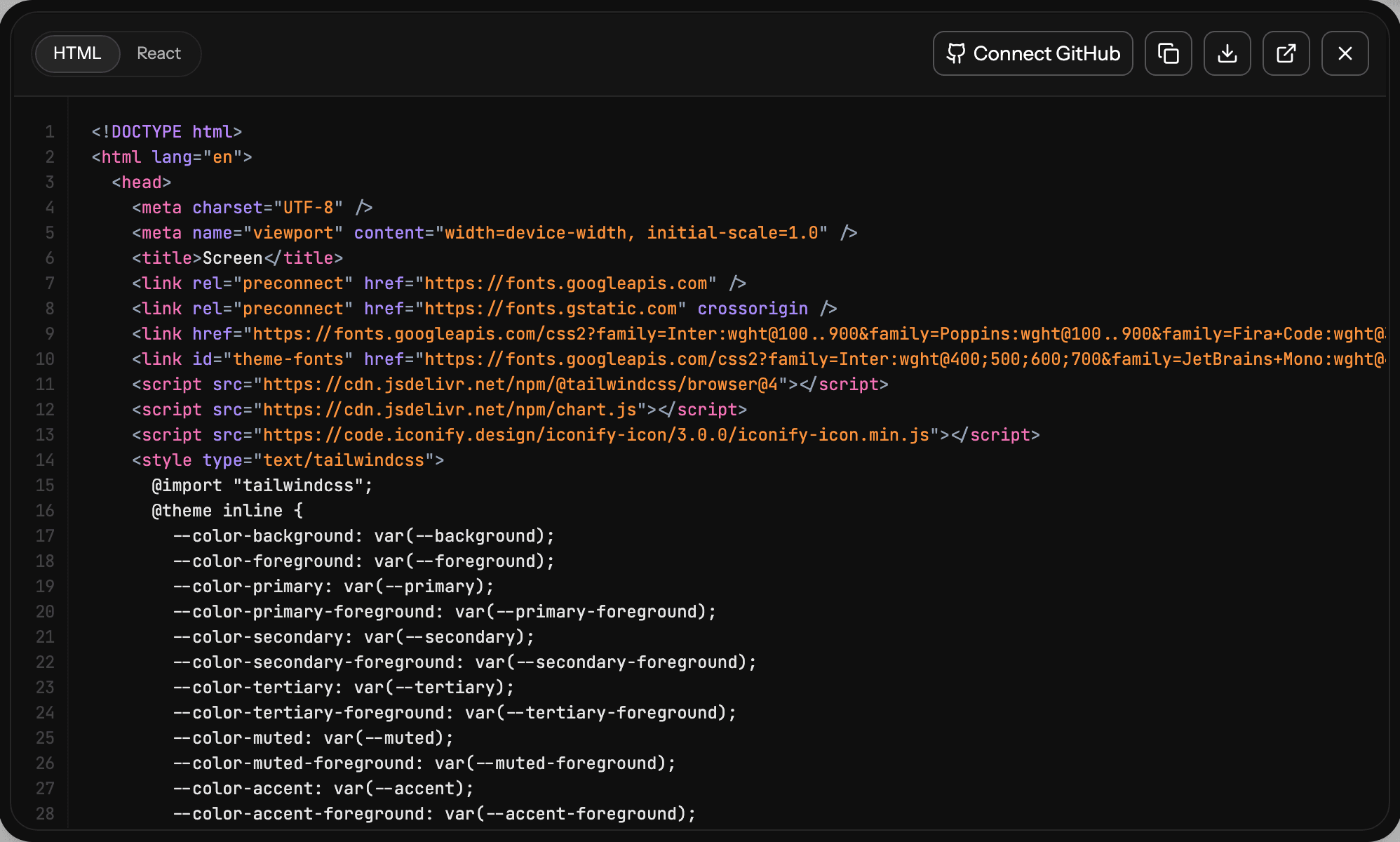
The Agent's job then shrinks to data, auth and integrations, which is what it's best at. The design to code generator and AI MVP builder pages go deeper, and our guide to design handoff explains what a clean handoff contains. To start faster, open a template or the React component library. The free plan gives 20 credits a day; Pro is $35 a month or $17.50 a month billed annually, per our pricing page. For a side-by-side view, see UXMagic vs Replit.
Our verdict
Replit is the most complete "idea to live app" platform you can use from a browser in 2026. Plan Mode, checkpoints, app testing, managed Postgres and one-click deployment make it a serious tool, not a toy, and Replit Design shows it knows where its weak spot is.
That weak spot is still design. Replit builds and designs in the same step, so every decision about layout, hierarchy and flow is paid for as engineering work, and the default output looks like every other generated app. Use Replit for what it's excellent at, and make the product decisions somewhere they are cheap to change. We walk through that approach in how to design UI with AI, and feature creep explains why an agent that builds anything you ask makes scope discipline more important, not less.
Related reading
- Bolt.new alternatives if Bolt is the tool you are leaving
- Base44 alternatives for no-code app building
- Claude Design alternatives for AI UI work
- Base44 vs Lovable compared
- What a SaaS MVP costs to build with AI
- Vibe designing: the design side of vibe coding
- AI design-to-code tools compared
- The best AI prototyping tools
Design it in UXMagic, build it in Replit
Generate a connected, multi-screen flow on one theme for free, then export React code or connect your coding agent over MCP.