
TL;DR: The best a0.dev alternatives depend on which part of the job you want help with. To design and test mobile screens before spending build credits, UXMagic plans a whole flow and exports it to Figma or React code. For native apps from prompts, look at Rork, Anything or FlutterFlow. For general vibe-coding platforms with a mobile path, Bolt.new, Replit and Base44. Developers who want full control should use Cursor or Claude Code.
a0.dev answers a question many founders ask: can I describe an app and end up with it on my phone and in the App Store? You chat with an agent, it writes a React Native app, you scan a QR code and the app runs on your device.
But "build me an app" hides different jobs: seeing what the app should look like, shipping a native build with payments, or giving a developer an agent inside their own repo. a0 is shaped around one of them.
So instead of ranking every AI mobile app builder on one scale, we grouped the a0.dev alternatives by the job they do best. If you are earlier than that and still sketching screens, our guide to the AI wireframe generator for mobile apps covers the low-fidelity step, and our mobile app design guide covers the design principles themselves.
What a0.dev does well, and why people look elsewhere
a0.dev is an AI mobile app builder with around 200,000 users and more than 300,000 apps created, according to its homepage. The workflow is straightforward:
- An agent writes and edits the app in real time. The web preview runs your app through react-native-web, so the output is a React Native project.
- Testing on a real phone. "View on your Phone" gives you a QR code that opens the app in a0's own iOS app or in Expo Go on Android, with hot reloading.
- Backends and services. a0 connects to Convex or Supabase, and includes built-in APIs for AI inference and image generation, plus payments, subscriptions and an analytics dashboard.
- Publishing. It can build IPA and APK files, set up your App Store Connect listing and upload for you, and push over-the-air updates to every platform without a new store review.
- Code export. You can take the project with you.
The reasons people look for a0.dev alternatives are usually about the parts around that stack:
- Credits pay for design churn. Every layout change is an agent run. Iterating on how a screen looks ten times costs ten times, which is the same trap we describe in our Lovable pricing guide.
- One screen at a time. Chat-first builders tend to produce screens that drift apart in spacing, type and colour as the project grows. We wrote about why that pattern breaks down in why single-screen AI design is a dead end.
- React Native only. If you want SwiftUI, Flutter or your own stack, a0's output needs translating.
- Pricing clarity. a0 sells a free tier and Pro plans billed in credits, with top-ups. Its pricing page loads the numbers dynamically, which makes cost planning harder than it needs to be.
Quick pick: a0.dev alternatives by use case
| Use case | Tool | Why pick it | Free plan | Paid from |
|---|---|---|---|---|
| Design the app before building | UXMagic | Multi-screen mobile flows on one theme, prototype, Figma and React export, MCP | 20 credits a day | $17.50/mo billed annually |
| Mobile UI mockups only | Sleek.design | Mobile-only AI design, Figma and code export | Trial credits | $39/mo list price |
| Native iOS and Android from prompts | Rork | React Native/Expo, plus SwiftUI with Rork Max | Yes | $25/mo |
| Mobile and web apps with a backend | Anything | Expo-based mobile apps, App Store and Play Store submission | Yes | $19/mo |
| Visual low-code with code export | FlutterFlow | Flutter code, one-click store deployment | Yes, 5 AI requests lifetime | $39/mo ($29.25 annually) |
| Full-stack vibe coding with Expo | Bolt.new | Mobile via Expo, TestFlight and Play publishing | 1M tokens a month | $25/mo |
| Cloud IDE plus agent | Replit | Expo apps, Launch to App Store Connect | Starter plan | $20/mo ($18 annually) |
| Web app wrapped for the stores | Base44 | Web-view wrapper, store prep inside the editor | 25 message credits a month | $20/mo ($16 annually) |
| AI code editor | Cursor | Any stack: Swift, Kotlin, React Native, Flutter | Hobby plan | $20/mo |
| Terminal coding agent | Claude Code | Plans and writes whole codebases | Via Claude plans | Included in Claude paid plans |
Prices are from each vendor's pricing page in September 2026 and change often.
Design the mobile app before you build it
The cheapest point to fix a bad screen is before any code exists. These two tools design mobile UI; neither compiles a native app.
- UXMagic
UXMagic is an AI UI design generator built around flows rather than single screens. You describe the app, and before designing anything it proposes a screen plan: a named list of screens with a one-line purpose each. You can rename, reorder, add or remove screens, then approve. Only then does Flow Mode design the whole journey on one shared theme, so the sign-up screen and the invoice list look like the same product.
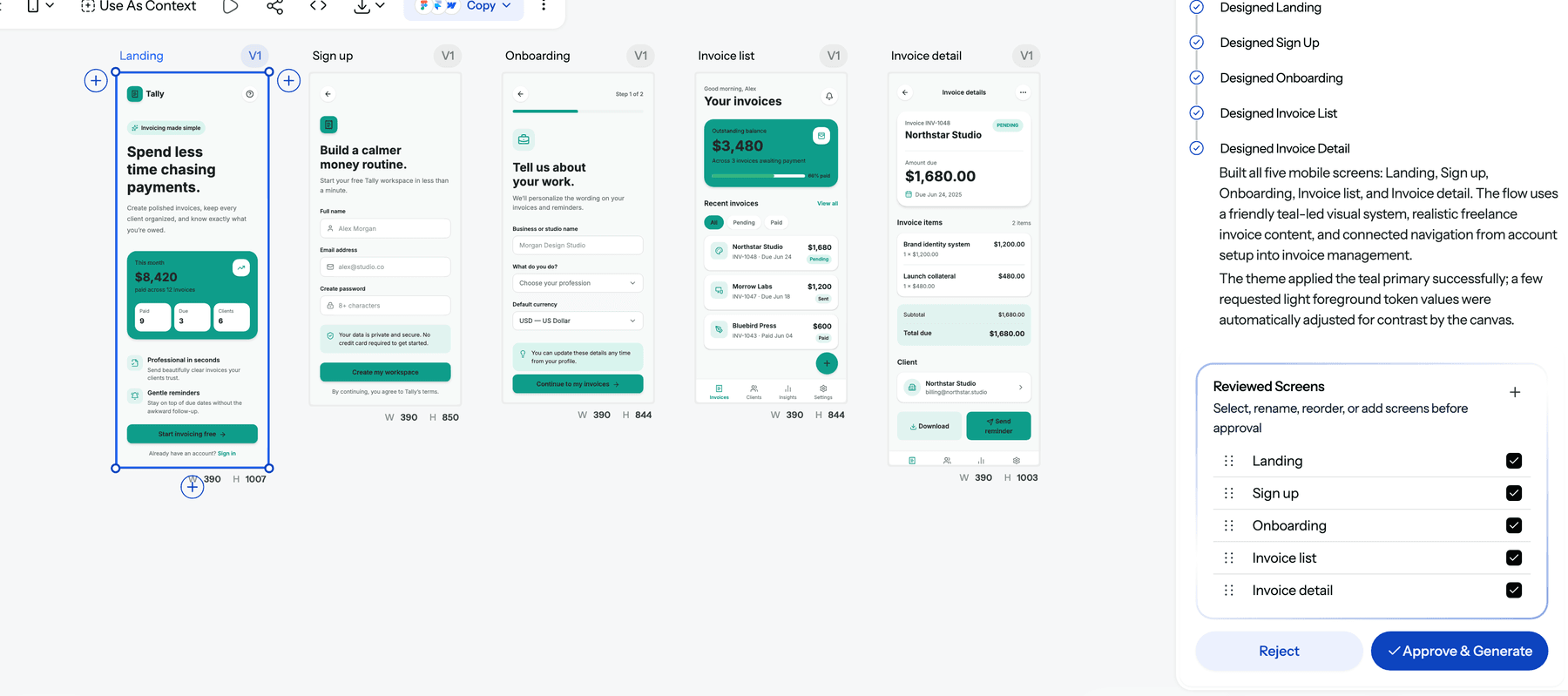
Above, one prompt for a freelance invoicing app produced a five-screen plan; after approval, every screen was designed at phone width on one teal theme with connected navigation. The help article on flow mode and screen plans explains how to describe a journey rather than a list of screens.
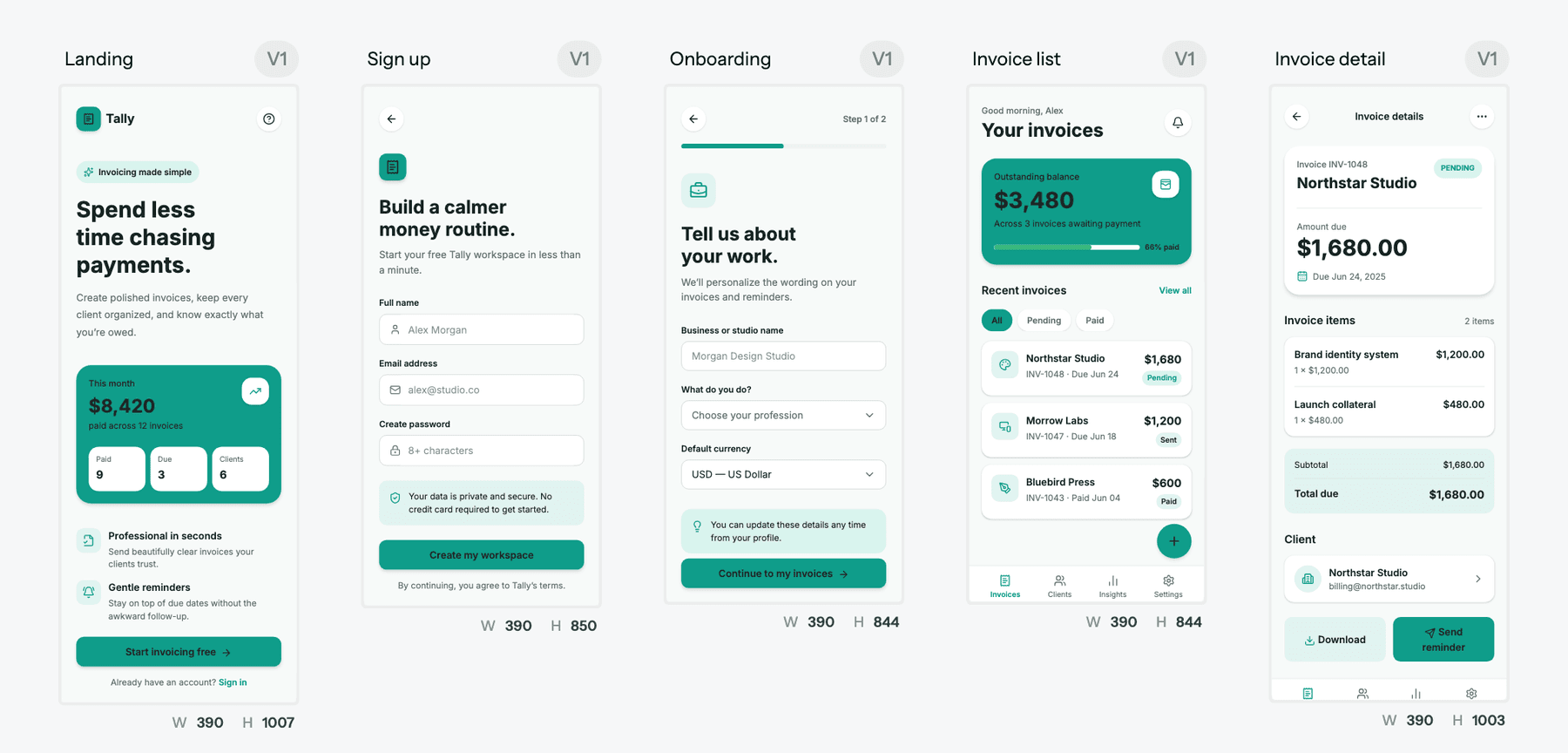
What you do with the flow next is where UXMagic fits alongside a0.dev rather than against it:
- Test it as a prototype. Turn the screens into a clickable AI prototype and share a preview link with users or investors before building. That is the cheapest way to validate a product idea.
- Keep one theme. Colours, type and spacing live in a theme and style guide, and changing the theme costs nothing.
- Convert between devices. Responsive variants turn a desktop screen into a mobile one, or the reverse.
- Hand it to the builder. Export to Figma, export React and Tailwind code, or connect the UXMagic MCP server so Cursor, Claude, VS Code or Windsurf reads the real screens and theme instead of a screenshot.
You can also start from a screenshot of an app you like with image to UI, or from a greyscale layout with the AI wireframe generator.
- Best for: founders, PMs and designers who want to settle what the app looks like and how it flows before paying build credits.
- Where it falls short: UXMagic does not compile native apps, create databases, handle auth or submit to the App Store. Exported code is a front end with no data layer. Pair it with one of the builders below.
- Pricing: the free plan gives 20 credits every day with no card. Pro is $35 a month, or $17.50 a month billed annually, for 2,400 credits (up to 400 screens). A screen plan costs 1 credit, and how credits work lists every action. Full details are on our pricing page.
Design your app's screens before you build them
Describe the app, approve a screen plan, and get a connected mobile flow on one theme. Free every day, no card needed.

- Sleek.design
Sleek.design is an AI design tool made only for mobile apps. You describe an app and it generates phone screens with pre-styled components, which you can export to Figma or to HTML and React with Tailwind on paid plans.
- Best for: non-designers who want presentable mobile mockups fast and nothing else.
- Where it falls short: it is mobile-only, so a product with a web dashboard or marketing site needs a second tool, and like UXMagic it does not build a running app.
- Pricing: a free plan with trial credits and one project. Starter lists at $39 a month for 3,000 credits (about 100 screens), shown at $27.30 with a current 30% discount; Pro is $69 a month for 20,000 credits; Team is $99 per user a month.
Read the UXMagic vs Sleek.design comparison for a side-by-side.
Native mobile app builders: the closest like-for-like swaps
These tools do what a0 does: prompt in, installable app out.
- Rork
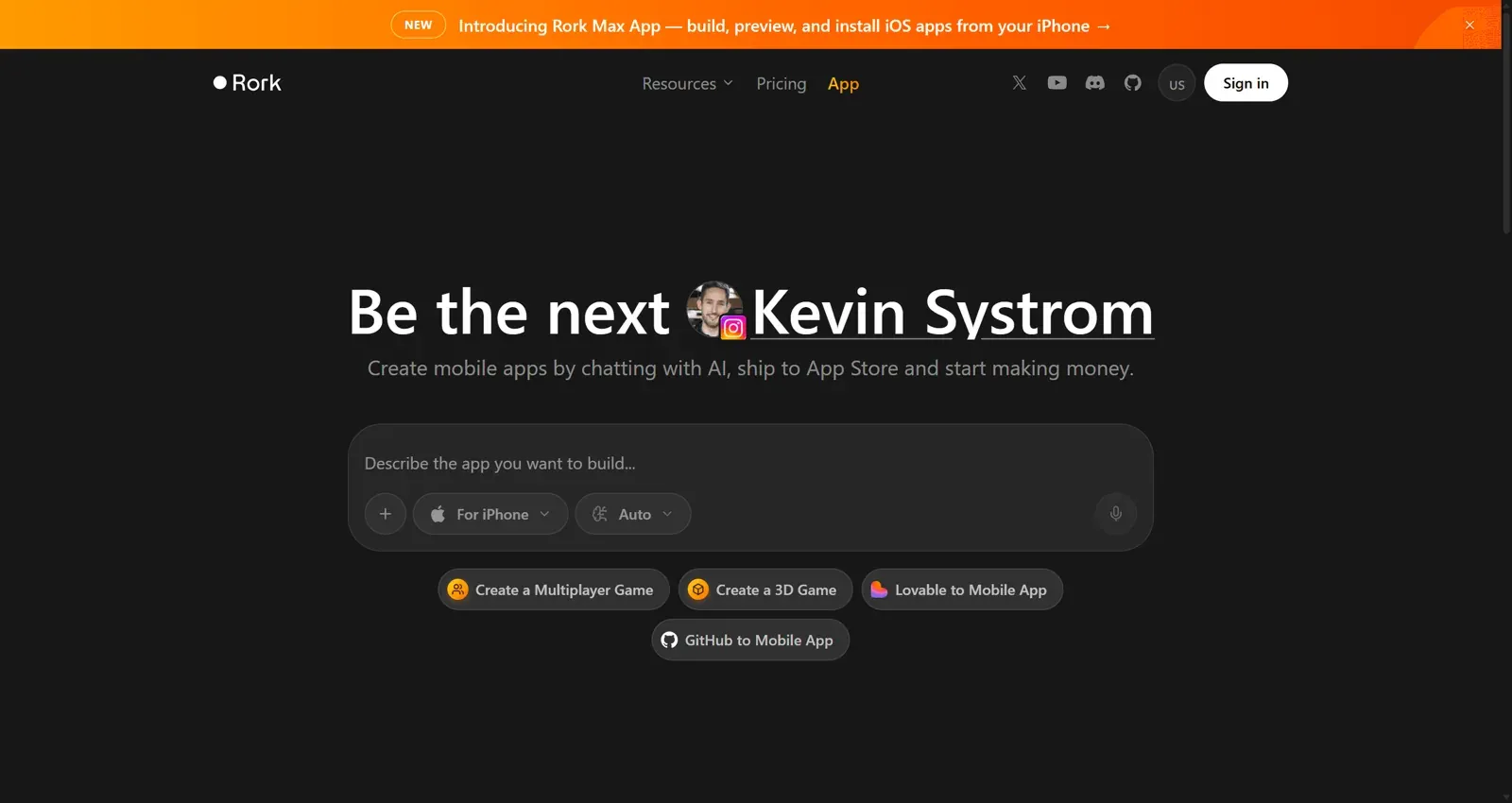
Rork is the most direct a0.dev competitor. Rork Pro builds cross-platform iOS, Android and web apps with React Native and Expo, which compile to native code. Rork Max, on its top tier, builds native SwiftUI apps compiled with Xcode for iPhone, iPad, Apple Watch and Vision Pro, including widgets and Dynamic Island, and submits them to the App Store from the cloud in a couple of clicks.
- Best for: founders who want a real native app, and anyone who needs SwiftUI rather than React Native.
- Where it falls short: Rork Pro needs an Expo account for builds, Google Play submission means uploading the app bundle to Play Console yourself, and Rork's FAQ says extra credits cannot be bought separately, so heavy months mean upgrading.
- Pricing: a free tier to start, then paid plans from $25 to $200+ a month; Rork Max needs the $200+ tier.
Read our full Rork AI review for the real-world limits.
- Anything
Anything, the product that used to be Create.xyz, turns prompts into mobile apps, websites and internal tools. For mobile, you tell the agent you want an app, preview it on your phone with Expo Go, and submit to the App Store through TestFlight or to Google Play (in beta). It supports RevenueCat payments, Google and Apple sign-in, and code download.
- Best for: builders who want mobile and web apps from the same place, with a built-in backend.
- Where it falls short: it is a general app builder, so mobile-specific polish depends on your prompts, and Play Store publishing is still in beta.
- Pricing: free to start; Pro is $19 a month for 20K credits and Max is $199 a month for 220K credits, with two months free on annual billing.
If you are weighing Anything against the other all-in-one builders, our roundup of AI app builder tools for non-developers compares them on code ownership and pricing.
- FlutterFlow
FlutterFlow is a visual app builder rather than a chat builder. You assemble screens from 200+ UI elements, add logic in an Action Flow Editor, connect Firebase, Supabase or REST APIs, and deploy to iOS, Android, web, macOS and iPad. It can import a Figma theme, and its AI features generate pages and components from prompts, metered as AI requests per month.
- Best for: teams that want visual control, Flutter code with no lock-in, and a path to a developer-maintained app.
- Where it falls short: a steeper learning curve than a0 or Rork, and code export and store deployment need a paid plan.
- Pricing: Free includes 5 AI requests for the lifetime of the account. Basic is $39 a month ($29.25 annually) with 50 AI requests, Growth is $80 for the first seat and Business $150 for the first seat.
FlutterFlow sits between design tools and code, much like the tools in our AI design-to-code roundup.
Vibe-coding platforms with a mobile path
These builders are web-first but can target phones. They make sense if your product is both a web app and a mobile app, or you already use one of them.
- Bolt.new
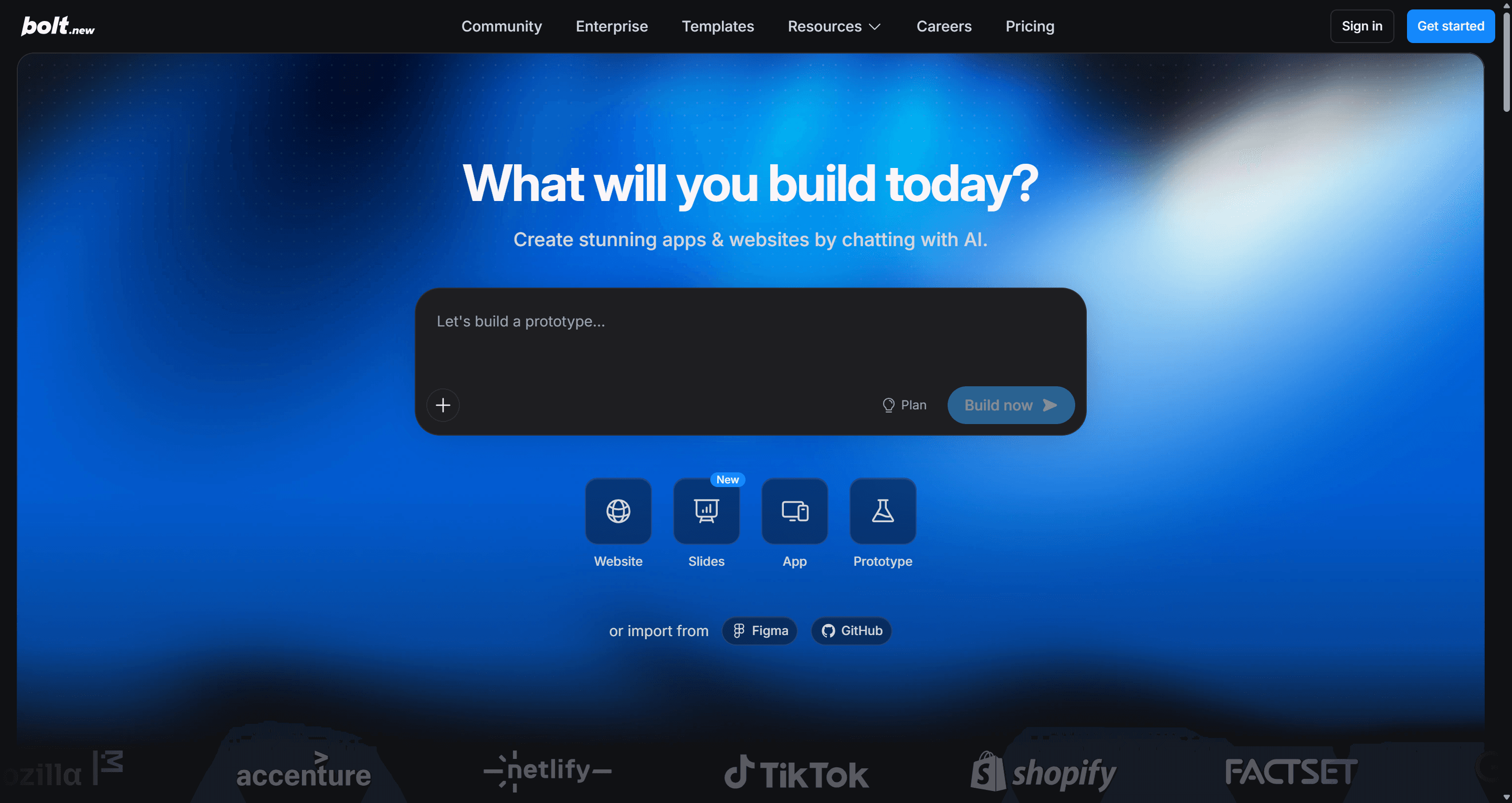
When you ask Bolt for a mobile app, it builds the project with Expo and can publish to TestFlight and the App Store, Google Play Beta and the Play Store, or the web. Bolt's docs stress saying "mobile app" in your first prompt, because web projects do not easily switch over later. Bolt Cloud adds hosting, databases and auth, and you can import a design from Figma or Google Stitch.
- Best for: people comfortable seeing the code who want web and mobile from one JavaScript stack.
- Where it falls short: tokens are spent reading your project files, so costs rise as the app grows, and mobile is one mode of a general tool rather than its focus.
- Pricing: Free gives 1M tokens a month (300K daily cap). Pro starts at $25 a month for 10M tokens, and Teams is $30 per member a month.
Read our Bolt.new review, the Bolt.new pricing breakdown or our list of Bolt.new alternatives.
- Replit
Replit's Agent builds phone-first apps with Expo. You test them in a simulator or on your own phone through Expo Go, then use Replit's Launch feature to build, sign and upload to App Store Connect, beta test with TestFlight and submit for review.
- Best for: builders who want a full cloud development environment next to the agent and plan to co-write the code.
- Where it falls short: effort-based pricing is harder to predict than a flat credit count, and the free Starter plan limits you to one published app that goes offline after 30 days.
- Pricing: Starter is free; Core is $20 a month ($18 annually) with $20 of monthly credits; Pro is $100 a month ($90 annually).
See our Replit pricing guide, our Replit alternatives, or the UXMagic vs Replit comparison.
- Base44
Base44 builds web apps with the database, auth and hosting included, and it now has a path to the stores: its mobile app wraps your published Base44 web app in a lightweight native web view. The editor scans your app against Apple and Google guidelines, helps fix problem areas in chat, and generates the store files, with optional push notifications.
- Best for: internal tools and simple consumer apps where a web app in a native wrapper is good enough.
- Where it falls short: it is not a native app, Base44 warns that Stripe cannot be used for digital goods inside a store app, and downloading the submission files requires the Builder plan or higher.
- Pricing: Free gives 25 message credits a month. Starter is $20 a month ($16 annually) and Builder is $50 ($40 annually).
Read our Base44 review, the Base44 pricing breakdown or our Base44 alternatives.
What about Lovable? Lovable builds web apps with Lovable Cloud behind them. It has its own iOS and Android app for building from your phone, but it is not a native mobile app builder. For a responsive web app it is a strong option; see our Lovable review and the best Lovable alternatives.
AI code editors for mobile developers
These tools do not preview, host or publish your app. They write code in whatever stack you choose, which is the point.
- Cursor
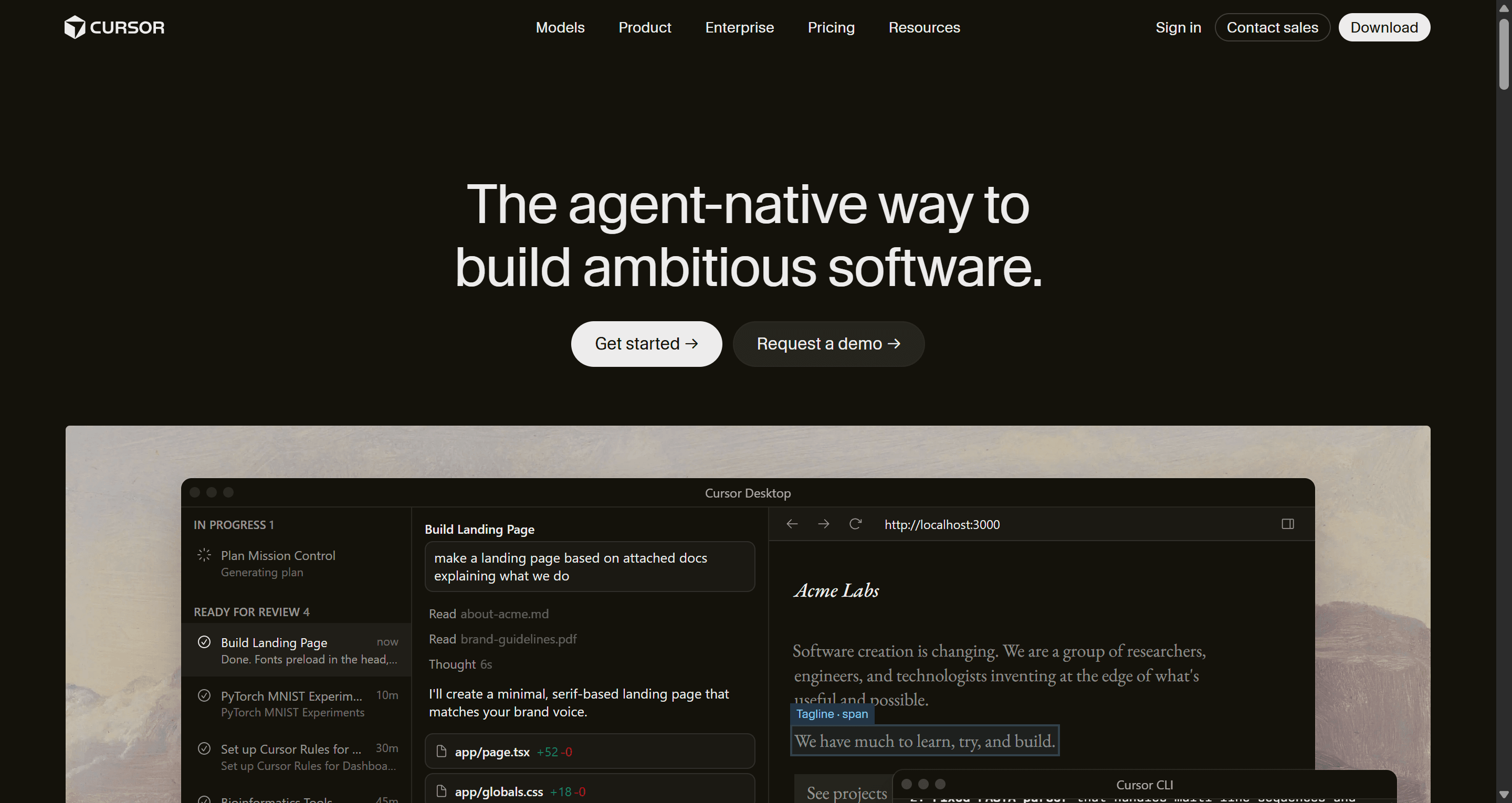
Cursor is an AI code editor with a built-in agent. It does not care whether your app is Swift, Kotlin, React Native or Flutter, and it works inside your real repository with your own build tools and CI.
- Best for: developers who want AI help inside a serious codebase rather than a hosted sandbox.
- Where it falls short: you handle Xcode, signing, store listings and backend yourself, and the agent guesses at UI unless you give it a design.
- Pricing: per Cursor's pricing page, the Hobby plan is free with limited agent requests, individual plans start at $20 a month and Teams is $40 per user a month.
Our AI coding assistants comparison covers Cursor against other editors.
- Claude Code
Claude Code is Anthropic's coding agent for the terminal, IDEs, the web and its mobile apps. It plans architecture, writes across many files and, like Cursor, is framework-agnostic.
- Best for: developers who want to plan and build a whole app with an agent while keeping every decision in their own repo.
- Where it falls short: no preview device, no hosting, no store publishing. You need to know enough to review what it writes.
- Pricing: included with Claude's paid plans.
Claude Code can read your UXMagic designs directly through the Claude connector, which is how many teams get from a designed flow to a coded one; see UXMagic for Claude. If you want to design inside your IDE instead, our Pencil.dev review looks at a canvas that lives next to the code.
Other a0.dev alternatives worth a look
A few more names come up in mobile vibe-coding threads: Vibecode, Bloom and Superappp, plus Emergent, a multi-agent builder for web and mobile covered in our Emergent AI review. We have not reviewed the first three, so treat them as a list to check rather than a recommendation.
How to choose an a0.dev alternative
Start with the question that has the most expensive wrong answer.
- Do you know what the app should look like? If not, design it first. Changing a layout in a design tool costs a fraction of a credit; changing it in an app builder costs an agent run that rewrites code. The UXMagic flow mode, Sleek.design or even a wireframe will do. Our comparison of low fidelity vs high fidelity explains how much design is enough.
- Do you need native, or does a web app in a wrapper work? SwiftUI and native device features point to Rork Max. React Native covers most apps, which opens a0, Rork Pro, Anything, Bolt.new and Replit. A web-view wrapper (Base44) is fine for many internal tools.
- Who will maintain it? If a developer will take over, prefer tools with clean code export and GitHub sync (FlutterFlow, Bolt.new, Replit, a0) or start in Cursor.
- How will you pay for iteration? Credits, tokens and effort-based billing all charge for mistakes. Our SaaS MVP cost breakdown shows where the money goes.
- Is this an MVP? Keep the scope to the few screens that prove the idea. Our guides to what an MVP is, MVP design and feature creep help you cut, and a RICE score helps you rank what is left.
A design-first workflow for AI mobile apps
Split the design decisions from the build decisions, so each tool does what it is good at.
- Plan the flow. Describe the journey in UXMagic, not the screens. For an invoicing app: "A freelancer signs up, tells us about their work, sees outstanding invoices and opens one to send a reminder." Approve or edit the screen plan. Our guide to prompting for user flows and the help article on writing a good prompt have more examples.
- Design every screen on one theme. Let Flow Mode design the set, then tidy individual screens with chat editing. For patterns worth copying, see our SaaS onboarding flow guide and, for money apps, how to design a fintech app.
- Test the flow with people. Share a clickable prototype and watch five users try to finish the main task. Fix what confuses them while it is still cheap.
- Hand off. Export React and Tailwind with the design to code generator, push it with GitHub sync, or give Cursor or Claude Code the design over MCP.
- Build in the app builder. Give a0, Rork, Bolt.new or Replit a finished visual target and precise prompts about data, auth and payments. Our guide to design handoff covers what a clean handoff includes.
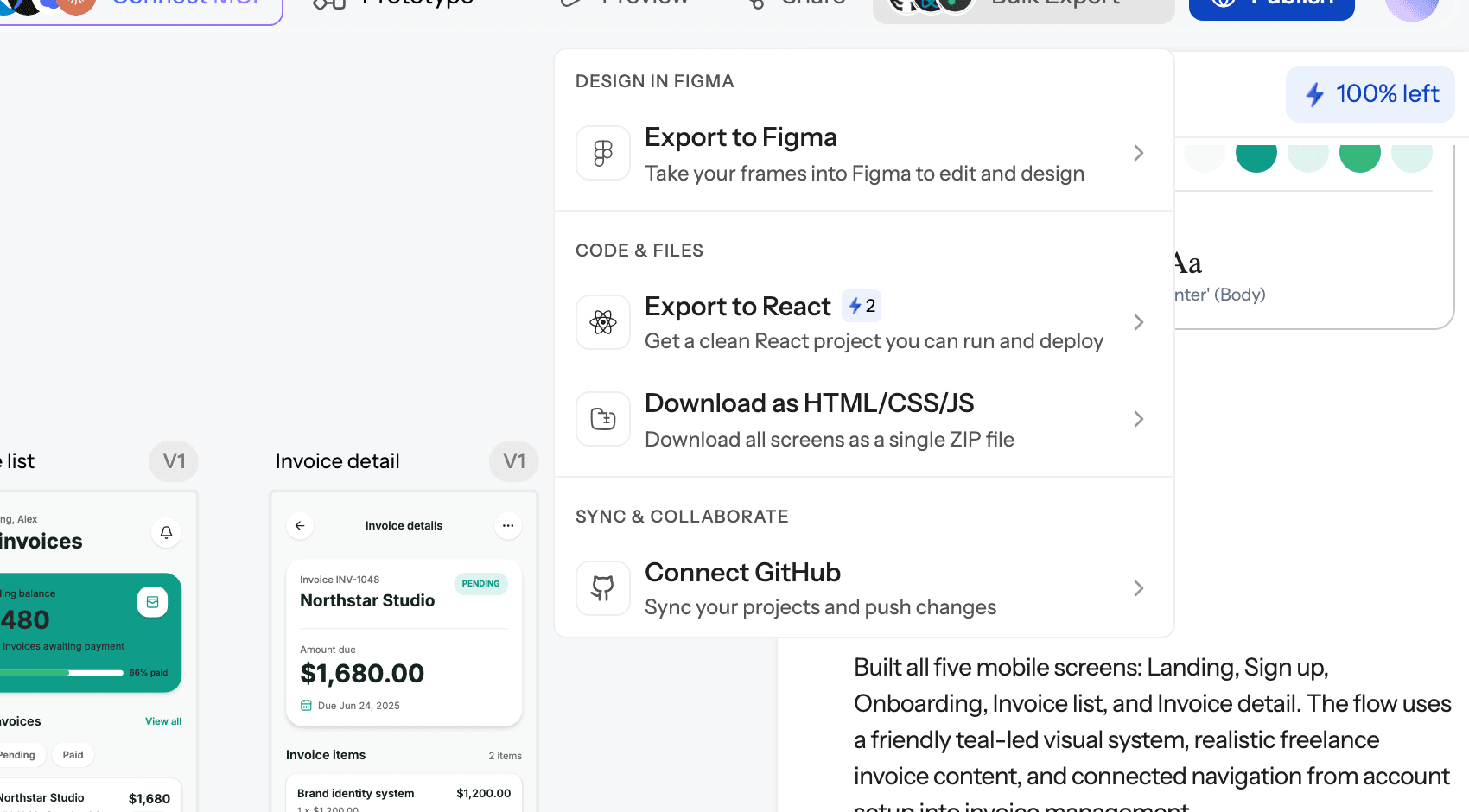
This is the same idea behind vibe designing: let AI move fast on the look and flow, but decide them deliberately before code makes them expensive to change. For a broader view of where builders fit, see vibe coding tools compared.
Pricing: what you actually pay for
The quick-pick table above lists entry prices, but the billing units matter more than the headline number. a0 and Rork sell credits (Rork does not sell top-ups), Bolt.new sells tokens that grow with project size, Replit bills effort in dollars of usage, Base44 splits message and integration credits, and FlutterFlow charges per seat plus AI requests. In every case, a rejected layout costs the same as an accepted one, which is the strongest argument for settling the design first. On top of any of these, publishing to the App Store needs your own Apple Developer Program membership, and Google Play needs a Play Console developer account.
Our recommendation
If you already know what your app should look like, a0.dev is a reasonable choice and Rork is its strongest rival, especially for SwiftUI. Pick Anything, Bolt.new or Replit if you also need a web app, FlutterFlow for visual control and Flutter code, and Cursor or Claude Code if you are a developer.
If you do not yet know what the app should look like, do not start in a builder. Design the flow in UXMagic first: approve a screen plan, get every screen on one theme, test it as a prototype, then hand a finished design to whichever builder you choose. UXMagic will not compile your app or run your backend, and we would not pretend otherwise. What it does is make sure the credits you spend in a0 or Rork go on the product rather than on moving buttons around.
Related reading
- User flow diagrams guide: map the journey before the screens
- AI wireframe generator for mobile apps: the low-fidelity step before design
- Mobile app design guide: layout, navigation and touch principles
- How to validate a product idea: test demand before you build
- Best AI prototyping tools: clickable prototypes compared
- Best AI design tools in 2026: the wider design toolkit
- How to design UI with AI: a step-by-step workflow
- v0 alternatives: if your app is a React web app instead
Get the design right before you spend build credits
Plan and design a connected mobile flow for free, then export React code or hand it to Cursor or Claude through MCP.