
TL;DR: Replit pricing starts with a free Starter plan, then Core at $20 a month and Pro at $100 a month, each including the same dollar amount in usage credits. The plan fee is the predictable part. Agent work beyond Free Mode is billed by effort, and hosting, databases and storage draw from the same balance. The cheapest way to use Replit is to decide the UI first in a design tool like UXMagic and give the Agent fewer, clearer build requests. For the wider market, see our Replit alternatives.
The Replit pricing page is short: three cards and a monthly or yearly toggle. What it can't tell you is what a month of building will cost, because that depends on how much work you ask the Agent to do, which models it uses, and whether your app is live.
This guide covers every Replit plan as listed in September 2026, how credits and effort-based pricing work, three cost scenarios, the costs that are easy to miss, and how to spend less, with a comparison table against Lovable, Bolt, Base44, v0 and UXMagic at the end.
A note on sources: plan prices come from Replit's pricing page, and billing mechanics from Replit's own documentation on AI billing and managing spend. Replit changes pricing often (the Teams plan and Economy Mode are both gone), so treat every figure as "as listed in September 2026".
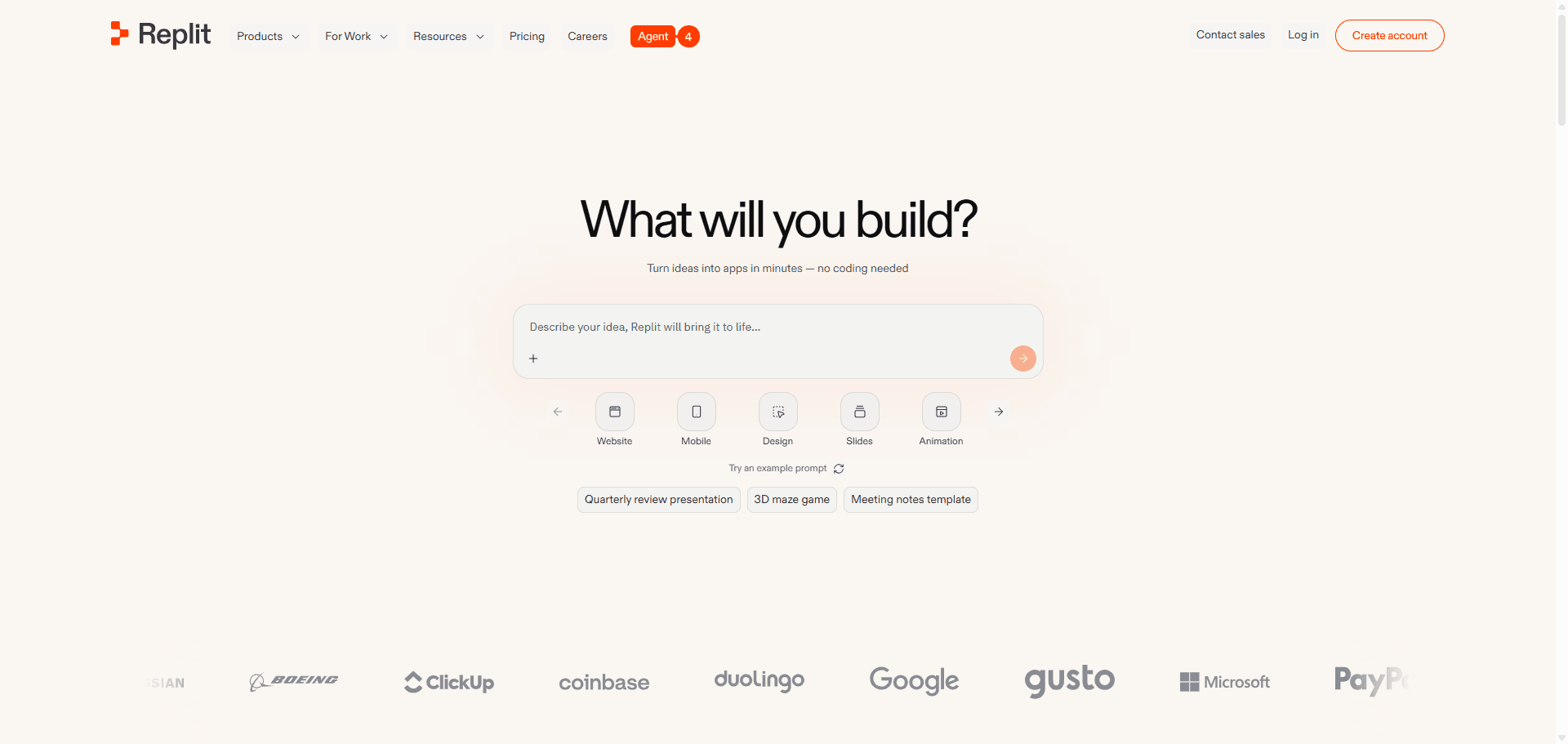
Replit pricing at a glance
| Plan | Monthly price | Annual price | Included usage | Who it suits |
|---|---|---|---|---|
| Starter | $0 | $0 | Daily Agent credits up to a monthly cap, Free Mode (daily cap) | Trying Replit, learning, one small app |
| Core | $20 | $18/mo | $20 of credits a month, Free Mode allowance | Solo builders, founders, side projects |
| Pro | $100 | $90/mo | $100 of credits a month (tiered), more Free Mode | Small teams up to 15 builders |
| Enterprise | Custom | Custom | Custom | Companies needing SSO, governance, private infrastructure |
The important detail is in the "included usage" column. On Core and Pro you are not buying a number of prompts or screens. You are buying a dollar balance that pays for Agent work in paid modes, published apps, databases, storage and outbound data, with pay-as-you-go billing once it runs out.
Replit plans in detail
Is Replit free? The Starter plan
Yes. The Starter plan costs nothing and gives you daily credits for Agent, up to a monthly cap, plus a small monthly allowance for cloud usage such as a production database, object storage and publishing. You can use Free Mode with a daily cap, Lite build for quick targeted changes, the Visual Editor and the Design Canvas.
The limits are what push people to pay:
- One published app, and that deployment goes offline after 30 days (you can publish it again).
- A "Made with Replit" badge on the published app, which you can only remove on Core.
- No Full build. Starter users get Lite build only, so the Agent can't work autonomously on bigger features.
- No Plan Mode, no connectors (Stripe, Google and other third-party services) and no Replit AI Integrations.
- Web and mobile apps only; other artifact types such as slide decks and data visualizations need Core.
Replit Core
Core costs $20 a month, or $18 a month billed annually, and includes $20 of monthly credits. According to the pricing page, it also includes up to 30 hours of chat and up to 60 projects on Free Mode, unlimited workspaces, Plan Mode and AI integrations.
Replit's Core documentation adds the rest: Power and Max Agent modes, connectors, all artifact types, up to 5 builders in your workspace, one active background task at a time, unlimited published apps and badge removal.
Two catches: the $20 of credits also pays for hosting and databases, and Core's monthly credits don't roll over.
Replit Pro
Pro costs $100 a month ($90 annually) and includes $100 of credits. Pro replaced the old Teams plan and has no per-seat fees: up to 15 builders share pooled credits with budget controls, and you can invite up to 50 viewers.
What the extra $80 buys over Core:
- 10 parallel agents (background tasks) instead of 1.
- Tiered credits with rollover. You choose a credit tier when you subscribe, larger tiers are discounted, and unused credits roll over for two months.
- More Free Mode usage than Core.
- Database rollback up to 28 days, against the standard 7 (longer retention uses more storage, which costs credits).
- Priority support from a support engineer on business days.
For a solo builder, Pro rarely pays off for the credits alone. It earns its price when several people build at once.
Replit Enterprise
Enterprise is custom-priced and adds SSO/SAML, custom seat limits, advanced privacy controls, single-tenant environments, static outbound IPs and dedicated support. Replit's docs also describe a self-serve Enterprise sign-up.
Student and startup offers
Replit runs student offers through its education program, and Replit for Startups advertises up to $25,000 in credits for eligible startups. Both change often, so check the current terms on Replit's own pages.
How Replit credits and effort-based pricing work
One balance pays for everything
Your monthly credits are a single dollar balance. Agent work in paid modes, published apps, network transfer, database storage and compute, object storage, and Replit AI Integrations all draw from it. When it runs out, Core and Pro continue on pay-as-you-go billing so your app doesn't go down, unless you set a limit (more on that below).
Free Mode, Power Mode and Max Mode
In 2026 Replit split Agent work into modes:
- Free Mode costs nothing within your plan's allowance. It is available on Starter, Core and Pro, Replit chooses the model through intelligent routing, and you can't pick a model yourself.
- Power Mode is the cost-optimized paid mode and the best default for most paid work. It replaced Economy Mode at the same price.
- Max Mode uses the most capable models for complex features and large codebases, and costs more per task.
In Power or Max you can pick Auto (Replit chooses a model per task) or choose a model and its Effort level manually. Replit says it tells you before a request moves from Free Mode into a mode that incurs usage costs, and its billing docs say it asks for confirmation before paid work starts. You can check your remaining Free Mode allowance under Settings, Usage.
Effort-based pricing and checkpoints
Paid Agent work uses effort-based pricing. When the Agent finishes a request in Build Mode, it creates one checkpoint that captures the completed work, and you pay for the effort that request took. A small bug fix usually costs less. A full feature or integration is bundled into one checkpoint that can cost considerably more.
Three details matter for your budget:
- You pay per request, not per message size. A vague prompt ("make the dashboard better") lets the Agent decide the scope, and a big scope means a big checkpoint.
- Plan Mode is not always free. In the paid path, Plan Mode can do billable reasoning even when it doesn't change code. It is still cheaper than building the wrong thing.
- Third-party AI calls are passed through. When the Agent uses a provider's API behind the scenes (for example for image generation), you are billed at that provider's public API rate from your Replit credits.
Replit publishes an interactive demo of sample app costs, but no fixed price list per task. You see what each checkpoint cost afterwards, in the Agent tab or on your usage dashboard, which can lag by up to 30 minutes.
Hosting, databases and storage
Publishing costs come out of the same credits. From August 2026, Replit cut its cloud prices. Per Replit's cloud pricing update, the new rates include:
| Item | New price |
|---|---|
| Autoscale compute units | $0.60 per million |
| Autoscale requests | $0.40 per million |
| Outbound data transfer | $0.05 per GiB |
| Reserved VM, 0.5 vCPU / 2 GiB RAM | $0.0208 per hour |
| Reserved VM, dedicated 2 vCPU / 8 GiB RAM | $0.0694 per hour |
| Database compute | $0.16 per compute hour |
| Database storage | $0.35 per GiB per month |
| App storage | $0.015 per GiB per month |
Autoscale deployments bill only while serving requests and go idle after 15 minutes without traffic, so a low-traffic prototype costs very little. An always-on app on a Reserved VM is predictable: the small 0.5 vCPU machine works out to roughly $15 a month if it runs all month, which is most of Core's $20 on its own.
Do Replit credits roll over?
| Credit type | Where it comes from | When it expires |
|---|---|---|
| Core monthly credits | Your subscription | End of the billing month, no rollover |
| Pro monthly credits | Your chosen tier | Roll over for two months |
| Free Mode allowance | Your plan | Refreshes on a plan-dependent schedule |
| Credit packs | One-off purchase, Core and Pro | Six months after purchase |
How much do extra Replit credits cost?
Core and Pro users can buy credit packs from Settings, Billing: $100 of credits for $100, $300 for $290, $500 for $480 and $1,000 for $950. Packs are used before your pay-as-you-go limits kick in, the one expiring soonest is spent first, and auto-reload can buy a new pack whenever your balance runs low. Leave auto-reload off unless you really want unattended top-ups.
Decide the design before you pay for build effort
Plan and design every screen of your app for free in UXMagic, then hand a finished design to Replit Agent or your coding assistant.

Real Replit cost scenarios
Replit doesn't publish a per-task price list, so these scenarios show where the money goes rather than inventing a checkpoint price.
Scenario 1: a solo founder building an MVP
You want a simple SaaS MVP: landing page, sign-up, onboarding, a dashboard, settings, Stripe checkout and auth. You need Core, because Starter has no Full build, no Stripe connector and only one 30-day deployment.
Much of the early exploring can happen in Free Mode. The paid part is the Power or Max work: building auth, wiring payments, and the fixes that follow. Each of those is a larger checkpoint, and debugging loops on auth or payments are where a $20 balance goes fastest. If the app is also live on an always-on Reserved VM, about $15 of the month's credits is gone before the Agent does any paid work. Autoscale is the cheaper choice until you have real users.
Realistically, a first MVP on Core costs $20 plus whatever pay-as-you-go spend you allow on top. Set a usage limit you are comfortable with before you start. Our breakdown of what a SaaS MVP costs to build with AI puts these numbers next to agency and freelancer quotes, and the AI MVP builder page covers planning the screens first.
Scenario 2: iterating on the UI
This is the quiet cost. Imagine a landing page and six app screens, each going through five rounds of visual changes: spacing, hierarchy, colours, new sections. That is 35 requests that change how the app looks but not what it does. In Free Mode, some of them cost nothing, until the allowance runs out. In Power or Max, every one becomes a checkpoint, and restyling six screens in one request is a large one.
The same work in UXMagic, using our credit cost table: a screen plan costs 1 credit, seven new screens cost 21, 35 targeted edits cost 7, and theme changes cost 0. That is about 29 credits, which the UXMagic free plan (20 credits a day, up to 3 screens a day) covers in a few days. The Agent then builds a design that is already decided.
Scenario 3: a small team
Four people building two internal tools at once would outgrow Core's single background task quickly, so Pro fits: $100 a month, pooled credits, 10 parallel agents, no per-seat fee. The risk is visibility, because parallel agents spend fast and a shared balance hides who spent what. Filter the usage page by member, set a budget, and agree on which work goes to Max Mode.
Hidden costs in Replit pricing
Replit's pricing is transparent about unit prices. The surprises come from how usage behaves.
- No fixed price per request. You find out what a checkpoint cost after it runs. Vague prompts produce big checkpoints.
- Debugging loops. Every fix attempt in a paid mode is another checkpoint. A stubborn integration bug can eat a month's credits.
- Design churn at build prices. Every layout experiment rewrites code. Visual iteration is the most expensive way to make design decisions, a problem we describe in why single-screen AI design is a dead end.
- Hosting shares your balance. An always-on VM, a busy database or heavy outbound traffic reduces what's left for building.
- Pay-as-you-go by default. When credits run out, paid usage continues on your card unless you set a limit.
- Pass-through AI costs. Agent features that call third-party models bill at the provider's rate.
- Everything outside Replit. Domains, payment fees and third-party APIs are billed separately.
None of this is unique to Replit. Our Bolt.new review covers the token version of the same problem, and our Lovable review the credit version.
How to spend less on Replit
- Set limits before you build
Open Settings, Account, Usage and use Manage limits to set a usage limit and a service shutdown limit. The first caps spending beyond your monthly credits; the second suspends services when a budget is reached instead of charging more. Turn on usage alerts too. Replit's docs note that if you want to spend only purchased credit packs, you can set your limits to $0.01. On Pro, set a workspace budget before the team starts.
- Do the UI/UX work in a design tool first
This is the largest saving. Replit designs and codes in the same step, so every design decision is paid at build prices. A design tool separates the two: you settle what the product looks like while changes are cheap, then ask the Agent to build something already decided.
UXMagic is built for that step. Describe the product and Flow Mode proposes a screen plan you can approve or edit before anything is generated, then designs every screen on one canvas with a shared theme. The flow mode and screen plans guide shows how it works. Fixing the plan costs 1 credit; fixing eight wrong screens afterwards costs far more.
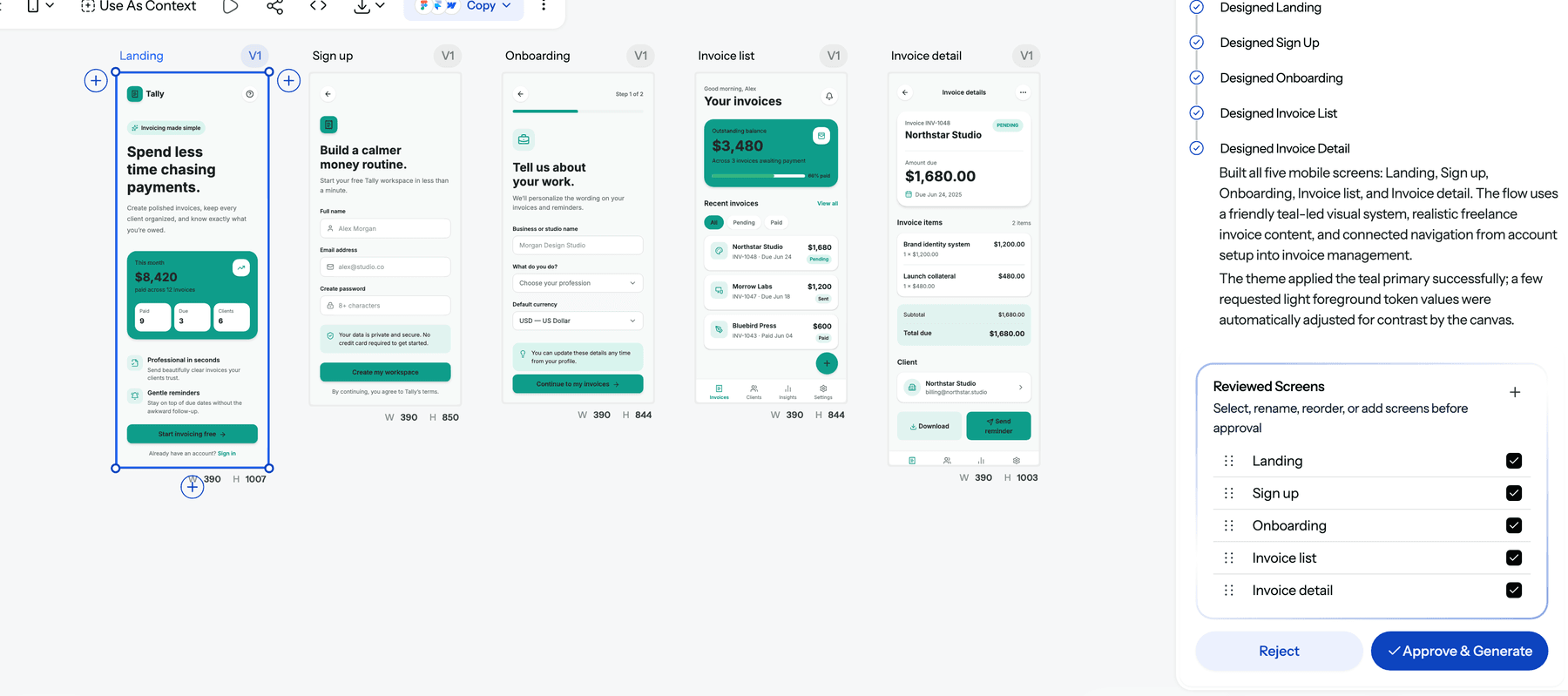
Theme changes are free in UXMagic, so changing your brand colour across twenty screens is one change, not twenty build requests. Our themes and style guides guide explains it, and the AI style guide generator sets a theme up from a prompt. If you prefer to start rough, the AI wireframe generator settles layout first, and image to UI turns a screenshot or sketch into an editable screen. We walk through the full approach in how to design UI with AI.
- Hand Replit a finished design
Once the design is settled, get it into your Replit project one of three ways:
- Export React and Tailwind code with the design to code generator, following the code export guide.
- Push the code to a repository with GitHub sync and import that repo into Replit.
- Connect the UXMagic MCP server so Claude, Cursor, VS Code or another MCP client reads the real screens and theme. Reading screens over MCP costs 0 credits.
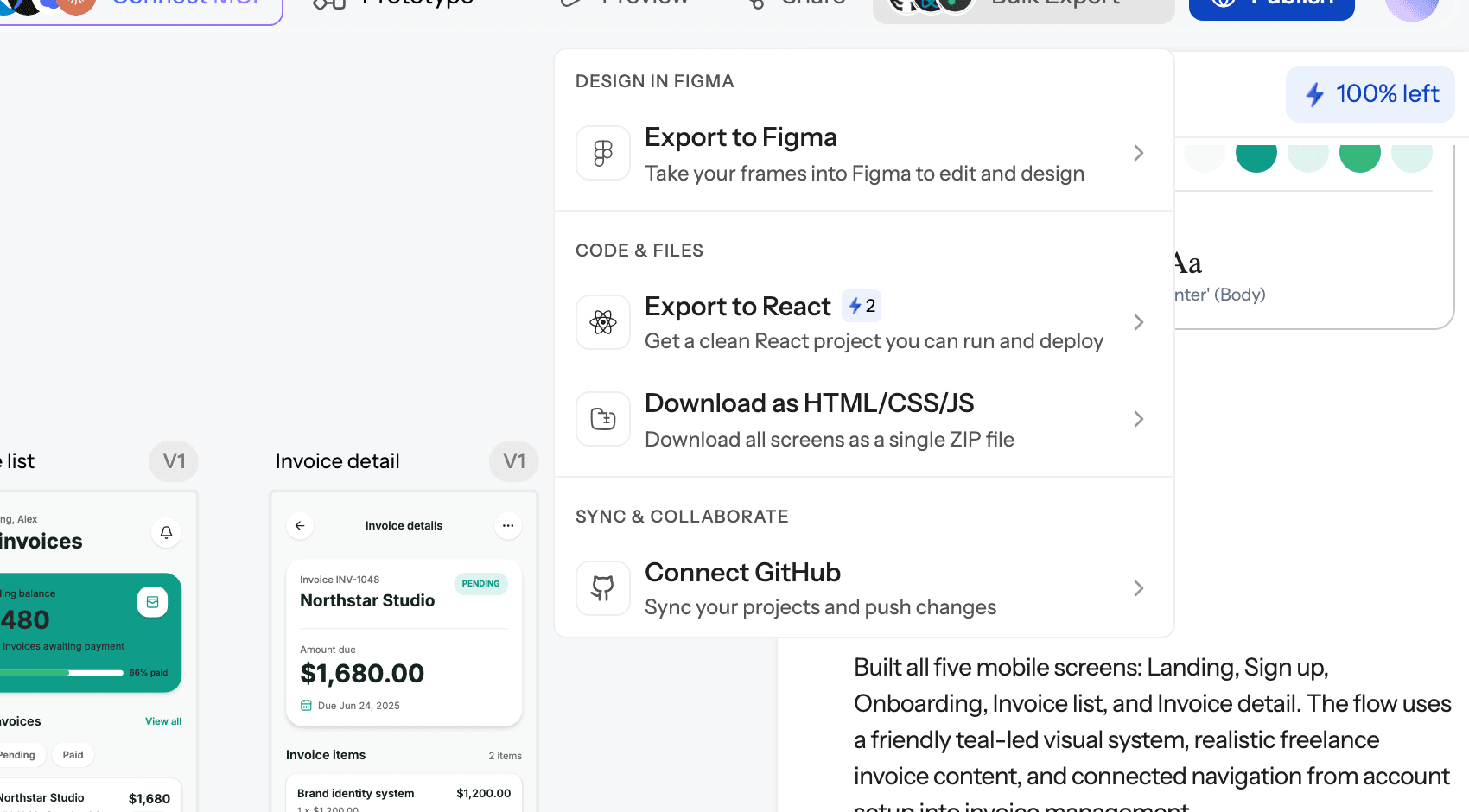
The Agent's job becomes data, auth and integrations. This "design first, then vibe code" split is the workflow in vibe coding in 2026.
- Write fewer, clearer build requests
- Plan in Plan Mode before an expensive build, and keep the planning short.
- Batch related changes into one request, but split large features into steps so a failure doesn't waste a big checkpoint.
- Use Free Mode for questions and small changes, Power Mode as the paid default, and Max Mode only when a problem needs it.
- Name exact components and outcomes. Our guide to prompting for UI that ships applies to Agent prompts too, and a clear PRD helps; the AI PRD generator drafts one from a short brief.
Replit vs competitors: pricing comparison
Prices below come from each vendor's own pricing page as listed in September 2026. The billing units differ (dollars of usage, credits, tokens, message credits), so compare by what your project needs, not by headline price.
| Tool | Free plan | Entry paid plan | Higher tiers | Billing unit |
|---|---|---|---|---|
| Replit | Starter: daily Agent credits, 1 app for 30 days | Core, $20/mo ($18 annually) with $20 of credits | Pro $100/mo; Enterprise custom | Dollars of usage, effort-based |
| Lovable | 5 credits a day, max 30 a month | Pro, $25/mo for 100 credits | Business $50/mo | Credits |
| Bolt.new | 300K tokens a day, 1M a month | Pro, $25/mo, 10M tokens | Teams $30/member/mo | Tokens |
| Base44 | 25 message credits a month, 5 apps | Starter, $16/mo billed annually | Builder $40, Pro $80, Elite $160 | Message and integration credits |
| v0 | $5 of credits, 7 messages a day | Plus, $30/user/mo | Business $100/user/mo | Credits |
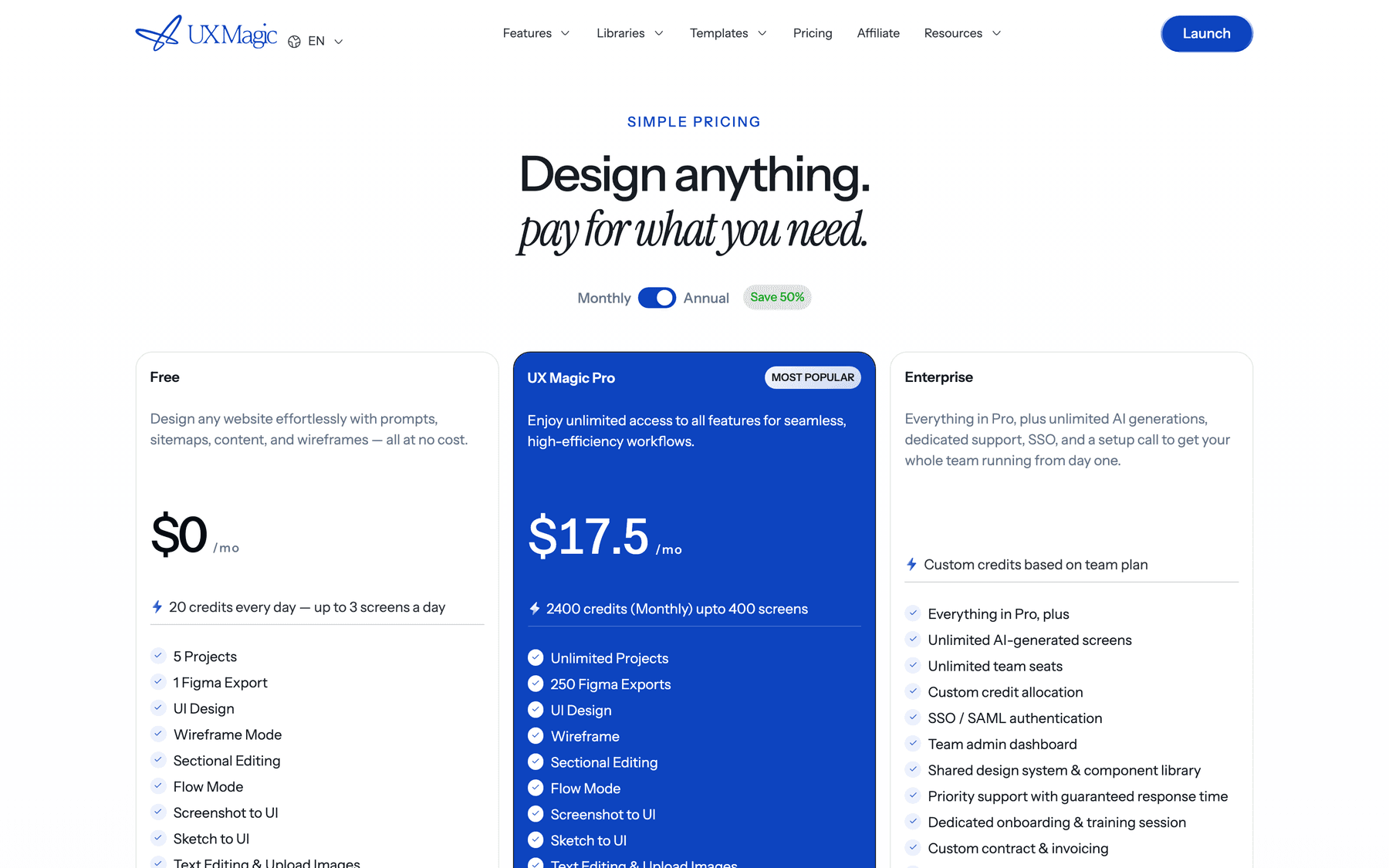
| UXMagic | 20 credits a day | Pro, $35/mo or $17.50/mo annually | Enterprise custom | Credits (2,400 a month on Pro) |
Replit vs Lovable pricing
Replit Core is $5 cheaper than Lovable Pro, and both let several people share a plan without per-seat fees (Lovable workspaces allow unlimited members; Core allows 5 builders). Lovable's credits are closer to "one prompt, one price", while Replit's effort-based checkpoints vary more. Replit gives you a full development environment and more hosting options. Our Lovable pricing guide breaks down its credits, and Lovable vs Bolt compares the two most common Replit rivals head to head.
Replit vs Bolt pricing
Bolt Pro is $25 a month with 10M tokens that roll over. Token use grows with project size, so late edits on a large codebase get expensive in Bolt the way large checkpoints do in Replit. Our Bolt.new pricing breakdown covers the token side, and our Bolt.new alternatives list covers where else to look.
Replit vs Base44 and v0 pricing
Base44 is the cheapest entry at $16 a month on annual billing and splits building (message credits) from running the app (integration credits), which makes running costs easier to see. Read our Base44 review, or Base44 vs Lovable for a direct comparison. v0 is priced per user and focuses on React front ends rather than full apps, as our v0 review explains.
Beyond price, see our vibe coding tools comparison, our guide to AI app builders for non-developers, or, for an agent in your own editor, our AI coding assistants comparison.
Where UXMagic fits
UXMagic is not an app builder and won't host your database or backend. It is the design step before Replit. The free plan gives you 20 credits every day with no card; Pro is $35 a month, or $17.50 a month billed annually, for 2,400 credits (up to 400 screens), unlimited projects and 250 Figma exports. You can also earn free credits through the Unlock Pro Plan steps and referrals. Full details are on our pricing page.
Is Replit worth the cost?
For builders who want an AI agent, a real development environment and hosting in one browser tab, yes. Core at $20 a month is fair for that bundle, Free Mode covers a lot of everyday work, and the August 2026 cloud price cuts made hosting cheaper. Pro suits small teams because it has no per-seat fee.
The cost to watch is not the plan fee. It is paid Agent effort, and most of that effort goes on iteration: redoing layouts, fixing broken flows, and building features that turned out to be the wrong ones. Replit is priced well for building and badly for deciding what to build.
So our recommendation is the same split workflow we suggest for every app builder. Design the product in UXMagic, where a new screen costs 3 credits, an edit costs 0.2 and the theme is free. Then take that design into Replit, or any tool on our Lovable alternatives list, and spend your credits on data, auth and logic. If you are new to the idea, what vibe coding is explains why the design step matters, and our UXMagic vs Replit comparison sets the two tools side by side.
Related guides
- Base44 Pricing 2026: Plans, Credits, and What an App Really Costs
- 10 Best a0.dev Alternatives for Building Mobile Apps with AI (2026)
- Figma Pricing 2026: Seats, AI Credits, Make and What Teams Really Pay
- Miro Pricing 2026: Plans, AI Credits and What Free Can't Do
- Figma Agent Review 2026: What the Beta Does, Costs and Misses
- 10 Best Magic Patterns Alternatives in 2026, Grouped by Workflow
- 9 Best UX Pilot Alternatives in 2026, Grouped by Use Case
- Google Stitch Pricing 2026: Is It Free, and What Are the Limits?
- 9 Best MagicPath Alternatives in 2026, Grouped by How You Work
- 9 Best Uizard Alternatives in 2026, Grouped by Use Case
Design it in UXMagic, build it in Replit
Plan and design a connected multi-screen flow for free, then export React code or connect your coding agent over MCP.