
TL;DR: Lovable is the better choice if you want a guided, mostly no-code build with a managed backend and polished first drafts. Bolt is the better choice if you want the whole development environment in view, a JavaScript stack you control, or a mobile app through Expo. Both Pro plans start at $25 a month, so pick on workflow, not price. Whichever you choose, settle the design first in UXMagic so your build credits go on logic, not layout.
Lovable and Bolt.new are the two names that come up first when people talk about building an app from a prompt. Both take a description, generate a working web app, give it a database and auth, and put it on a live URL. From the landing pages alone they look almost interchangeable.
They are not. They make different bets about who is driving. Lovable assumes you mostly want to describe the product and let the platform handle the plumbing. Bolt, built by StackBlitz, assumes you might want to open a file, run a command and steer the code yourself. That one difference shapes everything below: how you build, what the backend looks like, how pricing behaves as the project grows, and how teams share the work.
This comparison covers each dimension in turn, using what both companies document in their own help centres and pricing pages as of September 2026. We describe capabilities; we did not run a benchmark, and we note where something depends on your plan. At the end we cover who should pick which, and the workflow we recommend for either: design first, then build.
If you are still getting your bearings in this category, our explainer on what vibe coding is and our wider vibe coding tools comparison set the scene.
Lovable vs Bolt at a glance
| Dimension | Lovable | Bolt.new |
|---|---|---|
| Best for | Non-developers, founders, PMs | Developers and technical founders |
| Default stack | TanStack Start (React, server-rendered) | JavaScript only; Node.js backend |
| Backend | Lovable Cloud (built on Supabase) or your own Supabase | Bolt Cloud database or Supabase |
| Mobile apps | Web apps only | Yes, via Expo |
| Planning | Plan mode, Chat mode, design directions | Plan mode, prompt enhancer |
| Code access | Code editor (editing on paid plans) | Full Code view with file tree |
| Git | Two-way sync: GitHub, GitLab, Bitbucket | GitHub sync, branches |
| Code download | Paid plans | Export > Download (zip) |
| Hosting | Built in, custom domains on paid plans | Built in (bolt.host), Netlify option |
| Free plan | 5 credits a day, max 30 a month | 1M tokens a month, 300K a day |
| Entry paid plan | Pro, from $25/mo (100 credits) | Pro, from $25/mo (10M tokens) |
| Team pricing | Credits, unlimited members | Teams, $30 per member/mo |
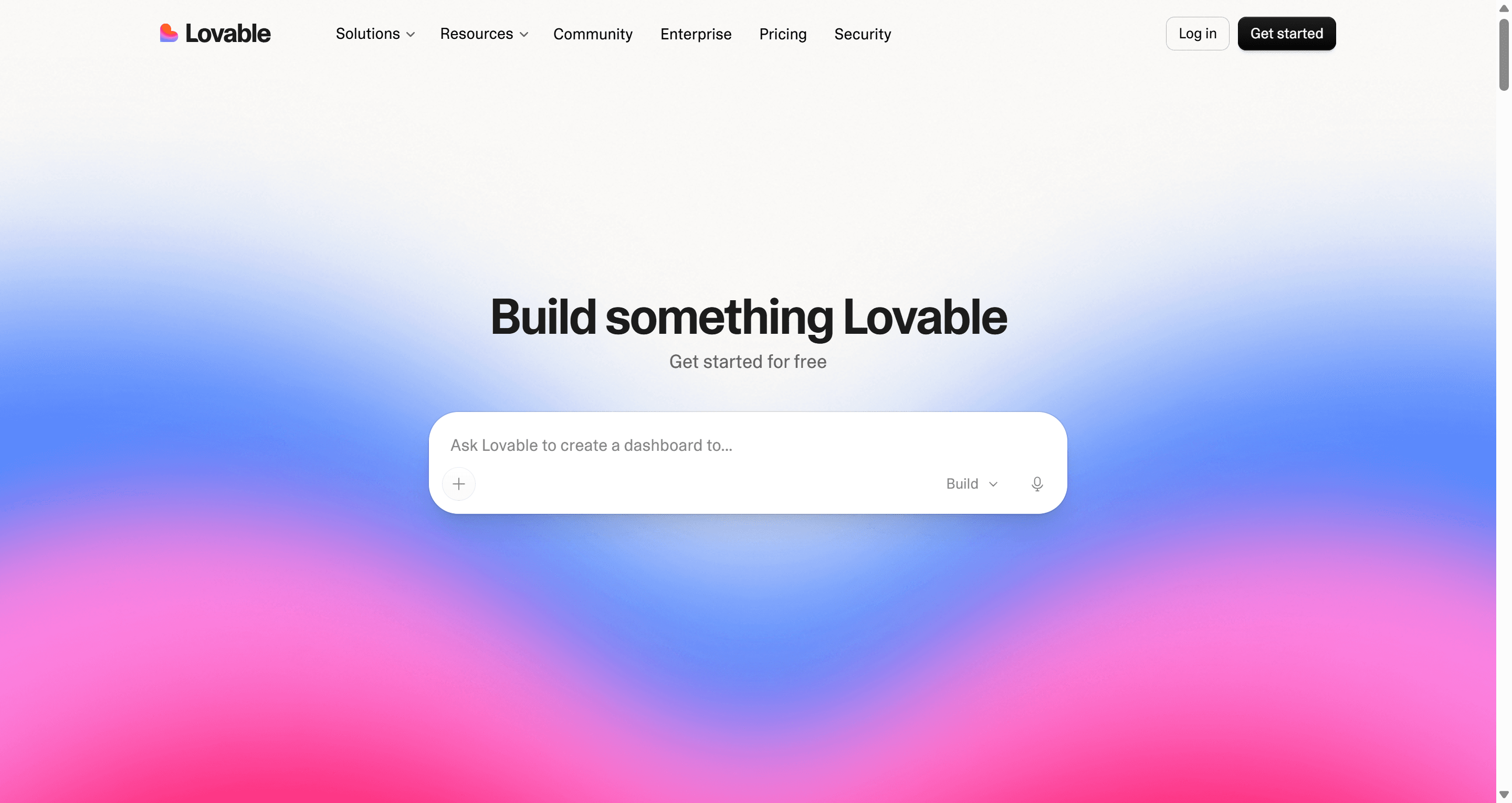
What is Lovable?
Lovable is a full-stack AI app builder. You describe an app in chat, and Lovable writes the front end, provisions a backend through Lovable Cloud, and gives you a preview you can publish in a click. It leans toward people who don't want to manage infrastructure: auth, storage, edge functions and hosting all come preconfigured, and the code is there when you want it rather than in your face.
For more on its strengths and where it struggles, read our full Lovable review.
What is Bolt.new?
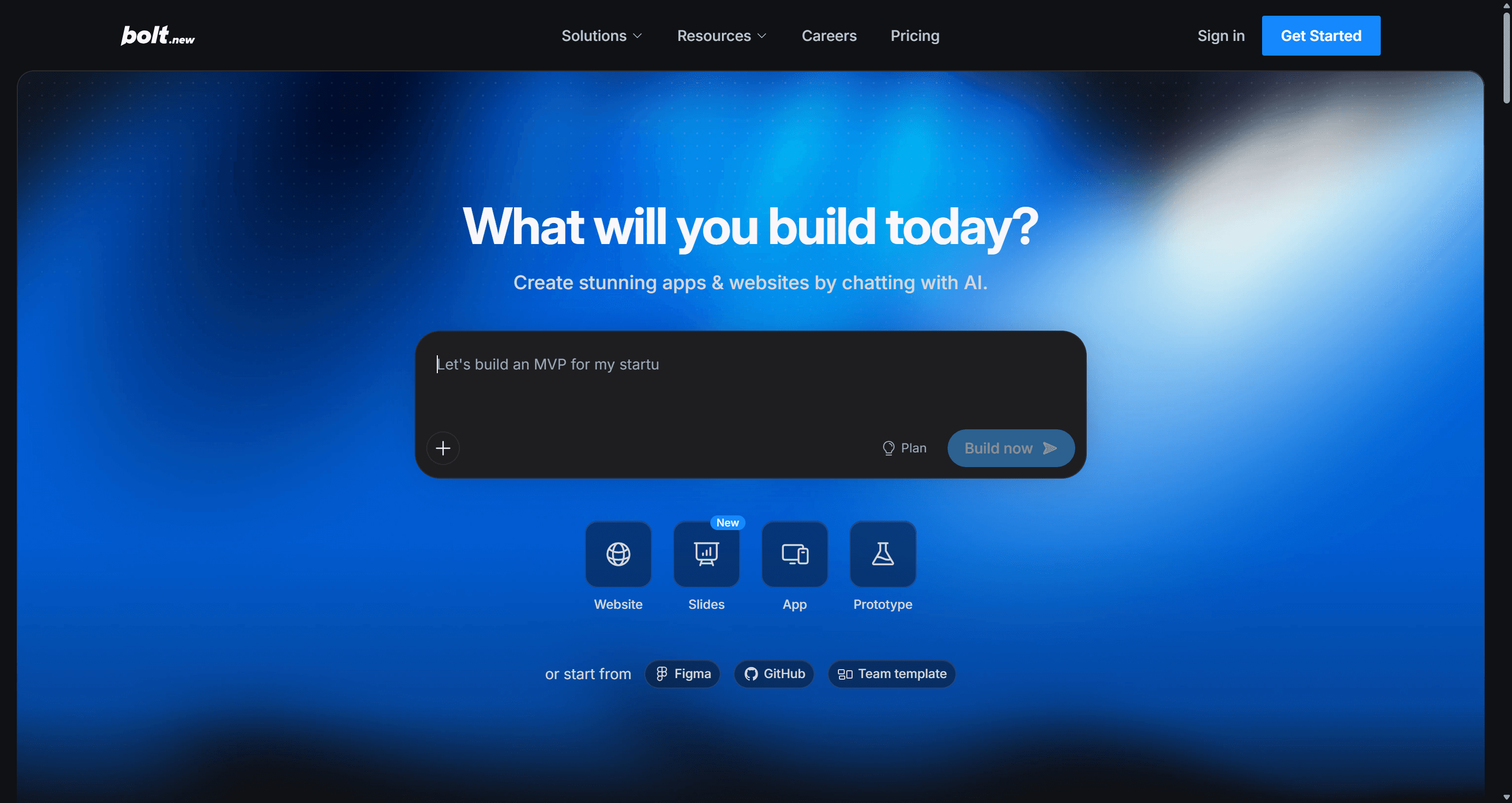
Bolt.new is StackBlitz's AI app builder. It runs a full development environment in the browser: you prompt, and Bolt writes files, installs packages and runs the app in a live preview, with a code view, terminal and version history alongside. Bolt Cloud adds hosting, databases, auth, file storage and domains, and it can build mobile apps through Expo.
Our full Bolt.new review covers where it shines and where long projects get painful.
Building flow and prompt handling
Both tools start from a prompt box, and both now encourage you to plan before building. The difference is in how much they guide you.
Lovable splits work into modes. Chat mode lets you discuss the app without changing code. Plan mode investigates the project and writes a structured plan you review and approve before anything is built. Build mode then implements the change end to end. On your first message for anything with a UI, Lovable usually shows three rendered design directions to pick from before it starts the full build. A preview toolbar lets you select elements and describe a change, edit text inline, draw an annotation or leave a comment, on every plan.
Bolt offers Plan mode too, plus a prompt enhancer that can ask clarifying questions before the first build. You choose between two agents: Standard, which is fast and token-efficient for well-defined work, and Max, which reasons more for large or tangled codebases (Max needs a paid plan). A Select tool lets you make visual edits in the preview. And because Code view is right there, you can fix something by hand instead of spending tokens on a prompt; Bolt's docs point out that manual edits in Code view don't use tokens.
You can also start a Bolt project from uploaded files, a Figma frame, a Google Stitch design, a GitHub repo or a team template. Lovable can import Figma designs through its Figma plugin, the Figma MCP server or a .fig upload.
The practical split: Lovable asks more questions about what the product should look like; Bolt gives you more ways to take the wheel. Whichever you use, a clear, specific prompt saves more money than any mode. Our guide to prompting for UI that ships and the flow-first prompting method both apply directly.
UI quality and design control
This is where Lovable has put visible effort. Design directions let you compare three visual approaches before committing, design questions let you steer typography, colour and layout, and you can generate alternatives for a single section, such as a hero or pricing card, later on. Lovable also supports reusable design systems and design templates for teams.
Bolt takes a different route to consistency. It ships pre-loaded design systems (including Chakra, Material UI and shadcn), and on a Teams plan you can add your own design system from your component library so Bolt builds with your real components from the first prompt.
The shared weakness is that both tools design and code in one step. Every layout experiment is a build action that costs credits or tokens, and without a strong design input, output from both can look like every other AI-built app. Screen five also tends to drift from screen one, because each screen is generated in its own turn. We cover why that happens, and how to avoid it, in how to design UI with AI.
Verdict on UI: Lovable gives non-designers more help getting to a good first look. Bolt gives teams with an existing component library a better path to on-brand output. Neither replaces a design step.
Backend and database
Both platforms now bundle a backend so you don't need a separate account to get data and auth working.
Lovable Cloud is built on Supabase's open-source foundation and includes a database, authentication, storage, realtime and edge functions, plus secrets, scheduled jobs and branded emails. Auth options cover email, phone, Google, Apple, Microsoft and SAML SSO. You can browse tables, run SQL, review security policies and restore backups from inside Lovable. If you already run your own Supabase project, you can connect that instead.
Bolt Cloud is powered by Netlify and Supabase under the hood. Every project can have unlimited databases, and Bolt creates one automatically when your app needs it. It covers authentication and user management, file storage, server functions, secrets, logs and a security audit. You can pick Supabase directly at setup instead, and Stripe, Google SSO and email providers are documented integrations. Two caveats from Bolt's own docs: version-history restores don't roll back your database, and databases in unpublished projects may pause after six days of low use.
The bigger constraint is the stack. Bolt is JavaScript only, with Node.js for the backend; its docs say Python and PHP backends aren't supported. Lovable's stack is also fixed: new projects since May 13, 2026 use TanStack Start with server rendering, and older ones use React and Vite. If you need Python, look at a cloud IDE instead. Our Replit alternatives roundup and Replit pricing guide cover that side.
Code ownership and export
Both let you take your code with you, which matters more than any single feature if the project succeeds.
Lovable offers Git sync with GitHub, GitLab or Bitbucket, and it works both ways: changes in Lovable are committed to your repo, and commits pushed to the synced branch appear back in Lovable. That makes it practical to have a developer work locally while a PM keeps prompting. Lovable states that you own your apps, code and data, and that you can export schemas and data and self-host. Two plan limits to know: the in-app code editor is read-only on Free, and downloading the codebase is a paid-plan feature.
Bolt connects to GitHub for automatic backups with full history, and each branch keeps its own memory. You can build in Bolt, switch to GitHub, and come back. You can also download a zip of the whole project through Export > Download and run it locally with Node.js. Code view lets you edit files directly in Chromium browsers (in Safari, files are read-only).
Moving between the two is documented, too: Bolt's help centre explains how to import a Lovable project by syncing it to GitHub first. If your plan is to graduate to an AI editor such as Cursor, both tools get you there through Git; our guide to AI coding assistants for frontend work picks up from that point.
Deploy and hosting
Lovable hosts apps for you with automatic SSL and global delivery, and custom domains come with paid plans. You can publish from the button or simply ask Lovable in chat to publish. Because the code syncs to your repo, you can also deploy it elsewhere.
Bolt publishes to a free bolt.host address or a custom domain, and you can buy a domain inside Bolt or connect one you own, with DNS managed in project settings. You can publish privately or publicly, or deploy through Netlify. Hosting limits are published: the free tier gets up to 10 GB of bandwidth and 333,333 requests a month with a hard stop, while paid plans get 30 GB and 1 million requests with optional pay-as-you-go overage up to a cap you set. Free sites carry a "Made in Bolt" badge.
For mobile, Bolt is the only one of the two that ships native apps. Say "mobile app" in your first prompt and Bolt sets the project up with Expo, lets you test on your phone with Expo Go, and publishes to TestFlight, the App Store and Google Play. If mobile is your main target, also see our Rork AI review.
Design the app before you pay to build it
Plan every screen of your product in UXMagic for free, then hand a finished design to Lovable or Bolt.

Pricing: credits vs tokens
Prices below are from each vendor's pricing page and documentation as listed in September 2026. Check your billing page before committing to a large tier.
| Plan | Lovable | Bolt.new |
|---|---|---|
| Free | $0: 5 credits a day, max 30 a month | $0: 1M tokens a month, 300K a day |
| Entry paid | Pro, from $25/mo for 100 credits | Pro, from $25/mo for 10M tokens |
| Team | Business, from $50/mo (credits, unlimited members) | Teams, $30 per member/mo |
| Enterprise | Custom | Custom |
| Extra usage | Top-ups, $15 per 50 credits on Pro | Higher tiers; top-ups on top Pro tiers |
| Rollover | Monthly credits roll over while subscribed | Unused Pro tokens roll over |
How Lovable charges. Every AI action draws from one credit balance. Build-mode cost scales with the size of the change, and Plan mode costs 1 credit per message. Since August 2026, hosting (Cloud) and in-app AI also draw from the same balance after small monthly grants. Our Lovable pricing guide has worked cost scenarios.
How Bolt charges. Bolt bills tokens, and its docs are candid that most usage comes from reading and syncing your project files, so larger projects use more tokens per message. Early prompts are cheap; late-stage edits on a big codebase are not. Our Bolt.new pricing breakdown walks through how that plays out.
For teams, the models diverge. Lovable prices by credits, not seats, and collaborators on a project spend the owner's workspace credits. Bolt Teams costs $30 per member, each with a Pro allowance, and collaborators who edit a shared project use tokens from their own account.
In practice, neither is reliably cheaper. What moves the bill is iteration: every "make the spacing tighter" or "try another layout" is a paid build action in both tools. The cheapest Lovable or Bolt project is the one that arrives with the design already settled. If you are comparing more builders on cost, our Base44 vs Lovable comparison and our breakdown of what a SaaS MVP costs to build with AI help frame it.
Collaboration
Lovable lets you invite people to a single project or to the whole workspace, with viewer, editor, admin and owner roles. When several people build in the same project, each can work in a separate draft with its own chat and preview, and a draft's edits reach the project only when someone accepts it. Business adds SSO and per-member credit limits.
Bolt supports real-time multiplayer editing, sharing with viewer, editor or co-owner access, and sharing integrations such as databases and GitHub across a team. Teams plans add centralized billing, admin controls, private npm registries and team templates.
For a small team without a big budget, Lovable's unlimited-members model is kinder. For a development team that wants per-seat control and shared templates, Bolt Teams is the more familiar shape.
Who should pick which
Choose Lovable if:
- You are a founder, PM or designer who doesn't want to touch infrastructure.
- You want help with visual direction before the first build.
- You want a managed backend with broad auth options, including SAML SSO.
- A developer will work alongside you and needs two-way Git sync.
- Your team is several people sharing one pool of credits.
Choose Bolt if:
- You are comfortable in JavaScript and want the file tree, terminal and manual edits.
- You need a mobile app for iOS and Android.
- You want to start from Figma, Google Stitch or an existing GitHub repo.
- Your company has a component library you want every build to use.
- You want more control over which agent handles hard tasks.
Consider something else if you need a Python backend, native SwiftUI or a tool that only generates front-end components. Our lists of the best Lovable alternatives and Bolt.new alternatives group the options by job, including Base44 for fully no-code builds and v0 alternatives for React front ends. Non-developers comparing the whole field should start with our guide to AI app builder tools for non-developers.
The design-first workflow: UXMagic before Lovable or Bolt
Whichever builder you pick, the expensive part is the same: deciding what the product should look like inside a tool that charges you to write code every time you change your mind. The fix is to split the job. Design the product where changes are cheap, then build it where code is the point.
That is what UXMagic is for. It is not an app builder and won't create your database, auth or payments. It is the design step that comes before Lovable or Bolt.
- Plan the flow
Describe the product and Flow Mode proposes a screen plan you can edit and approve before anything is generated. The screen plans guide shows how. Fixing a plan is far cheaper than fixing eight generated screens. If you want to start rough, the AI wireframe generator settles layout first, and image to UI turns a sketch or screenshot into an editable screen.
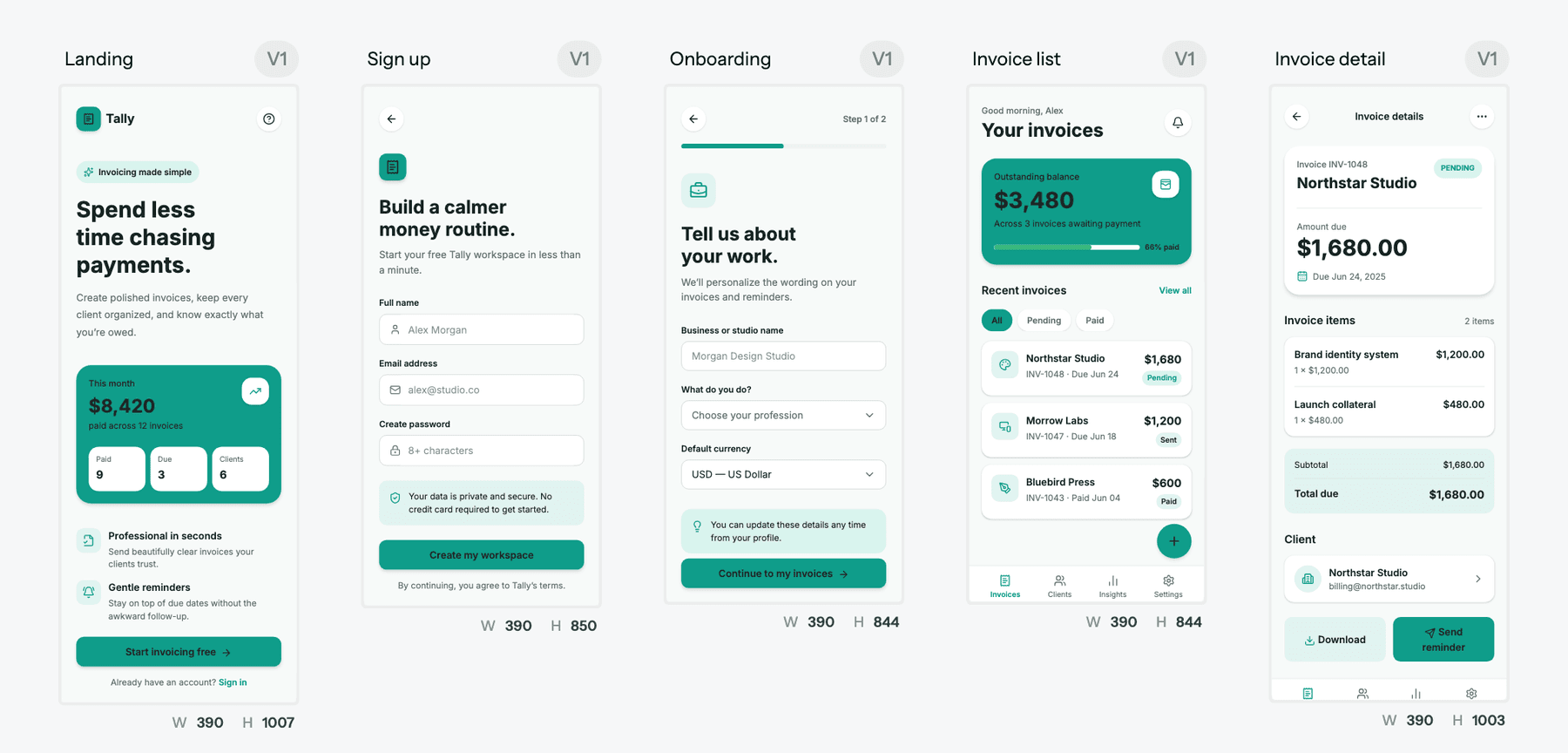
- Design every screen on one theme
UXMagic designs all the screens on one canvas with one shared theme, so screen five matches screen one. According to our credit cost table, a new screen costs 3 credits, a targeted edit costs 0.2 and theme changes cost nothing. Our themes and style guides guide explains how one theme change updates every screen, and the AI style guide generator can build that theme from a prompt.
- Hand the design to your builder
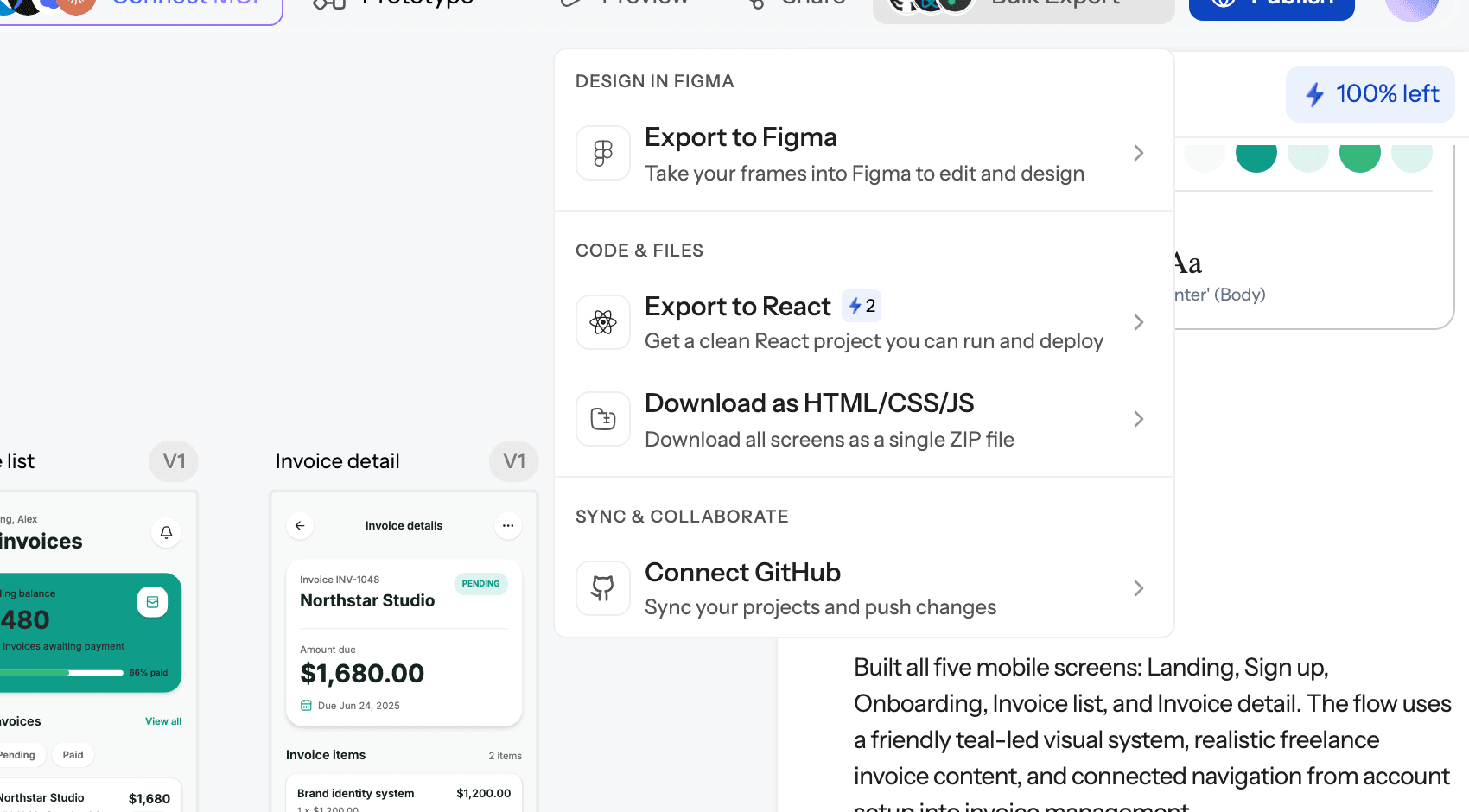
You have several routes, and each maps to something Lovable or Bolt already accepts:
- Code. Export HTML or React with Tailwind and theme tokens using the design to code generator; the code export guide covers single screens and whole projects.
- GitHub. Push the code to a repo with GitHub sync. Bolt can start a project from a GitHub repo.
- Figma. Export to Figma, then use Bolt's Figma import or Lovable's Figma plugin.
- MCP. Connect the UXMagic MCP server so Claude, Cursor, VS Code or another assistant reads the real screens and theme rather than a screenshot.
Lovable or Bolt then spends its credits or tokens on data, auth and logic, which is what both are good at. We describe this split in more detail in vibe coding in 2026, and the AI MVP builder page shows how to scope an MVP's screens before you build. For a clean handoff checklist, see what a design handoff should include.
On cost: the UXMagic free plan gives you 20 credits a day with no card, and Pro is $35 a month, or $17.50 a month billed annually, for 2,400 credits. Full details are on our pricing page. For side-by-side detail, see our UXMagic vs Lovable and UXMagic vs Bolt comparisons.
Final verdict
Lovable and Bolt are closer than the debate around them suggests. Both build full-stack web apps from a prompt, both bundle a backend, both let you keep your code, and both start at $25 a month.
Pick Lovable if you want the platform to carry more of the load: design directions, a managed Supabase-based backend, two-way Git sync and credit pricing that doesn't charge per seat. Pick Bolt if you want to stay close to the code, need Expo for mobile, or want your team's component library in every build.
And whichever you pick, don't use it as your design tool. Settle the flows and the visual system in UXMagic first, then let your builder turn a finished design into a working product.
Related guides
- 10 Best a0.dev Alternatives for Building Mobile Apps with AI (2026)
- 12 Best Base44 Alternatives in 2026, Grouped by Use Case
- Base44 Pricing 2026: Plans, Credits, and What an App Really Costs
- AI Design to Code Tools: The Complete 2026 Guide by Input Type
- 10 Best Figma Make Alternatives in 2026, Grouped by Use Case
- Vibe Designing: Why Vibe-Coded Apps Look the Same, and the Fix
- 10 Best Magic Patterns Alternatives in 2026, Grouped by Workflow
- 9 Best MagicPath Alternatives in 2026, Grouped by How You Work
- Figma Make Tutorial 2026: Prompt, Edit, Publish and Export Code
- 12 Google Stitch Alternatives in 2026, Grouped by the Job You Need Done
Design it in UXMagic, build it in Lovable or Bolt
Plan and design a connected multi-screen flow for free, then export React code, push to GitHub or connect your coding assistant over MCP.