
TL;DR: The best Claude Design alternatives depend on why you are looking. For connected product screens with Figma and React handoff, start with UXMagic, which also runs inside Claude through the UXMagic Claude connector, so you can use both. For free exploration, try Google Stitch; for Figma-native teams, Figma Make; for a running app, v0 or Lovable. For an open-source Claude Design alternative, look at Open Design and Penpot.
Claude Design made a lot of people realise they could get a credible prototype out of a conversation. It also made a lot of people check their usage meter halfway through the afternoon. If you are here, you probably hit one of three walls: the cost of a Claude plan you only wanted for design, the usage limits, or the gap between what Claude Design produces and where your team actually works (a Figma file, a React codebase, a live product).
This guide covers what Claude Design is today, why teams look for tools like Claude Design, and eight alternatives grouped by the job you need done. We build UXMagic, so we have a stake here. We say where it fits and where it does not, and one of our points is that UXMagic and Claude are not an either/or choice. We compared the two head to head in Claude Design vs UXMagic if you want the long version.
What Claude Design is
Claude Design is a product from Anthropic Labs, the team that ships Anthropic's experimental Claude products. Anthropic announced it on April 17, 2026 as a way to work with Claude on visual output: designs, interactive prototypes, slides and one-pagers. It launched on Claude Opus 4.7, which Anthropic called its most capable vision model, and it is still labelled beta in Anthropic's help center.
What it does, according to Anthropic:
- Takes many inputs. You can start from a prompt, or attach screenshots, images, design files, documents or a codebase as context.
- Builds a design system from your assets. Claude reads your codebase and design files and applies your colours, type and components to new work. A June 17, 2026 update added design-system imports from GitHub repositories and design files, validation against that system, and an option for admins to lock edits.
- Refines by comment and slider. You adjust output with inline comments, direct text edits and generated adjustment sliders, as well as chat.
- Exports widely. Anthropic's getting-started guide lists ZIP, PDF, PPTX and standalone HTML exports, sharing inside your organisation, and sending work to partner tools such as Canva, Gamma, Miro, Lovable, Vercel and Replit.
- Hands off to Claude Code. When a design is ready to build, Claude packages it into a handoff bundle for Claude Code. Since June it works the other way too: Claude Code's
/designcommand creates and edits design projects, and/design-syncpulls a local design system into Claude Design.
Availability and price. Claude Design is included on Claude Pro, Max, Team and Enterprise, not on the Free plan. Pro is $20 a month, or $17 a month billed annually, per Claude's pricing page. On Enterprise it is off by default until an admin turns it on.
Why people look for Claude Design alternatives
Claude Design is a capable, broad tool. The reasons teams look elsewhere are mostly about cost, limits and fit:
- No free tier. You need at least a Pro subscription. If design is the only reason you would pay for Claude, a dedicated design tool with a free plan is a cheaper place to start.
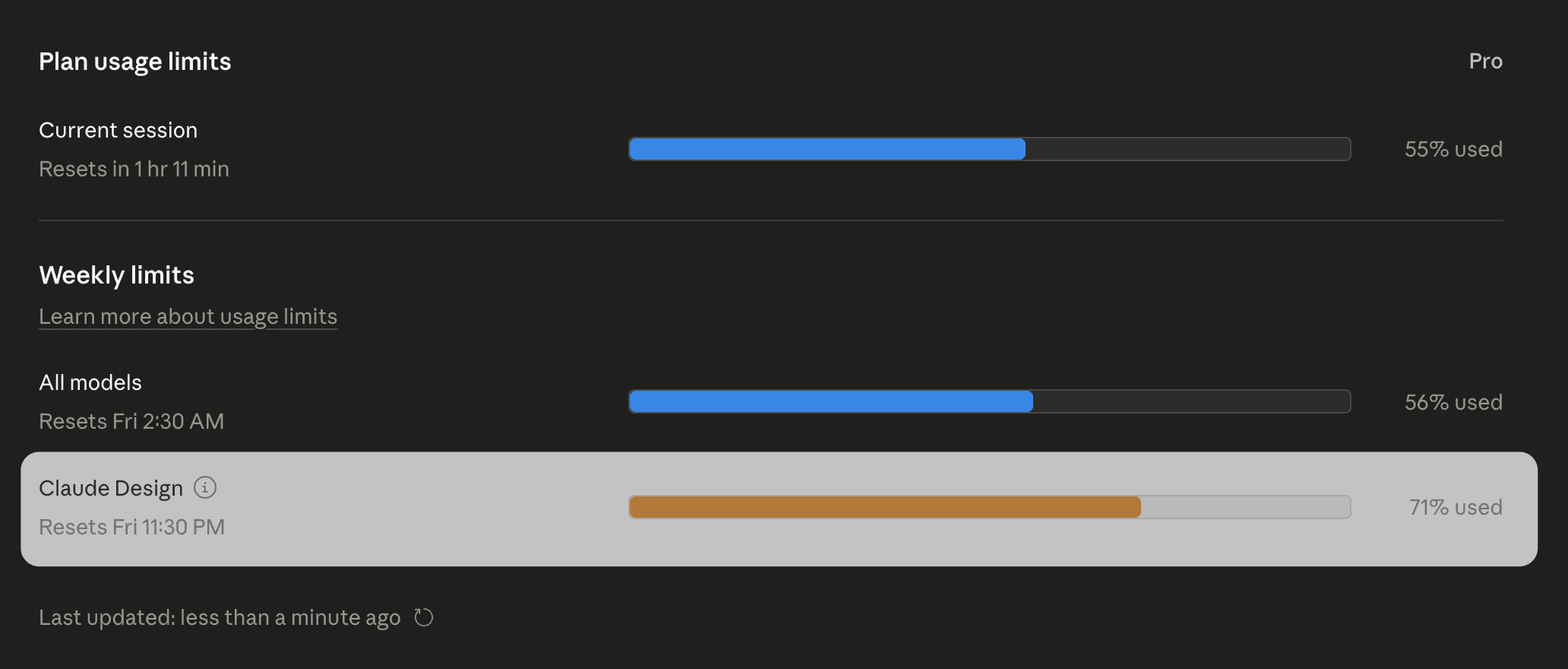
- Usage limits, now shared. At launch Claude Design had its own weekly meter (the screenshot above is from that period). VentureBeat reported one reviewer using about 80% of a weekly Pro allowance in roughly 25 minutes producing three webpage variations. Anthropic says its June update reduced average token use per turn, and moved Claude Design onto the same limits as chat, Cowork and Claude Code. That removes the separate meter, but it also means a long design session now eats the budget you had for coding.
- No listed Figma export. Anthropic's export list covers HTML, PDF, PPTX, ZIP, partner tools and Claude Code. Figma is not on it. For teams whose design source of truth is a Figma file, that is a rebuild step.
- Beta-stage gaps. Anthropic's own known-issues list includes no version history yet, unreliable simultaneous multi-person editing and slowdowns with large repositories.
- Generalist by design. Claude Design makes decks, one-pagers and prototypes. That range is the point, but teams designing a product's screens often want a tool built specifically around multi-screen flows, design tokens and developer handoff.
None of this makes Claude Design a poor choice. It makes it one option among several, and for some jobs a specialised tool, or a specialised tool used from inside Claude, fits better. Our State of AI in UI/UX design report covers how teams are splitting that work in 2026.
Quick picks: Claude Design alternatives at a glance
| Tool | Best for | Free option | Paid from | Figma export | Code output |
|---|---|---|---|---|---|
| UXMagic | Multi-screen product UI, works inside Claude | 20 credits/day | $17.50/mo annual | Yes, auto-layout | HTML, React, Tailwind |
| Google Stitch | Free, fast visual exploration | Free Labs tool, daily cap | No paid plan published | Paste to Figma | Front-end code |
| Figma Make | Teams whose system lives in Figma | Varies by plan | $16/mo Full seat | Native | Prototype code |
| Magic Patterns | Prototyping on your design system | Yes | $20/seat/mo | Yes | React |
| v0 by Vercel | Deployable React and Next.js UI | $5 credits/mo | $30/user/mo | No | Next.js, deploy |
| Lovable | Full-stack app from a prompt | 5 credits/day | $25/mo | No | Full app, GitHub |
| Open Design | Open source, self-hosted, BYO agent | Free (you pay model costs) | None | No | HTML and files on disk |
| Penpot | Open-source design tool with MCP | Free plan | $7/editor/mo | No | CSS and SVG in inspect mode |
Closest to Claude Design: prompt to product UI
- UXMagic
Best for: product teams designing connected screens who want Figma and code handoff, and people who like working in Claude but want a design tool behind it.
UXMagic is an AI UI designer. You describe a product, or start from a screenshot, sketch, URL or Figma file, and it produces editable, high-fidelity screens on an infinite canvas. Where Claude Design is a generalist, UXMagic is built around one job: turning an idea into a consistent set of product screens you can hand to designers or developers.
- Plan first, then design. For a new project the AI proposes a named screen plan that you edit or approve before anything is drawn. Flow mode then designs the whole journey with one shared theme and navigation. We explain why that matters in why single-screen AI design is a dead end.
- A theme that holds. Colours, type, radii and spacing live as project-level design tokens, and changing the theme and style guide updates every screen. You can generate the system first with the AI style guide generator.
- Many ways in. Prompts, image to UI, a lo-fi AI wireframe generator mode, and a website cloner that turns a URL into an editable design.
- Handoff to Figma and code. Export to Figma as auto-layout frames, which Claude Design does not list, or export code as HTML, a React component, or a multi-screen React project with Tailwind and your theme tokens. Projects can also be published as live sites.
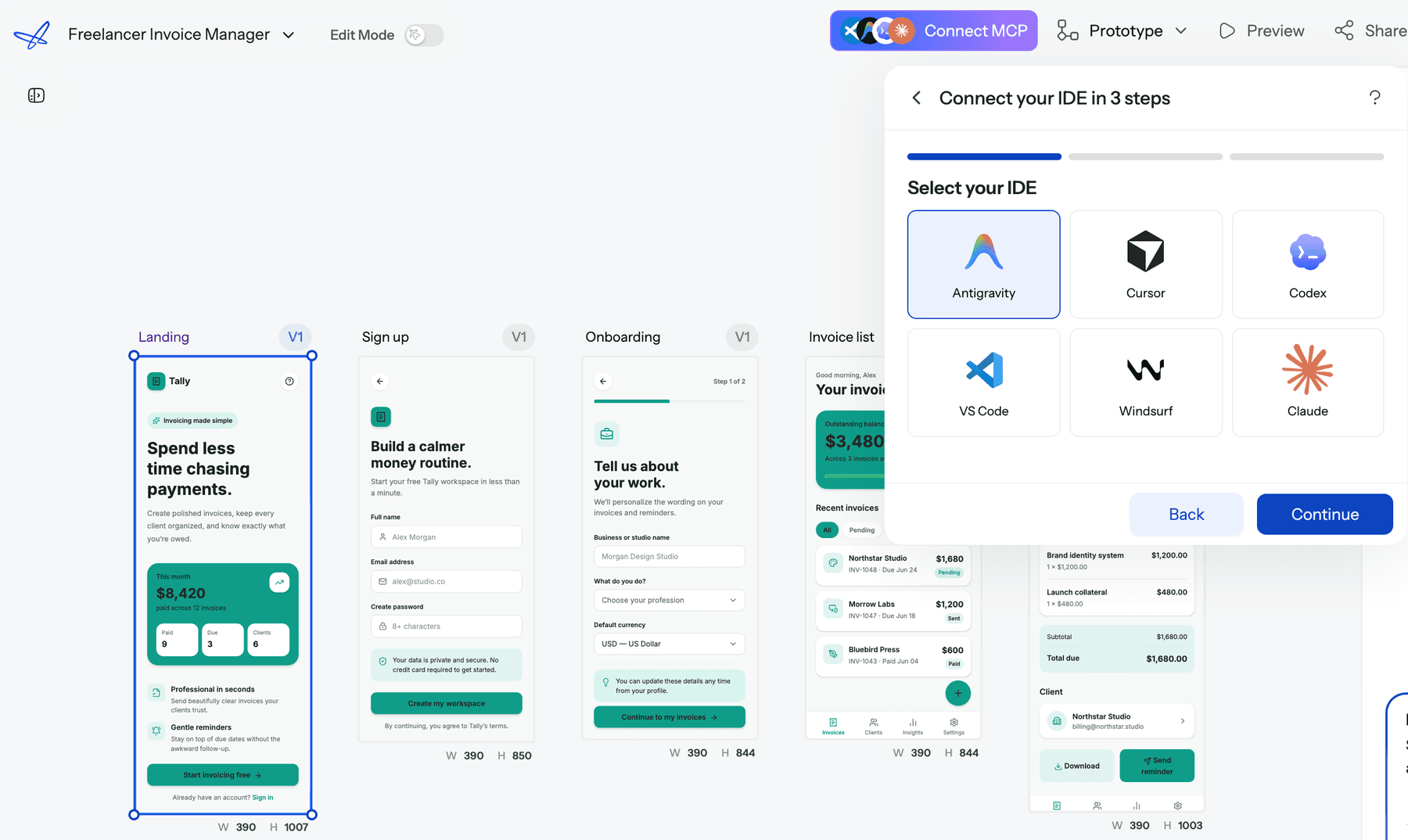
The part most comparisons miss: UXMagic also works inside Claude. UXMagic is available as a Claude connector. In Claude (web, desktop or mobile) you open Settings, then Connectors, add a custom connector with the UXMagic MCP URL, sign in and approve access. No API key, nothing to install. From then on you can ask Claude, in the same chat where you wrote your PRD, to "design a three-screen onboarding flow in UXMagic", "rewrite the headline on the Pricing screen" or "export the Checkout screen to Figma". Claude Code connects to the same server with one claude mcp add command. The step-by-step setup is in Connect UXMagic to Claude.
That makes UXMagic a complement as much as an alternative. You keep Claude as the conversation and reasoning layer, and UXMagic becomes the design engine behind it, with a persistent canvas, a token-based theme and Figma export. Reading designs and publishing are free, and generation costs the same credits as in the app. Cursor, VS Code, Windsurf, Codex and Antigravity connect through the UXMagic MCP server with an API key, and the AI assistants guide explains which setup fits which job.
Where it falls short: UXMagic does not make slide decks, one-pagers or 3D motion work, so if those are most of your Claude Design use, it covers only part of it. Exported code is a front end with no data layer or routing. The free plan is 20 credits a day, up to 3 screens a day across 5 projects, with one Figma export.
Pricing: Free, then Pro at $35 a month or $17.50 a month billed annually, with 2,400 credits a month (up to about 400 screens) and 250 Figma exports. Full details are in plans and limits and on the pricing page.
Read our full comparison: UXMagic vs Claude Design.
Use UXMagic on its own, or inside Claude
Plan a flow, design every screen on one theme, and export to Figma or React. Or connect it to Claude and drive it from chat. The free plan refreshes every day.

- Google Stitch
Best for: fast, free visual exploration of screens and directions.
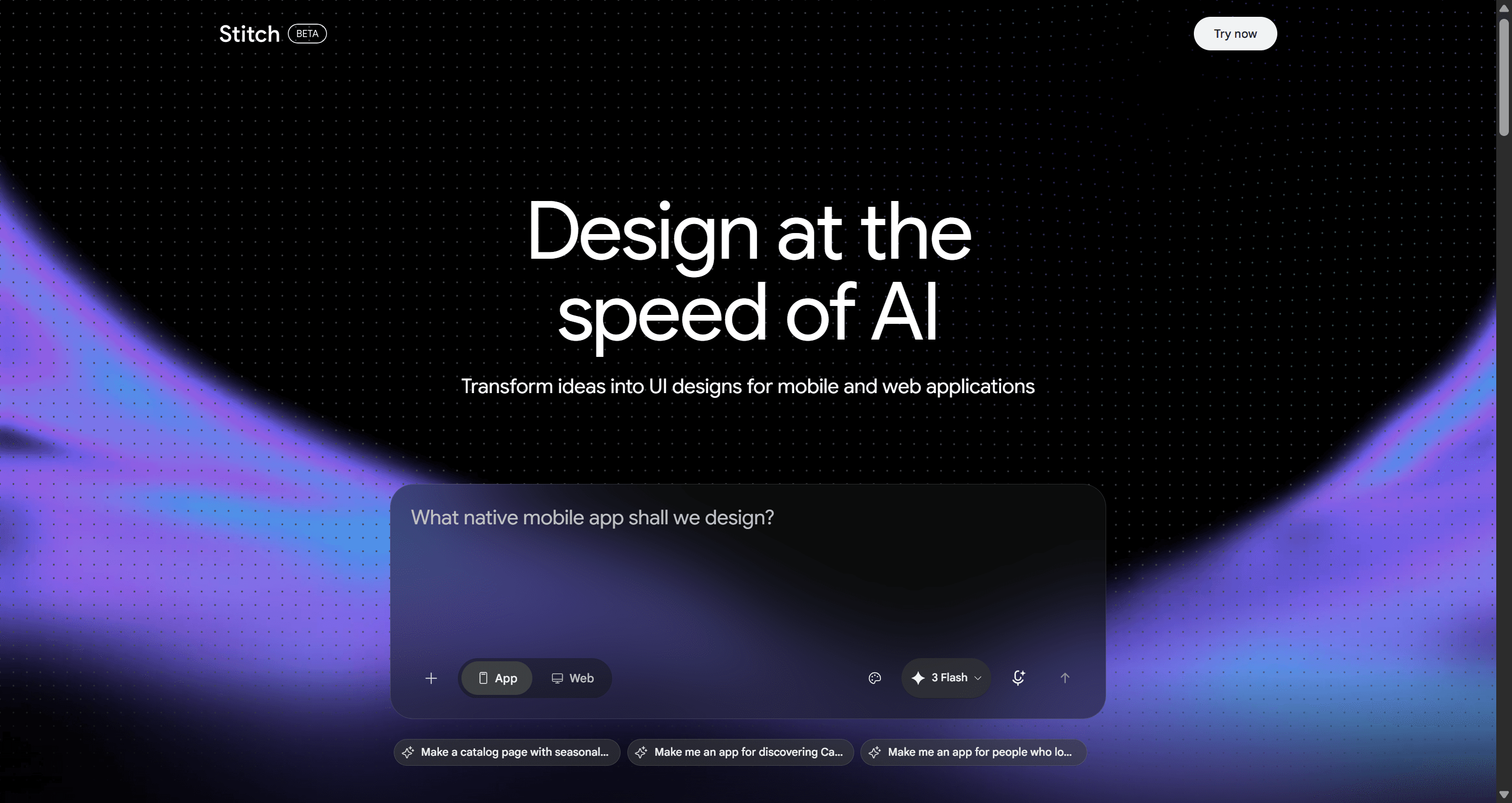
Stitch is Google Labs' AI UI designer, and it absorbed Galileo AI's technology (our write-up of that transition). It turns text or image prompts into interfaces you can paste into Figma or export as front-end code. In 2026 Google moved it to an infinite canvas with a design agent, added a portable DESIGN.md file and an MCP server, and at I/O added a live Stitch Agent, handoff to Google AI Studio and Antigravity, and publishing through Netlify.
Why choose it over Claude Design: it is free. Stitch runs on a daily credit allowance as a Labs experiment, with no Claude-style subscription.
Where it falls short: you cannot buy past the daily cap, since Google has not published a paid tier, and the production path leans on Google's own tools. Keeping a long multi-screen journey consistent still takes careful prompting.
Read our full Google Stitch review, our Google Stitch alternatives guide, or UXMagic vs Google Stitch.
For teams with a design system
- Figma Make
Best for: teams whose components and styles already live in Figma.
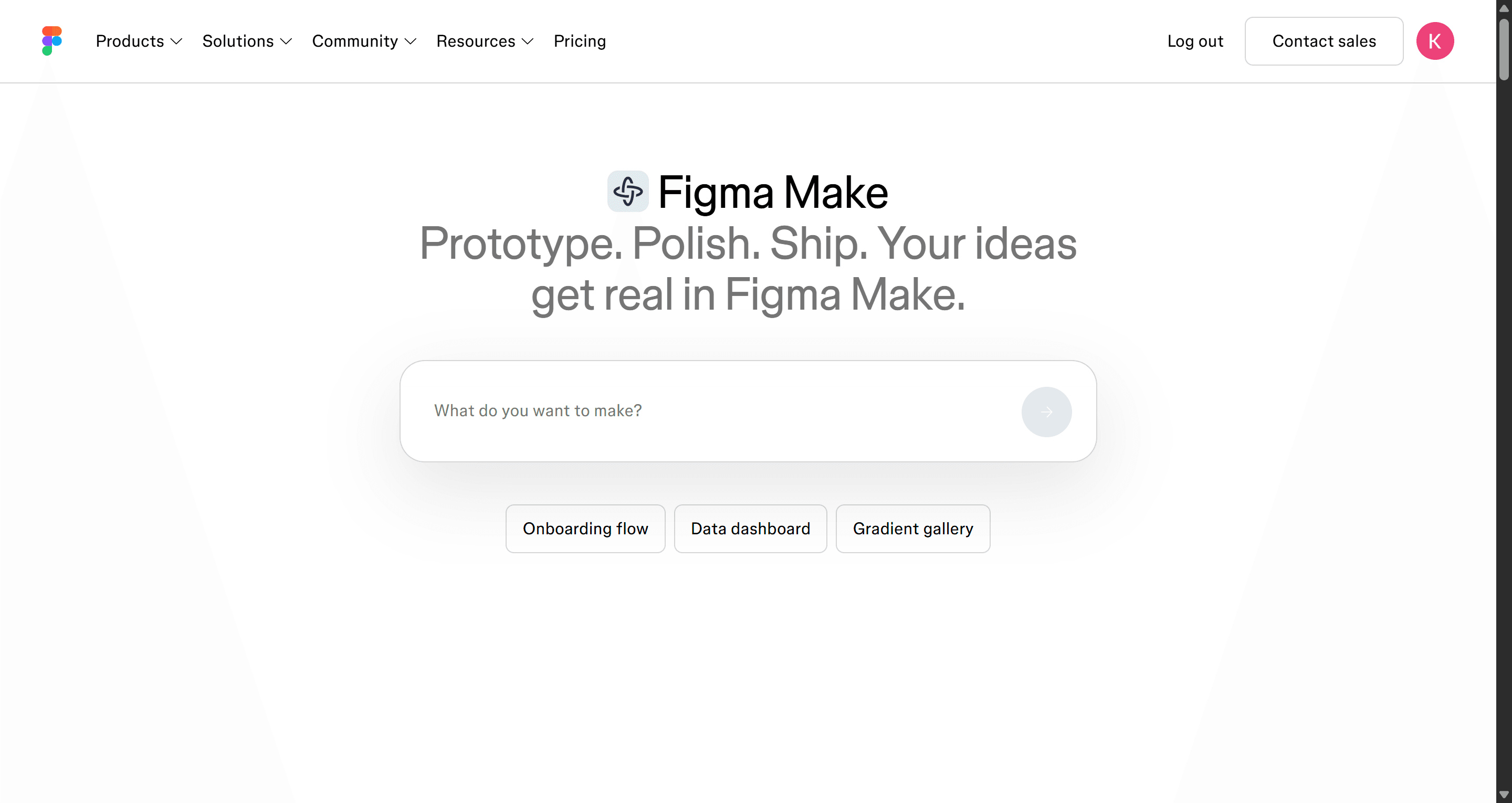
Figma Make is Figma's prompt-to-prototype tool. It builds interactive prototypes inside the Figma ecosystem and can use your existing frames and styles as context. For a team already paying for Figma seats, it is the least disruptive way to get Claude Design-style generation, and the output stays next to the files your designers already own.
Why choose it over Claude Design: your work never leaves Figma, which is exactly the export Claude Design does not list.
Where it falls short: AI usage is metered in credits per seat, and the result is a prototype rather than a production codebase. It only makes sense if you are committed to Figma.
Pricing: Figma's pricing page lists the Professional Full seat at $16 a month with 3,000 AI credits a month.
Read what Figma AI can do, our Figma Make alternatives, or UXMagic vs Figma Make.
- Magic Patterns
Best for: product teams prototyping new features that must match what they already ship.
Magic Patterns turns a prompt, PRD or feature idea into high-fidelity React UI, and you can bring in screenshots, components and design-system rules so new screens look like your product. It supports team editing and sending designs to Figma.
Why choose it over Claude Design: a tighter focus on feature prototyping against an existing system, with pricing per seat rather than a share of a general AI plan.
Where it falls short: it is feature- and component-centric rather than flow-planned, and credits go quickly when you iterate heavily on high-fidelity output.
Pricing: a free tier, then Starter at $20 per seat a month and Business at $100 per seat a month.
Read our Magic Patterns review or UXMagic vs Magic Patterns.
If design-system fidelity is your main reason for leaving Claude Design, two of our guides are worth reading first: how to build a design system from scratch and can AI follow design tokens?, which is honest about where every tool in this list still drifts.
For shipping a working app
Claude Design stops at a prototype and a handoff bundle. These tools go on to running code.
- v0 by Vercel
Best for: developers who want React and Next.js UI they can deploy.
v0 generates React components and full Next.js apps from prompts or images, with a visual design mode, GitHub sync and one-click deployment to Vercel. It is the natural choice when the goal is a codebase rather than a design file.
Why choose it over Claude Design: the output is the product code, deployed, not a prototype to rebuild.
Where it falls short: it thinks in components and code, not in flows or design files, and there is no Figma export. Credit-based pricing makes heavy iteration hard to predict.
Pricing: Free with $5 of monthly credits and up to 7 messages a day; Plus at $30 per user a month; Business at $100 per user a month.
Read our v0 by Vercel review, our list of v0 alternatives, or UXMagic vs v0.
- Lovable
Best for: founders who want a full-stack app, with database and auth, from a prompt.
Lovable builds and hosts working web apps, with a backend through Lovable Cloud and code you can sync to GitHub. It is a different category from Claude Design (an app builder rather than a design tool), but many people compare them because both turn a description into something clickable.
Why choose it over Claude Design: you end up with a working app and hosting, not a design.
Where it falls short: design control is looser than in a dedicated design tool, and credit use scales with how much you iterate.
Pricing: Free with 5 credits a day (up to 30 a month); Pro starts at $25 a month. Our Lovable pricing breakdown explains how the credits work in practice.
Read our Lovable review, our Lovable alternatives, or UXMagic vs Lovable.
A common pattern is to design the flow first and build second: plan and design screens in UXMagic, then hand them to v0, Lovable or your coding agent. Our AI prototype generator and design-to-code generator pages show that path.
Open-source Claude Design alternatives
If you want no subscription, self-hosting or full control over your model, these are the two open-source options worth knowing. They are very different tools.
- Open Design
Best for: technical users who already run a coding agent and want a free, local Claude Design alternative.
Open Design is an open-source (Apache-2.0), local-first workspace that turns the coding agent you already use into a design engine. It works with Claude Code, Codex, Cursor, Gemini CLI, GitHub Copilot CLI and many others, and ships with 150+ design systems written as DESIGN.md files that you can edit or add to. It produces prototypes, web pages, slides and dashboards as real files in your project directory, with desktop apps for macOS and Windows.
Why choose it over Claude Design: no subscription and no vendor lock-in. You bring your own agent and API key and pay only the model costs.
Where it falls short: you are the ops team. Setup, model costs and quality all depend on the agent you plug in, there is no hosted collaboration layer, and there is no Figma export.
- Penpot
Best for: teams that want an open-source, self-hostable design tool and would rather have AI act on it than generate for them.
Penpot is an open-source design and prototyping platform, often described as the open-source answer to Figma. It is not a prompt-to-design generator like Claude Design. Its AI story runs through an official Penpot MCP server, hosted by Penpot or self-hosted, which lets an MCP client such as Claude read and change your design files.
Why choose it over Claude Design: you own the tool and the files, can self-host, and can still bring Claude in through MCP.
Where it falls short: it is a design tool first, so generation depends on the agent you connect, and output quality comes from your prompts rather than a design-trained engine.
Pricing: a free Professional plan, Unlimited at $7 per editor a month (capped at $175 a month), and Enterprise at $25 per member a month.
Pricing compared
| Tool | Free option | Entry paid plan | How usage is metered |
|---|---|---|---|
| Claude Design | None | Claude Pro, $20/mo ($17 annual) | Shared Claude usage limits |
| UXMagic | 20 credits/day | Pro, $35/mo ($17.50 annual) | 2,400 credits/mo |
| Google Stitch | Free (Labs) | None published | Daily credit cap |
| Figma Make | Varies by plan | Professional Full seat, $16/mo | 3,000 AI credits/mo per seat |
| Magic Patterns | Yes | Starter, $20/seat/mo | Monthly credits |
| v0 | $5 credits/mo | Plus, $30/user/mo | Credits, token-based |
| Lovable | 5 credits/day | Pro, $25/mo | Monthly credits |
| Open Design | Free, open source | None | Your own model API costs |
| Penpot | Free plan | Unlimited, $7/editor/mo | Seats (AI via your MCP client) |
Prices are from each vendor's site as of September 2026 and change often, so check before you commit.
How to choose
Start from the job, not the tool:
- "I want to design product screens and hand them off." Use UXMagic, and connect it to Claude if you like working in chat. See our guide to how to design UI with AI for the workflow.
- "I want to explore ideas for free." Google Stitch, or UXMagic's daily free credits.
- "Our system lives in Figma." Figma Make, or UXMagic with Figma export.
- "We need to prototype against our existing components." Magic Patterns.
- "I need a running app." v0 for React and Next.js, Lovable for full-stack.
- "No subscriptions, ever." Open Design if you run a coding agent; Penpot if you want a design tool you can self-host.
- "I mostly make decks and one-pagers." Claude Design is probably still the right tool, and none of the UI-focused tools here replace it.
Whatever you pick, keep a person in charge of the structure. AI is fast at producing screens and weak at knowing which screens your product needs, which is the argument of our posts on AI in the UX design workflow and why AI design fails without human direction. If you are still sketching structure, our best wireframing tools roundup and the wider best AI design tools of 2026 list are good next reads.
Our recommendation
If you came to Claude Design to design a product, meaning a set of connected screens that have to share a theme and end up in Figma or a codebase, UXMagic is built for that job. It plans the flow before designing, keeps one token-based theme across screens, and exports to Figma and React. The free plan lets you try it without a card.
If you like Claude and want to keep using it, you don't have to choose. Add the UXMagic connector, and Claude can plan with you in chat while UXMagic does the design work on a canvas you and your team can open, edit and export. The UXMagic MCP page shows every client you can connect.
Where UXMagic is not the answer: slide decks, marketing one-pagers and motion work are Claude Design's territory, and a fully working app with a backend is v0's or Lovable's.
Related guides
- 10 Best Magic Patterns Alternatives in 2026, Grouped by Workflow
- Figma Dev Mode Alternatives in 2026: Handoff, Code and MCP Tools
- Figma Agent Review 2026: What the Beta Does, Costs and Misses
- Penpot vs Figma in 2026: Open Source or the Industry Standard?
- Pencil.dev Review 2026: Now pen.dev, Features, Pricing, Alternatives
- 9 Best UX Pilot Alternatives in 2026, Grouped by Use Case
- Paper.design Review 2026: HTML Canvas, MCP, Pricing and Limits
- 9 Best MagicPath Alternatives in 2026, Grouped by How You Work
- 10 Best a0.dev Alternatives for Building Mobile Apps with AI (2026)
- 9 Best Uizard Alternatives in 2026, Grouped by Use Case
Design the whole flow, then take it anywhere
Start free with 20 credits a day. Export to Figma or React, publish a live site, or drive it from Claude with the UXMagic connector.