
TL;DR: Variant is an AI design tool built around one idea: you should not have to describe a design in detail when you can scroll through dozens of options and pick. It is fast, often beautiful and good for early visual exploration, with a usable free plan and React export. It is not built for multi-screen products, style-guide control or handoff, which is where an AI UI design generator with flow mode like UXMagic picks up. Our UXMagic vs Variant comparison sums up the split.
Most AI design tools open with a prompt box and ask you to explain what you want. Variant turns that around. Its homepage says it plainly: "Most tools make you explain what you want. Variant just shows you." You land on an endless feed of generated interfaces, start from one you like or type a short idea, and the tool keeps producing alternatives until something clicks.
That makes Variant different from the tools in our best AI design tools for 2026 roundup that try to generate a finished product. It behaves more like a creative director who never runs out of options (Variant's own comparison). The question for a product team is where that fits: is it a design tool, an inspiration feed, or both?
This review covers what Variant does, how its models and credits work, what it costs, where it falls short, and which Variant AI alternatives suit different jobs. We build UXMagic, so we are clear about where the two overlap. Variant facts come from variant.com and its app as of September 2026. Where a detail comes from third-party coverage rather than Variant itself, we say so.
Variant AI at a glance
| Variant AI | |
|---|---|
| What it is | AI design tool that generates an endless feed of UI variations |
| Input | Text prompt, image upload, URL import, existing designs in the feed |
| Models | Variant-Fast, Variant-Quality, or Auto |
| Output | Single screens and landing pages, rendered as live UI |
| Code | Export as React |
| Figma export | No |
| Multi-screen flows | No |
| Free plan | 300 fast designs a month, 60 a day, public designs, 1 board |
| Paid | Pro (tiered by design allowance), Business (custom) |
| Best for | Early visual exploration and mood boarding |
| Not for | Full product flows, design systems, developer handoff |
What is Variant AI?
Variant is a browser-based AI design tool at variant.com. The tagline is "Endless designs for your ideas, just scroll." The core loop is visual rather than conversational: generate a batch of designs, react to them, and branch from the ones you like.
The community feed is the front door. It is a vertical scroll of designs other people have made public, covering landing pages, dashboards, mobile screens and more playful web experiments. You can open any design, remix it or save its style. Variant is not trying to be a whiteboard or a prototyping tool. It sits closer to a design inspiration gallery that happens to generate new work on demand, which is why people often compare it with Mobbin as much as with AI generators.
If you are new to prompt-light, taste-driven design, our guide to vibe designing explains the movement Variant belongs to, and how to design UI with AI covers the wider workflow.
Variant AI features
The endless design feed
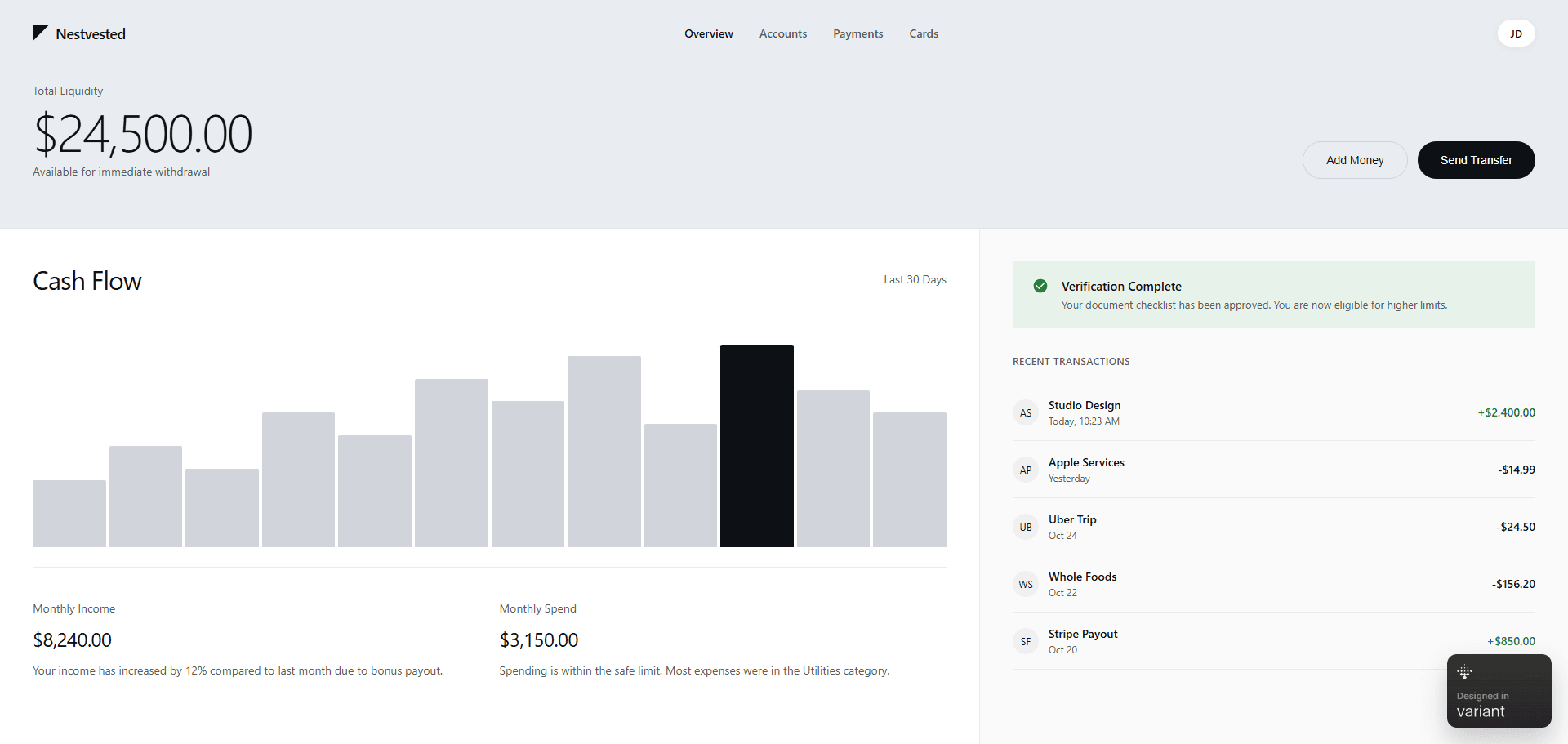
Every generation in Variant produces several designs at once rather than a single answer. Reviewers who have used it in 2026 report that a request returns around six variations by default, each of which you can branch from. The upside is range: you see directions you would never have thought to ask for. The downside is cost, because each variation draws on your monthly allowance.
Designs render as real interfaces, not flat images, so you can judge type, spacing and hierarchy the way a user would see them. Suggested prompts on the home screen, such as "Design a login screen", help people who do not know where to start. That is useful if you have blank canvas syndrome.
Variation controls
Once you have a design you like, Variant offers one-click ways to push it further without writing a new prompt. Hands-on reviews published this year describe options such as seeing other views of the same idea, changing style, shuffling the layout, remixing colours, and a strong or subtle "vary" that controls how far the next batch drifts from the original. The app also has a style dropper to sample colour and style from one design and apply it to another, plus saved style collections you can reuse.
This is where Variant is at its best. Layout and colour exploration is fast, and the results tend to hold together because the model changes the whole composition rather than randomising individual elements. If you care about colour work, our guides to UI colour palettes for apps and colour palette generators are good companions.
Model selection: Fast, Quality or Auto
Variant runs its own model tiers and lets you pick in the prompt bar:
- Variant-Fast: "Great for quickly exploring ideas." The Free plan's allowance is Fast designs.
- Variant-Quality: "When you need the highest quality designs." Pro plans include a separate monthly allowance of Quality designs.
- Auto: "Uses the best model for the job."
The practical rule is to explore on Fast and switch to Quality when you have a direction worth polishing. If you want to understand why model choice changes UI output, our comparison of the best AI models for UI design goes deeper.
Image and URL input
You can upload an image or import from a URL as a starting point, and the grid tool helps line things up on screen. That is handy for "make it look like this, but for my product" requests. UXMagic covers the same need with image to UI for screenshots and sketches and clone any website for rebuilding a live page as an editable design.
Boards, privacy and sharing
Designs are organised into boards, and you can save designs and styles to collections. Designs are either Public ("appear in search and community") or Private ("only visible to you"). On the Free plan every design is public, so anything you generate for a client or an unannounced product ends up in the community feed. That alone pushes most professional users to Pro.
Export as React
Variant can convert a design into React and download the result. It is a one-way export: there is no Figma export, no design tokens file and no sync back to the canvas. For a single landing page that may be enough. For a product, you still need someone to split it into components and connect it to your design system. Our AI design-to-code tools guide compares tools built around that step.
Variant AI pricing
Variant keeps its pricing inside the app. Plan limits are visible in the upgrade screen, while Pro prices load after sign-in. Here is what the app lists as of September 2026:
| Plan | Price | Designs | Concurrent generations | Boards | Other |
|---|---|---|---|---|---|
| Free | $0 | 300 fast a month (60 a day) | 6 | 1 | Designs are public |
| Pro | Tiered, monthly or yearly | Monthly Quality and Fast allowances by tier | Higher than Free | Unlimited | Private designs, access control |
| Business | Custom | Pooled usage | Custom | Unlimited | Org-wide access control, team billing, SAML/OIDC SSO, onboarding, dedicated support |
On Pro price, our Variant comparison page and third-party reviews from 2026 list $20 a month, or $192 a year (about $16 a month). The app now offers several Pro tiers sized by monthly design allowance, so check the upgrade screen for the tier you need.
The free plan is enough to learn the tool, but the multi-variation model uses allowance quickly. If each prompt returns six designs, 300 fast designs is roughly 50 prompts a month, before any Shuffle or Remix actions. Plan exploration sessions rather than rerolling casually.
For comparison, UXMagic's pricing gives Free users 20 credits every day. Pro is $35 a month, or $17.50 a month billed annually, for 2,400 credits a month. According to how credits work, a new screen costs 3 credits and generating variations costs 6 credits per screen. Theme changes are free, and a targeted edit costs 0.2 credits. The full breakdown is in plans and limits. If you are comparing more tools on cost, our Google Stitch pricing and Figma pricing guides cover two common alternatives.
What Variant does well
- Range, fast. Nothing else in the category shows you as many distinct directions per minute. For early exploration, that is the whole point.
- Coherent variations. Layout shuffles and colour remixes tend to keep a consistent design language instead of producing random noise.
- Low effort to start. The feed, suggested prompts and remixable community designs remove the blank-page problem.
- Rendered UI, not pictures. You judge real type and spacing, and you can export React.
- Honest free tier. 300 designs a month with no card lets you judge the tool properly.
Where Variant falls short
- One screen at a time. Variant has no screen plan, flow or shared navigation. Building an onboarding flow or a five-screen app means generating each screen separately and hoping the style carries over. We explain why that matters in why single-screen AI design is a dead end and flow-based design vs static screens.
- No precise editing. Reviewers consistently note there is no point-and-edit or chat editing for a small fix. If a pill overlaps or padding is off, you reroll instead of fixing. Compare that with UXMagic's chat editing and editing a screen directly.
- Allowance drain. Multi-variation defaults are great for exploration and expensive for iteration.
- No style guide or tokens. You can sample a style, but there is no project-level theme that every screen follows. Our honest look at whether AI can follow design tokens explains why that is the difference between a mood board and a product.
- Limited handoff. React export only. No Figma export, no HTML and CSS bundle, no MCP server for coding agents.
- Public by default on Free. Fine for side projects, not for client or pre-launch work.
A realistic way to use Variant
Here is where Variant earns its place in a product workflow:
- Explore. Generate on Variant-Fast for a landing page or the one screen that sets the product's tone. Shuffle and remix until two or three directions stand out.
- Pick. Share the options with your team or stakeholders. At this stage Variant is working as a rendered mockup tool.
- Build the product. Take the chosen direction into a tool that plans screens, keeps a theme and hands off to engineering.
Step 3 is where most teams stall. A beautiful hero screen does not tell you what the signup, dashboard, settings and billing screens look like, and generating them one by one in Variant rarely produces a consistent set. Our guide to AI UI quality in a production workflow covers what changes between a pretty screen and a shippable one.
Turn one good screen into a whole product
Describe your product or upload the design you picked, approve a screen plan, and UXMagic designs every screen on one shared theme.

Variant AI alternatives
UXMagic: from one direction to a full flow
UXMagic starts where Variant stops. You describe the product, upload a document or reference image, and UXMagic proposes a screen plan. Once you approve it, flow mode and screen plans design every screen with one theme and consistent navigation. You can still explore: UXMagic can generate variations of a screen. The difference is that the variations live inside a project with a theme, versions and export.
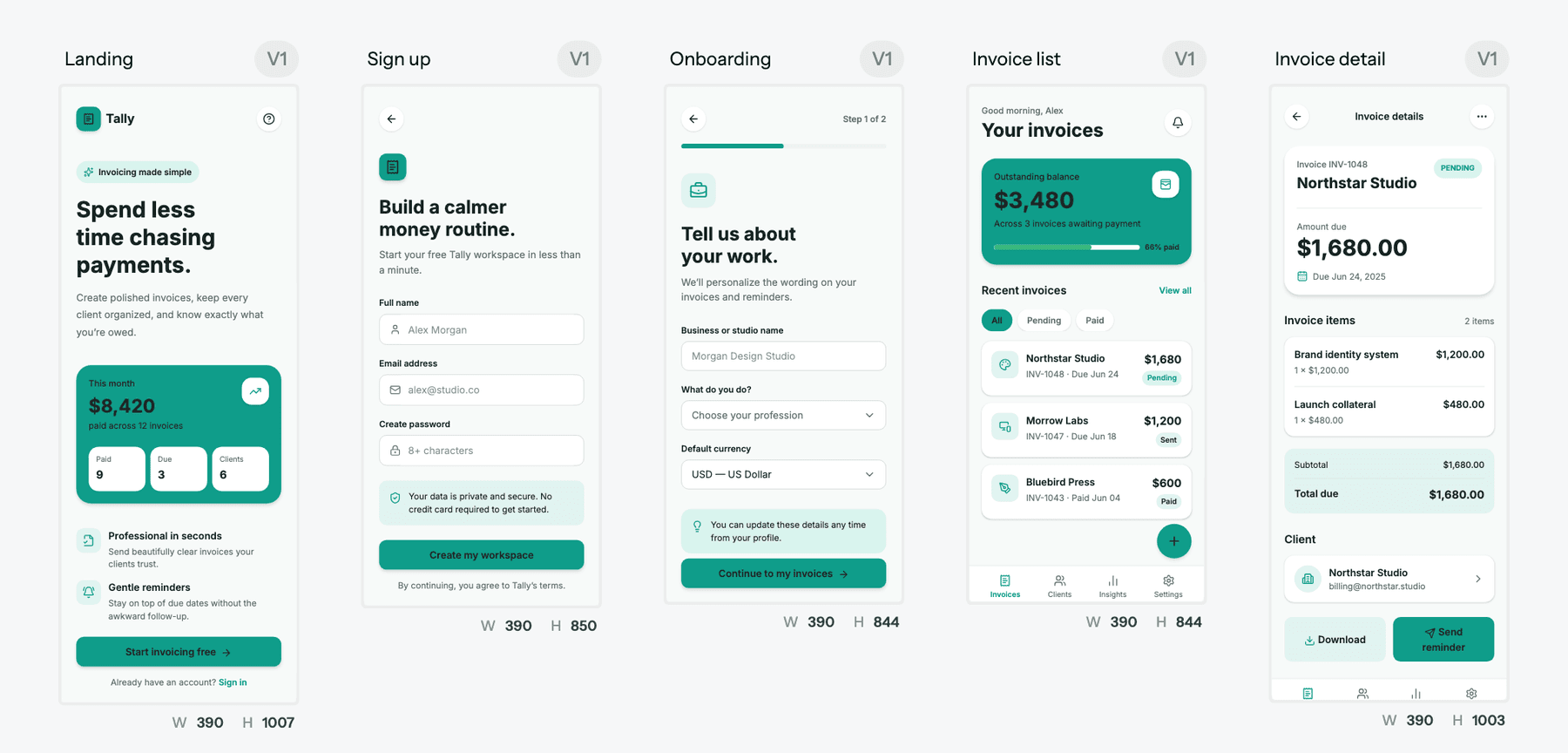
Where it goes further than Variant:
- A theme every screen follows. Colours, fonts, radii and spacing are set once in themes and style guides, and changing them updates every screen at no credit cost. The AI style guide generator can draft one for you.
- Precise edits. Fix one element with a chat instruction or edit text and images directly, without regenerating the screen.
- Several modes. Switch to wireframe mode for low-fidelity structure, or turn a flow into a clickable prototype with the AI prototype generator.
- Real handoff. Export code as HTML or React, export to Figma as editable frames, or let Claude, Cursor and other agents read your screens through the UXMagic MCP server.
- Publish. Put a landing page live on a UXMagic URL or custom domain with publish your first site.
For a like-for-like comparison, our UXMagic vs Variant page puts output from the same briefs side by side.
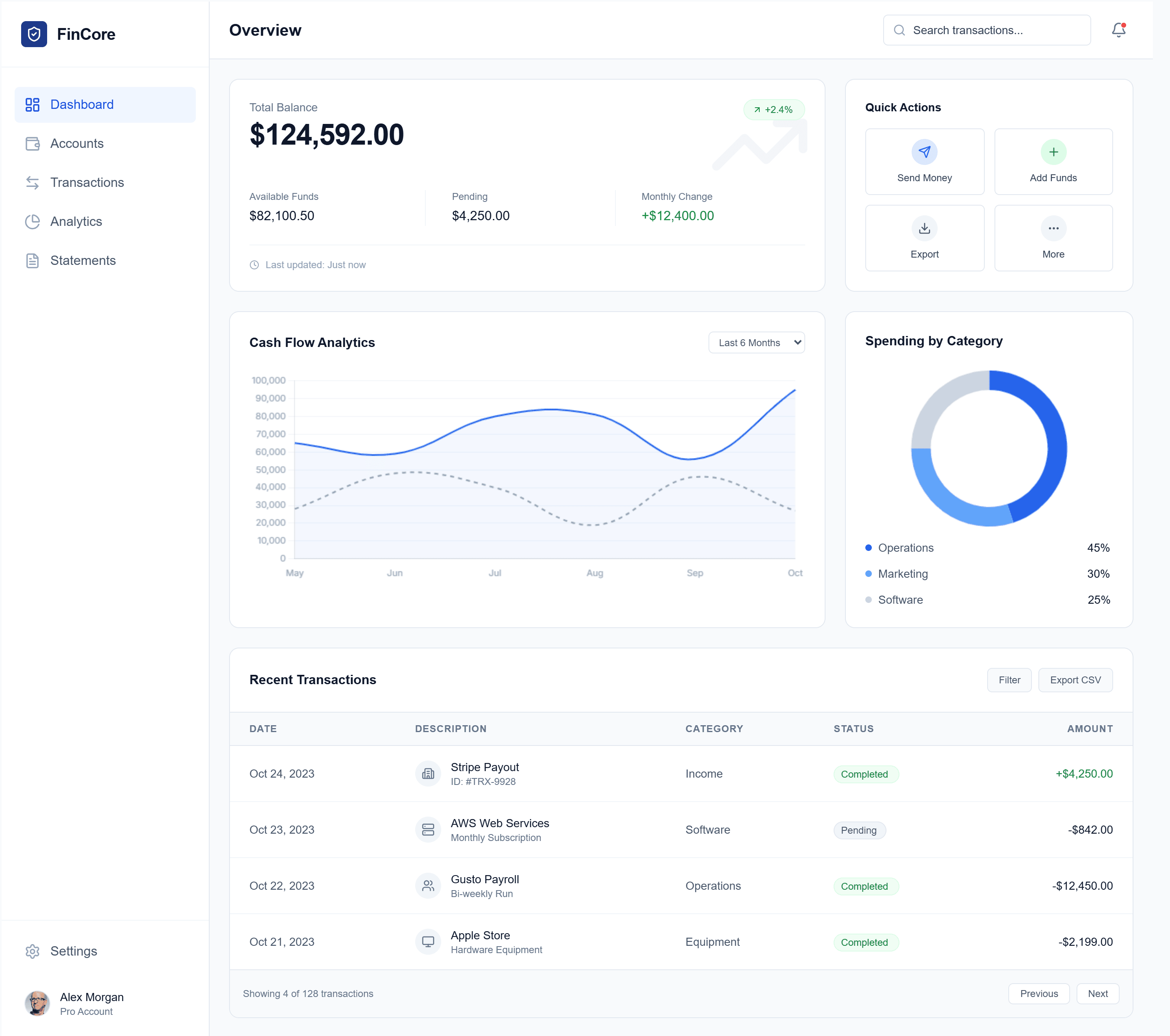
Where UXMagic falls short compared with Variant: it does not open on an endless feed of options, and a single generation is a considered answer rather than six rolls of the dice. If what you want is pure visual range with no product in mind yet, Variant is the more playful tool.
Google Stitch
Google's Stitch generates UI from prompts and images on an infinite canvas, with a generous free allowance and code export. It is closer to Variant in spirit (fast, single-screen, exploratory) and cheaper to start with. Read our Google Stitch review and Google Stitch alternatives.
MagicPath
MagicPath gives you an infinite canvas of AI-generated components and screens you can branch and remix. It suits designers who want Variant's exploration with more control over individual components. Read our MagicPath review, or see UXMagic vs MagicPath.
UX Pilot
UX Pilot generates wireframes and hi-fi screens from prompts and has a Figma plugin, which makes it a practical next step for Figma teams. Read our UX Pilot review and UX Pilot alternatives.
Figma Make and Figma's agent
If your team already lives in Figma, Figma Make turns prompts into interactive prototypes, and Figma's in-editor agent generates and edits screens in your file. Start with our Figma agent review and Figma Make alternatives.
Claude Design, Paper and Pencil
Claude Design generates designs inside Claude, while agent-first canvases such as Paper and Pencil pair a design surface with your coding agent. Our Paper.design review and Pencil.dev review cover both. If you want a code-first builder rather than a design tool, see our v0 alternatives and Magic Patterns review.
Who should use Variant AI?
Variant is a good fit if you are:
- A designer in the exploration phase who wants dozens of rendered directions before committing.
- A founder choosing a visual identity for a landing page and happy to decide by taste rather than a spec. Pair it with our guide to validating a product idea before building.
- A creative lead building mood boards that are already interfaces rather than collages.
It is a weaker fit if you are:
- A PM who needs a clickable multi-screen flow for user testing. Our best prototyping tools list and AI tools for product managers cover better starting points.
- A team with a design system that every screen must follow.
- Anyone shipping to engineering this week, who needs Figma files, HTML or an MCP connection rather than a single React file.
How to choose between Variant and UXMagic
Ask what you need at the end of the session.
If the answer is "a direction", meaning a look for the product and a few screens to react to, Variant is fast, enjoyable and cheap to try. If the answer is "a product", meaning a signup flow, a dashboard, settings and a landing page that share one theme and can go to Figma, React or a coding agent, UXMagic is built for that. Many teams will use both: explore in Variant, then upload the chosen screen to UXMagic with screenshot to UI and let flow mode build the rest on the same visual language. If you want a head start, the UXMagic templates gallery and community designs are the closest thing we have to Variant's feed.
Our verdict
Variant is one of the most enjoyable AI design tools of 2026 and one of the most honest about what it is. It shows you options instead of asking you to explain, and at that single job, rendered visual exploration, it is excellent. The free plan is real, the variations are coherent, and React export gives you a way out.
It is not a product design tool. There is no screen plan, no shared theme, no precise editing and no Figma or MCP handoff, and the multi-variation model uses allowance quickly once you move from exploring to refining. Use Variant to find the look. Use a flow-first tool like UXMagic to turn that look into every screen your product needs.
Related reading
- Best AI design tools for 2026
- MagicPath alternatives for AI-generated UI
- Miro AI prototyping review
- Replit review: the Replit Agent for app building
- ChatPRD review for product specs
- UXMagic vs Banani compared
- DESIGN.md guide: give coding agents your design system
- Best wireframing tools
Found the look? Now design the product
Start free with 20 credits a day. Generate a consistent multi-screen flow and send it to Figma, React or your coding agent over MCP.