TL;DR: Midjourney pricing runs from $10 a month (Basic) to $120 a month (Mega), with 20% off annual plans. You are paying for GPU time, not images: Fast time is metered and doesn't roll over, Relax Mode is unlimited from Standard up, and Stealth Mode plus the rule for companies over $1M revenue both start at Pro ($60). If you need images for product screens rather than art direction, compare it with the options in our best AI image generators roundup, or generate images inside your designs with UXMagic.
The Midjourney plans page is four cards and a toggle. It looks simple until you try to answer the practical question: what will a month of image work cost me, and which plan do I actually need? The answer depends on three things the price tag doesn't show: how much GPU time your prompts use, whether you can wait in the Relax queue, and whether your images are allowed to be public.
This guide covers every Midjourney plan as listed in September 2026, how GPU time converts into images and video, Stealth Mode and commercial terms, three cost scenarios, the costs that are easy to miss, and cheaper options for product teams. We build UXMagic, a design tool rather than an image model, so we also say plainly where Midjourney is the right tool and where it isn't.
A note on sources: plan prices, GPU costs and limits come from Midjourney's own documentation, mainly Comparing Midjourney Plans and GPU Speed (Fast, Relax, Turbo), plus its Terms of Service (effective May 27, 2026). Midjourney says plan features can change at any time, so treat every figure as "as listed in September 2026". The same approach runs through our other pricing guides, such as Figma pricing and Replit pricing.
Midjourney pricing at a glance
| Plan | Monthly | Annual (per month) | Fast GPU time | Relax Mode | Stealth Mode |
|---|---|---|---|---|---|
| Basic | $10 | $8 ($96/year) | 3.3 hours (200 min) | No | No |
| Standard | $30 | $24 ($288/year) | 15 hours | Unlimited images | No |
| Pro | $60 | $48 ($576/year) | 30 hours | Unlimited images and SD video | Yes |
| Mega | $120 | $96 ($1,152/year) | 60 hours | Unlimited images and SD video | Yes |
Every plan can buy extra Fast time at $4 an hour, generate video, and use all current models, including the V8.2 default and the Niji anime models. The differences are speed, privacy and how many jobs you can run at once.
Midjourney plans in detail
Is Midjourney free?
No. Midjourney's plan docs describe four subscription tiers and nothing below them, so there is no free plan on midjourney.com. Every plan renews monthly or yearly until you set it to cancel.
If you only want to try AI images, start with a free tool first. Nano Banana 2 in the Gemini app and GPT Image 2 in ChatGPT both have free tiers with daily limits; our Nano Banana Pro vs Nano Banana 2 comparison and our GPT Image 2 review explain what each gives you for nothing.
Midjourney Basic ($10 a month)
Basic gives you 200 minutes of Fast GPU time a month and nothing else to fall back on: it has no Relax Mode. When the Fast time is gone you either buy more at $4 an hour, earn a little by rating images, or wait for renewal. Videos are limited to SD resolution, and you can run 3 image jobs or 1 video job at once.
Basic suits someone learning to prompt or making a handful of images a week. For regular work, it is the plan most likely to run dry mid-project.
Midjourney Standard ($30 a month)
Standard triples the price and gives you 15 hours of Fast time plus unlimited image generation in Relax Mode. HD video unlocks here, though only in Fast Mode. Concurrency stays at 3 image jobs, in Fast or Relax.
For most individuals, Standard is the value plan, because Relax Mode removes the fear of running out. The catches: your images are public on the Midjourney website, and Relax video is not included.
Midjourney Pro ($60 a month)
Pro doubles Standard's Fast time to 30 hours and adds three things Standard lacks:
- Stealth Mode, which keeps new images and videos off the public Midjourney gallery.
- Unlimited SD video in Relax Mode.
- Higher concurrency: 12 Fast image jobs (or 3 Relax), 6 Fast video jobs, and repeat or permutation batches of up to 40 jobs.
Pro is also the minimum plan for companies with more than $1,000,000 in annual gross revenue (more on that below). For many business users, that one rule decides the plan before any usage maths does.
Midjourney Mega ($120 a month)
Mega is Pro with 60 hours of Fast time and 12 Fast video jobs at once. It has no features Pro lacks, so it only makes sense if you regularly burn through Pro's 30 hours. Compare the cost of Mega with Pro plus extra hours: the $60 difference buys 15 extra hours at $4 each, and Mega gives you 30.
Annual billing
Every plan is 20% cheaper on annual billing, paid upfront: $96, $288, $576 or $1,152 for the year. Fast time still resets monthly, so annual billing saves money without letting you bank hours. Commit to a year only once you know which tier you need.
How Midjourney GPU time works
Midjourney doesn't sell images. It sells time on its GPUs, and the docs compare it to the data allowance on a phone plan. Only the time Midjourney spends actually generating counts, not the time you spend on the site or waiting in a queue.
Fast, Relax and Turbo modes
- Fast Mode uses your monthly Fast time. It is the default, and every plan has it.
- Relax Mode is unlimited on Standard, Pro and Mega, but your jobs wait for free GPUs. Midjourney quotes waits of 0 to 30 minutes, and heavy Relax users get longer waits. Permutations, repeats, HD video and legacy Max Upscale are not available in Relax.
- Turbo Mode runs on a faster GPU pool, up to four times quicker than Fast, and uses double the Fast time per job. It is experimental, and Midjourney's docs say it isn't supported on V8.1.
How much GPU time does an image cost?
Midjourney publishes approximate GPU costs per job type:
| Job | Approximate Fast time |
|---|---|
| SD image prompt (grid of 4) | 0.8 min |
| HD image prompt | 1.3 min |
| Variation | Under 1 min |
| Creative or Subtle Upscale | 2 min |
| Edit Model, SD / HD | 1 min / 2.3 min |
| Batch of 4 SD videos | 8 min |
| Batch of 4 HD videos | 26 min |
Non-standard aspect ratios, older model versions and upscales cost more; variations and lower quality settings cost less. V8.1 introduced HD images at 2K without upscaling, which is where the 1.3-minute figure comes from.
How many images does each plan get?
Dividing each plan's Fast time by those figures gives a rough ceiling. These are our estimates from Midjourney's published averages, not guarantees:
| Plan | SD prompts (4 images each) | HD prompts | SD video batches | Cost per SD prompt (monthly / annual) |
|---|---|---|---|---|
| Basic | ~250 | ~150 | ~25 | ~$0.04 / ~$0.03 |
| Standard | ~1,125 | ~690 | ~110 | ~$0.027 / ~$0.021 |
| Pro | ~2,250 | ~1,380 | ~225 | ~$0.027 / ~$0.021 |
| Mega | ~4,500 | ~2,770 | ~450 | ~$0.027 / ~$0.021 |
Two things stand out. Standard, Pro and Mega cost the same per Fast minute, so moving up buys more time, privacy and concurrency rather than cheaper images. And on paper each prompt is cheap. The real cost is the number of prompts a usable image takes, which is why "cost per keeper" is the number that matters.
Midjourney video pricing
There is no separate video plan. Midjourney turns an image into a 5-second clip, and a batch of four SD videos uses about 8 Fast minutes, ten times an SD image prompt. HD video (Standard and up) costs about 26 minutes per batch and only runs in Fast Mode. Only Pro and Mega can make video in Relax Mode, at SD resolution.
So on Basic, video eats the month quickly: 200 minutes is about 25 SD video batches and no images. If motion is a real part of your work, compare dedicated video tools too; our roundup of AI video tools for SaaS product demos covers the product-demo side.
Extra Fast hours and free time
- Buying time: every plan can buy more Fast time at $4 an hour from the Manage Subscription page. Purchased hours expire after 60 days, need an active subscription, and can't be refunded.
- Earning time: each day the top 2,000 members who rate the most images get one free Fast hour, and occasional surveys pay in Fast time. Earned time expires after 30 days.
At $4 an hour, a purchased SD prompt costs about $0.053, roughly double the plan rate. Top-ups are fine for an unusual month; if you buy them every month, move up a tier.
Concurrency limits
| Plan | Image jobs at once | Video jobs at once | Max repeat/permutation batch |
|---|---|---|---|
| Basic | 3 Fast | 1 Fast | 4 jobs |
| Standard | 3 Fast or Relax | 3 Fast | 10 jobs |
| Pro | 12 Fast or 3 Relax | 6 Fast or 3 Relax | 40 jobs |
| Mega | 12 Fast or 3 Relax | 12 Fast or 3 Relax | 40 jobs |
Concurrency matters mostly for batch work, such as campaign variants.
Stealth Mode, privacy and commercial rights
Your images are public by default
Midjourney is an open community. Under its terms, content is publicly viewable and remixable by default, and you grant Midjourney a broad licence to your prompts and outputs. Stealth Mode, available only on Pro and Mega, is Midjourney's promise to make "best efforts" not to publish images you create with it switched on.
Three details matter in practice:
- Stealth doesn't cover public Discord channels. Use the website, Discord direct messages or a private server.
- Turning Stealth on doesn't hide older images. You have to make existing images private by hand.
- If you downgrade later, images you made private stay private.
For client work, unreleased products or anything under NDA, that effectively makes Pro the entry plan.
The $1M revenue rule
You own what you create "to the fullest extent possible under applicable law", and ownership continues if you cancel. The exception: if you are a company, or an employee of a company, with more than $1,000,000 a year in gross revenue, you must be on Pro or Mega to own your assets. If you upscale someone else's image, it stays theirs. Midjourney doesn't give copyright advice, so check with your own lawyer for sensitive uses.
One person per account, no API
The terms allow one user per account and forbid automated tools, so there is no official API for building Midjourney into a product and no shared team seat. A team of four designers needs four subscriptions. If you need images generated inside your own app, look at API-priced models such as gpt-image-2 or Nano Banana 2.
Cancelling and refunds
You can cancel any time. Midjourney's terms say you won't be refunded for the current period but won't be charged after it ends. For comparison, UXMagic documents its own cancellation steps and refund policy in the help center.
Images that live inside real screens
Generate or edit images directly in editable UI for 0.5 credits each, then export to Figma or code. The free plan gives you 20 credits a day.

Real Midjourney cost scenarios
Scenario 1: a freelancer with uneven months
You make 40 to 80 images in a normal month and several hundred in a busy one. Basic's 200 minutes cover a quiet month, but there is no Relax Mode to absorb a busy one, so every overflow hour costs $4. Standard at $30 covers both with Relax Mode, but in quiet months most of its 15 Fast hours expire unused.
Standard is still usually the better choice, because the cost is fixed. The saving comes from habit: run exploration in Relax and keep Fast for deadline work. If your client needs privacy, see scenario 2.
Scenario 2: an agency with client work
The first confidential brief changes the maths. On Standard, every image lands in the public gallery, so the agency moves to Pro. For one designer that is $60 a month ($48 annual) instead of $30, and for a team of three it is three Pro subscriptions, $180 a month, because accounts can't be shared. If the agency or the client-side company earns more than $1M a year, Pro is required anyway.
Budget Pro from day one for client work. Upgrading halfway through a project doesn't hide images already made in public mode.
Scenario 3: a product team making UI assets
A startup needs a hero image, six onboarding illustrations, a set of feature icons and some marketing visuals for a launch. Midjourney is strong at the hero and the illustration style. It is weaker at the rest: it outputs raster images only, so icons need tracing, in-image text is less reliable than in text-focused models, and none of it is a screen.
A cheaper split: use Midjourney Standard for a month of art direction, Recraft or Ideogram for icons and typography, and design the actual pages in a UI tool that places and edits images in context. In UXMagic, generating or editing an image costs 0.5 credits, and a new screen costs 3, per our credit cost table. A launch landing page plus six onboarding screens with a dozen images comes to about 27 credits, which fits in a couple of days of the free plan's 20 daily credits.
Hidden costs in Midjourney pricing
- Fast time that expires. Plan hours reset monthly and never roll over, so quiet months are paid for in full.
- Privacy is a plan feature. Stealth Mode starts at $60. Treat Standard as a public-only plan.
- Per-person pricing. One user per account, so costs scale with headcount.
- Video is GPU-hungry. A four-clip SD batch costs as much Fast time as ten image prompts; HD costs about 33.
- HD, upscales and edits add up. An HD prompt uses about 60% more time than SD, and an upscale costs more than the image it upscales.
- The iteration tax. Midjourney is interpretive by design, so exact briefs take reruns.
- Everything after the image. A Midjourney image still has to be placed, cropped, recoloured and put into a layout somewhere else. That work, not the image, is usually the bigger bill.
How to spend less on Midjourney
- Pick the plan for privacy first, volume second
Decide whether your images can be public and whether your company crosses $1M in revenue. If either rule points to Pro, don't spend a month on Standard first. Only after that, size the plan by Fast hours.
- Make Relax Mode your default
On Standard and up, set Relax as your default speed in settings and switch to Fast (the --fast parameter) for jobs with a deadline. Batch exploration overnight. Your Fast hours then act as a reserve.
- Draft in SD, finish in HD
Explore at SD (0.8 minutes a prompt) and rerun only the keepers in HD. Use variations and the Edit Model to adjust a near-miss rather than re-prompting from scratch.
- Write prompts like a shot list
Subject, setting, composition, lighting, mood and aspect ratio. A specific prompt lands in fewer attempts, which cuts the real cost per image. Our guide to prompting for UI that ships applies the same discipline to screens, and the writing a good prompt help article has examples.
- Fix the palette before you generate
Images drift when there is no system to match. Decide colours and type first; our UI colour palette guide and the AI style guide generator help. The design.md guide shows how to write those rules down so AI tools follow them.
- Stop using Midjourney for things that aren't images
The most expensive habit we see is prompting an image generator for "a dashboard UI" or "an app screen". The result is a flat picture: no layers, no editable text, no components, no code. Rebuilding it by hand costs far more than the GPU minutes. For screens, use a UI generator, the argument we make in why single-screen AI design is a dead end.
Midjourney vs alternatives: pricing comparison
Prices below come from each vendor's own site or docs as checked for our AI image generator roundup in September 2026. Billing units differ (GPU time, tokens, credits, compute units), so compare by the cost of a usable asset, not the headline price.
| Tool | Free option | Entry paid plan | API | Best for |
|---|---|---|---|---|
| Midjourney | None | Basic $10/mo | No official API | Art direction, moodboards, stylised imagery |
| GPT Image 2 | ChatGPT free tier, limited | Paid ChatGPT plans | $30 per 1M image output tokens | Complex scenes, text in images |
| Nano Banana 2 | Gemini app, daily limits | Google AI plans | ~$0.045 to $0.151 per image | Fast, cheap iteration and editing |
| Nano Banana Pro | Limited | Google AI Pro and Ultra | ~$0.134 to $0.24 per image | Higher-quality Google images |
| Krea | 100 units a day | Basic $9/mo | Per model | Many models in one place |
| Recraft | Yes, public images | Basic $12/mo | Per image | SVG icons and illustrations |
| Adobe Firefly | Daily generations | Standard $9.99/mo | Enterprise | Commercially safe stock imagery |
| UXMagic | 20 credits a day | Pro $35/mo or $17.50/mo annually | Not an image API | Images placed inside editable screens |
Midjourney vs GPT Image 2
GPT Image 2 is the more literal model and the stronger one for text inside images, and it has a free tier in ChatGPT plus per-token API pricing for products. Midjourney still leads for aesthetic range and art direction. Read our GPT Image 2 review for access, limits and prompts for UI assets, and our guide to ChatGPT for UI/UX design for the wider workflow.
Midjourney vs Nano Banana
Google's Nano Banana 2 is free inside Gemini with daily limits and cheap per image in the API, and it edits existing images well. Nano Banana Pro costs more for higher quality. Our Nano Banana Pro vs Nano Banana 2 comparison covers which one fits which asset.
Midjourney vs node-based canvases
If you want to chain several models (generate, upscale, restyle, animate) in one place, node-based tools are a different kind of product. Our Figma Weave review covers Figma's take on it, and what is Figma AI explains how it sits alongside Figma's other AI features and the new Figma agent.
Where UXMagic fits
UXMagic is not an image model and doesn't replace Midjourney for art direction. It handles images where they end up: inside screens. As the images in your designs guide explains, it generates imagery as it designs a screen, edits an existing image in place (change text, recolour, add or remove an element), accepts your own uploads, including images from Midjourney, and swaps an asset across every screen in one step.
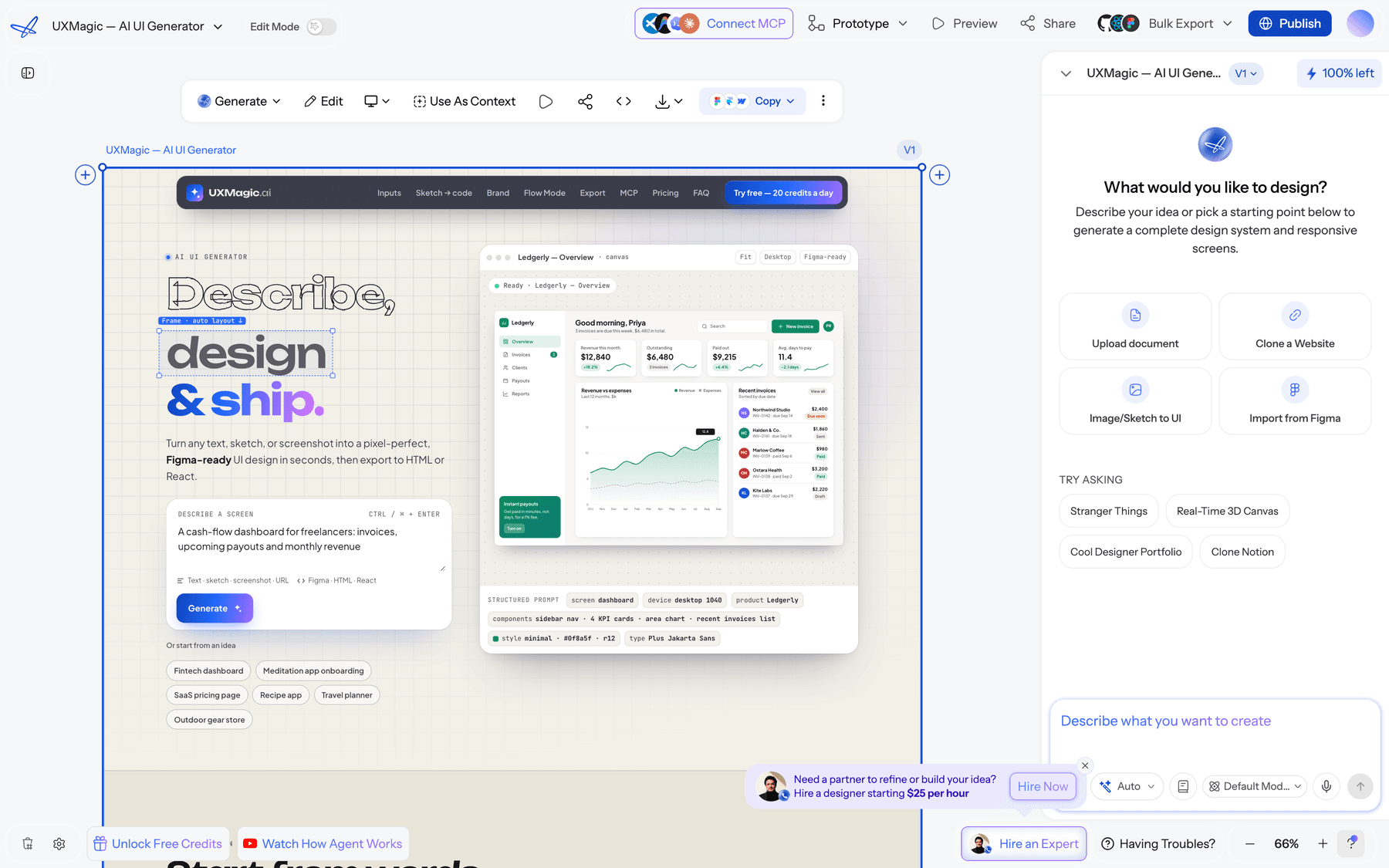
Around those images, the AI landing page generator and AI mockup generator start from a prompt, Flow Mode designs a whole multi-screen journey on one theme, and image to UI turns a screenshot into an editable screen. Theme changes are free, per the themes and style guides guide, so recolouring twenty screens doesn't mean regenerating twenty images. When you're done, export to Figma, download PDFs and images, or hand code to developers with the design to code generator.
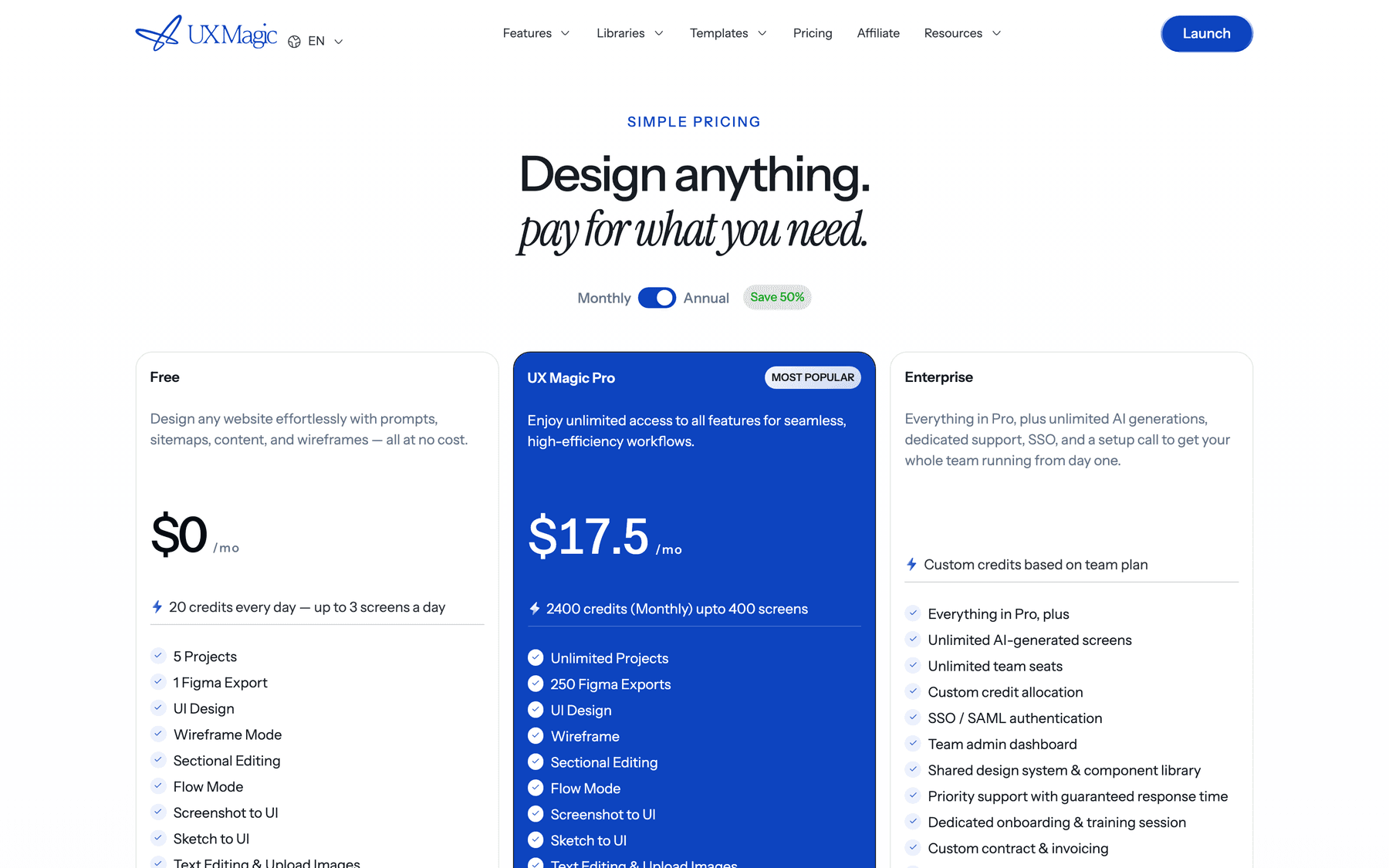
On price, the free plan gives 20 credits every day with no card. Pro is $35 a month, or $17.50 a month billed annually, for 2,400 credits (up to 400 screens), unlimited projects and 250 Figma exports. You can also earn free credits. Full details are on our pricing page.
Is Midjourney worth the cost?
For art direction, yes. If your work depends on how images feel, such as brand exploration, editorial illustration, moodboards or campaign visuals, Midjourney's V8 models are still among the best, and Standard at $30 a month with unlimited Relax images is fair value. Add $30 for Pro once privacy or the $1M rule applies.
It is poor value when it's used for the wrong job. Midjourney is priced for exploration: lots of prompts, most of them thrown away, all of them raster. Product teams usually need a few exact images placed in real layouts, with text that can change and colours that match a system. For that, a free or API-priced model plus a UI tool costs less and wastes less.
Our recommendation for product teams: keep Midjourney for the early look-and-feel phase if you love it, generate precise assets with GPT Image 2, Nano Banana or Recraft, and do the screens in UXMagic, where images are edited in place and the whole flow stays editable through to Figma or code. Our guide on how to design UI with AI walks through the full workflow, and vibe designing explains the approach behind it.
Related reading
- Best AI model for UI design, if you are choosing a model for the interface itself
- Landing page design examples that convert, for where imagery earns its place
- Best AI design tools in 2026 for screens rather than images
- Best mockup tools for presenting product visuals
- Image to Figma converter tools for turning images into editable layers
- SaaS landing page design: what the hero image actually has to do
- Figma vs Canva for marketing visuals and layouts
- Lovable pricing and Miro pricing, more cost breakdowns in the same format
- Website templates and the Figma component library for a head start on real screens
Put your Midjourney images into real screens
Upload your images or generate new ones inside editable, multi-screen designs, then export to Figma, HTML or React. Start free with 20 credits a day.